
Wireless doorbells have become a common sight in modern homes. With their simple setup, lack of wires, and reliable performance, they are changing the way we think about home entry systems. But how do wireless doorbells actually work? What makes them different from traditional wired doorbells?

Exclusive Deals
Limited-time Exclusive Deals. Check current discount on Amazon.
Check Price on Amazon As an Amazon Associate I earn from qualifying purchases.If you’re curious about the science, technology, and practical details behind these handy devices, this guide will clear things up. You’ll find clear explanations, helpful data, and practical tips for choosing and using a wireless doorbell—no tech jargon required.
The Basics Of Wireless Doorbells
Wireless doorbells use radio signals to connect the button outside your door to the chime unit inside your home. When someone presses the button, it sends a signal to the receiver, which then rings the chime. This simple process replaces the wires and electrical circuits found in traditional doorbells.
Key Components
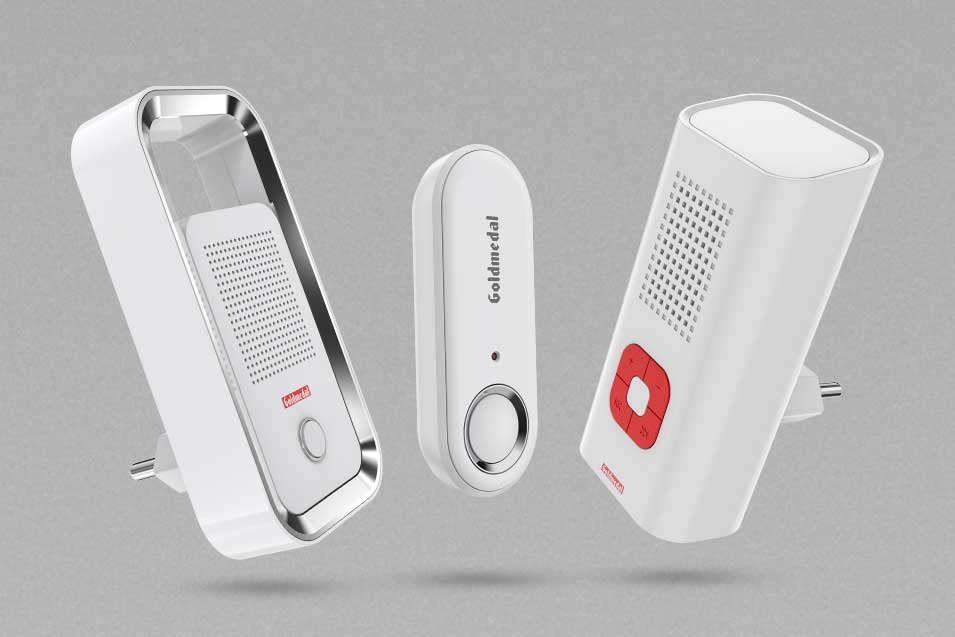
A standard wireless doorbell system consists of:
- Doorbell button: This is the part visitors press. It’s usually weatherproof and mounted near the main entrance.
- Receiver (chime unit): The device inside your home that makes the sound when triggered.
- Power source: Batteries or, in some models, plug-in power for the receiver.
- Radio transmitter and receiver: The button has a transmitter; the chime unit has a receiver. They communicate using radio frequency (RF) signals.
How The Signal Travels
When the button is pressed, the transmitter sends a coded signal on a specific frequency. The receiver, tuned to the same frequency, listens for this code. If it matches, the chime rings. This process takes less than a second and works through walls, doors, and glass—though some materials can weaken the signal.
Exclusive Deals
Limited-time Exclusive Deals. Check current discount on Amazon.
Check Price on Amazon As an Amazon Associate I earn from qualifying purchases.Wireless Doorbells Vs. Wired Doorbells
To understand wireless doorbells better, it helps to compare them to their wired counterparts. Here’s a quick look at the main differences:
| Feature | Wireless Doorbell | Wired Doorbell |
|---|---|---|
| Installation | No wiring required; quick setup | Requires wiring; professional installation often needed |
| Flexibility | Can be moved easily | Fixed location |
| Maintenance | Battery replacement or recharge | Wiring maintenance, rare battery change |
| Cost | Usually cheaper upfront | May involve installation fees |
| Reliability | Signal can be affected by interference | Generally stable unless wiring fails |
Wireless doorbells are popular because they are easy to install and don’t require any drilling or electrical work. Wired doorbells, on the other hand, can last longer and don’t need batteries, but they are less flexible and harder to set up.
Inside The Technology: Radio Frequency And Signal Transmission
Most wireless doorbells use radio frequency (RF) signals to communicate. The frequencies used are often in the 315 MHz, 433 MHz, or 900 MHz ranges, which are common for short-range communication devices. Let’s break down how this works:
Radio Frequency Transmission
- Transmitter: The button contains a small RF transmitter. When pressed, it sends a signal using one of the common frequencies.
- Receiver: The chime unit is equipped with an RF receiver. It is programmed to recognize the signal from its paired transmitter.
Signal Coding
To prevent interference from other devices, wireless doorbells use digital codes. Each button and chime pair have a unique code, so your neighbor’s doorbell won’t trigger your chime. This is called pairing or addressing.
Signal Range
The range can vary from 100 feet to over 1,000 feet, depending on the model and obstacles between the button and receiver. Walls and metal can weaken the signal. Some high-end models use signal repeaters or mesh networks for greater coverage.
Exclusive Deals
Limited-time Exclusive Deals. Check current discount on Amazon.
Check Price on Amazon As an Amazon Associate I earn from qualifying purchases.Battery Life And Power Efficiency
Wireless doorbell buttons use low-power circuits and can last from several months to two years on a single set of batteries. Receivers may use batteries or plug into an outlet. Some advanced models have energy-saving features like sleep mode.
Types Of Wireless Doorbells
Wireless doorbells come in many forms. The main types are:
- Basic battery-powered models: Simple, affordable, suitable for most homes.
- Plug-in receivers: The chime unit plugs into a wall socket, offering unlimited power.
- Smart wireless doorbells: Connect to Wi-Fi, have cameras, and can be controlled by smartphone apps.
Feature Comparison
Here’s a summary of key features for each type:
| Type | Power Source | Extras | Typical Price Range |
|---|---|---|---|
| Basic battery-powered | Batteries for both units | Multiple chime options | $10–$30 |
| Plug-in receiver | Battery for button, plug for receiver | Volume control, extended range | $20–$50 |
| Smart wireless | Batteries/rechargeable, Wi-Fi | Video, app control, voice assistant | $70–$250 |
Smart wireless doorbells are growing in popularity. According to Statista, the global smart home market is expected to reach $207 billion by 2027, with security devices like video doorbells leading the trend.

Installation Process
Wireless doorbells are designed for easy installation. Most people can set them up in less than 30 minutes. Here’s how:
Step-by-step Installation
- Choose the location: Pick a spot near your main door that is sheltered from rain and direct sunlight.
- Mount the button: Use adhesive strips or screws (both are usually included). Make sure it’s at a comfortable height.
- Place the receiver: Plug it into a socket or put it in a central area. Test the range before fixing its location.
- Pair the units: Follow the manufacturer’s instructions to sync the button and receiver. This step prevents interference from other devices.
- Test the system: Press the button and listen for the chime. Adjust volume or chime sound if needed.
Common Mistakes To Avoid
- Placing the button too far from the receiver: Check the maximum range before installation.
- Mounting in metal frames or thick walls: These can block signals.
- Not pairing properly: If the units aren’t paired, the chime won’t work.
Features And Customization Options
Wireless doorbells offer many features that wired models can’t. Here are some of the most popular:
Multiple Chime Sounds
Many wireless doorbells allow you to choose from 20–50 chime sounds. Some even let you upload your own music. This is handy for customizing your alert.
Adjustable Volume
Volume control is standard. You can set the chime to be loud enough for large homes or quiet for apartments.
Multiple Receivers
You can place receivers in different rooms. For big houses, this ensures you don’t miss visitors.
Led Indicator Lights
Some models include flashing LED lights. This is useful for people with hearing problems.
Weatherproof Design
The button is often weatherproof and can handle rain, dust, and temperature changes.
Smart Features
Smart wireless doorbells connect to Wi-Fi and offer:
- Video streaming: See visitors through a camera.
- Two-way audio: Talk to visitors from your phone.
- Motion detection: Get alerts even if the button isn’t pressed.
- App notifications: Your phone rings when someone arrives.

Wireless Doorbell Security
Wireless doorbells can improve home security. Smart models with cameras record visitors, which is useful for tracking deliveries or deterring theft. However, there are some risks:
Signal Interference
Other devices—like baby monitors or Wi-Fi routers—can interfere with the signal. Manufacturers use coding and frequency hopping to reduce this risk.
Hacking Concerns
Smart wireless doorbells are connected to your home network. If not secured, hackers could access video or audio feeds. Always use strong passwords and update firmware.
Privacy Features
Most modern doorbells let you control who sees the video stream. You can set privacy zones or turn off recording when you’re home.
Choosing The Right Wireless Doorbell
Choosing the best wireless doorbell depends on your needs and budget. Here’s what to consider:
Key Factors
- Range: Make sure the signal can reach from your front door to where you want the chime.
- Power source: Decide between batteries or plug-in receivers.
- Chime options: Look for customizable sounds and volume.
- Weatherproof rating: Check if the button can withstand your local climate.
- Smart features: If you want video or app control, go for smart models.
- Ease of installation: Some models are easier to mount and pair.
Comparison Table
Here’s a comparison of three popular wireless doorbells:
| Model | Range | Power | Chime Options | Smart Features |
|---|---|---|---|---|
| Ring Video Doorbell 2 | Up to 1000 ft | Rechargeable battery | Selectable | Video, app, Alexa |
| Honeywell Series 9 | Up to 450 ft | Batteries/plug-in | 50+ chimes | LED alerts |
| SadoTech Model CXR | Up to 1000 ft | Batteries/plug-in | 36 chimes | No smart features |
Non-obvious Insight
Some buyers overlook signal range and place the receiver too far from the button. Always test the range before fixing the receiver’s location, especially in large homes or those with thick walls.
Another overlooked detail is battery life. Different brands and models use different battery types and power-saving features, which can make a big difference in maintenance.
Troubleshooting Common Problems
Wireless doorbells are reliable, but issues can arise. Here’s how to fix the most common problems:
Weak Or No Signal
- Check the batteries in both units.
- Move the receiver closer to the button.
- Avoid placing the receiver behind thick walls or metal objects.
- Re-pair the units if needed.
False Rings
- Change the channel or code to avoid interference from nearby devices.
- Check for faulty wiring in plug-in receivers.
Chime Not Working
- Test the button with a multimeter to check if it’s sending a signal.
- Reset the receiver and re-pair.
Video Or App Issues (smart Models)
- Restart the device and check your Wi-Fi connection.
- Update the firmware for improved security and performance.
Environmental Impact And Sustainability
Most wireless doorbell buttons use disposable batteries, which can harm the environment. Some companies now offer rechargeable batteries or solar-powered buttons, reducing waste.
Energy Consumption
Wireless doorbells use very little power, often less than 1 watt for the receiver. Smart models use more power due to cameras and Wi-Fi.
Recycling
Always recycle old batteries and devices at approved centers. Look for brands that offer recycling programs or use eco-friendly packaging.
Real-world Examples And Statistics
Wireless doorbells are used in many places—from homes to offices, apartments, and even hotels. According to a 2022 survey by Statista, over 40% of US households use some form of wireless doorbell or smart entry device.
In the UK, the Office for National Statistics reports that doorbell-related thefts dropped by 15% in areas where video doorbells were installed.
Practical Tips For Maximizing Performance
To get the best from your wireless doorbell, follow these expert tips:
- Test before installation: Check the signal range and sound in different rooms.
- Keep batteries fresh: Replace them every 6–12 months or use rechargeable types.
- Clean the button regularly: Dust and grime can affect performance.
- Update firmware: For smart models, keep software updated to fix bugs and improve security.
- Use multiple receivers: For larger homes, place receivers in several rooms.
Frequently Asked Questions
How Long Do Wireless Doorbell Batteries Last?
Battery life depends on usage and model. Standard buttons may last 6–24 months on alkaline batteries. Smart models with cameras use more power and may need recharge every few months.
Can Wireless Doorbells Work In Apartments?
Yes. Wireless doorbells are ideal for apartments because they need no wiring. However, signal range can be limited by thick walls or metal doors. Test before final installation.
Are Wireless Doorbells Safe From Hacking?
Basic wireless models are safe, as they use simple RF codes. Smart models connected to Wi-Fi need proper security—use strong passwords and update firmware. For more details, visit Wikipedia.
What Happens If My Neighbor Has A Wireless Doorbell Too?
Most wireless doorbells use unique codes or channels to prevent interference. If you experience false rings, re-pair your units or change the channel as per manufacturer instructions.
Do Wireless Doorbells Work In Extreme Weather?
Most wireless doorbell buttons are weatherproof and operate in temperatures from -20°F to 120°F. For very harsh climates, look for models rated IP55 or higher.
Wireless doorbells are a practical, flexible, and affordable solution for modern homes. Whether you choose a basic model or a smart video system, understanding how they work helps you make the best choice. With the right setup and a few smart habits, you’ll enjoy reliable performance and extra peace of mind every time someone visits your door.


