
Renting a home gives you flexibility and freedom. But it also comes with rules. Many renters want more control over their security, especially with new technology like smart door locks. These devices let you unlock your door with a smartphone, share virtual keys, and monitor access. But can renters install them? The answer is not always simple. There are legal, technical, and practical factors to consider. This guide will help you understand what’s possible, how to do it right, and avoid common mistakes. If you’re thinking about upgrading your rental with a smart lock, you’re in the right place.
What Are Smart Door Locks?
Smart door locks are electronic devices that replace or upgrade a traditional lock. They connect to your phone or other devices, letting you unlock doors remotely or without a key. Most smart locks offer features like:
- Keyless entry with a code, smartphone, or fob
- Remote locking and unlocking
- Access logs showing who entered and when
- Temporary guest access
- Integration with smart home systems
Some smart locks use Bluetooth or Wi-Fi. Others use Z-Wave or NFC. Brands like August, Yale, Schlage, and Kwikset are popular in the US. According to Statista, over 25 million US homes used at least one smart lock in 2023, and the number keeps rising.

Exclusive Deals
Limited-time Exclusive Deals. Check current discount on Amazon.
Check Price on Amazon As an Amazon Associate I earn from qualifying purchases.Smart Lock Types
Smart locks come in different forms. Some replace the whole lock; others attach to the existing deadbolt. Here’s a quick comparison:
| Type | Description | Installation | Typical Use |
|---|---|---|---|
| Full Replacement | Replaces entire lock assembly | Requires removing old lock | Best for owners, some renters with permission |
| Retrofit/Adapter | Attaches to existing deadbolt | Minimal changes, often reversible | Ideal for renters |
| Lever/Handle | Replaces handle and lock | May need landlord approval | Common in apartments |
For renters, retrofit models are usually the safest option. They are easy to install and remove, leaving the original lock intact.
Legal And Lease Considerations
Before you install a smart lock, you must check your lease agreement. Most leases have rules about making changes to the property. Some landlords are strict; others are flexible. Here’s what you need to know:
Lease Restrictions
Most leases have clauses like:
Exclusive Deals
Limited-time Exclusive Deals. Check current discount on Amazon.
Check Price on Amazon As an Amazon Associate I earn from qualifying purchases.- “Tenant shall not make alterations without landlord’s written consent.”
- “Tenant may not replace locks without permission.”
Violating these rules can lead to penalties, loss of security deposit, or even eviction. Always read your lease carefully.
Landlord Permission
Even if your lease is silent about locks, it’s wise to ask your landlord. Explain why you want a smart lock—for safety, convenience, or privacy. Many landlords are familiar with smart locks and may allow them if:
- The lock can be removed without damage
- The landlord retains a way to access the property
- You agree to restore the original lock when you move out
Some states require landlords to have access for emergencies. If you install a smart lock that blocks their entry, you could break the law.
Exclusive Deals
Limited-time Exclusive Deals. Check current discount on Amazon.
Check Price on Amazon As an Amazon Associate I earn from qualifying purchases.Local Laws
Laws about locks and entry vary by state and city. For example:
- In California, tenants can change locks for safety but must provide a key to the landlord.
- In New York, tenants need landlord consent for lock changes.
Check your local housing authority or tenant advocacy website for details. If you’re unsure, ask a lawyer or tenant association.
Technical Compatibility: What Renters Need To Know
Not every smart lock fits every door. Rentals often have old hardware, unusual doors, or shared entryways. Consider these points before buying:
Door And Lock Types
Measure your door and check the current lock. Smart locks work best with standard deadbolts. Some locks don’t fit doors with:
- Mortise locks (common in older apartments)
- Non-standard thickness
- Double-cylinder deadbolts
Brands like August and Wyze offer retrofit models that fit most US deadbolts. If your lock is unusual, check product specs carefully.
Power Source
Most smart locks use batteries—usually AA or CR123 cells. Some use rechargeable packs. Battery life ranges from 6 months to 1 year. If you forget to change batteries, the lock may stop working. Choose a model with low-battery alerts.
Connectivity
Smart locks connect via Bluetooth, Wi-Fi, or Z-Wave. Wi-Fi models are easiest for renters—they don’t need a hub. But Wi-Fi drains batteries faster. Bluetooth models are more energy-efficient but require you to be close to the door.
If your apartment has shared Wi-Fi, you may face interference. Some locks offer offline codes as a backup.
Installation
Retrofit locks require minimal tools—often just a screwdriver. Full replacement locks need more work and may not be allowed. Always follow manufacturer instructions.
Here’s a quick comparison of popular smart lock brands for renters:
| Brand | Retrofit Available | Wi-Fi Option | Battery Life | Ease of Removal |
|---|---|---|---|---|
| August | Yes | Yes | 6-12 months | Easy |
| Wyze | Yes | Yes | 6 months | Easy |
| Schlage | No | Yes | 12 months | Moderate |
| Yale | Some models | Yes | 12 months | Moderate |
How To Get Landlord Approval
Getting your landlord’s permission is often the hardest step. Here’s how to improve your chances:
- Prepare your case. Explain why you want a smart lock. Safety, convenience, and avoiding lost keys are strong points.
- Show it’s reversible. Use a lock you can install and remove without damage.
- Offer access. Give your landlord a backup code or virtual key. This is often required.
- Put it in writing. Ask for written permission—email is fine. This protects you if there’s a dispute.
- Share specs. Send the product’s info sheet, so the landlord knows it’s safe and reliable.
Some landlords may ask you to pay for installation or removal. Others may want to approve the brand or model. Being flexible and communicative will help.
Installation: Step-by-step Guide For Renters
If you have permission and the right lock, installation is usually simple. Here’s a general guide for retrofit smart locks:
- Remove the old thumbturn. Most retrofit locks require you to remove the interior part of your deadbolt. You’ll need a screwdriver.
- Attach the mounting plate. Align the plate with the holes. Secure it with screws.
- Install the smart lock unit. Slide the smart lock onto the plate. Tighten any screws.
- Insert batteries. Follow the lock’s instructions.
- Test the lock. Use the app or keypad to unlock and lock the door.
- Connect to Wi-Fi or Bluetooth. Follow the app setup steps.
- Share access. Set up codes or virtual keys for yourself and your landlord.
Always keep the original lock parts. When you move out, you’ll need to restore them.
Common Mistakes To Avoid
- Not reading the lease: This can lead to trouble with your landlord.
- Damaging the door: Avoid locks that require drilling or extra holes.
- Forgetting landlord access: Always provide a backup way for emergencies.
- Leaving batteries dead: Set reminders to check battery levels.
- Not testing before use: Double-check everything before relying on the smart lock.
Smart Lock Features: What Matters Most For Renters
Not all features are equally important for renters. Focus on what suits your situation:
- Easy removal: Can you uninstall it without leaving marks?
- Temporary codes: For guests, cleaners, or landlord visits.
- Battery alerts: To avoid lockouts.
- Remote access: Handy if you travel often.
- Audit logs: See who enters and when.
Many renters overlook the importance of audit logs. These logs can help you spot unauthorized access, especially in shared apartments.
Another overlooked feature is offline backup. If the lock loses power or Wi-Fi, can you still get in with a physical key or code?
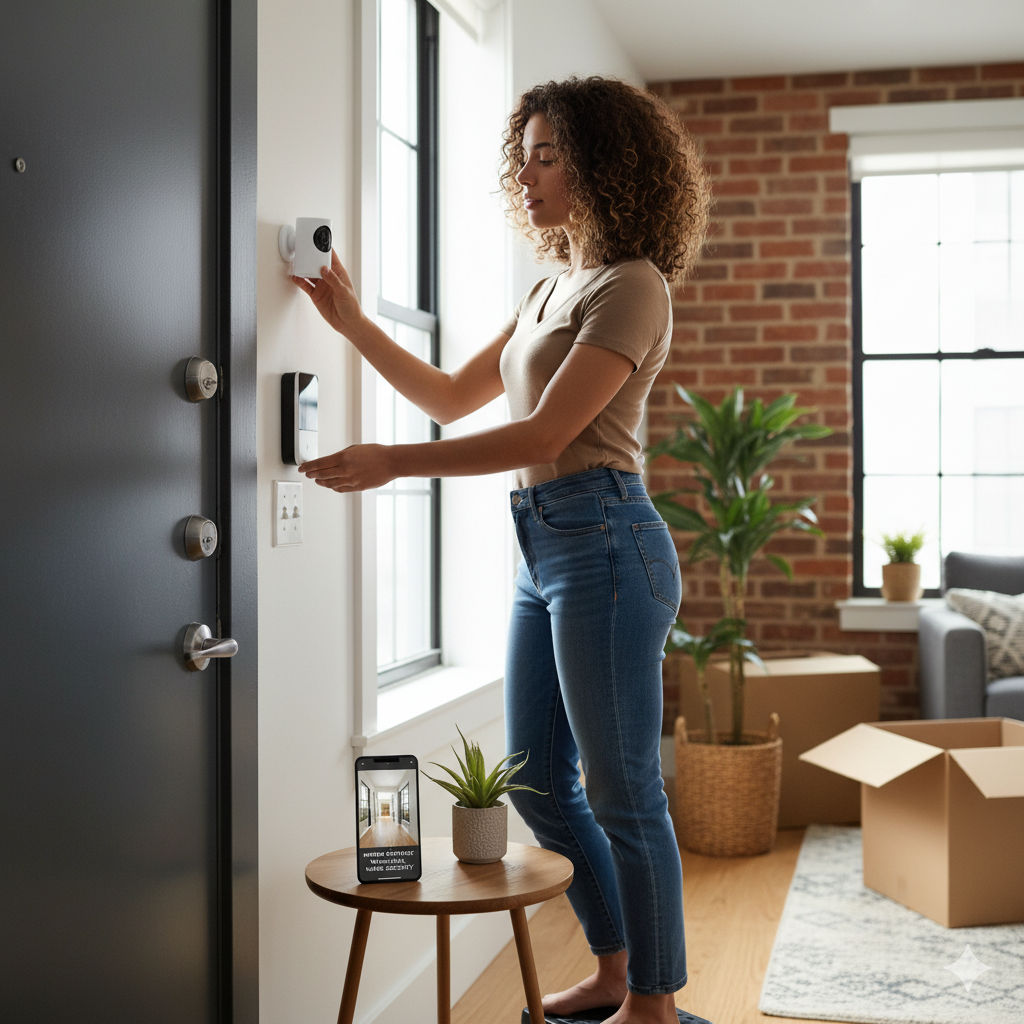
Security And Privacy Concerns
Smart locks offer new security, but also new risks. Understand both sides:
Security Benefits
- No lost keys: You control access from your phone.
- Instant rekeying: Change codes anytime.
- Track entries: Know who comes and goes.
Security Risks
- Hacking: Smart locks can be targeted by hackers. Choose models with strong encryption.
- Wi-Fi outages: Some locks fail if internet is down.
- Battery failure: If batteries die, you could be locked out.
- Privacy: Some locks share data with companies. Read privacy policies.
According to Consumer Reports, only about 40% of smart locks tested had strong enough encryption to block hacking. Choose locks from established brands and update firmware regularly.
Smart Locks Vs Traditional Locks: Data Comparison
How do smart locks stack up against regular locks in real life? Here’s a comparison:
| Feature | Smart Lock | Traditional Lock |
|---|---|---|
| Entry Method | App, code, fob, key | Physical key |
| Lost Access | Can reset codes remotely | Need locksmith |
| Audit Trail | Yes | No |
| Landlord Access | Virtual key or code | Physical key |
| Installation | May be reversible | Permanent |
| Battery Needed | Yes | No |
Smart locks offer more flexibility. But they add complexity. For renters, the ability to restore the original lock is crucial.

Real-life Examples And Case Studies
Let’s look at some examples of renters who installed smart locks:
Apartment Complex In Chicago
A group of tenants in a large apartment building wanted to upgrade security. They chose August Smart Locks that attach to existing deadbolts. With landlord approval, they installed locks in 18 units. Results:
- No damage to doors
- Landlord received backup access codes
- Tenants reported fewer lost keys and lockouts
College Student In Boston
Sarah, a student renting a room, installed a Wyze Lock without asking her landlord. When the landlord needed to enter for repairs, he was locked out. Sarah had to restore the original lock and pay for a locksmith. Lesson: Always get permission and provide backup access.
Family In Los Angeles
A family installed a Yale retrofit lock with permission. When they moved out, they removed the lock and restored the old hardware. No damage, no issues. They chose a model with easy removal and kept all parts.
Cost And Value: Is It Worth It For Renters?
Smart locks range from $70 to $250. Installation is often free for retrofit models. Here’s what to consider:
- Upfront cost: Buy a lock you can take with you when you move.
- Savings: No need for replacement keys or locksmiths.
- Convenience: Less worry about lost keys, late-night lockouts.
- Security: Audit logs and remote access increase peace of mind.
According to a survey by Parks Associates, 67% of renters who installed smart locks felt more secure and would recommend them.
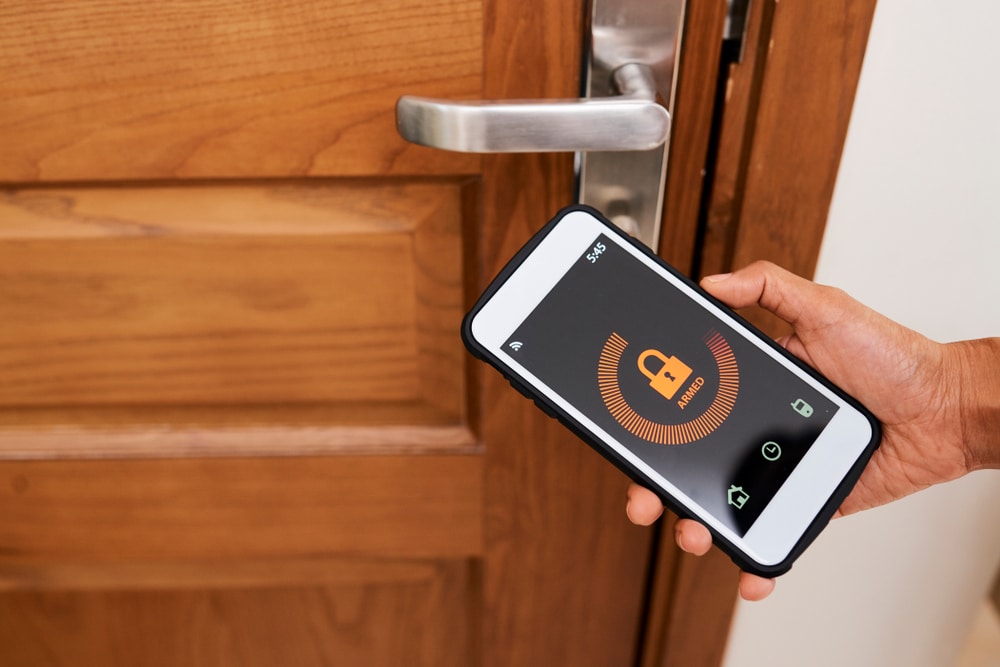
What If Your Landlord Says No?
Some landlords refuse smart locks. If that happens:
- Ask if you can use a temporary lock for your stay.
- Suggest a keyless entry pad that doesn’t replace the lock.
- Use a door alarm or camera for extra security.
Never install a smart lock against your landlord’s wishes. It can cause legal trouble and loss of deposit.
Smart Lock Removal And Moving Out
When your lease ends, you must restore the original lock. Here’s how:
- Remove the smart lock carefully.
- Reinstall the old thumbturn or lock.
- Patch any holes if needed.
- Test the lock to ensure it works as before.
- Return all keys to the landlord.
Failure to restore the original lock can lead to charges or disputes.
Future Trends: Smart Locks In Rental Properties
Smart lock adoption is rising. Many landlords now offer smart locks as part of their property upgrades. Some benefits for landlords:
- Easier turnover between tenants
- Less hassle with lost keys
- Remote access for maintenance
For renters, expect more options and flexibility in the coming years. Choosing a smart lock now may make you an early adopter.
Frequently Asked Questions
Can I Install A Smart Lock If My Lease Prohibits Changes?
If your lease says no alterations, you must get landlord permission. Some leases allow minor changes, but locks are usually considered a major alteration. Always ask first and get written approval.
Will Installing A Smart Lock Void My Security Deposit?
If you damage the door or fail to restore the original lock, your landlord may deduct from your deposit. Use a reversible lock and keep all parts. Document the condition before and after installation.
Are Smart Locks Safe From Hacking?
Most smart locks use encryption, but some models are vulnerable. Choose brands with strong security features. Update firmware regularly and avoid sharing virtual keys with untrusted people. For more details, see Consumer Reports.
What Happens If The Smart Lock Battery Dies?
Most smart locks warn you when batteries are low. If you ignore alerts, you may be locked out. Many models allow physical key access as backup. Always check battery levels and keep spare batteries nearby.
Can I Take My Smart Lock With Me When I Move?
If you used a retrofit model and restored the original lock, you can take your smart lock when you leave. Keep all parts and follow removal instructions. This is a smart way to invest in your own security.
Upgrading to a smart door lock as a renter can be rewarding, but it requires planning. Always check your lease, get landlord approval, choose a compatible lock, and understand the risks. With the right approach, you’ll enjoy greater security and convenience—and avoid costly mistakes.
Smart locks are changing the way we think about home access. As technology evolves, renters will have more choices and control than ever before.


