
Do Doorbell Cameras Record All The Time?
Smart doorbell cameras are everywhere today. Many people use them to see who is at the door, talk to visitors, and keep their home safe. But there’s one question homeowners often ask: Do doorbell cameras record all the time? If you’re considering buying a doorbell camera, or already have one, understanding how it works is important. Some people worry about privacy, while others want to make sure their camera will capture every moment if something happens.
Let’s explore how doorbell cameras record, what triggers their recording, and what you need to know about storing video. We’ll look at popular brands, compare features, and discuss the privacy concerns. Whether you’re a beginner or already have some experience, this article will help you make smart decisions about your home security.
How Doorbell Cameras Work
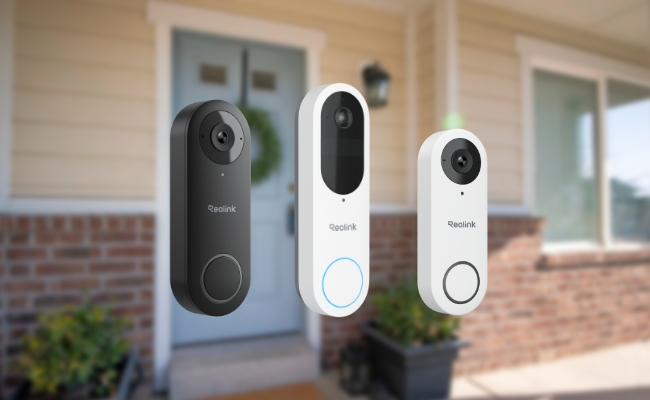
Doorbell cameras are small devices that fit near your front door. They combine a video camera, microphone, and speaker. Most models connect to your home Wi-Fi, letting you see live video on your phone, tablet, or computer.

Exclusive Deals
Limited-time Exclusive Deals. Check current discount on Amazon.
Check Price on Amazon As an Amazon Associate I earn from qualifying purchases.These cameras can detect movement, record video, and send alerts. But they don’t all record in the same way. Some only record when triggered by motion or a doorbell press. Others offer continuous recording, but this is less common.
Key Features
- Motion detection: Most doorbell cameras use sensors to spot movement.
- Live streaming: You can see what’s happening outside your door in real time.
- Two-way audio: Speak to visitors or delivery people even when you’re away.
- Video storage: Clips are saved to the cloud or a local device for later viewing.
Recording Methods
Doorbell cameras record in three main ways:
- Event-based recording: Only records when something happens (motion, doorbell press).
- Continuous recording: Records all the time, 24/7.
- Manual recording: Lets you start and stop recording through an app.
Most doorbell cameras use event-based recording. Continuous recording is rare and usually requires extra hardware or subscription plans.
Event-based Vs. Continuous Recording
Event-based Recording
This is the default for most doorbell cameras. The camera starts recording when it detects movement or someone presses the doorbell. You get a short video clip, usually from a few seconds to a few minutes. These clips are then saved for you to review later.
Exclusive Deals
Limited-time Exclusive Deals. Check current discount on Amazon.
Check Price on Amazon As an Amazon Associate I earn from qualifying purchases.Advantages:
- Saves storage space
- Uses less internet bandwidth
- Easier to find important events
Limitations:
- May miss events if motion detection fails
- Gaps between recordings
Continuous Recording
Some advanced models offer 24/7 recording, capturing everything. The camera never stops recording, so you have a complete video history. But this needs more storage and a fast internet connection.
Exclusive Deals
Limited-time Exclusive Deals. Check current discount on Amazon.
Check Price on Amazon As an Amazon Associate I earn from qualifying purchases.Advantages:
- Records everything, no gaps
- Useful for investigating incidents
Limitations:
- Uses lots of storage
- May require paid subscriptions
- More expensive cameras
Comparison Table: Event-based Vs. Continuous Recording
| Feature | Event-Based | Continuous |
|---|---|---|
| Recording Trigger | Motion or Doorbell Press | Always On |
| Storage Needed | Low | High |
| Subscription Required | Often Optional | Almost Always Needed |
| Missed Events | Possible | Rare |
| Bandwidth Usage | Low | High |
Popular Doorbell Camera Brands And Their Recording Styles
Different brands offer different recording options. Let’s look at the most common ones.
Ring
Ring is one of the best-known brands. Most Ring doorbell cameras use event-based recording. They capture clips when motion is detected or the doorbell is pressed. Continuous recording is not available on Ring devices.
- Cloud storage: Requires a Ring Protect subscription
- Clip length: Up to 120 seconds per event
- No 24/7 recording
Nest (google)
Google Nest Doorbell offers both event-based and continuous recording, but only the wired version supports 24/7 recording.
- Battery model: Event-based only
- Wired model: Can record continuously with Nest Aware Plus subscription
- Cloud storage: Clips saved in Google cloud
Arlo
Arlo doorbell cameras work mainly on event-based recording. Continuous recording is available on Arlo’s higher-end models with a paid plan.
- Cloud storage: Needs Arlo Smart subscription
- Clip length: Usually 15–120 seconds
- Continuous recording: Only for some models
Eufy
Eufy doorbell cameras are popular for no monthly fees. They record events locally to a hub. Continuous recording is not common.
- Local storage: No subscription needed
- Event-based recording
- No 24/7 recording
Comparison Table: Leading Brands And Recording Modes
| Brand | Event-Based | Continuous | Storage Type | Subscription Required |
|---|---|---|---|---|
| Ring | Yes | No | Cloud | Yes |
| Nest (Wired) | Yes | Yes | Cloud | Yes |
| Arlo | Yes | Yes (select models) | Cloud | Yes |
| Eufy | Yes | No | Local | No |
Storage Options: Cloud Vs. Local
Doorbell cameras need a place to save video clips. There are two main options:
Cloud Storage
Most brands use cloud storage. Videos are sent to remote servers and can be accessed from anywhere. You usually need a subscription to view past clips.
- Benefits: Easy access, secure backups, remote viewing
- Drawbacks: Monthly fees, privacy concerns, internet required
Local Storage
Some cameras use local storage, saving clips to a memory card or home hub.
- Benefits: No monthly fees, more privacy, works offline
- Drawbacks: Limited space, risk of loss if device is stolen
Comparison Table: Cloud Vs. Local Storage
| Feature | Cloud Storage | Local Storage |
|---|---|---|
| Access Anywhere | Yes | No |
| Monthly Fees | Yes | No |
| Privacy | Less Private | More Private |
| Space Limit | High | Low |
| Risk of Loss | Low | High (if device stolen) |
Privacy Concerns And Recording Laws
Privacy is one of the biggest worries with doorbell cameras. Many people don’t want to be recorded all the time, especially neighbors or visitors. In some places, there are laws about recording video and audio.
What You Need To Know
- Audio recording: Some states require you to get permission before recording audio.
- Video recording: Usually allowed on your own property, but not in public areas.
- Notification: You should tell visitors if they are being recorded.
Common Mistakes
- Not checking local laws before installing a camera
- Recording audio without consent
- Pointing the camera at public spaces or neighbor’s property
Real Example
In California, you must have permission to record someone’s voice. If your doorbell camera records audio, you need to inform visitors. Ignoring this can lead to legal trouble.
Subscription Plans: What’s Included?
Most doorbell cameras offer basic features for free. But if you want video history, advanced alerts, or continuous recording, you may need to pay for a subscription.
What Subscriptions Usually Offer
- Longer video history: Store clips for up to 30 or 60 days
- Advanced detection: People, package, animal detection
- Download and share clips
- Continuous recording (rare, mostly for wired models)
Price Range
- Ring Protect: Starts at $3.99/month
- Nest Aware Plus: $12/month for 24/7 recording
- Arlo Smart: $2.99–$14.99/month
Is It Worth It?
If you want to save more clips or use advanced features, subscriptions are often necessary. But if you only need basic event recording, some brands (like Eufy) let you use local storage for free.
How Motion Detection Works
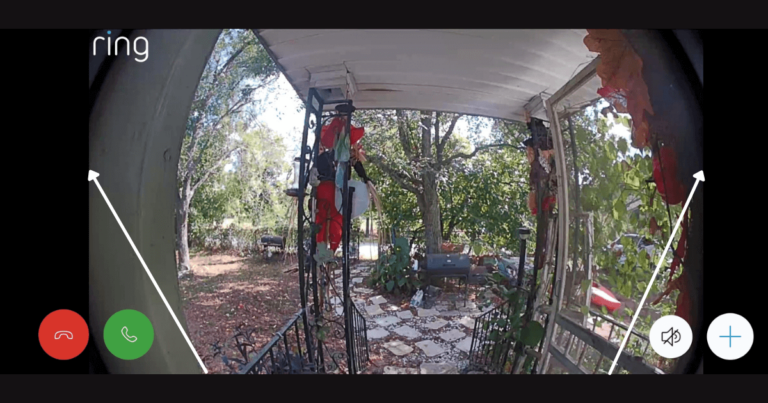
Motion detection is the main trigger for recording. Doorbell cameras use sensors to spot movement. These sensors can be:
- Infrared: Detects heat from people or animals
- Camera-based: Uses video analysis to spot changes
Setting Sensitivity
You can often adjust how sensitive your camera is. Higher sensitivity means more clips but also more false alarms (cars, animals, leaves). Lower sensitivity may miss some events.
Tips For Best Results
- Place the camera at the right angle
- Set detection zones to avoid busy streets
- Test and adjust sensitivity over time
Non-obvious Insight
Some cameras let you set activity zones. This means the camera only records if motion happens in a selected area. It reduces false alarms and saves storage.
Do Doorbell Cameras Have 24/7 Live View?
Many doorbell cameras let you watch live video any time. But live viewing is not the same as continuous recording. Watching live does not mean the camera is saving video all the time.
Example
You can open the Ring app and see who is at your door anytime. But the camera only records when motion is detected or someone presses the button.
Common Mistake
People often believe that live view means everything is recorded. In reality, most doorbell cameras only record specific events.
How Long Are Clips Saved?
Clip length and storage time depend on the brand, model, and subscription plan.
Typical Clip Length
- Ring: Up to 120 seconds
- Nest: 30 seconds to 5 minutes (event-based)
- Arlo: 15–120 seconds
Storage Duration
- Without subscription: Usually only live viewing or short-term clips (24–48 hours)
- With subscription: 30 to 60 days
What Happens After?
Old clips are deleted to free up space. If you want to keep a clip, you must download it before it’s gone.
Can You Download Or Share Videos?
Most brands let you download clips to your phone or computer. You can share clips with police, neighbors, or friends. Some brands limit downloads unless you have a subscription.
Real-life Example
A homeowner caught a package thief on camera. They downloaded the clip and shared it with local police. This helped recover the stolen package and warned neighbors.

Battery Vs. Wired Doorbell Cameras
Doorbell cameras come in two main types: battery-powered and wired.
Battery-powered Cameras
- Easier to install
- Event-based recording only (to save battery)
- Need recharging every few months
- No 24/7 recording
Wired Cameras
- Harder to install (needs existing doorbell wiring)
- Can support continuous recording
- No battery worries
Which Is Better?
If you want continuous recording, choose a wired camera. But if you want easy installation and don’t need 24/7 video, battery models are fine.
Advanced Features: Ai And Smart Detection
New doorbell cameras use artificial intelligence to make recording smarter.
Examples
- Person detection: Only records if a person is detected, not animals or cars.
- Package detection: Alerts you when a package is delivered.
- Facial recognition: Some advanced models recognize familiar faces.
Benefits
- Fewer false alarms
- Easier to find important clips
- Saves storage and bandwidth
Non-obvious Insight
Some cameras can trigger recording based on sounds (like a glass break or shouting). This makes them more useful for security.
What Happens If Internet Or Power Goes Out?
Doorbell cameras depend on power and internet. If either fails:
- Battery cameras: Keep working until battery runs out, but can’t send alerts
- Wired cameras: Stop working if power goes out
- Cloud storage: No uploading during internet outage
- Local storage: May keep recording, but clips stay on device
Doorbell Cameras And Smart Home Integration
Many doorbell cameras can connect to other smart devices.
Examples
- Smart locks: Unlock the door after seeing a trusted visitor
- Lights: Turn on outdoor lights if motion is detected
- Voice assistants: View camera feed on Amazon Echo or Google Nest Hub
Benefits
- More convenience
- Better security
- Easier control
Choosing The Right Doorbell Camera
When deciding which doorbell camera to buy, consider:
- Recording type: Do you need event-based or continuous?
- Power source: Battery or wired?
- Storage: Cloud or local?
- Subscription costs: Can you afford monthly fees?
- Privacy: Are you comfortable with cloud recording?
Common Buyer Mistakes
- Picking a battery camera expecting 24/7 recording
- Forgetting to check local laws
- Ignoring subscription costs
- Not considering privacy concerns
Real-world Statistics And Trends
Doorbell cameras are becoming very popular in the US.
- Over 25% of US homes now have some kind of smart security camera.
- Ring is the market leader, with over 30% share.
- Continuous recording is requested by less than 15% of buyers, mostly for business use.
- Most homeowners use event-based recording to save money and protect privacy.
Security And Hacking Risks
Doorbell cameras are helpful, but they can be targeted by hackers.
Risks
- Weak passwords: Easy for hackers to guess
- Unsecured Wi-Fi: Lets outsiders access your camera
- Cloud breaches: Rare, but possible
Tips To Stay Safe
- Use strong passwords
- Enable two-factor authentication
- Update firmware regularly
Frequently Asked Questions
Do Doorbell Cameras Record All The Time?
Most doorbell cameras do not record all the time. They usually record only when triggered by motion or a doorbell press. Continuous recording is available on a few wired models with a paid subscription.
Can I Access Old Video Clips Without A Subscription?
Usually, you need a subscription to access video history. Some brands offer short-term clips for free, but longer storage requires payment.
Is It Legal To Record Audio With A Doorbell Camera?
Laws vary by state. In some places, you must notify people or get consent before recording audio. Always check your local regulations.
What Happens If My Doorbell Camera Loses Internet?
Without internet, cloud storage will not work. If your camera has local storage, it may keep recording, but you cannot view clips remotely.
How Can I Stop My Camera From Recording Neighbors?
Adjust your camera’s field of view and set activity zones. This helps avoid recording outside your property and respects privacy.
Smart doorbell cameras are changing how we protect our homes. Understanding how they record, what triggers them, and how clips are stored can help you choose the right model and use it safely. Event-based recording is the standard for most devices, while continuous recording is rare and requires special setups.
Always check privacy laws, compare features, and think about your needs before buying. With the right setup, you can enjoy greater security without sacrificing privacy or convenience.
If you want to learn more about smart home security and the latest camera features, check out this Wikipedia article on video door phones.


