
Fingerprint smart locks are changing how we protect our homes, offices, and valuables. Instead of keys or passwords, these locks use your unique fingerprint to grant access. This technology feels futuristic, but it is already common in many places. Understanding how fingerprint smart locks work can help you decide if they fit your security needs.
In this article, you will learn the science behind fingerprint recognition, how these locks operate, their benefits and drawbacks, and what to look for before buying.
What Is A Fingerprint Smart Lock?
A fingerprint smart lock is a type of electronic lock that uses biometric authentication. Biometric means it checks something unique about your body—in this case, your fingerprint. When you touch the sensor on the lock, it scans your finger and compares it to stored data. If it matches, the lock opens. These locks are popular because fingerprints are unique to each person, making it difficult for intruders to break in.

Exclusive Deals
Limited-time Exclusive Deals. Check current discount on Amazon.
Check Price on Amazon As an Amazon Associate I earn from qualifying purchases.Key Components
Fingerprint smart locks have several main parts:
- Fingerprint sensor: This scans your fingerprint.
- Microcontroller: The brain of the lock, processing information.
- Motor or actuator: Moves the locking mechanism.
- Power supply: Usually batteries.
- Memory storage: Stores fingerprint templates.
- LED or screen: Shows lock status and messages.
Each part works together for fast and secure access.
How Fingerprint Recognition Works
The technology behind fingerprint smart locks is based on biometric identification. Here is how the process usually happens:
- Finger Placement: You place your finger on the lock’s sensor.
- Scanning: The sensor takes a high-resolution image of your fingerprint.
- Feature Extraction: The microcontroller analyzes the pattern, ridges, and valleys in your fingerprint.
- Template Creation: It creates a digital template, not a photo, but a mathematical representation.
- Comparison: When you try to unlock, the system compares your fingerprint to stored templates.
- Decision: If the match is close enough, the lock opens. If not, access is denied.
Types Of Fingerprint Sensors
There are several sensor types used in these locks:
Exclusive Deals
Limited-time Exclusive Deals. Check current discount on Amazon.
Check Price on Amazon As an Amazon Associate I earn from qualifying purchases.- Optical sensors: Use light to capture an image.
- Capacitive sensors: Detect electrical charge from your finger.
- Ultrasonic sensors: Use sound waves for detailed scans.
Optical sensors are common in budget locks, while capacitive and ultrasonic sensors are more secure and accurate.
The Science Of Fingerprints
Every fingerprint has unique patterns called minutiae points. These are tiny details like ridge endings, splits, or dots. No two people, not even identical twins, have the same fingerprints. Fingerprint recognition uses algorithms to find and compare these points.
How Reliable Is Fingerprint Matching?
Most fingerprint smart locks claim an accuracy rate of 98–99%. However, real-world reliability depends on sensor quality and finger condition. Wet, dirty, or injured fingers may not scan well. High-quality locks often have False Acceptance Rates (FAR) below 0.001% and False Rejection Rates (FRR) below 1%.
Exclusive Deals
Limited-time Exclusive Deals. Check current discount on Amazon.
Check Price on Amazon As an Amazon Associate I earn from qualifying purchases.Step-by-step: How Fingerprint Smart Locks Operate
Let’s break down the typical workflow of a fingerprint smart lock:
- Enrollment: You register your fingerprint. The lock stores a template.
- Authentication: Every time you touch the sensor, it scans and compares.
- Access Control: If matched, the lock opens. If not, access is denied.
- Logs and Management: Some locks keep records of who entered and when.
- Maintenance: You may need to recharge batteries or update fingerprints.
Example Scenario
Imagine you arrive home after work. You touch your smart lock’s sensor. The lock scans your finger, finds a match in its memory, and unlocks the door in less than one second. If a guest needs entry, you can add their fingerprint to the system, then remove it later.

Advantages Of Fingerprint Smart Locks
Fingerprint smart locks offer several benefits compared to traditional locks:
- Convenience: No need for keys or codes. Just use your finger.
- Security: Fingerprints are hard to copy.
- Speed: Unlocks in seconds.
- Custom Access: You can add or remove fingerprints easily.
- Audit Trails: Some locks record who accessed them.
Non-obvious Insights
- Many models allow you to register up to 100 fingerprints, ideal for offices or large families.
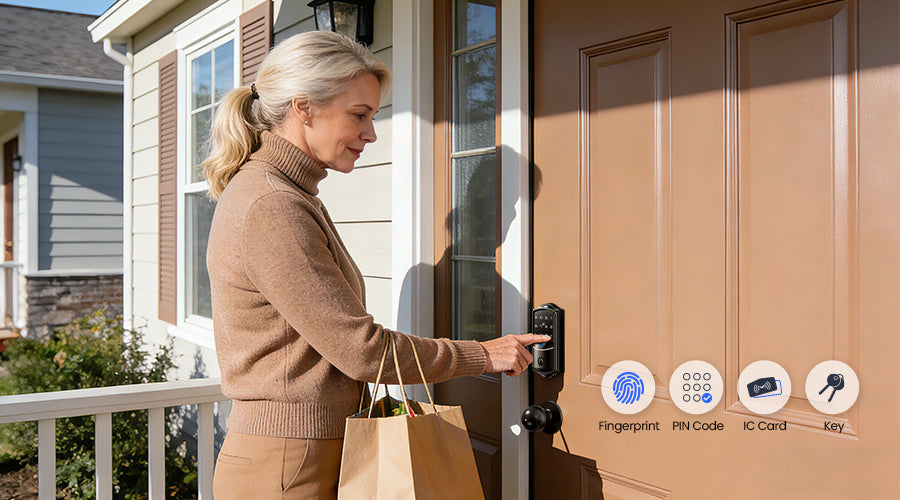
- Some locks combine fingerprint with other methods, like PIN codes or cards, for extra security.
Limitations And Challenges
While fingerprint smart locks are impressive, they have some drawbacks:
- Power Dependency: If batteries die, the lock won’t work. Most locks have backup keys or emergency power ports.
- Environmental Factors: Wet, dirty, or damaged fingers may not scan well.
- False Rejections: Sometimes the sensor fails to recognize a valid fingerprint.
- Privacy Concerns: Some people worry about storing biometric data.
Security Risks
- Basic models may be vulnerable to spoofing (fake fingerprints).
- Cheap locks may store fingerprint images instead of templates, risking data theft.
Comparing Fingerprint Smart Locks To Other Smart Locks
Fingerprint smart locks are just one type of smart lock. Let’s compare them to other popular options.
| Lock Type | Authentication Method | Strengths | Weaknesses |
|---|---|---|---|
| Fingerprint Smart Lock | Fingerprint scan | Unique, fast, no keys | Battery dependent, sensor issues |
| Keypad Smart Lock | PIN code | Easy to share codes, backup options | Codes can be guessed or stolen |
| Bluetooth/Wi-Fi Lock | Smartphone app | Remote control, flexible access | Phone required, hacking risks |
| RFID Smart Lock | Card or tag | No batteries, simple use | Cards can be lost or copied |
Fingerprint locks are often more secure, but not always the best fit for every situation.
Real-world Uses And Examples
Fingerprint smart locks are used in many places, including:
- Homes: Front doors, garage doors, cabinets.
- Offices: Meeting rooms, server rooms, desk drawers.
- Schools: Staff rooms, lockers.
- Hotels: Guest rooms, safes.
- Factories: Restricted areas.
Case Study: Office Security
A mid-sized company replaced traditional locks with fingerprint smart locks. Employees enrolled their fingerprints. The system tracked who entered each room and when. Security improved, and lost keys were no longer a problem. However, the company had to train staff and regularly update fingerprints for new hires.
Key Features To Look For
Choosing the right fingerprint smart lock requires understanding some essential features:
- Sensor Quality: Higher quality sensors are more accurate and durable.
- Capacity: How many fingerprints can be registered?
- Integration: Does the lock connect with apps, alarms, or other systems?
- Backup Access: Is there a physical key or emergency option?
- Weatherproofing: Important for outdoor locks.
- Battery Life: Good locks last at least 6–12 months per charge.
Table: Feature Comparison Of Popular Models
Here’s a comparison of three well-known fingerprint smart locks:
| Model | Sensor Type | Fingerprint Capacity | Battery Life | Backup Options |
|---|---|---|---|---|
| Ultraloq U-Bolt Pro | Capacitive | 120 | Up to 12 months | Physical key, app |
| Samsung SHP-DP728 | Optical | 100 | Up to 8 months | RFID card, PIN |
| eufy Security Smart Lock | Capacitive | 50 | Up to 12 months | Physical key, app |
Installation And Maintenance
Installing a fingerprint smart lock is often simple, but some models require professional help. Most locks fit standard doors, but check size and compatibility before buying.
Common Installation Steps
- Remove old lock.
- Install new smart lock using screws and mounting plate.
- Connect batteries.
- Register fingerprints.
- Test the lock for proper function.
Maintenance mainly involves:
- Changing batteries every 6–12 months.
- Cleaning the sensor to avoid errors.
- Updating fingerprints if users change.
Practical Tips
- Always keep a backup physical key in a safe place.
- Register multiple fingers for each user in case one finger is dirty or injured.
- For outdoor locks, choose models with water and dust resistance.
Security And Privacy Concerns
Fingerprint smart locks are generally secure, but no system is perfect. Here are some points to consider:
- Encryption: Quality locks encrypt fingerprint templates, not images.
- Local Storage vs. Cloud: Most locks store data locally, reducing hacking risk.
- Spoofing Prevention: Advanced models use liveness detection to check for real fingers.
- Data Protection: Manufacturers should follow privacy standards.
Non-obvious Security Insight
- Some locks let you set time-limited access. For example, you can allow a cleaner’s fingerprint only during work hours.
Common Mistakes When Using Fingerprint Smart Locks
Many users make mistakes that can affect security and convenience:
- Using only one finger: If that finger is injured or dirty, access can fail.
- Not cleaning the sensor: Dust or oil can cause errors.
- Ignoring battery warnings: Dead batteries can lock you out.
- Registering too many users: Makes managing fingerprints harder.
- Choosing low-quality models: Cheap locks can be hacked or fail often.

Cost And Value
Fingerprint smart locks come in different price ranges. Basic models start around $50, while advanced locks can cost $200–$400. Factors affecting price include sensor quality, features, brand, and integration options.
Table: Price Vs. Features
| Price Range | Features | Best For |
|---|---|---|
| $50–$100 | Basic sensor, limited fingerprints, simple design | Small cabinets, lockers |
| $100–$200 | Better sensor, app integration, backup key | Home doors, offices |
| $200–$400 | High-end sensor, weatherproof, multiple access modes | High-security needs, outdoor gates |
How To Choose The Right Fingerprint Smart Lock
Choosing a fingerprint smart lock involves more than picking a brand. Consider these factors:
- Security needs: For high-security areas, invest in advanced models.
- User capacity: Offices need locks with higher fingerprint storage.
- Compatibility: Check if the lock fits your door.
- Backup access: Always choose models with emergency options.
- Budget: Balance features with price.
- Warranty and support: Good brands offer reliable service.
Non-obvious Buying Tip
- Look for locks with firmware updates. These updates fix bugs and improve security over time.
If you want more technical details, you can read about biometric authentication standards at Wikipedia.
Frequently Asked Questions
How Many Fingerprints Can I Register On A Smart Lock?
Most fingerprint smart locks let you register between 50 and 120 fingerprints. High-end models can store more, which is useful for offices or large households. Always check the capacity before buying.
What Happens If The Lock’s Battery Runs Out?
If the battery dies, most locks have a backup physical key or an emergency power port. Some locks alert you when battery levels are low, so you can replace them in time. It’s smart to keep backup keys handy.
Are Fingerprint Smart Locks Safe From Hacking?
Fingerprint smart locks are generally safe, especially if they use encrypted templates and don’t store actual fingerprint images. Advanced models include anti-spoofing and liveness checks. However, low-quality locks can be vulnerable, so choose trusted brands.
Can I Use A Fingerprint Smart Lock Outdoors?
Yes, but you need a weatherproof model. Outdoor locks should resist water, dust, and temperature changes. Check the lock’s rating for outdoor use before installing it on gates or external doors.
Is It Easy To Install A Fingerprint Smart Lock?
Most fingerprint smart locks fit standard doors and require basic tools. Some can be installed in under 30 minutes. For complex systems or special doors, you may need professional help. Always read the installation guide and check compatibility.
Fingerprint smart locks offer a balance of convenience and security. They use unique biometric technology to simplify access and reduce risks associated with lost keys or forgotten passwords. While they have some limitations, advances in sensor technology and encryption are making them safer and more reliable.
If you value easy access and modern security, fingerprint smart locks are worth considering for your home or workplace. Remember to choose models that fit your needs, pay attention to battery life and backup options, and keep your sensor clean for best results.


