
Choosing the right home alarm system is more than just picking a device off the shelf. It’s about protecting your family, your valuables, and your peace of mind. But with so many options, features, and technical terms, it’s easy to feel overwhelmed. Many homeowners wonder: What kind of alarm do I really need? Should I go for something simple or invest in a high-tech solution? And most importantly, how do I make the best choice for my unique home?
This guide will help you understand every key factor in selecting a home alarm system. You’ll discover important questions to ask, the latest features in the market, and practical advice for matching a system to your needs and budget. By the end, you’ll be confident about which system will keep your home safe and your mind at ease.
Why A Home Alarm System Matters
Home alarm systems do more than just sound a siren. They act as a deterrent for burglars, alert you to emergencies like fire or gas leaks, and sometimes even help lower your insurance premiums. According to the FBI, homes without security systems are up to 300% more likely to be broken into. With crime rates varying by region, a visible alarm system is often enough to make a thief think twice.

Exclusive Deals
Limited-time Exclusive Deals. Check current discount on Amazon.
Check Price on Amazon As an Amazon Associate I earn from qualifying purchases.But protection is not just about crime. Many modern alarm systems can detect smoke, carbon monoxide, flooding, and even temperature changes, letting you respond quickly before small problems become disasters.
Types Of Home Alarm Systems
Before choosing, it’s important to understand the main types available. Each has its strengths and weaknesses.
| Type | Main Features | Best For |
|---|---|---|
| Monitored System | Connected to a monitoring center, 24/7 response, can alert police/fire | Homeowners who want maximum protection and fast help |
| Unmonitored System | Sounds a local alarm only, alerts neighbors/occupants, no professional response | Budget-conscious users, small homes, apartments |
| Wired System | Hardwired into home, reliable, less prone to hacking | New constructions, permanent homes |
| Wireless System | Easy installation, portable, uses batteries and Wi-Fi/cellular | Renters, existing homes, DIY users |
Each type has its place. Monitored systems offer peace of mind but come with monthly fees. Unmonitored systems can be enough for small spaces or as a visible deterrent. Wired systems are stable but harder to install later, while wireless systems offer flexibility and easy upgrades.
Key Features To Consider
When shopping for a home alarm system, focus on features that match your real needs. Here are the most important ones to consider:
Exclusive Deals
Limited-time Exclusive Deals. Check current discount on Amazon.
Check Price on Amazon As an Amazon Associate I earn from qualifying purchases.1. Sensors
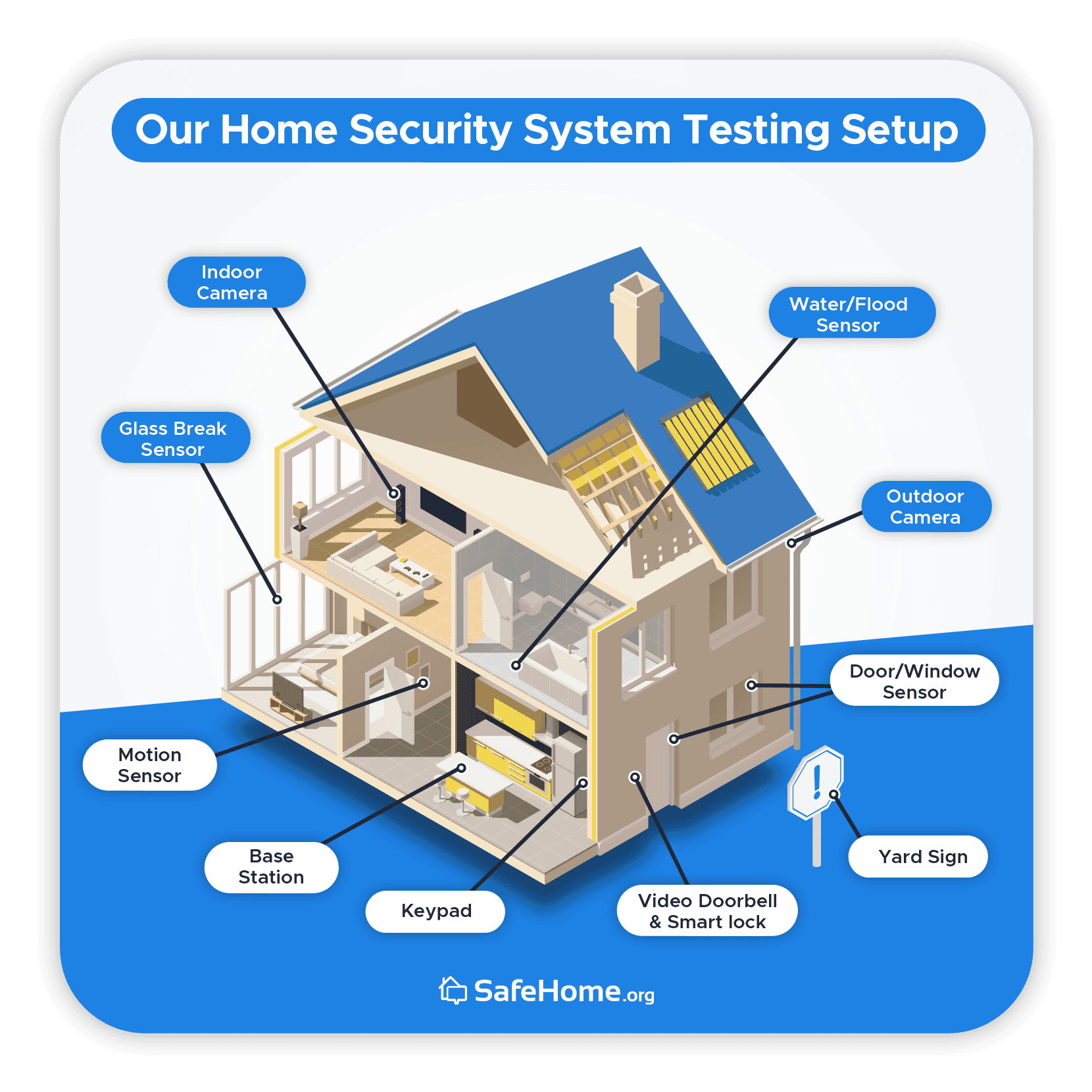
Every good alarm system starts with sensors. Common types include:
- Door and window sensors – Alert you if a door or window is opened
- Motion detectors – Sense movement inside your home
- Glass break sensors – Detect the sound or vibration of broken glass
- Environmental sensors – Smoke, carbon monoxide, water leak, and temperature sensors
Choose a system that lets you add more sensors as your needs change.
2. Control Panel
The control panel is the “brain” of your alarm system. It lets you arm/disarm the system, get alerts, and sometimes control smart devices. Look for:
Exclusive Deals
Limited-time Exclusive Deals. Check current discount on Amazon.
Check Price on Amazon As an Amazon Associate I earn from qualifying purchases.- User-friendly interface (touchscreen or keypad)
- Remote control (via app or key fob)
- Backup power (battery in case of outages)
3. Alarms And Sirens
A loud siren can scare off intruders and alert neighbors. Some systems also offer silent alarms that notify you or a security company without making noise.
4. Remote Access And Smart Home Integration
Modern systems often let you control everything from your phone. Features to look for:
- Mobile app control – Arm/disarm, view alerts, check camera feeds
- Integration with smart home devices (lights, thermostats, locks)
- Voice assistant compatibility (Amazon Alexa, Google Assistant)
5. Video Surveillance
Adding cameras can be a major upgrade. Options include:
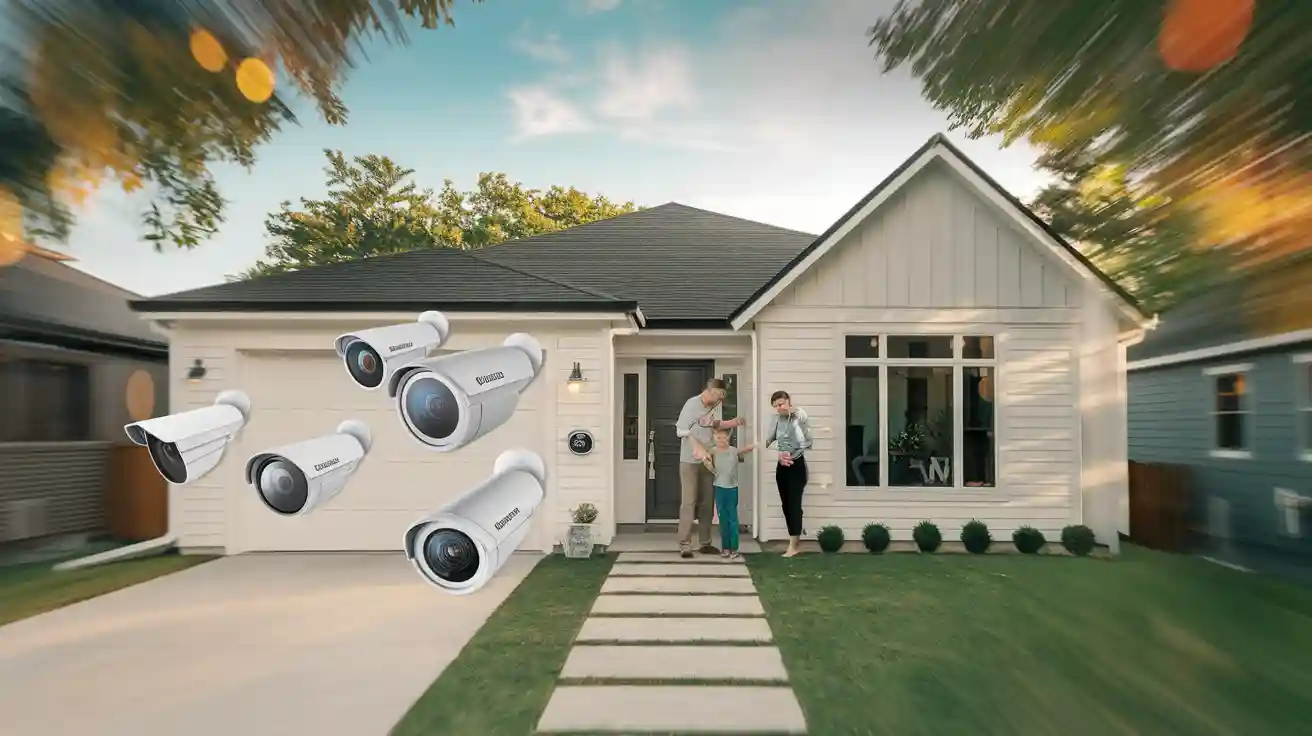
- Indoor/outdoor cameras
- Night vision
- Two-way audio
- Cloud or local storage
Video can provide evidence in case of a break-in or help you check on pets or kids.
6. Monitoring Options
Decide if you want professional monitoring (with a monthly fee) or self-monitoring (alerts go to your phone). Some systems let you switch between these as needed.
7. Installation And Maintenance
DIY systems are easier to install and move. Professionally installed systems may offer better reliability and support.
8. Power And Connectivity
Check if the system works during a power outage (battery backup) and if it uses cellular, Wi-Fi, or landline connections. Cellular is usually the most reliable.
9. Expandability
Can you add more sensors, cameras, or new features later? A flexible system grows with your needs.
Assessing Your Home’s Needs
No two homes are the same. Here’s how to match a system to your unique situation:
- Home Size and Layout: Large homes need more sensors and maybe extra keypads. Apartments may need only a basic kit.
- Entrances and Vulnerable Areas: Count all doors, windows, and any places someone could sneak in. Don’t forget basement and garage entries.
- Lifestyle: Do you travel often? Need to let in service people or guests? Choose a system with remote access and flexible controls.
- Pets: If you have pets, choose motion detectors that can ignore animals, or you’ll get false alarms.
- Neighborhood Risk: High-crime areas may need more visible deterrents and professional monitoring.
- Budget: Factor in both initial costs and any ongoing fees.
Comparing Top Alarm Brands
With so many brands, it’s helpful to see how popular systems compare on key features.
| Brand | Monitoring | Installation | Smart Home Features | Monthly Cost (approx.) |
|---|---|---|---|---|
| SimpliSafe | Optional professional or self-monitoring | DIY | Yes | $18-$28 |
| ADT | 24/7 professional | Professional | Yes | $30-$60 |
| Ring Alarm | Optional professional or self-monitoring | DIY | Yes | $10-$20 |
| Vivint | 24/7 professional | Professional | Advanced | $30-$50 |
| Abode | Optional professional or self-monitoring | DIY | Excellent | $20-$30 |
Many brands offer “starter kits” with basic sensors and let you add more devices as you need.
Diy Vs. Professional Installation
Choosing between DIY and professional installation is a big decision.
- DIY systems are usually wireless, easy to move, and can save you money. You can install them with basic tools, often in less than an hour. They’re great for renters or people who move often.
- Professional installation is best for complex homes or people who want everything done for them. Installers can suggest the best sensor locations and show you how everything works.
One thing many overlook: Some professional systems require a multi-year contract. Always read the fine print before signing.
Cost Breakdown: What To Expect
Home alarm systems involve several types of costs. Here’s what you should plan for:
- Equipment Cost: The upfront price for sensors, control panel, cameras, and other devices. Basic kits start around $200–$400, but larger homes or extra features can raise this to $1,000+.
- Installation Fee: DIY is usually free (except your time). Professional installs can cost $100–$500, depending on complexity.
- Monthly Monitoring Fee: If you want professional monitoring, expect $10–$60 per month. Self-monitoring is often free, but some features (like video storage) may have small fees.
- Maintenance: Batteries for sensors (every 1–3 years) and possible repairs.
Here’s a simple cost comparison for a typical three-bedroom home:
| System Type | Equipment Cost | Installation Fee | Monthly Monitoring | 5-Year Total |
|---|---|---|---|---|
| DIY, self-monitored | $350 | $0 | $0 | $350 |
| DIY, professional monitored | $350 | $0 | $20 | $1,550 |
| Pro install, pro monitored | $600 | $200 | $40 | $3,200 |
Over time, monthly fees add up—so plan your budget for the long haul.
Common Mistakes To Avoid
Many homeowners make choices they regret. Here are frequent mistakes and how to sidestep them:
- Choosing Based on Price Alone: The cheapest system may lack important features or reliability.
- Ignoring Connectivity: If your Wi-Fi is weak, wireless alarms may not work well. Consider cellular backup.
- Forgetting About Expansion: Your needs will likely change. Pick a system that can grow with you.
- Overlooking Privacy: Some cloud-based cameras store footage outside your home. Read privacy policies carefully.
- Not Checking Contracts: Multi-year commitments can be costly if you move or want to change services.
- Poor Placement of Sensors: Installing sensors in the wrong places leads to false alarms or missed events. Windows and doors are key, but think about garages and basements too.
- Ignoring Local Regulations: Some cities require alarm permits or have fines for false alarms.
Security Beyond The Alarm System
A great alarm system is only part of home security. Consider these extra steps for better protection:
- Good locks on all doors and windows
- Outdoor lighting to make entry points visible
- Visible cameras or alarm signs as deterrents
- Neighborhood watch participation
- Regular maintenance of your system and home
No system is perfect, but layers of security make your home much less attractive to burglars.
How To Test And Maintain Your System
Even the best alarm system needs regular care. Here’s how to keep it working:
- Test all sensors monthly. Most systems have a “test mode” for this.
- Replace batteries in sensors and panels every 1–3 years.
- Update software or firmware if your system supports it.
- Check cameras and storage to ensure they’re recording properly.
- Review your contact list (who gets alerts) every few months.
A neglected alarm is almost as bad as no alarm at all. Regular checks ensure your home stays protected.
Insurance Discounts And Legal Issues
Many insurers offer discounts (often 5–20%) for homes with monitored security systems. Ask your provider for details and what certifications or proof are needed.
In some states or cities, you may need to register your alarm or get a permit, especially for monitored systems. Check with your local government to avoid fines or service interruptions.
Insider Tips Most People Miss
- Try the App Before Buying: Some alarm apps are clunky or hard to use. Download and test the app before you commit.
- Check Cellular Signal: If you choose a cellular-connected system, make sure your home has good cellular coverage.
- Ask About False Alarm Policies: Some companies charge for false alarms after a certain number. Understand the rules and how to avoid accidental triggers.
- Use Custom Alerts: Many systems let you set alerts for specific doors (e.g., “Back door opened at 3 PM”). This can help you monitor kids or service people.
- Mix and Match Brands Cautiously: Not all devices play well together. If you want to add cameras or smart locks later, check compatibility first.
Frequently Asked Questions
How Much Does A Typical Home Alarm System Cost?
A basic DIY system for a small home starts around $200–$400 for equipment, with no monthly fees if you self-monitor. Adding professional monitoring raises costs to about $10–$60 per month. Larger homes or more advanced systems (with cameras, environmental sensors) can cost $1,000 or more. Professional installation also adds $100–$500.
Is A Monitored Or Unmonitored System Better?
Monitored systems provide the highest level of security, as a monitoring center responds to alerts 24/7 and can contact police or fire services. Unmonitored systems are cheaper and may be enough for low-risk areas or small homes, but you must handle emergencies yourself. Many homeowners choose monitored systems for the added peace of mind.
Can I Install A Home Alarm System Myself?
Yes, DIY alarm systems are designed for easy installation, often with peel-and-stick sensors and step-by-step guides. Most people can install basic systems in less than an hour. However, complex homes or those needing wired setups may benefit from professional installation.
Will A Home Alarm System Work During A Power Outage?
Most modern systems include battery backup for the control panel and sensors, so they keep working during short outages. If your system uses Wi-Fi, make sure your router also has backup power, or choose a system with cellular connectivity to ensure alerts continue.
Do Home Alarm Systems Protect Against More Than Burglary?
Many systems also monitor for smoke, carbon monoxide, water leaks, and even temperature changes. Environmental sensors can prevent costly damage and save lives. Check what’s included with your chosen system and add extra sensors as needed.
Choosing the right home alarm system is a smart investment in your safety, comfort, and property value. By understanding your needs, comparing features, and planning for the future, you can build a security system that protects what matters most. For further reading on burglary statistics and security effectiveness, see the U.S. Department of Justice’s Home Burglary report. Your peace of mind is worth it—take the next step and secure your home today.


