
Keeping your home safe is a priority for everyone. Today, doorbell cameras are one of the most popular ways to add security and convenience. These smart devices let you see who is at your door, talk to visitors, and even record video. But just like any other technology, a doorbell camera needs regular cleaning and maintenance to keep working well.
If your doorbell camera lens is dirty or the device is not updated, it might miss important details. You might get blurry images, poor night vision, or even device failures. Luckily, caring for a doorbell camera is not difficult. With the right steps and a little time, you can keep your camera clear, responsive, and reliable for years.
This guide will show you how to clean and maintain a doorbell camera, avoid common mistakes, and improve your home security. Whether you have a simple video doorbell or a high-end smart model, these tips will help you get the best performance.

Exclusive Deals
Limited-time Exclusive Deals. Check current discount on Amazon.
Check Price on Amazon As an Amazon Associate I earn from qualifying purchases.Why Doorbell Camera Maintenance Matters
Many people install a doorbell camera and forget about it. But even high-quality devices can lose effectiveness without care. Dust, rain, insects, and even fingerprints can build up on the lens. Over time, this affects the camera’s ability to capture clear images.
A study from the National Crime Prevention Council found that homes with visible security cameras are 30% less likely to be targeted by burglars. But if your camera is dirty or not working, it can’t do its job. Poor maintenance can also shorten the lifespan of your doorbell camera.
Some problems that come from lack of care include:
- Blurry or foggy video from a dirty lens.
- False alerts due to cobwebs or moving debris.
- Poor night vision if the infrared sensor is blocked.
- Battery draining quickly if software is outdated or if moisture enters the device.
- Permanent damage from water, dust, or insects.
Regular cleaning and maintenance help prevent these issues. You can save money by avoiding repairs and replacements, and you get peace of mind knowing your camera is reliable.
Exclusive Deals
Limited-time Exclusive Deals. Check current discount on Amazon.
Check Price on Amazon As an Amazon Associate I earn from qualifying purchases.Basic Tools And Supplies You’ll Need
Cleaning a doorbell camera does not require fancy equipment. But using the wrong products can scratch the lens or damage electronics. Here’s what you should have:
- Soft microfiber cloth (for wiping the lens and body)
- Cotton swabs (for small corners and edges)
- Lens cleaning solution (for camera lenses; avoid window cleaners)
- Compressed air (to blow out dust from tight spots)
- Mild soap and water (never use harsh chemicals)
- Small brush (like a clean paintbrush for removing debris)
- Screwdriver (if you need to remove the cover; check your model)
- Protective gloves (optional, for sensitive skin or cleaning chemicals)
Avoid using paper towels, rough sponges, or alcohol-based cleaners, as these can scratch or damage the lens and housing.

How To Clean A Doorbell Camera Safely
Cleaning a doorbell camera is simple if you follow the right steps. Never rush, as a careless move could damage the lens or electronics.
Exclusive Deals
Limited-time Exclusive Deals. Check current discount on Amazon.
Check Price on Amazon As an Amazon Associate I earn from qualifying purchases.1. Turn Off The Power
Before you start, always turn off the doorbell camera. For wired models, switch off the power at the circuit breaker. For battery-powered units, remove the battery or turn off the device using the app. This prevents electric shock and keeps the device safe.
2. Remove Surface Debris
Gently brush away loose dust, spider webs, or insects using a soft brush. Pay attention to corners and gaps where bugs or dirt can hide. Avoid pushing debris into the camera lens or speaker holes.
3. Clean The Camera Lens
Apply a small amount of lens cleaning solution to a microfiber cloth. Never spray directly onto the camera. Wipe the lens in a gentle, circular motion. If there are smudges or fingerprints, repeat with a clean area of the cloth.
For stubborn spots, use a lightly dampened cotton swab. Make sure no liquid drips into the device.
4. Wipe The Camera Body
Use a clean, damp cloth to wipe the camera housing, button, and frame. Remove any dirt, bird droppings, or residue. Dry the surface with a dry microfiber cloth.
5. Clean The Speaker And Microphone
Most doorbell cameras have tiny holes for the microphone and speaker. Use compressed air or a dry cotton swab to gently clear these holes. Do not insert anything sharp or use water.
6. Check For Insect Nests
Insects, especially spiders and wasps, like to build nests around warm devices. Check for signs of webs, nests, or eggs. Remove them with a brush and clean the area well.
7. Reinstall And Power On
Once everything is dry and clean, reconnect the power or battery. Test the camera to make sure it’s working correctly.
How Often Should You Clean Your Doorbell Camera?
Cleaning frequency depends on your environment. In dusty, windy, or rainy areas, you might need to clean every two weeks. In cleaner or sheltered locations, once every 1–2 months may be enough.
Here’s a comparison of cleaning needs based on location:
| Environment | Suggested Cleaning Frequency | Main Concerns |
|---|---|---|
| Urban (dust, pollution) | Every 2–4 weeks | Dust, soot, fingerprints |
| Suburban (moderate debris) | Monthly | Dirt, pollen, insects |
| Rural (insects, weather) | Every 2 weeks | Spider webs, mud, rain spots |
| Protected (porch or overhang) | Every 1–2 months | Minimal debris, occasional dust |
If you notice blurry images, missed alerts, or strange noises, clean your camera even if it’s ahead of schedule.
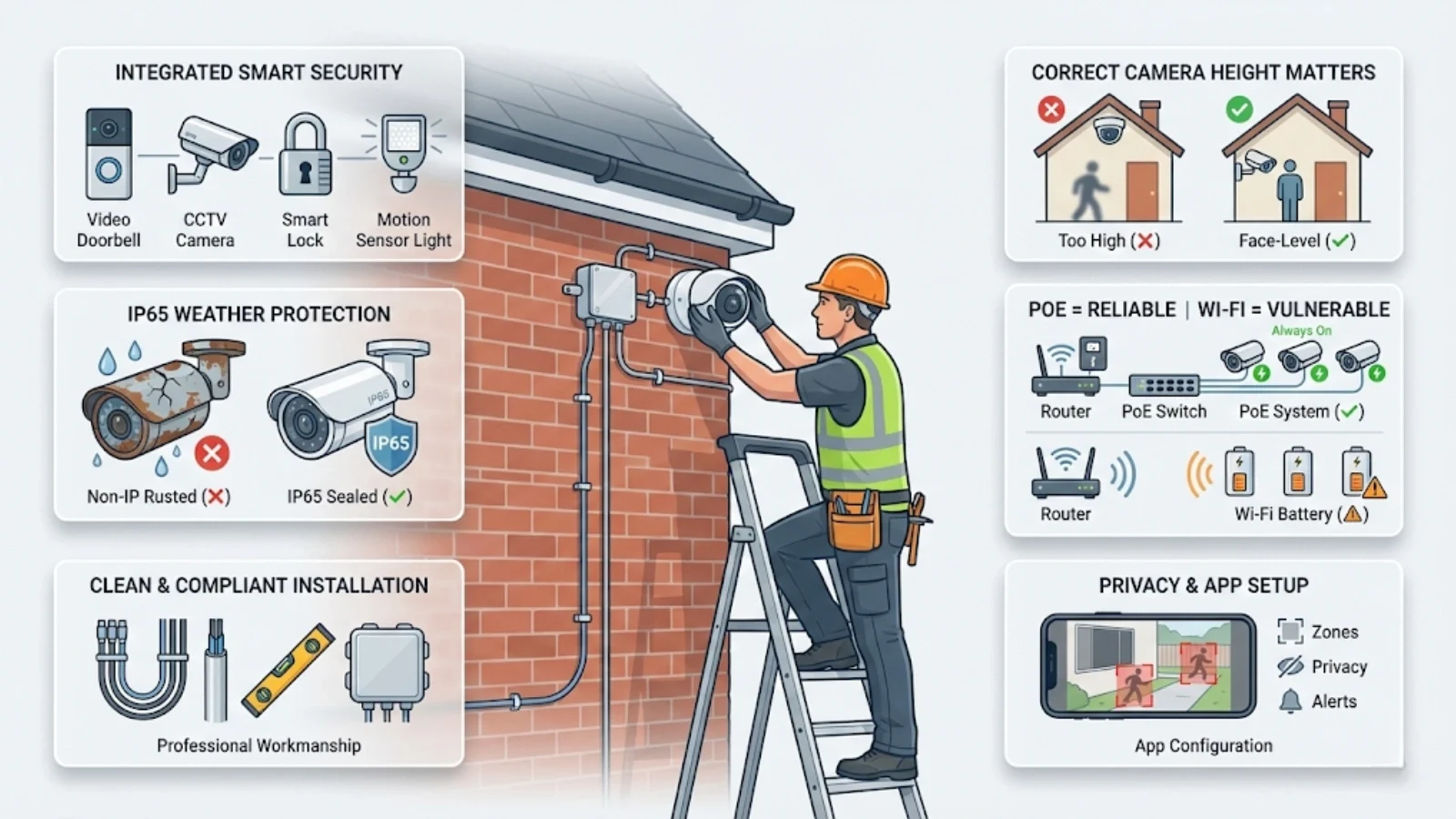
Maintaining The Doorbell Camera For Long Life
Cleaning is just one part of maintenance. To keep your camera reliable, you should also check for updates, battery health, and physical condition. Here are the main steps:
1. Update Firmware Regularly
Doorbell cameras use software called firmware to operate. Manufacturers release updates to fix bugs, improve security, and add features. Check the app or website for updates every few months and install them as soon as possible.
Firmware updates can:
- Improve night vision and motion detection.
- Fix security holes that hackers might use.
- Add compatibility with smart home systems.
2. Check Battery And Power Supply
For battery-powered cameras, check the battery level in your app. Charge or replace the battery as needed. Low battery can cause missed recordings or slow response times.
For wired models, check that all wires are secure and not corroded. If you see rust or fraying, replace the wires or call an electrician.
3. Inspect For Physical Damage
Look for cracks, loose parts, or water stains. Small cracks can let in moisture, causing permanent damage. If the camera housing is broken, contact the manufacturer for a replacement part.
4. Test The Video And Audio
Every few weeks, use the app to check video and audio quality. Make sure you can see and hear visitors clearly, both in the day and at night. If the image is always blurry after cleaning, the lens may be scratched or the camera may be faulty.
5. Monitor Motion Detection
Check if the camera is picking up all movement or if you’re getting too many false alerts. Adjust the sensitivity in your app settings. Sometimes, moving tree branches or cars can trigger unwanted notifications. Proper maintenance helps keep these to a minimum.
6. Weatherproof The Device
Most doorbell cameras are designed for outdoor use, but extra protection helps in extreme weather. Consider adding a small cover or shield if your device faces direct sunlight, rain, or snow. This can reduce water spots and extend the camera’s life.
7. Secure The Mounting
Over time, screws and mounts can loosen. Check that your camera is firmly attached and not shaking. Tighten screws as needed, but don’t overtighten as this could crack the housing.
Common Cleaning And Maintenance Mistakes
Many users make simple mistakes that can damage their doorbell cameras. Here’s what to avoid:
- Using harsh chemicals: Window cleaners, alcohol, and ammonia can damage the lens coating.
- Spraying liquid directly: Always apply cleaner to the cloth, not the camera.
- Ignoring the speaker/microphone: Blocked holes can cause sound problems.
- Forgetting to power off: Cleaning a live device risks electric shock and short circuits.
- Using paper towels: These can scratch the lens.
- Not checking for software updates: Outdated firmware can have security risks.
- Leaving debris behind: Even a small spider web can block the view or trigger motion alerts.
By avoiding these errors, you keep your device running smoothly and extend its life.
How To Handle Water Damage And Moisture
Even weather-resistant cameras can suffer from moisture over time. Water can enter through small cracks or loose seals, especially after storms. Signs of water damage include foggy images, condensation inside the lens, or device failure.
If you suspect water damage:
- Turn off the power immediately.
- Remove the camera if possible.
- Dry the device with a clean cloth. Do not use a hairdryer or heat gun, as this can melt parts.
- Place the camera in a sealed bag with silica gel packets or uncooked rice for 24–48 hours to absorb moisture.
- Reinstall and test. If it does not work, contact the manufacturer.
To prevent future issues, check seals and gaskets regularly and install a protective cover if needed.
Seasonal Doorbell Camera Care Tips
Different seasons bring unique challenges for your doorbell camera. Here’s how to adjust your maintenance throughout the year:
Spring
- Pollen and dust are common. Clean the lens and housing more often.
- Check for insect nests as bugs become more active.
Summer
- Heat and direct sunlight can overheat the device. Add shade if possible.
- Check batteries more often, as heat can reduce battery life.
Fall
- Falling leaves and wind can cover the lens or block motion sensors.
- Clean more often if you live near trees.
Winter
- Snow, ice, and freezing rain can block the lens or freeze the camera.
- Wipe off snow and ice gently. Never use hot water, as sudden temperature changes can crack the lens.
- Check for condensation inside the device.
Comparing Popular Doorbell Camera Models: Cleaning And Maintenance
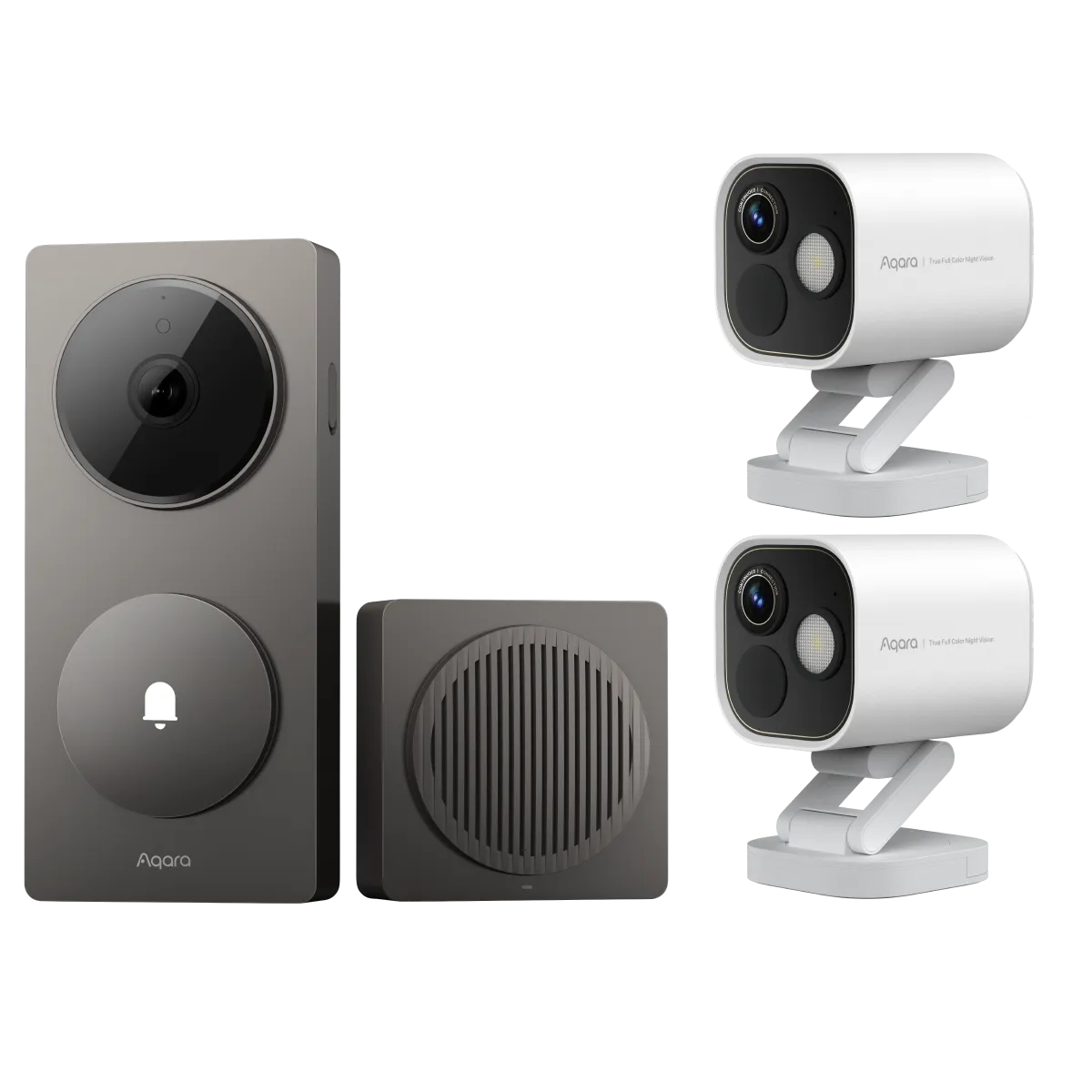
Not all doorbell cameras are the same. Some are easier to maintain than others. Here’s a quick look at popular models and their maintenance needs:
| Model | Cleaning Difficulty | Special Maintenance Tips |
|---|---|---|
| Ring Video Doorbell | Easy | Check battery often; avoid harsh cleaners |
| Nest Doorbell | Moderate | Firmware updates important; lens scratches easily |
| Arlo Essential | Easy | Watch for water spots; secure mounting regularly |
| Eufy Video Doorbell | Easy | Clean speaker holes; check for bugs |
| RemoBell S | Moderate | Clean lens often; update app regularly |
When choosing a camera, consider ease of cleaning, access to batteries, and how often it needs updates.
Advanced Maintenance: Keeping Your Camera Smart
Many doorbell cameras now have advanced features, such as facial recognition, package detection, and integration with smart home systems. To keep these working well:
- Review saved videos regularly and delete old files to free up storage.
- Set privacy zones in your app to avoid recording public areas, which can cause legal problems.
- Test integration with other devices, like smart locks or lights, after each major update.
- Check your Wi-Fi signal at the camera’s location. Weak signals can cause missed alerts or slow notifications.
If you travel or leave your home for long periods, ask a trusted neighbor to check the camera occasionally. Unexpected app alerts or missed recordings could mean there’s a problem.
Troubleshooting Common Doorbell Camera Problems
Even with good care, you may run into issues. Here are some common problems and quick fixes:
- Blurry video: Clean the lens; check for scratches or condensation.
- No sound: Clean microphone and speaker holes; restart the device.
- Camera won’t connect: Check Wi-Fi; restart router and camera; update firmware.
- Frequent false alerts: Adjust motion sensitivity; remove moving debris near the camera.
- Battery drains fast: Reduce video quality or notifications; check for extreme temperatures.
If problems continue, contact your manufacturer’s support team or visit their website for more help. For more details about smart home security, you can visit the Consumer Reports Home Security Camera Guide.
Safety And Privacy Tips When Maintaining Your Camera
While cleaning and maintaining your camera, always keep privacy and security in mind:
- Change your password regularly and use strong, unique passwords.
- Enable two-factor authentication if available.
- Only share camera access with trusted people.
- Use privacy zones to avoid recording neighbors or public spaces.
- Turn off recording when you don’t need it, such as during family events.
These steps protect your privacy and help you stay on good terms with neighbors.
Frequently Asked Questions
How Do I Clean A Doorbell Camera Lens Without Scratching It?
Use a soft microfiber cloth and a lens cleaning solution. Gently wipe in a circular motion. Never use paper towels, rough fabrics, or window cleaners, as they can scratch the lens.
What Should I Do If My Doorbell Camera Stops Working After Cleaning?
First, check that all wires and batteries are reconnected. If the device still doesn’t work, let it dry completely and try again. If it was exposed to water, place it in a bag with silica gel packets for 24–48 hours, then test.
Contact support if problems continue.
How Can I Prevent Insects From Building Nests Around My Camera?
Clean regularly, especially in spring and summer. Use a small brush to remove webs and eggs. You can also apply a light coating of non-stick spray (safe for electronics) around, but not on, the lens to deter insects.
Do I Need Professional Help To Maintain My Doorbell Camera?
Most cleaning and basic maintenance can be done at home. But if you notice water inside the camera, broken parts, or electrical problems, contact a professional or the manufacturer for repairs.
How Often Should I Update My Doorbell Camera’s Firmware?
Check for updates every 1–2 months or whenever you get a notification from the app. Regular updates help protect your camera from hackers and ensure smooth operation.
Keeping your doorbell camera clean and well-maintained is one of the simplest ways to improve your home security. With regular care, your camera will deliver clear images, reliable alerts, and peace of mind for years. Whether you’re new to smart home devices or an experienced user, following these steps will keep your camera—and your home—safe and secure.


