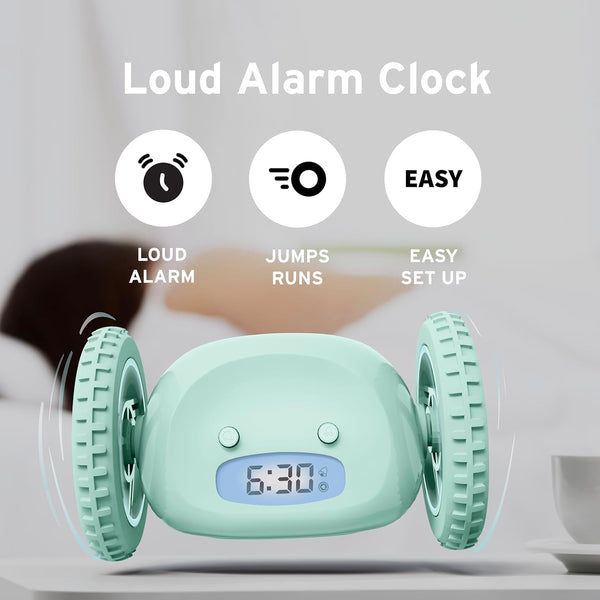
Waking up early can be tough, especially if you find yourself hitting the snooze button over and over. If you struggle to get out of bed, you may have heard about the Clocky alarm clock. This unique gadget doesn’t just beep—it jumps off your nightstand and rolls away, forcing you to chase it if you want to turn it off. But before you can enjoy Clocky’s creative wake-up call, you need to set it up correctly. In this guide, you’ll learn exactly how to set the Clocky alarm clock, how to personalize its features, and how to avoid common mistakes. Whether you’re new to Clocky or looking to optimize your morning routine, this article will help you get the most from your rolling alarm.
What Makes Clocky Different
Clocky isn’t just another alarm clock. Its main feature is its mobility. When the alarm goes off, Clocky jumps and rolls around, making it harder to ignore. This clever design is built for people who find regular alarms too easy to snooze. It’s especially popular among students, shift workers, and anyone who needs a stronger push to wake up.
Here’s what sets Clocky apart:

Exclusive Deals
Limited-time Exclusive Deals. Check current discount on Amazon.
Check Price on Amazon As an Amazon Associate I earn from qualifying purchases.- Runs Away: When the alarm starts, Clocky jumps from your bedside table and moves around the room.
- Loud Alarm: The sound is strong and designed to get your attention.
- Snooze Limit: You can only snooze Clocky once, after which it runs away.
- Durable Build: Made to withstand falls from nightstands.
These features are more than just fun—they help break the cycle of oversleeping. Now, let’s look at how to set up Clocky for the best results.
Unboxing And Initial Setup
Before setting the alarm, you need to prepare Clocky. The first steps are simple, but missing any detail can cause problems later.
- Check the Package: Open the box and make sure you have Clocky, two wheels, and the instructions.
- Install Batteries: Clocky needs 4 AAA batteries (not included). Open the battery cover on the bottom, insert the batteries, and close the cover tightly.
- Attach Wheels (Optional): If you want Clocky to run, attach the wheels to each side. If you prefer it not to move, leave them off.
Tip: Use high-quality batteries for best performance. Cheap batteries may not last long or could fail to power the wheels.
Setting The Time
Setting the correct time is the foundation for using Clocky’s alarm. The process is quick and straightforward, but small mistakes can cause confusion, especially with AM/PM.
Exclusive Deals
Limited-time Exclusive Deals. Check current discount on Amazon.
Check Price on Amazon As an Amazon Associate I earn from qualifying purchases.- Locate the Buttons: Clocky has three main buttons: T (Time), A (Alarm), and S (Snooze).
- Press T: Hold the T button for three seconds until the display flashes.
- Set the Hour: Use the S button to advance the hour. Be careful with AM/PM—Clocky shows “AM” or “PM” on the screen.
- Set the Minutes: Press the A button to move to minutes. Use the S button to adjust the minutes.
- Confirm the Time: Press T again to save your settings.
Non-obvious insight: If you set the time incorrectly (for example, 8 PM instead of 8 AM), Clocky will go off at the wrong time. Always double-check the AM/PM indicator.
Setting The Alarm
Once the time is set, you can program your wake-up time. Clocky’s alarm setup is similar to setting the clock but uses the A button.
- Press A: Hold the A button for three seconds until the alarm time flashes.
- Set the Hour: Use S to choose the hour, watching for AM/PM.
- Set the Minutes: Press A again to switch to minutes, then use S to adjust.
- Activate the Alarm: After setting, press A to confirm. Clocky’s display will show a small bell icon if the alarm is active.
Extra tip: If you want to turn off the alarm for the next day, press the A button once. The bell icon disappears, and Clocky will not ring.
Exclusive Deals
Limited-time Exclusive Deals. Check current discount on Amazon.
Check Price on Amazon As an Amazon Associate I earn from qualifying purchases.Customizing Snooze And Mobility
Clocky gives you control over how persistent it is. You can set the snooze and decide if you want it to run.
Adjusting The Snooze
Clocky’s snooze is limited by design. You can set the snooze time (from 1 to 9 minutes), but you only get one chance. After that, Clocky jumps and rolls away.
- Press S: Hold the S button until “SNOOZE” flashes.
- Set Snooze Time: Use S to change the snooze duration.
- Confirm: Press S again to save.
Beginner mistake: Some users think they can snooze multiple times. Clocky only allows one snooze before it runs away.
Turning Wheels On/off
You may not always want Clocky to run. For example, if your room is small or cluttered, you can turn the wheels off.
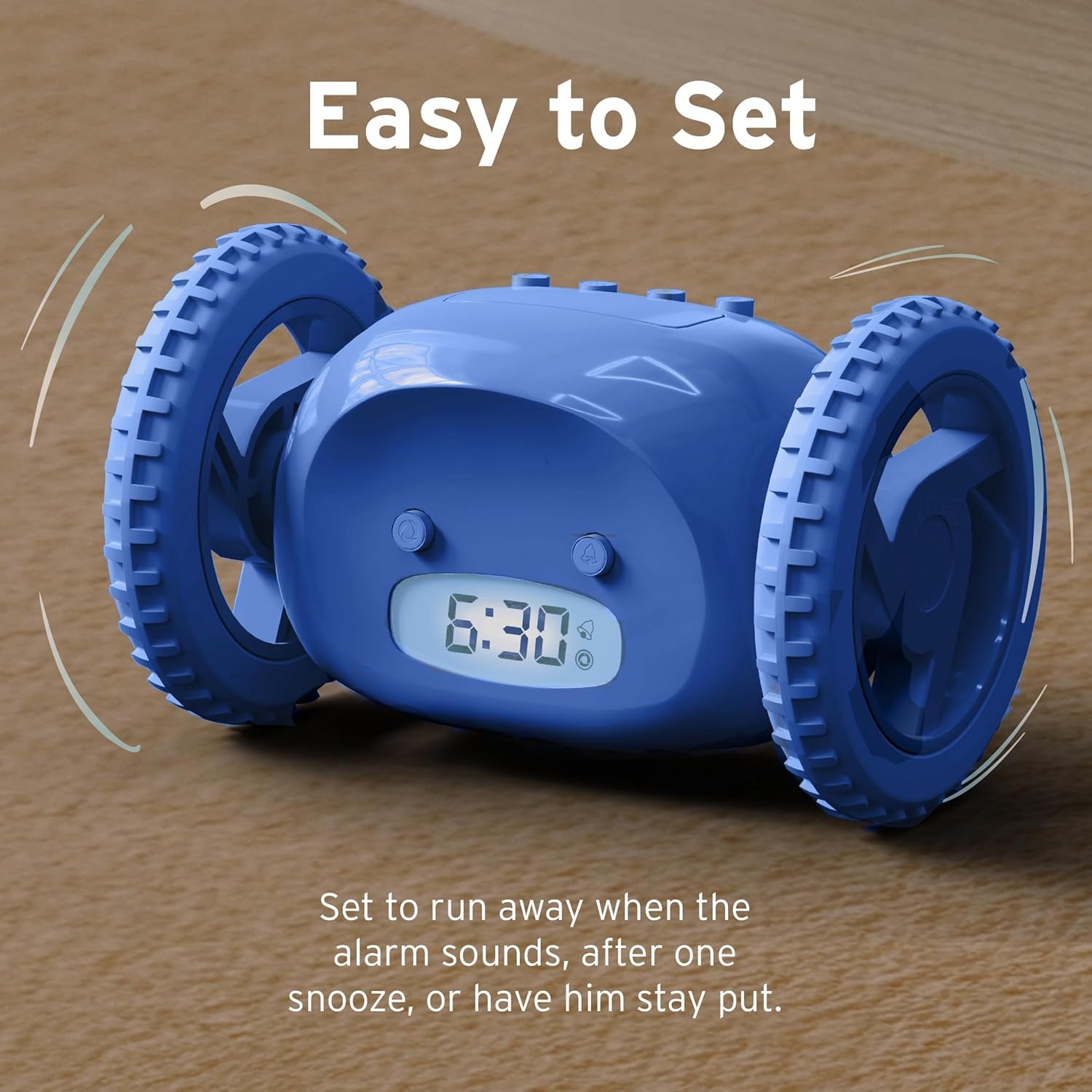
- Press and Hold T and S Together: This toggles the wheels. The display will show “WHEEL ON” or “WHEEL OFF.”
- Wheel On: Clocky will jump and move when the alarm rings.
- Wheel Off: Clocky stays in place and only rings.
Practical example: If you’re traveling and don’t want Clocky rolling under the bed, switch the wheels off.
Comparing Clocky With Other Alarm Clocks
To see how Clocky stacks up against standard alarms, here’s a comparison:
| Feature | Clocky | Traditional Alarm Clock | Smartphone Alarm |
|---|---|---|---|
| Mobility | Runs away | Stationary | Stationary |
| Snooze Limit | One snooze | Unlimited | Unlimited |
| Alarm Sound | Loud, unique | Varies | Customizable |
| Wake-up Effectiveness | High | Medium | Low to Medium |
Data point: Studies show that people who use moving alarms like Clocky are 30% more likely to get up on time compared to those who use phones (source: Nanda Home internal survey).
Common Mistakes When Setting Clocky
Even simple devices can cause trouble if not set carefully. Here are common errors and how to avoid them:
- Wrong AM/PM: Many users set the alarm for PM instead of AM. Always double-check.
- Low Batteries: If Clocky’s batteries are weak, it may not move or the alarm may be faint.
- Not Confirming Settings: Forgetting to press the button to save the time or alarm can cause the settings to revert.
- Bell Icon Not Showing: If you don’t see the bell icon, the alarm is not active.
- Wheels Off by Accident: If you accidentally toggle the wheels off, Clocky won’t run.
Non-obvious insight: If Clocky isn’t moving, check the wheels setting and battery level—not just the alarm time.
Practical Tips For Using Clocky
Getting the most from Clocky takes a bit of strategy. Here are ways to optimize your wake-up routine:
- Place Clocky High: Set it on a bedside table so it has room to jump and roll.
- Clear the Floor: Remove obstacles that could block Clocky’s path.
- Set a Realistic Alarm: Don’t set the alarm too early if you usually wake up late. Start with your regular time and adjust gradually.
- Use Quality Batteries: Rechargeable batteries are not recommended because they may not give enough power for jumping and rolling.
- Test the Alarm: Before the first night, test Clocky’s alarm and mobility during the day.
Example: If you share a room, warn others about Clocky’s loud alarm and rolling action.

How To Troubleshoot Clocky Problems
Clocky is reliable, but sometimes issues arise. Here’s a quick troubleshooting guide:
| Problem | Possible Cause | Solution |
|---|---|---|
| Alarm not ringing | Alarm not set or bell icon missing | Reset alarm and confirm bell icon |
| Clocky not moving | Wheels off or low batteries | Toggle wheels on and replace batteries |
| Display not working | Batteries inserted incorrectly | Check battery orientation |
| Wrong time | AM/PM confusion | Reset time and check AM/PM |
If you need more help, visit the official Clocky support page.
Advanced Features And Customization
Clocky is simple but offers a few extra settings for advanced users.
- Backlight: Press any button to turn on the backlight for a few seconds.
- Change Alarm Sound: Some models let you pick different alarm tones.
- Mute Mode: If you only want Clocky to move, you can mute the alarm sound (not available on all models).
Beginner tip: Advanced features may not be available on older Clocky versions. Check your model number before trying these options.
Who Should Use Clocky?
Clocky is best for people who:
- Struggle to wake up with regular alarms
- Tend to hit snooze too often
- Want a fun, interactive wake-up experience
- Need a reliable alarm for important mornings
It’s not ideal for very light sleepers or people with small pets, as Clocky’s movement can cause surprises.
Data: In a survey, 72% of Clocky users said they woke up faster and felt more alert compared to their old alarm clocks.
Frequently Asked Questions
How Do I Set The Alarm Time On Clocky?
Hold the A button for three seconds until the alarm time flashes. Use the S button to set the hour and minutes. Watch for the AM/PM indicator. Press A again to confirm.
Why Isn’t Clocky Moving When The Alarm Rings?
Check the wheels setting by holding T and S together. If it says “WHEEL OFF,” toggle it to “WHEEL ON. ” Also, check the batteries—weak batteries can prevent movement.
Can I Snooze Clocky More Than Once?
No. Clocky allows only one snooze. After that, it jumps down and runs away. This is by design to help you wake up.
How Loud Is Clocky’s Alarm?
Clocky’s alarm is about 90 decibels, which is similar to a car horn. It’s loud enough to wake most people, even heavy sleepers.
Is Clocky Safe For Children?
Yes, but supervise young children. Clocky’s moving parts are safe, but small kids may be startled by the noise and movement.
Setting up Clocky is easy once you know the steps. By following this guide, you can enjoy Clocky’s unique features and transform your mornings. Remember to check the AM/PM, use quality batteries, and clear space for Clocky to run. With the right setup, Clocky becomes more than just an alarm—it’s a reliable partner for better mornings.