
A doorbell is a small thing. But technology has turned it into a smart device that can see, hear, and even speak. Today, smart doorbells are found on millions of homes and apartments. These gadgets do much more than just ring—they send video to your phone, let you talk to visitors, and help protect your property.

Exclusive Deals
Limited-time Exclusive Deals. Check current discount on Amazon.
Check Price on Amazon As an Amazon Associate I earn from qualifying purchases.If you’re wondering what a smart doorbell is, how it works, and why so many people are installing them, you’re in the right place. This guide explains everything in simple language, with real examples and tips.
What Is A Smart Doorbell?
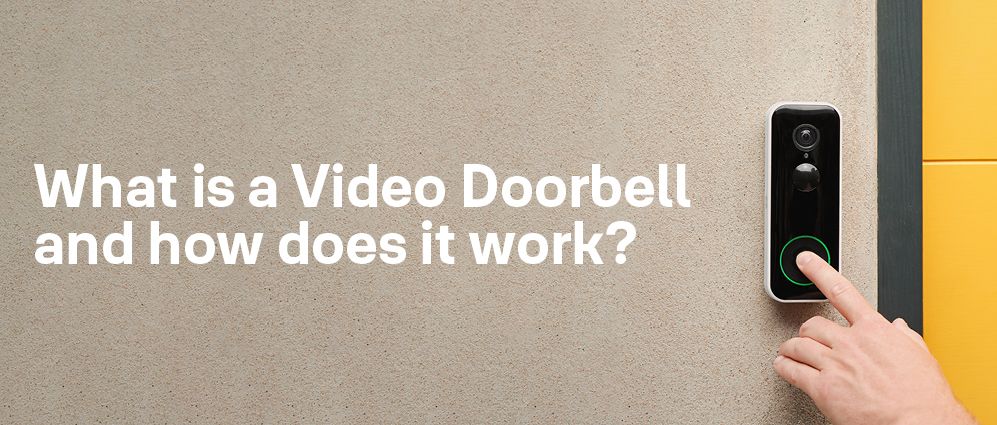
A smart doorbell is an electronic device installed at your front door that connects to the internet and your smartphone. Unlike a traditional doorbell, which only makes a sound, a smart doorbell has extra features such as video cameras, motion sensors, and two-way audio. Some models can even recognize faces or send you alerts when someone comes to your door.
People choose smart doorbells for different reasons. Some want to see who’s at the door before opening it. Others want to keep an eye on packages or stop thieves. Many enjoy the convenience of talking to visitors even when they’re not home. With a smart doorbell, your entryway becomes part of your home’s security system and your daily routine.
How Does A Smart Doorbell Work?
Smart doorbells use a mix of hardware and software to provide their features. Here’s how they work step by step:
Exclusive Deals
Limited-time Exclusive Deals. Check current discount on Amazon.
Check Price on Amazon As an Amazon Associate I earn from qualifying purchases.- Installation: You mount the smart doorbell near your door, usually replacing your old doorbell. Some models use your home’s wiring; others run on batteries.
- Connection: The doorbell connects to your home’s Wi-Fi network. This allows it to send video, audio, and alerts to your phone or smart speaker.
- Camera Activation: When someone presses the doorbell or walks near it, the camera starts recording. Many models use motion detection to begin recording even before the button is pressed.
- Notifications: You get an alert on your smartphone or tablet. You can open an app to see live video from the camera.
- Two-Way Talk: You can speak to the visitor through your phone, and they can reply. The doorbell uses a built-in microphone and speaker.
- Cloud Storage (optional): Some smart doorbells save video clips to the cloud, so you can watch them later. Others store video locally on an SD card.
Smart doorbells work with other smart home devices, too. For example, they may connect with smart locks, lights, or security cameras.

Key Features Of Smart Doorbells
Not every smart doorbell is the same. Here are some of the most important features to understand:
1. Video Camera
Most smart doorbells have a high-definition camera. This camera lets you see who’s at your door in real time and records video clips. Common resolutions include 720p, 1080p, and some even offer 2K or 4K quality. The wider the camera’s field of view (FOV), the more area you can see. For example, a 160-degree FOV can capture your porch and even parts of your yard.
2. Motion Detection
A built-in motion sensor can detect when someone approaches your door, even if they don’t ring the bell. This feature helps catch package thieves or unwanted visitors. Advanced models use AI to tell the difference between people, animals, or cars, reducing false alarms.
3. Two-way Audio
With two-way audio, you can talk to the person at your door from anywhere. The doorbell has a microphone and speaker, and the app on your phone lets you listen and reply. This is useful for telling delivery drivers where to leave packages, or talking to friends when you’re not home.
Exclusive Deals
Limited-time Exclusive Deals. Check current discount on Amazon.
Check Price on Amazon As an Amazon Associate I earn from qualifying purchases.4. Mobile App Control
Smart doorbells work with a mobile app (iOS or Android). The app lets you view live video, talk to visitors, review old footage, and adjust settings. Some apps also support multiple users, so other family members can get alerts.
5. Night Vision
Most smart doorbells have infrared LEDs for night vision. This means you can see clear video even in total darkness. Quality varies between models; check for color night vision or long-range visibility if you have a large entryway.
6. Cloud And Local Storage
Video footage can be saved in the cloud (online storage) or on a local SD card. Cloud storage usually requires a monthly fee but makes it easy to access clips from anywhere. Local storage is free, but if the doorbell is stolen, you might lose your recordings.
7. Smart Home Integration
Many smart doorbells work with systems like Amazon Alexa, Google Assistant, or Apple HomeKit. This lets you see who’s at the door on your smart speaker or TV, or even unlock your door remotely.
8. Package Detection And Alerts
Some high-end models use artificial intelligence for package detection. They send a special alert when a package is delivered or picked up, helping you avoid porch theft.
9. Facial Recognition
A few smart doorbells offer facial recognition. This means they can tell the difference between family, friends, or unknown visitors. You get custom notifications, like “John is at the door.”
10. Weather Resistance
Since smart doorbells sit outside, they need to be weather-resistant. Look for models with an IP rating (like IP65 or IP67) to handle rain, snow, and heat.
How Smart Doorbells Compare To Traditional Doorbells
Understanding the difference between smart and standard doorbells is important. Here’s a simple comparison:
| Feature | Traditional Doorbell | Smart Doorbell |
|---|---|---|
| Video | No | Yes (HD/4K) |
| Mobile Alerts | No | Yes |
| Two-Way Audio | No | Yes |
| Motion Detection | No | Yes |
| Cloud Storage | No | Optional |
| Integration | No | With smart home devices |
| Cost | Low | Moderate to High |

Types Of Smart Doorbells
There are two main types of smart doorbells: wired and wireless (battery-powered). Each has pros and cons.
| Type | Main Advantage | Main Drawback | Best For |
|---|---|---|---|
| Wired | Never need to recharge batteries | More complex installation | Permanent homes |
| Wireless/Battery | Easy to install anywhere | Must recharge/replace batteries | Renters or temporary setups |
Wired models connect to your existing doorbell wiring for power. They are reliable and need less maintenance. But if your home doesn’t have wiring, installation can be tricky.
Wireless models use rechargeable batteries. They’re easier to set up and move, but you’ll need to charge them every few months, depending on usage.
How To Install A Smart Doorbell
Installing a smart doorbell is easier than you may think, but there are a few key steps and tips:
1. Check Compatibility
First, check if your home has existing doorbell wiring. If yes, you can use a wired model. If not, choose a battery-powered model.
2. Gather Tools
You may need a drill, screwdriver, and maybe a level. Most kits include mounting hardware and instructions.
3. Turn Off Power
For wired models, always turn off power at the breaker to stay safe.
4. Mount The Doorbell
Install the mounting bracket by your door, using the screws provided. Make sure the camera points where you want it—usually chest height, facing the porch.
5. Connect Wires Or Insert Battery
For wired models, connect the wires to the terminals as shown in the manual. For battery models, insert and charge the battery fully.
6. Set Up The App
Download the manufacturer’s app. Create an account, then follow the steps to connect the doorbell to your Wi-Fi network.
7. Test Everything
Press the doorbell, check the video feed, and test two-way talk. Adjust camera angle or settings as needed.
Tip: If you live in an apartment or can’t drill, look for adhesive mounts or special brackets that don’t damage walls.
Real-world Uses Of Smart Doorbells
Smart doorbells are more than just gadgets. Here are ways people use them every day:
- Package Protection: See when packages arrive, get alerts if someone picks them up, and talk to delivery drivers.
- Screening Visitors: Know who’s at your door before you answer, even if you’re not home. This is helpful for children or older adults.
- Deterring Crime: Visible cameras and recording can scare off thieves or vandals. Some studies suggest homes with cameras are less likely to be targeted.
- Remote Communication: Talk to friends, family, or service workers from anywhere. You can tell a visitor you’ll be home soon, or ask a delivery driver to wait.
- Neighborhood Safety: Some smart doorbells let you share video clips with neighbors or local police to help solve crimes.
Privacy And Security: What You Need To Know
A smart doorbell records video outside your home and sends it to the internet. This brings up important privacy and security questions.
Data Privacy
Most smart doorbells store video in the cloud. This means your footage is sent to the manufacturer’s servers. Choose brands with strong privacy policies and encryption. Check who can see your video—some companies let you control sharing, while others may share with law enforcement if asked.
Hacking Risks
Like any online device, smart doorbells can be hacked if you use weak passwords or leave software outdated. Here’s how to stay safe:
- Set a strong password for your doorbell account.
- Enable two-factor authentication if available.
- Keep software updated—manufacturers often fix security bugs.
- Limit sharing of video clips and personal data.
Recording Laws
In some places, recording audio or video without consent is illegal. Make sure you follow local laws, especially if your camera points at public spaces or neighbors’ doors.
Main Benefits Of Using A Smart Doorbell
If you’re still unsure whether a smart doorbell is right for you, consider these clear benefits:
- Peace of Mind: Know who’s at your door any time, anywhere.
- Package Safety: Fewer missed deliveries or stolen packages.
- Crime Deterrence: Thieves often avoid homes with cameras.
- Convenience: Talk to visitors without stopping what you’re doing.
- Evidence: Video clips can help solve disputes or crimes.
Potential Downsides And Limitations
Smart doorbells are powerful, but not perfect. Here are a few things to consider:
- Monthly Fees: Many features, like cloud storage, require a subscription.
- Internet Dependence: If your Wi-Fi is weak or goes out, some features may stop working.
- False Alerts: Motion sensors can be triggered by animals, cars, or even weather. Adjust settings to avoid too many notifications.
- Privacy Concerns: Your video footage is on the internet. Choose brands with strong security.
Top Smart Doorbell Brands And Models
There are many smart doorbell brands, but a few stand out for quality, features, and support.
| Brand | Popular Model | Key Feature | Approx. Price (USD) |
|---|---|---|---|
| Ring | Video Doorbell 4 | Easy integration with Alexa | 200 |
| Google Nest | Nest Doorbell (Battery) | Smart alerts & Face detection | 180 |
| Arlo | Arlo Essential | 2K Video, wide FOV | 150 |
| Eufy | Video Doorbell 2K | No monthly fees, local storage | 130 |
| RemoBell | RemoBell S | Affordable wired option | 100 |
Prices change, so check the latest before buying. Some brands charge extra for cloud storage or advanced features.
What To Look For When Buying A Smart Doorbell
Choosing the right smart doorbell depends on your needs and home setup. Here are the top factors to consider:
- Power Source: Wired or battery? Choose based on your home and DIY skills.
- Video Quality: Look for at least 1080p HD and a wide field of view.
- App Quality: Read reviews about the app’s reliability and user-friendliness.
- Storage Options: Decide if you want cloud storage (with fees) or local storage.
- Smart Home Integration: Make sure it works with your smart speakers or assistants.
- Weather Resistance: Check the IP rating for your climate.
- Night Vision: Clear video at night is a must for security.
- Subscription Fees: Understand any ongoing costs for advanced features.
- Customer Support: Good support can save time if you have problems.
Common Buyer Mistake: Many people focus only on price or camera quality and forget about ongoing costs and app reliability. Always read recent user reviews before deciding.
The Future Of Smart Doorbells
The smart doorbell market keeps growing, with new features added every year. Here’s what’s coming:
- Better AI: Improved facial and package recognition, fewer false alarms.
- Integration: Deeper connections with smart locks, lights, and home security systems.
- Battery Life: Longer-lasting batteries and faster charging.
- Privacy Controls: More ways to control who sees your video and when.
- Edge Computing: More doorbells will process video locally, sending less data to the cloud.
Experts predict the smart home security market will reach $78 billion by 2025, with smart doorbells a key part of that growth. For more industry stats, see this Statista report.
Frequently Asked Questions
What Happens If My Internet Goes Out?
Most smart doorbells need an internet connection for live alerts and remote viewing. Some models still record video locally, but you won’t get notifications or be able to talk to visitors until the connection returns.
Do I Need A Subscription For A Smart Doorbell?
You don’t always need a subscription. Basic features (live view, two-way talk) are usually free. Cloud storage and smart alerts often require a monthly fee. Some brands offer local storage with no fees.
Can Smart Doorbells Be Hacked?
While rare, hacking is possible if you use weak passwords or skip updates. Use strong, unique passwords, enable two-factor authentication, and keep your device’s software updated to stay safe.
Will A Smart Doorbell Work With My Phone?
Most smart doorbells work with both iOS and Android phones. Check the app’s compatibility in the App Store or Google Play before buying.
How Long Do Smart Doorbell Batteries Last?
Battery life depends on usage and model. Most last 2-6 months per charge under normal use, but frequent motion events can drain batteries faster. Wired models don’t need recharging.
Smart doorbells are changing the way we protect and manage our homes. They offer peace of mind, convenience, and a new level of control. By choosing the right model and using it wisely, you can make your entryway smarter and safer—today and for years to come.


