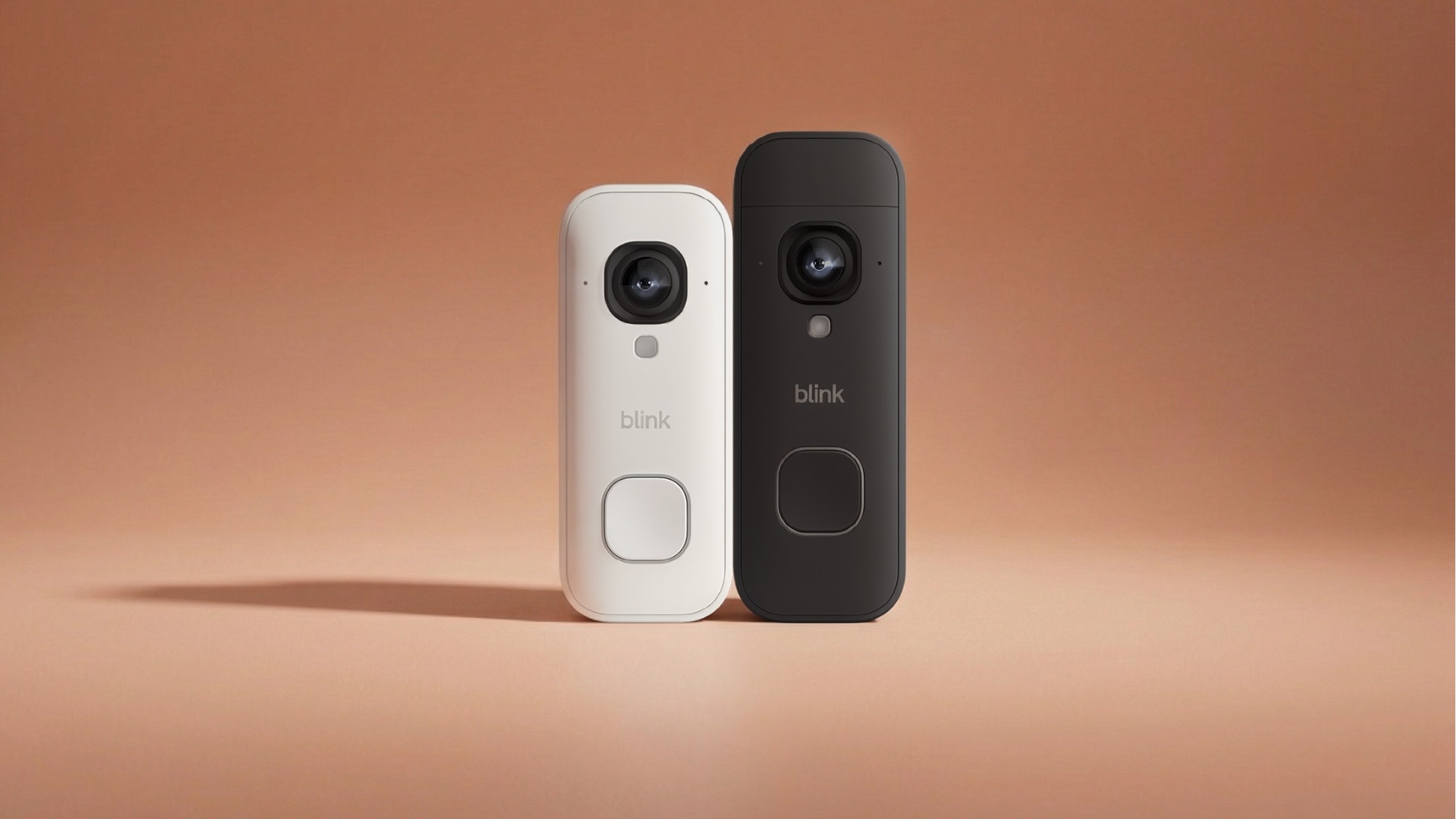
Are Video Doorbells Worth It
Smart home devices are everywhere today, but few have caught as much attention as the video doorbell. You might have seen neighbors with them, read stories online about how they catch package thieves, or noticed the small camera next to a friend’s door. But are video doorbells really worth it for most people? Can a small device by your door really make your home safer, or is it just another tech trend?

Exclusive Deals
Limited-time Exclusive Deals. Check current discount on Amazon.
Check Price on Amazon As an Amazon Associate I earn from qualifying purchases.Understanding the value of video doorbells means looking beyond flashy ads. You need to weigh their real benefits, what they actually cost (money, time, privacy), and how well they fit your daily life. This guide will break down how video doorbells work, what they offer, their downsides, and who gets the most value from them.
Along the way, you’ll find real examples, data, and tips that most beginners miss. By the end, you’ll be ready to decide if a video doorbell makes sense for your home.
How Video Doorbells Work
A video doorbell is a small camera and speaker unit that replaces or sits next to your usual doorbell. When someone presses the button or walks near your door, the camera starts recording and sends an alert to your phone. You can see and talk to the visitor, whether you’re at home or far away.
Most video doorbells connect to your Wi-Fi and work with an app on your smartphone. Some have extra features like motion detection, night vision, or cloud storage for videos. Many also work with smart home systems like Alexa or Google Assistant.
Exclusive Deals
Limited-time Exclusive Deals. Check current discount on Amazon.
Check Price on Amazon As an Amazon Associate I earn from qualifying purchases.What Happens When Someone Is At Your Door
Here’s a simple example:
- A delivery person presses the button.
- Your phone buzzes with an alert and shows a live video.
- You can talk to the person through the app, telling them where to leave a package.
- The camera saves a video clip of the visit.
This process lets you see and speak to visitors even if you’re not at home. It also gives you a record of who came to your door, which can help if you have a missing package or an unwanted visitor.
Types Of Video Doorbells
You’ll find two main kinds:
- Wired video doorbells: Use your home’s existing doorbell wiring for power. They usually offer unlimited use but may need professional installation.
- Battery-powered video doorbells: Easier to install, but need charging every few months.
Some models also offer both options, giving you flexibility if you move or remodel your home.
Key Benefits Of Video Doorbells
People buy video doorbells for many reasons, but a few clear benefits stand out.
Exclusive Deals
Limited-time Exclusive Deals. Check current discount on Amazon.
Check Price on Amazon As an Amazon Associate I earn from qualifying purchases.1. Improved Home Security
One of the biggest selling points is security. A visible camera at your door can make thieves think twice. According to a report by the University of North Carolina, about 60% of burglars will avoid homes with security cameras.
Video doorbells let you:
- See who is at your door before opening it
- Record video evidence if there’s a crime
- Watch live video feeds anytime
- Receive instant alerts for unexpected activity
Some police departments even encourage residents to use video doorbells to help solve local crimes.
2. Package Theft Prevention
With online shopping growing, package theft has become a major problem. A 2022 survey found that about 1 in 7 Americans had a package stolen in the past year.
Video doorbells help by:
- Recording deliveries and potential thieves
- Letting you talk to delivery drivers (e.g., “Please hide the package behind the planter”)
- Sending alerts when a package arrives, so you can bring it inside quickly
3. Remote Communication
Many people are busy or away from home during the day. With a video doorbell, you can:
- Answer the door from anywhere in the world
- Give instructions to visitors or delivery people
- Appear at home even when you’re not, which can deter criminals
4. Monitoring Kids And Guests
Parents use video doorbells to check when kids get home from school or see if guests arrive safely. It’s also useful for tracking babysitters, cleaners, or dog walkers.
5. Peace Of Mind
Perhaps the biggest value is peace of mind. Knowing you can see who’s at your door at any time—and that you have a record—makes many people feel safer, even if they never need the video.

Real-world Examples And Data
Let’s look at some data and real examples to see how video doorbells work in practice.
Neighborhood Case: Catching Package Thieves
In 2023, a Los Angeles neighborhood saw a drop in package theft after several homes installed video doorbells. Thieves were caught on camera, and police used the footage to identify and arrest suspects. Residents said they felt safer and noticed fewer incidents.
Police Partnerships
Some cities partner with video doorbell companies to solve crimes. In Houston, police said that video doorbell footage helped them solve over 200 cases in one year, including burglaries and assaults.
User Satisfaction
A 2021 survey by PCMag found that over 80% of video doorbell owners felt safer after installing the device. Most said they would recommend one to friends or family.
Main Features To Consider
Not all video doorbells are the same. Here are the most important features to look for:
1. Video Quality
Higher resolution (1080p or 2K) means clearer images. This is important for seeing faces or license plates.
2. Field Of View
A wider angle (e. g. , 160° or more) lets you see more of your porch and walkway.
3. Night Vision
Infrared or color night vision helps you see clearly in low light.
4. Motion Detection
Advanced sensors can tell people from cars or animals, reducing false alerts.
5. Two-way Audio
Lets you speak to visitors or delivery people.
6. Cloud Storage
Many brands offer subscription plans to save video clips. Some also support local storage (SD cards).
7. Smart Home Integration
Works with Alexa, Google Assistant, or Apple HomeKit for extra features.
8. Power Options
Choose between wired, battery, or both, depending on your home setup.
9. Weather Resistance
Look for IP ratings (e. g. , IP65) if you live in an area with rain, snow, or dust.
Comparison Of Top Video Doorbell Models
Here’s a look at three popular models and how they compare:
| Model | Video Quality | Field of View | Power | Cloud Storage |
|---|---|---|---|---|
| Ring Video Doorbell 4 | 1080p | 160° | Battery/Wired | Subscription |
| Google Nest Doorbell (Battery) | 960 x 1280 | 145° | Battery/Wired | Subscription |
| Arlo Essential Wire-Free | HD | 180° | Battery | Subscription |

Costs And Value For Money
It’s easy to focus on the device price, but total cost includes more than just the sticker price.
Upfront Costs
Most video doorbells cost between $60 and $250. Budget models offer basic features, while top versions have higher video quality, better night vision, and advanced detection.
Installation Costs
- Wired models may need a professional to install, costing $50–$150.
- Battery models are usually easy to install yourself.
Ongoing Costs
Most brands charge a monthly fee ($3–$10) for cloud video storage. Without a plan, you may lose access to recordings or advanced features.
Table: Example Of Ownership Costs Over 3 Years
| Item | Budget Model | Premium Model |
|---|---|---|
| Device Price | $70 | $200 |
| Installation | $0 (DIY) | $100 |
| Cloud Storage (3 years) | $108 | $324 |
| Total (3 years) | $178 | $624 |
Is It Worth The Cost?
If you value added security, peace of mind, and package protection, the cost can be reasonable. For many, it’s a small price compared to the cost of a stolen package or break-in.
Non-obvious insight: Many beginners forget to factor in the ongoing cloud storage fees. Over several years, these can add up to more than the device itself.
Privacy And Security Concerns
A video doorbell records outside your home, so privacy is a common worry.
Who Can See Your Videos?
Most brands store videos on their servers. This means:
- Company employees may access clips if needed (for support or police requests).
- Hackers could gain access if your account is not secure.
- Visitors to your home are recorded, sometimes without their knowledge.
How To Protect Your Privacy
- Enable two-factor authentication on your account.
- Set strong passwords and change them regularly.
- Adjust recording zones so only your property is filmed.
- Check privacy policies to know who can access your footage.
- Share clips carefully—only with police or trusted neighbors.
Non-obvious insight: You may need permission if your doorbell records public sidewalks or a neighbor’s property, especially in some cities or countries.
Common Downsides And Complaints
While video doorbells offer many benefits, they aren’t perfect. Here are the most common issues users face:
False Alerts
Motion sensors can trigger too often—passing cars, pets, or swaying trees may cause dozens of alerts a day. Advanced models have better detection, but you may need to adjust settings for your home.
Internet Dependence
If your Wi-Fi is slow or unreliable, video feeds may lag or fail. Some devices won’t record anything if the internet is down.
Battery Life Issues
Battery models need to be recharged every few months. Cold weather can drain batteries faster. Wired models avoid this, but need proper installation.
Limited Storage Without Subscription
Without a paid plan, many video doorbells only save a few hours or days of video. If you miss an alert, you may lose important footage.
Potential Privacy Concerns
Some people feel uneasy about being recorded, even for security. Neighbors or visitors may not like the idea of being on camera.
Who Gets The Most Value From A Video Doorbell?
Video doorbells aren’t for everyone. Here’s who benefits most:
- People who get lots of deliveries: Protect packages and guide drivers.
- Frequent travelers: Monitor your home from anywhere.
- Families with kids: Track when children come and go.
- Apartments or homes with street access: See who approaches your door.
- People living in high-crime areas: Extra security can deter thieves.
If you live in a gated building, rarely get deliveries, or already have a full camera system, a video doorbell may be less useful.
Comparing Video Doorbells To Other Security Options
Are video doorbells better than traditional security cameras or alarm systems? Here’s a quick comparison:
| Feature | Video Doorbell | Outdoor Security Camera | Traditional Alarm System |
|---|---|---|---|
| See Visitors Live | Yes | Yes | No |
| Two-Way Talk | Yes | Some Models | No |
| Records Video | Yes | Yes | No |
| Instant Alerts | Yes | Yes | Yes |
| Alarm Siren | No | Some Models | Yes |
| Monitored by Company | Usually No | Usually No | Yes |
| Cost | Low-Mid | Mid-High | High (monthly fees) |
A video doorbell is a good first step for most homes. If you want full coverage, you can combine it with cameras or a monitored alarm system.
Practical Tips For Choosing And Using A Video Doorbell
If you decide to buy a video doorbell, these tips will help you get the best results:
- Check your Wi-Fi signal at the door. Weak signals cause video delays. Consider a Wi-Fi extender if needed.
- Decide on power type. Wired models are more reliable, but harder to install.
- Review privacy laws. In some places, recording audio or public areas is restricted.
- Adjust motion zones. Fine-tune settings to avoid too many false alerts.
- Test before you buy. Some brands offer 30-day returns, so you can see if the device fits your needs.
- Read real user reviews. Look for reports about battery life, video quality, and support.
- Plan for cloud storage fees. Make sure you’re comfortable with ongoing costs.
The Verdict: Are Video Doorbells Worth It?
For most people, a video doorbell offers real value. The combination of improved security, package protection, and remote communication is hard to beat—especially if you get lots of deliveries or spend time away from home.
However, they’re not magic. If you expect police to arrive instantly, or think a doorbell replaces a full security system, you may be disappointed. Privacy is also a real concern—make sure you understand who can access your footage and how it’s used.
If you want a simple, affordable way to boost your home’s security and convenience, a video doorbell is a smart investment. Just be sure to choose the right model, set it up correctly, and budget for any extra fees. For more details on how these devices work and the latest research, check out this Wikipedia article on smart doorbells.
Frequently Asked Questions
Do Video Doorbells Work Without Wi-fi?
Most video doorbells need a Wi-Fi connection to send alerts and stream video to your phone. Some can record locally if the internet goes down, but you won’t get real-time notifications until Wi-Fi is restored.
Can Video Doorbells Help Prevent Crime?
Yes, studies show that homes with visible cameras—including video doorbells—are less likely to be targeted. The recorded footage is also useful for police in solving crimes.
Are There Free Video Storage Options?
Some brands offer limited free storage (like a few hours or a day of clips). Most require a paid subscription for longer or advanced storage. Always check what’s included before you buy.
Will A Video Doorbell Drain My Battery Fast?
If you choose a battery-powered model, battery life depends on usage, motion alerts, and the weather. Most last 2–6 months per charge, but cold temperatures or busy locations can shorten this.
Do I Need Permission To Install A Video Doorbell?
If you own your home, you usually don’t need permission. Renters may need approval from a landlord. In some cities or countries, recording public spaces or audio may have legal restrictions, so check your local laws.
A video doorbell is a practical tool for many, but it’s important to understand the costs, privacy issues, and real-world benefits before you buy. With the right setup, it can become one of the most useful parts of your smart home.