
Home alarm systems have become a common feature in many households, offering peace of mind and added security. But a question often asked by both new homeowners and seasoned residents is: Are home alarm systems easy to maintain? The answer is not as simple as “yes” or “no.” Maintenance depends on the type of system, your comfort with technology, and how much effort you are willing to put in. This article will guide you through what maintenance truly means for home alarms, the tasks involved, what most people overlook, and practical tips to keep your system running smoothly for years.

Exclusive Deals
Limited-time Exclusive Deals. Check current discount on Amazon.
Check Price on Amazon As an Amazon Associate I earn from qualifying purchases.What Does Maintenance Mean For Home Alarm Systems?
When people hear “maintenance,” they often think of major repairs or complicated technical work. For home alarm systems, maintenance usually means routine checks, small adjustments, and keeping the system up to date. Most modern systems are designed with the average homeowner in mind, so many tasks are simple and can be done without professional help.
Maintenance covers:
- Battery checks and replacements
- Cleaning sensors
- Testing the alarm
- Software or firmware updates
- Checking network connections for smart systems
Regular maintenance ensures your alarm system works when you need it most. It also helps you avoid false alarms, which can be annoying for you and your neighbors.
Types Of Home Alarm Systems And Their Maintenance Needs
Not all alarm systems are the same. Some are basic, while others are “smart” and connect to your phone or the internet. Let’s look at the main types and compare their maintenance needs.
Exclusive Deals
Limited-time Exclusive Deals. Check current discount on Amazon.
Check Price on Amazon As an Amazon Associate I earn from qualifying purchases.| System Type | Typical Maintenance Tasks | Difficulty Level |
|---|---|---|
| Wired System | Sensor cleaning, panel checks, battery backup change | Easy to moderate |
| Wireless System | Battery replacement, sensor repositioning, app updates | Easy |
| Smart/Connected System | App updates, Wi-Fi checks, cloud subscription renewals | Moderate |
| Monitored System | Monthly tests, subscription management | Easy |
Wired Vs. Wireless
Wired alarm systems are physically connected throughout your house. Maintenance is often minimal since there are fewer batteries, but troubleshooting can be harder if a wire is damaged or disconnected.
Wireless systems use batteries and radio signals. They are easy to install and maintain, but you must check batteries regularly. If you forget, your system could fail without warning.
Smart Alarm Systems
Smart alarm systems link to your phone, voice assistant, or smart home hub. Maintenance includes software updates and keeping your Wi-Fi working well. These systems sometimes need more attention, especially if you add new devices or change your internet provider.

Common Maintenance Tasks For Home Alarm Systems
You don’t need to be a technical expert to keep your alarm system running. Here are the main tasks, along with insights that many new users miss.
1. Checking And Changing Batteries
Many alarm sensors and control panels use batteries. Most systems alert you when batteries are low, but it’s smart to check every six months.
Exclusive Deals
Limited-time Exclusive Deals. Check current discount on Amazon.
Check Price on Amazon As an Amazon Associate I earn from qualifying purchases.- Motion detectors, door/window sensors, and keypads often use AA, AAA, or coin cell batteries.
- Control panels may have a backup battery in case of power outages.
Pro tip: Some sensors drain batteries faster if they are exposed to extreme temperatures (very hot or cold). Place sensors in stable areas to extend battery life.
2. Cleaning Sensors And Devices
Dust, spider webs, and grime can affect motion sensors and cameras. Every few months, gently clean the covers with a soft, dry cloth. Do not use sprays or wet wipes, as moisture can damage electronics.
Non-obvious insight: Insects can sometimes trigger false alarms. Check for nests or webs around outdoor sensors.
3. Testing The Alarm
Most alarm systems have a test mode. Regular tests (every 3-4 months) ensure your siren, sensors, and notifications all work.
- Inform your monitoring company before testing to avoid emergency calls.
- Check notifications on your phone if you have a smart system.
4. Updating Software Or Firmware
Smart alarms often need updates for new features or security patches. These updates may happen automatically, but sometimes you need to approve them in the app.
Non-obvious insight: Skipping updates can leave your system open to hacking. Always keep software current, even if you don’t use all the features.
5. Inspecting Cables And Connections
For wired systems, look for loose or worn cables. For wireless and smart alarms, make sure your Wi-Fi is strong where sensors are placed. Weak signals can cause missed alerts.
6. Managing Subscriptions And Cloud Storage
Some systems charge monthly fees for monitoring or cloud video storage. Set reminders to renew or check plans. If your subscription lapses, you might lose important features.
How Much Time Does Maintenance Take?
Most homeowners find that routine maintenance takes very little time. Here’s a rough breakdown for a typical system:
| Task | Frequency | Time Needed |
|---|---|---|
| Battery check/replacement | Every 6-12 months | 20-30 minutes |
| Sensor cleaning | Every 3 months | 10-15 minutes |
| Alarm test | Every 3-6 months | 15 minutes |
| Software update | As needed | 5-10 minutes |
| Subscription check | Annually | 5 minutes |
In most cases, you’ll spend less than an hour per year keeping your system in shape. This small investment can prevent much bigger problems.
What Can Go Wrong If You Skip Maintenance?
It’s easy to forget about your alarm system once it’s installed. But skipping maintenance can have real consequences:
- False alarms: Dirty sensors or dying batteries can trigger alarms when there is no real threat.
- Missed alerts: Weak batteries or lost connections may stop sensors from working.
- Failed emergency response: If you have a monitored system, the company may not receive a signal in a real emergency if your system isn’t working.
- Voided warranty: Some manufacturers require proof of maintenance for warranty claims.
A 2021 survey by the Security Industry Association found that 38% of false alarms in homes were due to poor maintenance, mostly dead batteries or dusty sensors.
Smart Home Integration And Added Maintenance
Many people now choose smart home alarm systems that connect with cameras, door locks, lights, or even thermostats. This adds convenience, but also a few new maintenance steps.
Keeping Devices Linked
When you add new smart devices (like a video doorbell or smart lock), you may need to update your alarm system’s settings. Sometimes, devices lose their connection if your Wi-Fi changes or you get a new phone.
Practical tip: Make a list of all devices connected to your alarm. If you change your Wi-Fi password, update each device so your system works smoothly.
Security Updates
Smart systems need regular software updates, not just for new features but to fix security holes. Hackers sometimes target older smart home tech.
Professional Vs. Diy Maintenance
Should you hire a pro, or is DIY enough? Here’s how to decide.
Diy Maintenance
Most people can handle basic tasks like changing batteries, cleaning sensors, or testing the alarm. Instructions are usually clear in the manual or app.
Common mistake: Forgetting to test the alarm after making changes. Always run a system test if you move or replace sensors.
Professional Service
Some companies offer annual check-ups for a fee (often $50–$150/year). A technician checks each part, updates software, and certifies your system. This is useful for:
- Large or complex systems
- Homes with pets (which can trigger false alarms)
- People who travel often or rent out their home
If your insurance requires proof of maintenance, a professional visit may be necessary.
Cost Of Maintaining A Home Alarm System
Many people worry about hidden costs. The good news: most maintenance tasks are free or very low-cost. Let’s break it down.
Battery Replacement
Most sensors use cheap batteries ($1–$3 each). A medium-size home with 10 sensors may need $20–$30 per year.
Subscription Fees
Some systems (especially with video or remote monitoring) charge $10–$40 per month. This is not a maintenance cost but part of system operation. If you choose self-monitoring (no subscription), you avoid this fee, but must check everything yourself.
Professional Service
Annual check-ups are optional, unless required for insurance. Expect to pay $50–$150 per visit.
Hidden cost: Some companies charge for missed maintenance visits or emergency repairs outside warranty. Check your contract.
How Does Maintenance Differ By Brand?
Some brands make maintenance easier than others. For example:
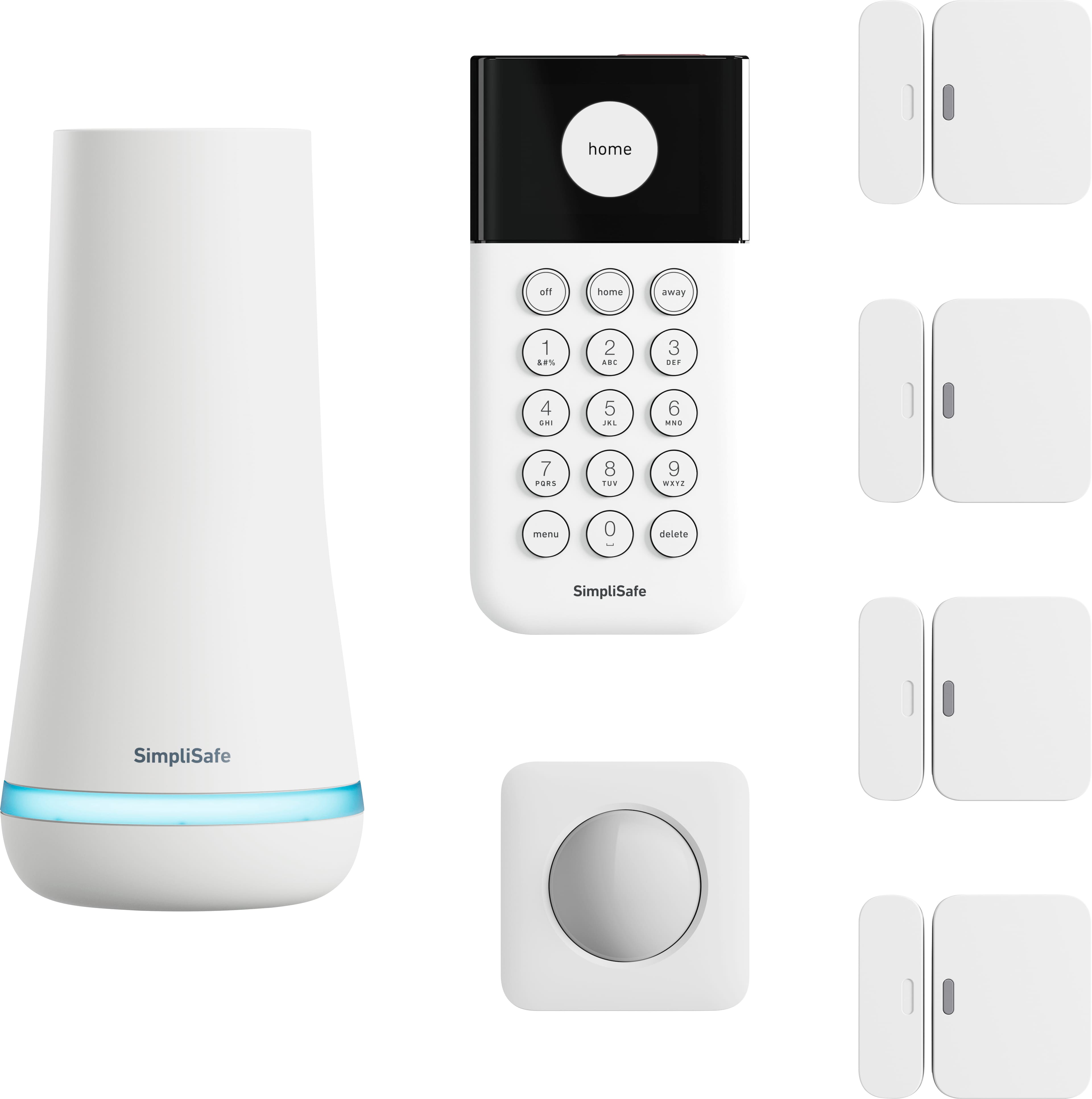
- SimpliSafe and Ring: Both systems send app alerts for battery issues and make it easy to test sensors.
- ADT: Offers professional maintenance plans and reminders.
- Vivint: Automatic software updates, but some features require a service visit.
Before buying, check if the brand offers easy battery access, clear manuals, and mobile app support. Systems with confusing controls or hard-to-reach sensors can make maintenance frustrating.
Real-world Examples: What Homeowners Say
Many homeowners share their experiences online. Here are two common situations:
Angela, Texas: “My wireless sensors needed new batteries after 18 months. The app told me exactly which sensor was low. It took about 10 minutes to change them all.”
Sam, Ohio: “We have a smart system with cameras and door locks. When our Wi-Fi went down, nothing worked. I learned to restart the router and check connections monthly.”
These stories highlight two key points:
- Modern systems are mostly user-friendly.
- Wi-Fi and batteries are the weak links. Keep them in good shape to avoid problems.
Tips To Make Maintenance Easier
Here’s how to make alarm system maintenance simple and stress-free:
- Use a calendar reminder. Schedule battery checks and tests every 6 months.
- Label your sensors. Name each sensor in the app (e.g., “Front Door,” “Back Window”) so you know which one needs attention.
- Keep spare batteries. Buy a pack of common batteries and store them near your control panel.
- Test after storms or power outages. Sometimes, surges can reset or damage your system.
- Update apps regularly. Set your phone to auto-update, so you don’t miss important fixes.
When To Call A Professional
While most maintenance is simple, call for help if you notice:
- Frequent false alarms you can’t explain
- Sensors that won’t reset even with new batteries
- Error messages you don’t understand
- Wiring problems (for wired systems)
- Major app or software failures
A professional can quickly diagnose and fix complex issues, saving you time and stress.
Environmental Factors That Affect Maintenance
Not all homes are the same. Some environments make alarm system maintenance a bit more challenging:
- High humidity: Can corrode sensors and wires. Use sealed sensors for basements or bathrooms.
- Extreme temperatures: Batteries drain faster in very hot or cold places. Use lithium batteries for better performance.
- Dusty or outdoor locations: Clean sensors more often if they are outside or in garages.
Always follow the manufacturer’s advice for unusual environments.
Are Home Alarm Systems Becoming Easier To Maintain?
The short answer is yes. Technology advances mean that most new alarm systems are designed for easy maintenance. Features like automatic battery alerts, app-based testing, and wireless designs all help. Even five years ago, some systems required complicated wiring or frequent service calls. Today, many tasks can be done in minutes.
One recent study by Parks Associates found that 72% of homeowners prefer systems that send maintenance alerts directly to their phones. As more brands add smart features, easy maintenance is becoming the norm.

Comparison: Maintenance Needs Of Popular Home Alarm Systems
To help you see the differences, here’s a comparison of three popular home alarm systems.
| Brand | Battery Alerts | App Support | Professional Maintenance Option | Typical DIY Maintenance |
|---|---|---|---|---|
| SimpliSafe | Yes | Yes | Optional | Easy |
| Ring | Yes | Yes | No | Very Easy |
| ADT | Yes | Yes | Yes | Easy/Moderate |
Most brands offer strong app support and battery alerts. The biggest difference is whether you want (or need) professional help.
How Maintenance Affects Insurance And Home Value
Many insurance companies offer discounts if you have a well-maintained alarm system. They may require proof of regular checks, especially for monitored systems. Good maintenance can also boost your home’s value, as buyers prefer homes with working, modern security.
Practical tip: Ask your insurer if they need maintenance records. Simple logs or emails from your alarm company can be enough to get a discount.
Frequently Asked Questions
How Often Should I Test My Home Alarm System?
Most experts recommend testing your system every 3–6 months. For monitored systems, inform your security company before testing to avoid false alarms. Testing ensures all sensors, sirens, and notifications are working.
What If My Alarm System Keeps Giving False Alarms?
First, check for dirty sensors, dying batteries, or pets triggering motion detectors. Clean all sensors and replace batteries if needed. If false alarms continue, contact your alarm provider for help.
Do I Need Professional Maintenance, Or Can I Do It Myself?
Most maintenance tasks are easy for homeowners, such as battery changes and cleaning. Professional help is useful for complex systems, wiring issues, or if your insurance requires certified checks.
How Do I Know When A Sensor Battery Is Low?
Most modern systems send alerts to your control panel or mobile app. Some sensors have indicator lights that blink when the battery is low. Set calendar reminders to check batteries every 6–12 months.
Are Home Alarm Systems Easy To Maintain If I’m Not Good With Technology?
Yes. Most systems are designed for easy use, with clear instructions and app support. If you’re unsure, choose a brand with strong customer service or ask for a professional maintenance plan.
Maintaining a home alarm system is no longer a difficult task. With simple steps, routine checks, and a few smart habits, you can enjoy strong protection without stress. For more on home security technology, visit the Security Alarm Wikipedia page for additional details.
Home security is about peace of mind. A little maintenance goes a long way—protecting your home, your belongings, and the people you care about.


