
Wi-fi Smoke Detectors: How Connectivity Transforms Home Safety
Smoke detectors save lives, but how we use them is changing fast. Traditional alarms only warn you with a loud sound if they detect smoke. But what if you’re not home, or unable to hear the alarm? Today, Wi-Fi smoke detectors make it possible to get alerts anywhere, anytime. This article explains how smoke detectors can connect to Wi-Fi, the benefits and risks, how they compare to regular models, and what you need to know before buying. If you want to make your home safer with smart technology, you’ll find clear answers here.
What Is A Wi-fi Smoke Detector?
A Wi-Fi smoke detector is a smart device that connects to your home’s wireless internet. Unlike basic alarms, it can send notifications to your phone, tablet, or computer. This means you can get alerts even if you’re far away. Many Wi-Fi detectors also work with smart home systems like Amazon Alexa or Google Home, letting you control or monitor them using voice commands or apps.
These detectors usually have:

Exclusive Deals
Limited-time Exclusive Deals. Check current discount on Amazon.
Check Price on Amazon As an Amazon Associate I earn from qualifying purchases.- Traditional smoke sensors
- Wireless connectivity
- Mobile app support
- Remote alerts
Some models also detect carbon monoxide or other hazards. The main idea: you’re always informed, wherever you are.
How Wi-fi Smoke Detectors Work
Wi-Fi smoke detectors use built-in sensors to measure smoke particles or heat. When smoke is detected, the device:
- Sounds an alarm in your home
- Sends a warning to your smartphone or other connected devices
- Sometimes triggers other smart devices (lights, sirens, etc.)
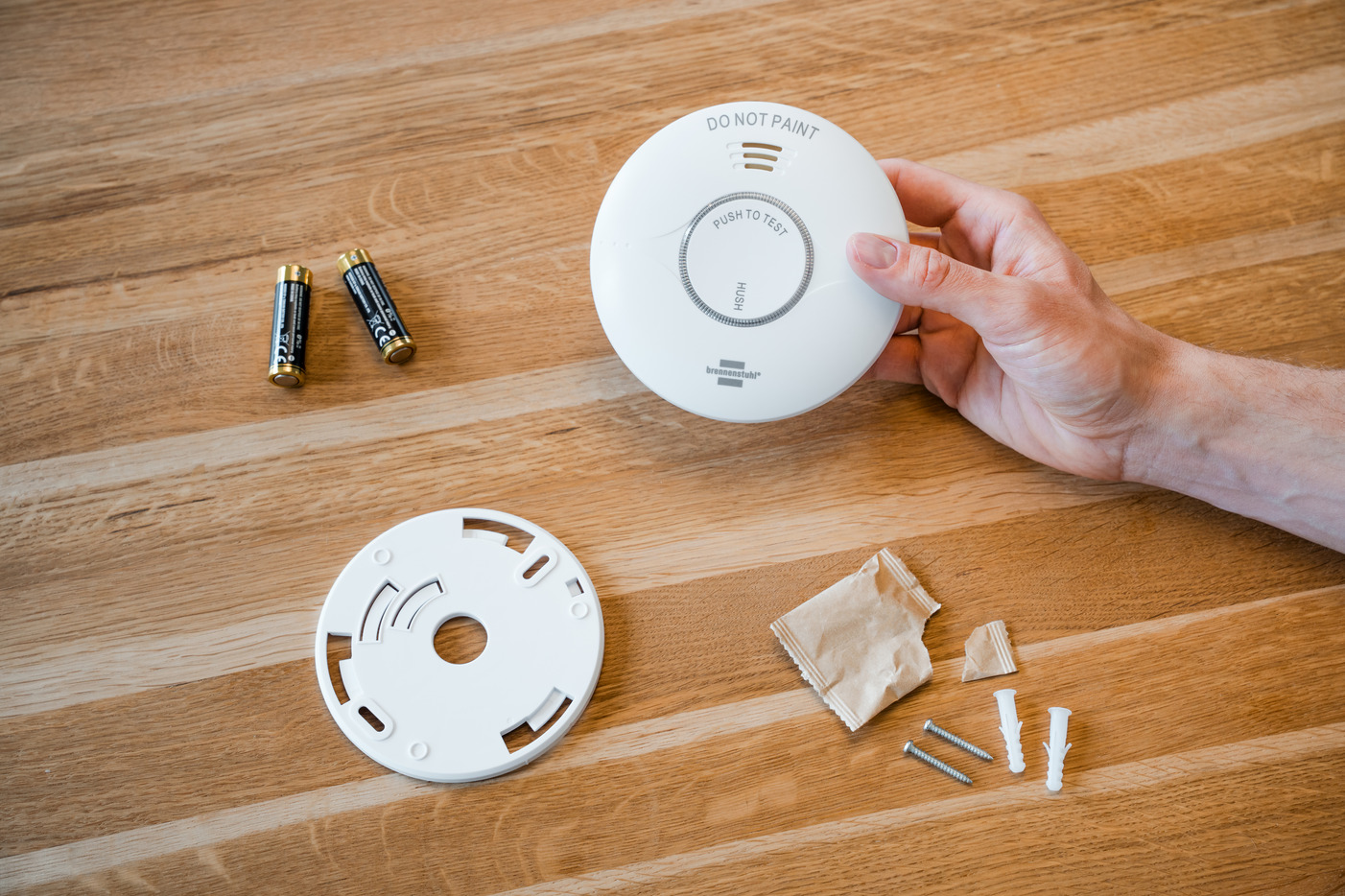
To connect, you first install the detector and use its app to link it to your home Wi-Fi. Once set up, you can check its status, silence alarms, or review past alerts using your phone.
Example: A Typical Alert
Imagine you’re at work. Smoke appears at home. Your detector senses danger:
Exclusive Deals
Limited-time Exclusive Deals. Check current discount on Amazon.
Check Price on Amazon As an Amazon Associate I earn from qualifying purchases.- The alarm sounds loudly
- You get a push notification on your phone: “Smoke detected!”
- You can call family, neighbors, or emergency services immediately
Some apps even let you silence false alarms from your phone. This remote control is a big advantage.
Why Connect Smoke Detectors To Wi-fi?
There are several reasons to use Wi-Fi smoke detectors instead of standard ones.
1. Alerts Anywhere
Traditional alarms only warn you if you’re inside the house. But Wi-Fi detectors send alerts to your phone—even if you’re at work, on vacation, or just outside. This is useful for people who travel often, or families with kids and elderly members.
Exclusive Deals
Limited-time Exclusive Deals. Check current discount on Amazon.
Check Price on Amazon As an Amazon Associate I earn from qualifying purchases.2. Faster Emergency Response
If you’re away and get an alert, you can call the fire department or ask a neighbor to check. This can prevent serious damage. Some detectors even contact emergency services automatically.
3. Integration With Smart Homes
Wi-Fi detectors can link to other smart devices. For example, if smoke is detected:
- Smart lights turn on automatically
- Doors unlock for quick escape
- Security cameras start recording
These features create a safer, smarter environment.
4. Maintenance Reminders
Smart detectors remind you when batteries are low or if the device needs cleaning. Regular maintenance is critical, but many people forget. Automatic reminders help keep your system reliable.
5. Data And History
Most Wi-Fi detectors keep a log of alerts and tests. You can review past events and check if the device is working correctly. This information is useful for landlords, property managers, and anyone managing multiple homes.
Comparing Wi-fi And Traditional Smoke Detectors
Let’s look at the differences between Wi-Fi smoke detectors and standard models. Here’s a comparison table to help you understand:
| Feature | Traditional Smoke Detector | Wi-Fi Smoke Detector |
|---|---|---|
| Alert Type | Local alarm only | Local alarm + remote notification |
| Smart Home Integration | No | Yes |
| Maintenance Reminders | Manual (test button) | Automatic via app |
| Remote Control | No | Yes (silence alarm, check status) |
| Cost | Lower ($10–$40) | Higher ($60–$150+) |
| Data Logging | No | Yes |
| Battery Monitoring | Manual | Automatic |
Most Wi-Fi models are more expensive, but offer many extra features. If you value convenience and safety, the investment can be worth it.
Popular Wi-fi Smoke Detector Brands
Several brands lead the market for Wi-Fi smoke detectors. Here are some top examples:
- Google Nest Protect: One of the most popular smart detectors. It sends alerts to your phone, checks for smoke and carbon monoxide, and connects with other Nest devices.
- First Alert Onelink: This device offers smoke and carbon monoxide detection, app alerts, and compatibility with Apple HomeKit.
- Kidde Smart Smoke Detector: Known for reliable sensors and app notifications.
- X-Sense Smart Smoke Detector: Affordable models with good app support.
Each brand offers slightly different features. Some work better with certain smart home systems. It’s wise to check compatibility before buying.
Installation: Step-by-step Guide
Setting up a Wi-Fi smoke detector is not difficult, but some steps must be followed carefully. Here’s a typical installation process:
1. Choose The Right Location
Install detectors in bedrooms, hallways, and living areas. Avoid kitchens and bathrooms, where steam can cause false alarms.
2. Mount The Detector
Use screws or adhesive pads to attach the device to the ceiling or wall. Follow the manufacturer’s instructions.
3. Download The App
Find the brand’s app in the App Store or Google Play. Install it on your phone.
4. Connect To Wi-fi
Open the app and follow prompts to connect the detector to your wireless network. You may need to enter your Wi-Fi password.
5. Test The Device
Press the test button to check if the alarm works. Make sure you get notifications on your phone.
6. Set Up Notifications
Adjust app settings to receive alerts for smoke, battery status, or device errors.
7. Maintain Regularly
Clean the detector, change batteries, and check status through the app.
Common Mistakes In Setup
- Forgetting to test after installation
- Not checking Wi-Fi coverage (detector may lose signal)
- Skipping app setup steps
Double-check every step to ensure your detector works reliably.

Technical Requirements And Limitations
Wi-Fi smoke detectors need some basics to work properly:
- Stable Wi-Fi Connection: If your internet is slow or unreliable, alerts may not reach you.
- Smartphone or Tablet: You’ll need a device to receive notifications.
- Compatible Home Network: Most detectors use 2.4 GHz Wi-Fi; some newer models support 5 GHz.
- Battery or Power Supply: Some models run on batteries, others plug into AC power.
If your Wi-Fi goes down, the detector will still sound a local alarm, but remote notifications may fail. It’s important to check your network regularly.
Table: Wi-fi Compatibility
| Detector Model | Wi-Fi Band Supported | App Required | Battery Type |
|---|---|---|---|
| Google Nest Protect | 2.4 & 5 GHz | Yes | AA |
| First Alert Onelink | 2.4 GHz | Yes | AA |
| Kidde Smart Smoke Detector | 2.4 GHz | Yes | 9V |
| X-Sense Smart Detector | 2.4 GHz | Yes | AA |
Check your router’s specifications before buying.
Security And Privacy Concerns
Connecting smoke detectors to Wi-Fi raises important questions about security and privacy.
Data Safety
Smart detectors collect information about alarms, device status, and sometimes your location. If the app or device is not secure, this data could be accessed by hackers. Choose products from trusted brands with strong privacy policies.
Network Vulnerability
Any device connected to Wi-Fi can become a target for cyber attacks. Make sure your home network uses strong passwords and regular software updates.
Example: Real Risk
In 2017, security researchers found that some smart home devices could be hacked through weak Wi-Fi passwords. This shows the importance of good network security.
Tips For Security
- Use a unique, strong Wi-Fi password
- Update apps and device firmware regularly
- Check privacy settings in the app
- Buy from brands with proven security records
Non-obvious insight: Some detectors let you set up two-step authentication for app access. This extra layer can prevent unauthorized control.

Are Wi-fi Smoke Detectors Worth It?
Wi-Fi smoke detectors cost more, but offer big benefits:
- Peace of mind: You know about dangers, even when away
- Fast action: You can respond quickly, reducing damage
- Smart features: Integration with other devices
- Maintenance: Automatic reminders help you avoid failures
However, they may not be necessary for every home. If you live in a small apartment, or rarely leave, basic detectors may be enough. But for larger homes, rental properties, or people who travel, Wi-Fi models can be lifesaving.
Non-obvious Insight: Some Insurance Companies Offer Discounts For Homes With Smart Smoke Detectors. Check With Your Provider; You May Save Money.
What To Consider Before Buying
Choosing the right Wi-Fi smoke detector means looking at several factors:
1. Compatibility
Does it work with your home Wi-Fi? Is it compatible with your smart home system?
2. Detection Type
Smoke only, or smoke and carbon monoxide? Some models handle both.
3. Power Source
Battery or plug-in? Battery models are easier to install, but need regular replacement.
4. App Quality
Is the app easy to use? Does it send reliable alerts?
5. Cost
Prices range from $60 to $150 or more. Higher cost often means more features.
6. Brand Reputation
Look for brands with strong reviews and proven reliability.
7. Warranty And Support
Good support matters if you have problems.
8. Installation Needs
Some models require hardwiring; others are simple plug-and-play.
Table: Feature Comparison For Buyers
| Feature | Importance | What to Look For |
|---|---|---|
| Wi-Fi Compatibility | High | 2.4/5 GHz support |
| Detection Types | High | Smoke, CO, Heat |
| Power Source | Medium | Battery or AC |
| App Usability | High | Easy setup, clear alerts |
| Warranty | Medium | 2+ years |
| Smart Home Integration | Medium | Alexa, Google Home, Apple HomeKit |
Avoid buying cheap, untested brands. Poor quality can mean unreliable alerts or weak security.
Real-world Examples And Statistics
Wi-Fi smoke detectors are not just a trend—they make a difference in real emergencies. Here are some examples and data:
- In 2022, the National Fire Protection Association reported that homes with working smoke detectors reduce fire deaths by half.
- A survey by Statista showed that 18% of US homes used smart smoke detectors in 2023, up from 10% in 2020.
- In one case, a homeowner received a smoke alert while on vacation and called neighbors, who stopped a kitchen fire before major damage.
Smart detectors also help landlords and property managers. If you have multiple properties, remote alerts can prevent costly losses.
Hidden Benefit
Some Wi-Fi detectors track temperature and humidity, helping you spot other problems like leaks or mold. This extra data can protect your home in ways most people don’t expect.
Common Problems And Solutions
Even the best Wi-Fi smoke detectors have challenges. Here’s how to fix common issues:
False Alarms
Steam, dust, or cooking fumes can trigger alarms. To reduce false alerts:
- Place detectors away from kitchens and bathrooms
- Clean sensors regularly
Connectivity Issues
If your detector loses Wi-Fi, it can’t send remote alerts. Try:
- Moving your router closer
- Using Wi-Fi extenders
- Checking for firmware updates
Battery Problems
Low batteries cause missed alerts or device failure. Set reminders in the app and use high-quality batteries.
App Notification Errors
Sometimes apps fail to send alerts. Make sure notifications are enabled and update the app often.
Device Malfunction
Rare, but possible. Contact customer support or use warranty services.
Future Trends In Wi-fi Smoke Detectors
Technology is moving quickly. Here’s what’s coming:
- AI Detection: New detectors use artificial intelligence to better identify smoke, heat, and gas.
- Voice Alerts: Devices may use spoken warnings, not just sirens.
- Automatic Emergency Response: Some detectors contact fire departments automatically.
- Integration with Wearables: Alerts can go directly to smart watches.
- Advanced Sensors: Detecting more hazards, like air quality or chemical leaks.
These trends aim to make homes even safer. The market for smart detectors is expected to double by 2027.
Frequently Asked Questions
Can All Smoke Detectors Connect To Wi-fi?
No. Only smart smoke detectors are designed for Wi-Fi. Regular models have no wireless features. If you want connectivity, look for “Wi-Fi” or “smart” in the product description.
Will A Wi-fi Smoke Detector Work If The Internet Goes Down?
Yes. The local alarm will still sound if smoke is detected. However, you won’t get remote notifications until the internet is restored. This is why both local and remote alerts are important.
Are Wi-fi Smoke Detectors Safe From Hacking?
Most reputable brands use strong security measures. But any device on Wi-Fi can be vulnerable. Always use strong passwords and update firmware. For more information on smart home security, see Wikipedia.
Can I Install A Wi-fi Smoke Detector Myself?
Yes, most models are designed for simple DIY installation. You only need basic tools and access to your home Wi-Fi. Follow the instructions carefully for best results.
How Often Should I Test And Maintain My Wi-fi Smoke Detector?
Test the alarm every month and check the app for battery or maintenance alerts. Clean sensors every 6 months. Regular checks keep your device reliable.
Making The Smart Choice For Home Safety
Connecting smoke detectors to Wi-Fi is more than a tech upgrade—it’s a powerful safety boost. Wi-Fi models help you act fast, protect your home, and give peace of mind, whether you’re nearby or far away. While they cost more and need care with setup and security, their benefits can be life-changing. As smart homes become common, Wi-Fi smoke detectors are becoming the new standard. If you value safety and convenience, making the switch is a smart step forward.


