
Smart locks are changing how we secure our homes and offices. One feature is gaining popularity fast: temporary access codes. These codes let you share entry rights with guests, workers, or delivery people for a limited time. But how do these codes actually work? What makes them safe? And how can you use them without risking your security?

Exclusive Deals
Limited-time Exclusive Deals. Check current discount on Amazon.
Check Price on Amazon As an Amazon Associate I earn from qualifying purchases.This article will break down everything you need to know about temporary access codes on smart locks. You’ll learn how they’re created, managed, and deleted. We’ll look at real-life examples and practical tips. Whether you’re a homeowner, a landlord, or someone thinking about upgrading your door lock, this guide will help you understand and use temporary codes with confidence.
What Are Temporary Access Codes?
Temporary access codes are unique PINs or passwords you can set on a smart lock for a short period. Unlike traditional keys, these codes can be:
- Shared digitally
- Set to expire after a certain time
- Limited to specific dates or hours
They’re ideal for situations like:
- Letting guests into your Airbnb property
- Allowing cleaners or repair crews access
- Giving friends entry while you’re away
The big difference from regular keys or permanent codes is flexibility. You control who enters, when, and for how long.
Exclusive Deals
Limited-time Exclusive Deals. Check current discount on Amazon.
Check Price on Amazon As an Amazon Associate I earn from qualifying purchases.How Smart Locks Generate Temporary Codes
Most smart locks use encrypted algorithms to generate codes. The owner creates them via a mobile app or web portal. The lock stores these codes in memory and checks them when someone enters.
Some locks have:
- Random code generators (for one-time use)
- Timed codes (active only for hours or days)
- Recurring codes (valid on certain days each week)
The process usually goes like this:
- The owner opens the app and selects “Add temporary code.”
- They choose the time frame (like 9 am to 5 pm).
- A code is created and sent to the guest.
- The guest enters the code, and the lock checks if it’s valid.
Why Use Temporary Codes?
Temporary codes solve real problems:
- No need for physical keys (less risk of losing them)
- Instant access (no waiting for someone to arrive)
- Easy to revoke (codes expire or can be deleted)
They’re also more secure. If someone gets the code after it expires, it won’t work.
Exclusive Deals
Limited-time Exclusive Deals. Check current discount on Amazon.
Check Price on Amazon As an Amazon Associate I earn from qualifying purchases.Types Of Temporary Access Codes
Smart locks offer several kinds of temporary codes. Understanding the types helps you choose what’s best for your needs.
| Type | Usage | Expiration | Best For |
|---|---|---|---|
| One-Time Code | Used once, then invalid | After single use | Delivery, short visits |
| Timed Code | Valid for set hours/days | After time ends | Housekeeping, guests |
| Recurring Code | Active on certain days/times | After schedule ends | Regular staff, cleaners |
| Custom Code | User sets own PIN, with limits | After specified period | Family, trusted friends |
One-time Codes
A one-time code is perfect for quick access. For example, a courier needs to drop a package. You generate a code that works once, then disappears.
Timed Codes
With timed codes, you set a start and end time. Your guest can enter only during these hours. This is common in vacation rentals or for workers.
Recurring Codes
Recurring codes are ideal for people who need regular access, like cleaners every Monday. The code works only on set days and times.
Custom Codes
Some smart locks let users set their own PINs. You decide how long they’re valid. This is handy for trusted people who visit often but don’t need a permanent code.
How Smart Locks Manage Temporary Codes
Modern smart locks use cloud-based systems and apps to manage codes. Here’s how the process works:
Creating And Sending Codes
- Open the lock’s app or website.
- Choose “Add code” or “Temporary code.”
- Set the time, date, and permissions.
- The code is generated instantly.
- Send the code to the guest via SMS, email, or messaging app.
Most locks allow you to create codes from anywhere, as long as you have internet access.
Activating And Using Codes
The guest arrives and enters the code on the lock’s keypad. The lock checks the code against its internal list. If it’s valid and within the time frame, the lock opens.
Some locks can send push notifications to your phone when the code is used. You’ll know exactly when someone enters.
Revoking And Deleting Codes
When the time ends, the code becomes inactive. You can also delete it early if needed. The lock will not accept expired or deleted codes.
This is a big advantage over traditional keys. If someone loses a key, you have to change the lock. With codes, you just delete them.
Security Features Behind Temporary Codes
Many people worry about the safety of temporary codes. Smart locks use several security layers to protect your home.
Encryption
Most smart locks use AES-128 or AES-256 encryption. This means codes are scrambled and safe from hackers.
Automatic Expiry
Temporary codes expire automatically. Even if someone tries to guess or reuse them, they won’t work.
Audit Trails
Smart locks often keep logs of who entered and when. You can check the app for a history of access.
Limited Attempts
Many locks block access after too many wrong attempts. This stops brute-force attacks.
Remote Management
You can revoke codes from anywhere. If you sense a problem, you don’t need to be at home to delete a code.
Firmware Updates
Manufacturers update their locks to fix bugs or security gaps. Always keep your lock’s software up to date.
Comparing Temporary Codes With Other Access Methods
Let’s look at how temporary codes stack up against other ways to unlock doors.
| Method | Pros | Cons |
|---|---|---|
| Physical Key | Simple, familiar | Easy to lose, hard to revoke |
| Permanent Code | Easy for regular users | Risk if shared widely |
| Temporary Code | Flexible, easy to revoke | Needs app or internet |
| Mobile App Unlock | High security, logs | Requires smartphone |
| Biometric (fingerprint) | No code to remember | Not ideal for guests |
Temporary codes offer the best balance for short-term needs. They’re more secure than keys and more flexible than permanent codes.
Real-world Examples
Many people use temporary codes every day. Here are some real-life situations:
Vacation Rentals
Airbnb hosts use temporary codes for guests. The code is active only during the booking dates. When the guest leaves, the code stops working. This reduces risks and makes check-in easier.
Office Buildings
Companies give temporary codes to contractors or delivery people. The codes work only during business hours. This keeps the building secure after hours.
Homeowners
If you need a plumber or cleaner while you’re at work, you can create a temporary code. The worker enters, does the job, and the code expires. No need to leave keys under the mat.
Schools
Some schools use smart locks with temporary codes for substitute teachers. Codes are valid for the day and expire after school hours.
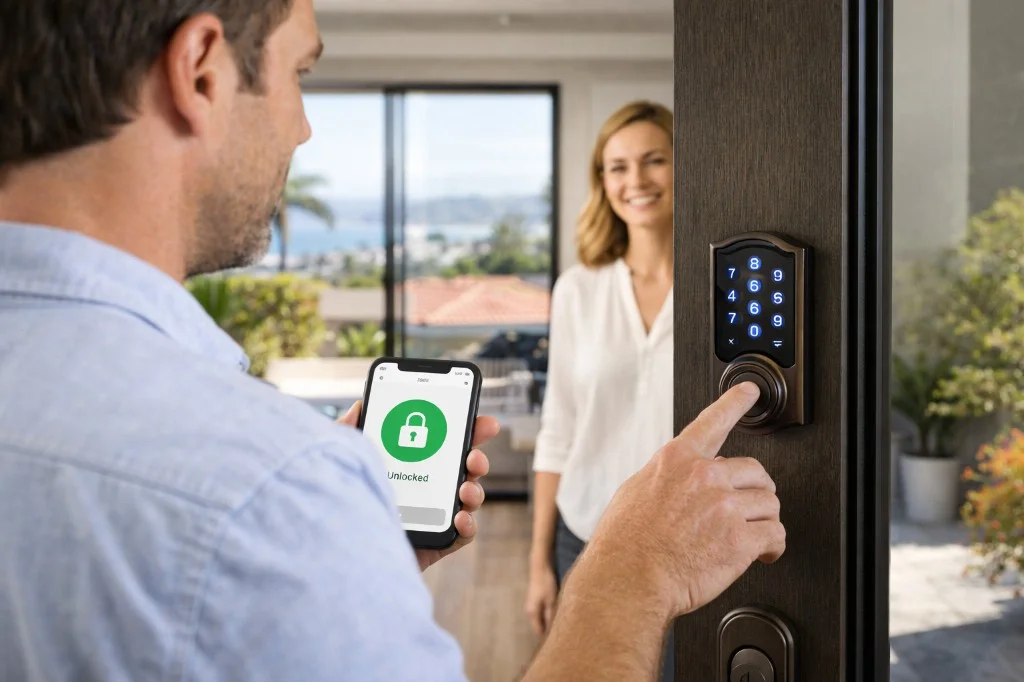
How To Set Up And Use Temporary Codes
Setting up temporary codes is easier than you might think. Here’s a step-by-step guide for most smart locks:
- Install the smart lock and connect it to your Wi-Fi or Bluetooth.
- Download the lock’s app on your phone.
- Register your account and link the lock.
- Select “Add temporary code” in the app.
- Enter the guest’s name and the time frame.
- Generate the code and share it with the guest.
- Monitor access through the app’s logs.
- Delete or let codes expire after use.
Most smart locks let you manage codes for multiple doors. You can set different codes for each entry.
Practical Tips For Managing Codes
- Use strong codes: Avoid simple numbers like 1234 or 0000.
- Limit code sharing: Only send codes to trusted people.
- Keep your app updated: Security patches improve safety.
- Check logs: Review who entered and when.
- Delete codes early: If plans change, revoke codes right away.
Common Mistakes And How To Avoid Them
Even with smart locks, mistakes can happen. Here’s how to avoid common problems:
Sharing Codes Too Widely
Some owners send codes to many people. This increases risk. Only share codes with those who need them.
Using Simple Codes
Weak codes are easy to guess. Always use random or complex codes.
Forgetting To Expire Codes
If you don’t set a time limit, codes can stay active longer than needed. Double-check expiration settings.
Not Checking Access Logs
People sometimes forget to check who entered. Reviewing logs helps spot unusual activity.
Ignoring Firmware Updates
Old software can have security flaws. Enable automatic updates in your lock’s app.
Advanced Features On Modern Smart Locks
Smart locks are adding new tools that make temporary codes even more useful.
Geo-fencing
Some locks use geo-fencing. Codes activate only when the guest is near your home. This stops misuse.
Integration With Smart Home Systems
You can connect smart locks to Amazon Alexa or Google Home. Codes can trigger lights or cameras when used.
Push Notifications
Get instant alerts when someone enters with a temporary code. This helps you track access in real time.
Multiple Code Management
Manage dozens of codes for different doors or users. Some locks let you set hundreds of temporary codes.
Emergency Access
Some locks allow emergency codes. If someone needs urgent entry, you can activate a code remotely.
Data And Statistics On Smart Lock Usage
Smart locks are growing in popularity, especially in the US. Here are some numbers:
- In 2023, over 20% of US homes had a smart lock installed.
- Airbnb hosts reported a 30% drop in lost key incidents after switching to smart locks.
- Offices using temporary codes saw a 15% reduction in unauthorized entry.
- 40% of smart lock users say temporary codes are their favorite feature.
These numbers show that temporary codes are not just a trend—they’re solving real problems.

How Temporary Codes Improve Convenience
Temporary codes make life easier in several ways:
- No waiting for keys: Guests can check in anytime.
- Remote control: Manage codes from anywhere.
- Easy for short stays: No need to meet every guest.
- Better for service people: Workers can come and go without you present.
They’re especially helpful for people with busy schedules or multiple properties.
Privacy Concerns And Solutions
Some users worry about privacy. Smart locks store access logs and codes. Here’s how to protect your information:
- Choose locks with strong encryption.
- Delete codes and logs regularly.
- Use two-factor authentication for your app.
- Read privacy policies before buying.
Most major brands protect user data. For more details, check the manufacturer’s website.
Choosing The Right Smart Lock For Temporary Codes
Not all smart locks are equal. If you want temporary codes, look for these features:
- Easy code creation: Simple app interface.
- Flexible code options: One-time, timed, recurring.
- Strong security: Encryption and updates.
- Good reviews: Check user feedback.
- Integration: Works with your smart home system.
- Remote management: Control codes from anywhere.
Compare locks before buying. Some brands like Schlage, Yale, and August are known for strong temporary code systems.
| Brand | Temporary Code Options | Security Level | App Features |
|---|---|---|---|
| Schlage | One-time, timed, recurring | High | Easy code management |
| Yale | Timed, recurring | High | Smart home integration |
| August | One-time, timed | Medium | Remote unlock |
Non-obvious Insights For Beginners
Many beginners miss a few key details about temporary codes:
- Codes are not always visible on the lock itself. Some locks hide code lists in the app for better privacy.
- Codes can be used for more than doors. Smart locks are appearing on cabinets, garages, and even mailboxes.
- Some locks use location or device checks. Codes may work only if the guest’s phone is nearby or if their device is registered.
Understanding these points helps you use temporary codes more safely and effectively.

Frequently Asked Questions
What Happens If Someone Enters A Temporary Code After It Expires?
The smart lock will reject the code. The guest cannot enter, and you may get a notification of a failed attempt.
Can Temporary Codes Be Used Without Internet?
Some locks allow code entry offline, but you must generate or delete codes using the app with internet. Always check your lock’s manual.
Are Temporary Codes Safe From Hackers?
Most smart locks use strong encryption and limit wrong attempts. Keep your app updated and use random codes for best security.
How Many Temporary Codes Can I Create At Once?
This depends on the lock. Some allow only 10 codes, others support up to 100. Check your lock’s specifications.
Can Temporary Codes Be Used For Multiple Doors?
Yes, if you have multiple smart locks linked to your app. You can set different codes for each door or property.
Smart locks with temporary access codes are a practical, secure solution for modern life. They let you share access without handing out keys or risking security. With careful setup and management, you can protect your property, make entry easy for guests, and enjoy peace of mind. For more details and industry data, see Wikipedia. Temporary codes are becoming a standard feature, and their benefits are clear. If you haven’t tried them yet, now is a good time to start.


