
Smart door locks are changing the way we secure our homes. With just a smartphone app or a PIN code, you can unlock your front door from anywhere. These locks promise both convenience and higher security. But as homes get smarter, a new question worries many homeowners: Can smart door locks be hacked? The answer is not simple. While smart locks offer impressive features, they also connect to the internet, which creates new risks. In this article, you’ll learn how smart locks work, what makes them secure, what vulnerabilities exist, and how you can protect yourself. If you’re thinking about using a smart lock or already have one, understanding these risks is essential for your safety.

Exclusive Deals
Limited-time Exclusive Deals. Check current discount on Amazon.
Check Price on Amazon As an Amazon Associate I earn from qualifying purchases.How Smart Door Locks Work
Smart door locks replace or supplement traditional door locks. They use technology to control who enters your home and when. Here’s how they work at a basic level:
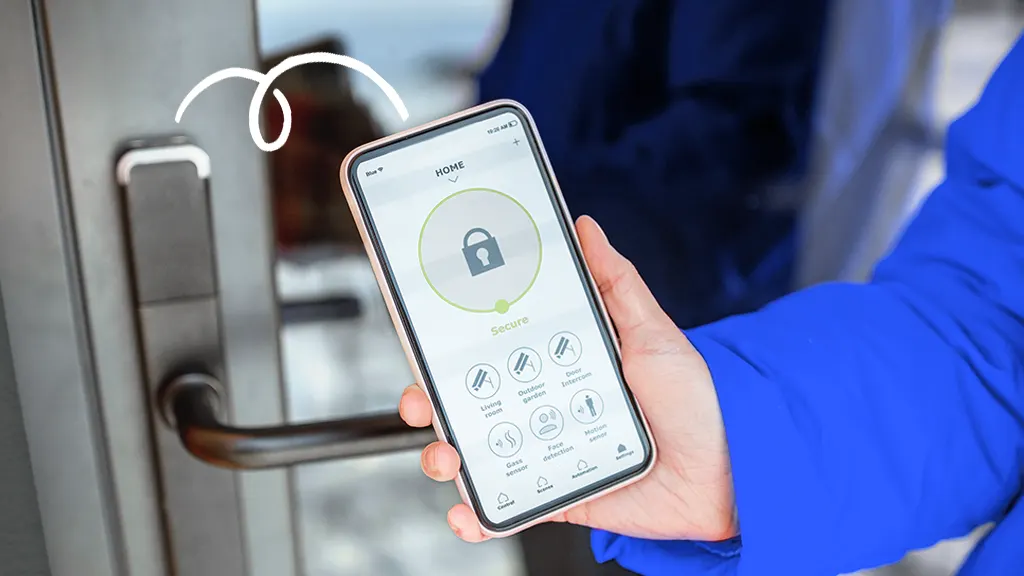
- Authentication: Most smart locks use Bluetooth, Wi-Fi, a PIN code, a fingerprint scanner, or a smartphone app to verify your identity.
- Remote Access: Many allow you to control the lock from anywhere via the internet, so you can let in guests or service workers even when you’re not home.
- Integration: Some connect to other smart devices, like security cameras or voice assistants (e.g., Amazon Alexa or Google Assistant).
A typical smart lock consists of a locking mechanism (deadbolt or latch), a small motor, and an electronic control unit. When you send a command—like unlocking from your phone—the motor turns the lock.
This convenience comes with new risks. Every device that connects to your home’s Wi-Fi or Bluetooth could be a target for hackers.
Security Features In Modern Smart Locks
Manufacturers know security is critical for smart locks. Many models have advanced features to keep intruders out:
Exclusive Deals
Limited-time Exclusive Deals. Check current discount on Amazon.
Check Price on Amazon As an Amazon Associate I earn from qualifying purchases.- Encryption: Most smart locks use advanced encryption (like AES-128 or AES-256) to protect data sent between your phone and the lock.
- Two-Factor Authentication (2FA): Some require you to confirm your identity with a second method (like a fingerprint or a one-time code).
- Temporary Access Codes: You can give guests or cleaners limited-time codes that expire after use.
- Automatic Locking: Some locks re-lock themselves if you forget.
- Activity Logs: The lock keeps a record of who entered and when.
Even with these tools, no device is 100% secure. The real question is, are smart locks more secure than traditional locks? The answer depends on both the technology and how you use it.
Comparing Smart Locks To Traditional Locks
To understand the risks, it helps to compare smart locks and traditional locks side by side. Here’s a breakdown of their strengths and weaknesses:
| Feature | Smart Locks | Traditional Locks |
|---|---|---|
| Access Control | Remote, app, codes, biometrics | Physical key only |
| Audit Trail | Digital logs available | None |
| Lock Picking | Depends on physical part | Possible with skill/tools |
| Hacking Risk | Possible via software/network | Not applicable |
| Key Loss Risk | No physical key needed | Key can be lost/copied |
| Power Source | Battery/electricity needed | No power needed |
Insight: Many people focus only on hacking but forget that traditional locks have weaknesses too. For example, keys can be copied without your knowledge, and even high-security locks can be picked or bumped by skilled burglars.
Real-world Smart Lock Vulnerabilities
Smart locks can be hacked, but successful attacks are not as common as some headlines suggest. Understanding how hackers exploit smart locks helps you see the real risks.
1. Weak Passwords And User Error
Many smart lock breaches happen because users pick simple passwords like “123456” or “password.” Hackers use software to guess these quickly. Another common error is sharing access codes with too many people.
Exclusive Deals
Limited-time Exclusive Deals. Check current discount on Amazon.
Check Price on Amazon As an Amazon Associate I earn from qualifying purchases.2. Outdated Firmware
Smart locks run on firmware—software that controls the device. If you don’t update it, old vulnerabilities stay open. Hackers often target devices with outdated software.
3. Unsecured Wireless Communication
Some older or cheaper locks use unencrypted Bluetooth or Wi-Fi. Hackers nearby can intercept signals and unlock the door. Newer models use encryption, but not all do.
4. Physical Attacks
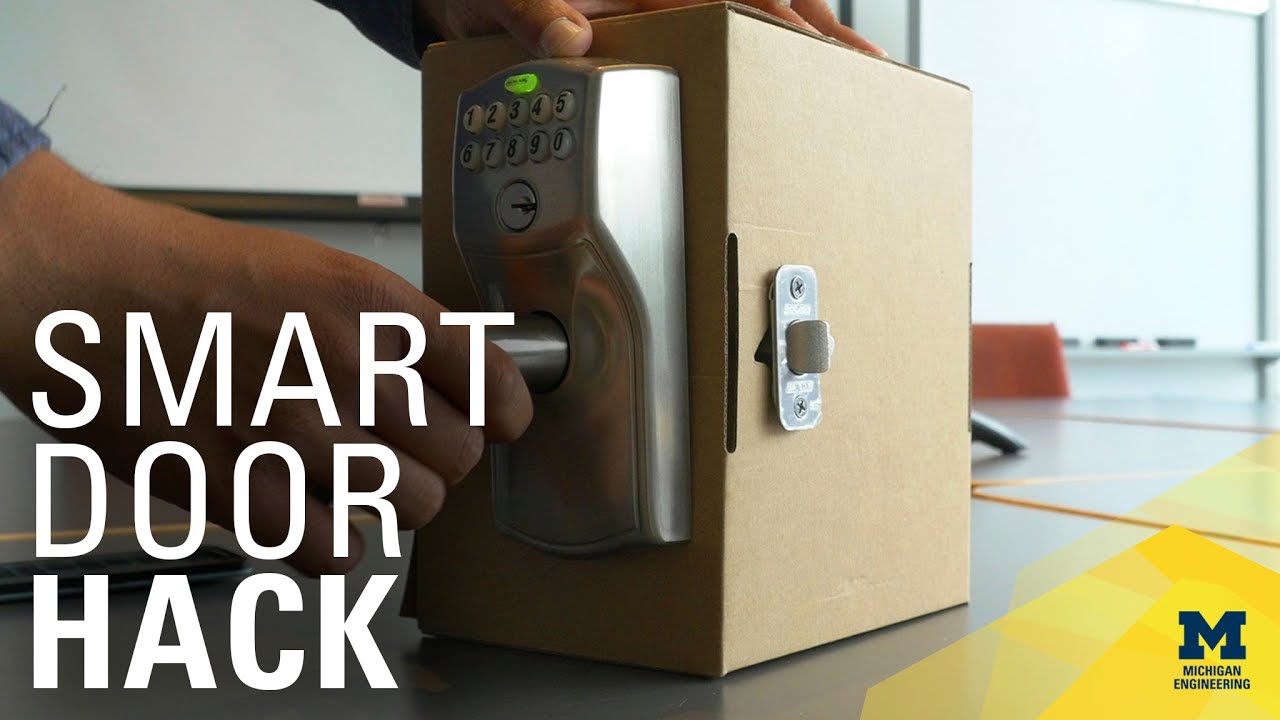
Even smart locks have a physical part. If the actual deadbolt is weak, someone can kick the door in or break the lock with tools. Some hackers have also found ways to access the lock’s circuit board by removing the cover.
5. App Or Cloud Vulnerabilities
If the company’s app or cloud servers are insecure, hackers can sometimes access multiple locks at once. There have been cases where flaws in the companion app let attackers take control remotely.
Famous Smart Lock Hacks: What We Learned
Several smart lock brands have been in the news for security problems. These incidents show what can go wrong and what companies are doing to fix it.
- In 2016, researchers showed that 12 out of 16 Bluetooth smart locks they tested could be hacked in minutes. They used methods like replay attacks (repeating a captured signal) and simple password guessing.
- In 2017, a major smart lock company (LockState) accidentally “bricked” hundreds of locks during a software update, locking out users. This wasn’t a hack, but it showed how software errors can have serious consequences.
- In 2020, a vulnerability in some fingerprint smart locks let attackers open them using a printed fingerprint or bypass the scanner altogether.
Non-obvious insight: Not all vulnerabilities are technical. Poor customer support, slow updates, or unclear instructions can leave users unprotected for months.
How Hackers Actually Attack Smart Locks
Understanding the methods hackers use helps you spot weak points. Here are some common hacking techniques:
Bluetooth And Wi-fi Sniffing
If a lock uses unencrypted Bluetooth or Wi-Fi, a hacker with the right equipment can “listen” to the signals and sometimes replay them to open the lock.
Brute Force Attacks
Some locks allow unlimited tries for PIN codes or passwords. Hackers use software to try thousands of combinations quickly.
Replay Attacks
In a replay attack, a hacker captures the unlock signal (like a digital code sent from your phone) and re-sends it later to unlock the door.
Side-channel Attacks
Advanced hackers might measure the power used or timing of the lock’s electronics to guess codes or passwords.
Physical Tampering
If the lock’s case can be easily removed, someone could access the wiring and trigger the motor manually.
Are Smart Locks Really More Vulnerable Than Traditional Locks?
It’s easy to think smart locks are less safe because hacking sounds high-tech and scary. But the truth is more complex.
Traditional locks can be picked, bumped, or drilled. Many burglars use these old methods because they don’t need special knowledge. Smart locks add new risks (like hacking), but they also remove old ones (like losing keys). The real risk depends on:
- The quality of the lock (both physical and electronic parts)
- How well you set it up (strong passwords, updates)
- Whether you use all the security features
Insight: Many burglars are opportunists. If a smart lock looks complicated or has a camera nearby, most will move on to an easier target.
Practical Ways To Make Smart Locks Safer
If you have or want a smart lock, you can take steps to reduce the risk of hacking. Most are simple but often overlooked.
- Use Strong, Unique Passwords: Avoid common words or numbers. Use a mix of letters, numbers, and symbols.
- Enable Two-Factor Authentication: If available, use it. Even if someone gets your password, they’ll need a second code.
- Update Firmware Regularly: Check the manufacturer’s app for updates. They often fix security holes.
- Limit Access: Only share codes or app access with trusted people. Remove access when it’s no longer needed.
- Check for Encryption: Choose locks that use strong encryption (like AES-128 or better) for communication.
- Replace Batteries Promptly: Weak batteries can make a lock fail or reset, sometimes opening up vulnerabilities.
- Disable Unused Features: Turn off remote access if you don’t need it.
- Install on a Strong Door: A smart lock is only as strong as the door and frame it’s attached to.
- Physical Security: Choose locks with good physical ratings (like ANSI Grade 1 or 2).
- Monitor Logs: Check access logs regularly for any suspicious activity.
What To Look For When Buying A Smart Lock
Not all smart locks are created equal. Some are much more secure than others. Here’s what to consider before you buy:
| Security Feature | Why It Matters | What to Check |
|---|---|---|
| Encryption | Protects data from hackers | Look for AES-128 or better |
| Authentication | Prevents unauthorized access | 2FA, biometrics, app PINs |
| Firmware Updates | Keeps security up-to-date | Easy update process |
| Physical Strength | Resists forced entry | ANSI Grade 1/2 rating |
| Audit Trail | Tracks who enters and when | Accessible logs in app |
| Offline Access | Works without internet | Physical key backup |
| Manufacturer Reputation | Trustworthy support/updates | Brand reviews, update history |
Common buyer mistake: Choosing the cheapest lock without checking for security certifications or update support.
The Role Of The Smart Home Network
Your lock is only as secure as the network it’s connected to. Many people forget that a weak home Wi-Fi password or an outdated router can put all smart devices at risk.
Tips For A More Secure Smart Home Network
- Change Default Router Passwords: The router is the gateway to your home. Don’t use the default login.
- Use WPA3 or WPA2 Encryption: Set your Wi-Fi to use the strongest security mode available.
- Create a Guest Network: Keep smart devices on a separate network from your main devices.
- Regularly Update All Devices: Phones, tablets, and routers need updates just like smart locks.
What To Do If Your Smart Lock Is Hacked
If you suspect your smart lock has been compromised, act quickly.
- Change All Passwords: Update your lock’s app password and any connected accounts.
- Remove Unrecognized Devices: Many apps let you see which devices have access. Remove any you don’t know.
- Update Firmware: Install the latest updates to patch any known vulnerabilities.
- Contact the Manufacturer: They may have special instructions or support for your model.
- Check Your Home: If you think someone entered, check for missing items and call the police if needed.
Future Trends In Smart Lock Security
Smart lock technology is always evolving. Here are some trends that could make future locks even safer:
- Biometric Advances: Fingerprint and facial recognition are getting more accurate and harder to fake.
- Blockchain Technology: Some companies are exploring decentralized authentication for smarter, more secure access.
- AI Threat Detection: Artificial intelligence can spot unusual behavior and alert you to possible hacking attempts.
- Standardization: Industry standards are emerging, which will force all manufacturers to meet minimum security levels.
Non-obvious insight: The biggest future risk is not always the lock itself, but how all your devices connect. As homes get smarter, keeping every device updated and secure will matter even more.
Frequently Asked Questions
Can Smart Door Locks Be Hacked Easily?
Not usually. Most modern smart locks use encryption and other defenses, so hacking them is not easy. However, cheap or old models with weak security can be more vulnerable, especially if users don’t update passwords or firmware.
What Is The Most Common Way Hackers Target Smart Locks?
The most common methods are weak passwords, outdated software, and unencrypted wireless communication. Hackers often go after the easiest target, so using strong settings and updating regularly makes a big difference.
Are Smart Locks Safer Than Traditional Locks?
Smart locks and traditional locks have different risks. Traditional locks can be picked or bumped, while smart locks can be hacked if not secured. The safest option is a high-quality smart lock used with strong security settings.
What Happens If The Smart Lock Battery Dies?
Most smart locks warn you when batteries are low. If the battery dies, you can usually use a physical key backup or an emergency power option. Always check your lock’s instructions and replace batteries on schedule.
Do All Smart Locks Need Wi-fi?
No. Some smart locks use only Bluetooth and work locally with your phone. Others use Wi-Fi for remote access. If you’re worried about hacking, a Bluetooth-only model with no internet connection is harder to attack remotely.
Smart locks can be hacked, but so can traditional locks. The real risk depends on how well you choose, install, and manage your smart lock. By understanding the technology, keeping your devices updated, and following good security practices, you can enjoy the convenience of smart locks without making your home an easy target. For more on smart home security, check out this guide from Consumer Reports. Remember, technology is only as smart as the person using it—so stay informed and stay secure.


