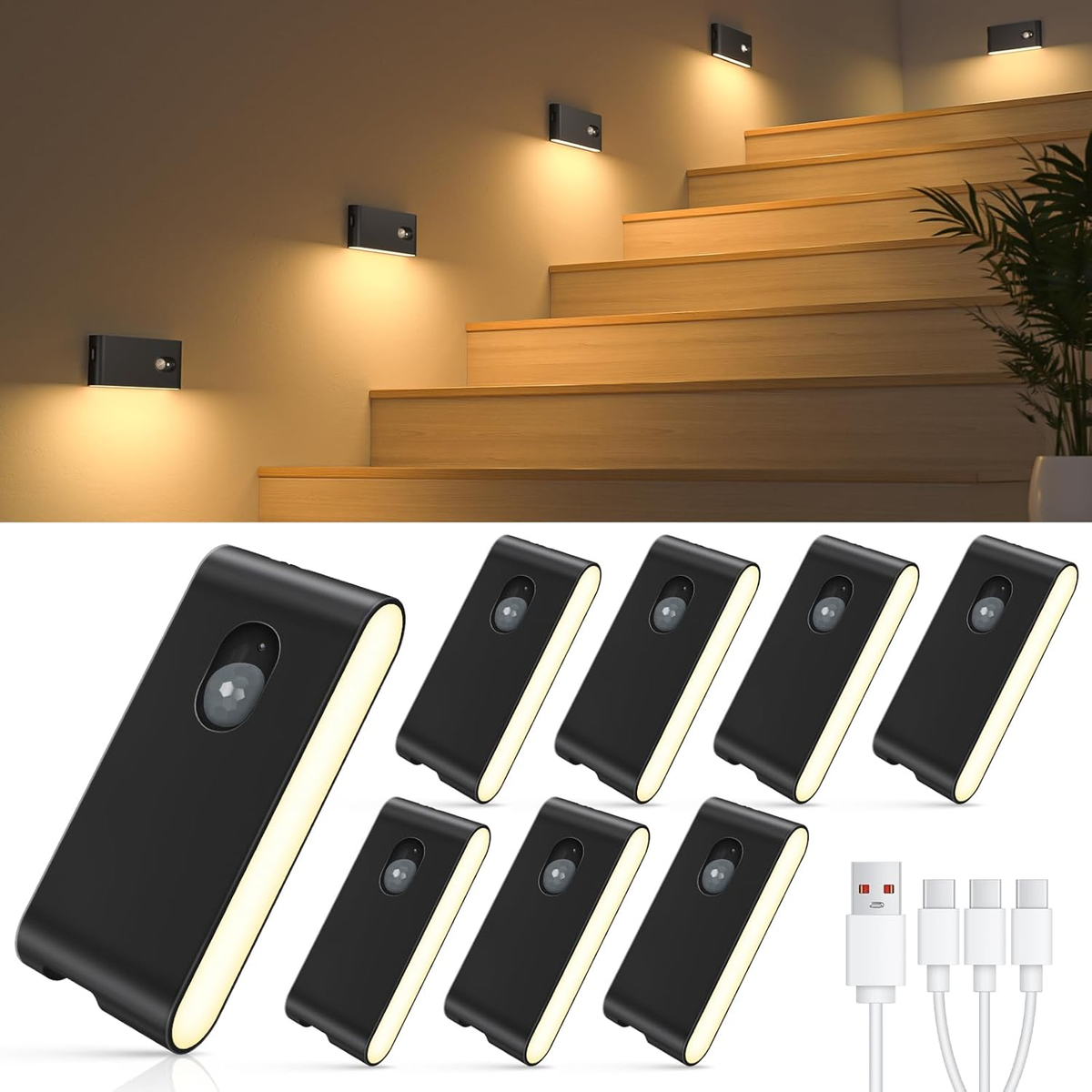
Motion sensor stair lights have changed the way we move at night, making homes safer and more energy-efficient. If you’ve ever wondered, “How long do motion sensor stair lights stay on? ”—you’re not alone. The answer depends on several factors, including the light’s settings, sensor type, environment, and even your own habits.

Exclusive Deals
Limited-time Exclusive Deals. Check current discount on Amazon.
Check Price on Amazon As an Amazon Associate I earn from qualifying purchases.Understanding these can help you choose the right setup, save money, and avoid common frustrations like lights turning off too soon or staying on too long.
Motion sensor stair lights are popular in homes, offices, hotels, and public buildings. They provide automatic lighting when someone walks up or down the stairs, so you don’t need to fumble for switches in the dark. But the timing—how long the light stays on—can make a big difference in comfort and safety.
If the light turns off too quickly, you might trip or feel annoyed. If it stays on too long, you waste energy and shorten bulb life.
In this article, you’ll learn how motion sensor stair lights work, what influences their on-time, and how to adjust them for the best results. We’ll cover real numbers, practical tips, and even mistakes people often make. By the end, you’ll know how to choose, set, and maintain your stair lights for both convenience and efficiency.
Exclusive Deals
Limited-time Exclusive Deals. Check current discount on Amazon.
Check Price on Amazon As an Amazon Associate I earn from qualifying purchases.How Do Motion Sensor Stair Lights Work?
Motion sensor stair lights use motion detectors to sense movement and automatically turn the lights on. Most systems use infrared sensors (PIR sensors), which detect heat from moving bodies. Some advanced systems use microwave sensors or dual-technology sensors for better accuracy.
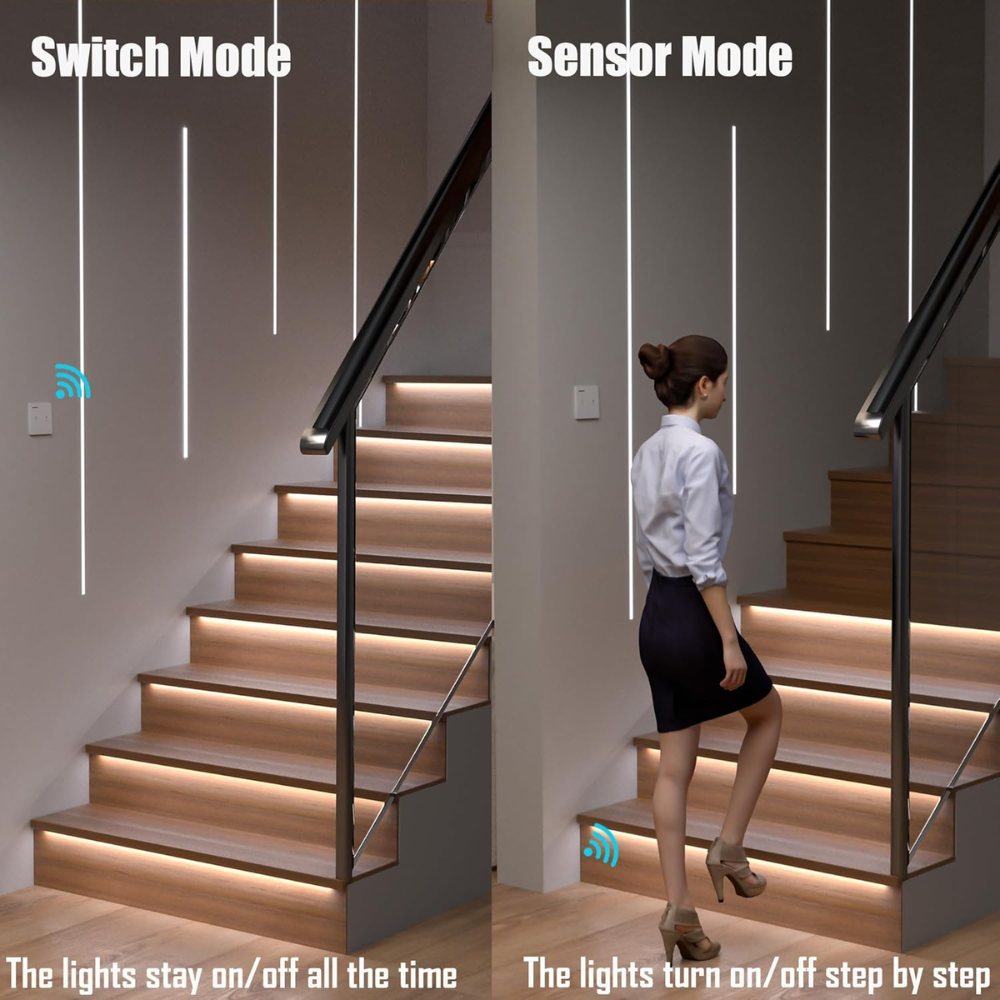
When you walk near the sensor, it sends a signal to the light to turn on. The light stays on for a set period—called the hold time or delay time. After this, if no more motion is detected, the light turns off.
The process usually follows these steps:
- Sensor detects movement (usually human).
- Light turns on immediately.
- Light stays on for a preset time.
- If no further motion, light turns off.
- If motion is detected again, timer resets.
Most stair lights have adjustable settings. You can change how long the light stays on—from a few seconds to several minutes. Some models also let you control brightness, sensitivity, and even the detection range.
Typical On-time Duration For Motion Sensor Stair Lights
So, how long do motion sensor stair lights stay on? The average hold time is between 15 seconds and 5 minutes. Most systems offer several preset or adjustable options.
Exclusive Deals
Limited-time Exclusive Deals. Check current discount on Amazon.
Check Price on Amazon As an Amazon Associate I earn from qualifying purchases.Here’s a breakdown of common settings:
| Setting | Typical Duration | Best Use Case |
|---|---|---|
| Short | 15–30 seconds | Quick passage, energy saving |
| Medium | 1–2 minutes | Normal staircases, families |
| Long | 3–5 minutes | Slow walkers, elderly, children |
Most stair lights come with a default setting—usually 30 seconds or 1 minute. The duration can be changed using a dial, switch, or digital control.
Real-life Examples
- Home staircases: Usually set for 1 minute. Enough for most people to climb or descend without rushing.
- Hotels: Often set for 2–3 minutes, since guests may carry luggage and need more time.
- Public buildings: Longer durations (3–5 minutes) to handle crowds and avoid frequent switching.
Some advanced models use smart sensors that adjust the timing based on movement patterns. For example, if someone moves slowly or pauses, the light stays on longer.

Factors That Influence How Long Stair Lights Stay On
The hold time isn’t fixed. Several factors affect how long motion sensor stair lights remain illuminated. Knowing these helps you choose the right setting and avoid common problems.
1. Sensor Settings
Most motion sensor stair lights have adjustable hold time, sensitivity, and sometimes brightness. The hold time is usually set using a dial, slider, or on-screen menu.
- Hold time: Controls how long the light stays on after motion stops.
- Sensitivity: Determines how easily the sensor detects movement. High sensitivity means the light turns on even with small motions.
- Brightness: Some models let you adjust the light’s intensity.
2. Sensor Type
- PIR sensors: Detect heat from people and animals. Most common, but may miss very slow motion.
- Microwave sensors: Detect movement using radio waves. Better for detecting slow or small movements, but can be triggered by non-human activity.
- Dual-technology: Combine PIR and microwave for fewer false triggers.
3. Placement And Coverage
Where you place the sensor affects how well it detects motion. Poor placement may cause the light to turn off too soon or stay on too long.
- Angle: Sensors work best when aimed at stairways, not walls or ceilings.
- Height: Most sensors are placed 4–6 feet above the stairs for optimal coverage.
- Obstacles: Furniture, railings, or decorations can block the sensor’s view.
4. Environmental Conditions
- Temperature: Extreme cold or heat can affect PIR sensors.
- Lighting: Bright daylight may reduce sensitivity. Some sensors have a daylight threshold and only work at night.
- Humidity: High humidity can reduce accuracy.
5. Power Source
- Battery-powered lights: Sometimes have shorter hold times to save energy.
- Wired lights: Usually offer more options and longer durations.
6. User Behavior
How you use the stairs matters. Quick movements may not trigger the sensor long enough, while slow or repeated trips keep the light on.
- Children: May move quickly or unpredictably.
- Elderly: Often need more time, so longer hold times are safer.
7. Smart Features
Some modern stair lights use AI-based sensors or connect to smart home systems. These can learn your habits and adjust timing automatically.
Practical Insight
Many beginners forget to check the sensor’s angle. If the sensor faces away from the stairs, it may not detect movement properly. Always aim the sensor down the stairway for best results.
Another common mistake is setting the hold time too short. This can cause the light to turn off while you’re still on the stairs, which is both unsafe and annoying.
How To Adjust Motion Sensor Stair Light Settings
Adjusting the settings is usually simple. Most motion sensor stair lights have a control panel or dial behind the cover.
Here’s how to set the timing:
- Find the control panel: Usually hidden behind the light or sensor cover.
- Locate the hold time dial or switch: It may be labeled “Time,” “Delay,” or “Duration.”
- Set the desired time: Turn the dial or press the button to choose between options (e.g., 30 seconds, 1 minute, 3 minutes).
- Test the light: Walk up and down the stairs to see if the timing feels right.
- Fine-tune as needed: Adjust again until you’re satisfied.
Some digital models let you set the time using a remote control or smartphone app.
Adjustment Example
Suppose you have a PIR stair light with a default hold time of 30 seconds. If you find the light turns off too soon, increase the setting to 1 or 2 minutes. If you want to save energy, lower it to 15–30 seconds, but make sure it’s still safe.
Comparison Table: Typical Settings In Popular Models
| Brand/Model | Hold Time Range | Adjustment Method | Sensor Type |
|---|---|---|---|
| Philips Hue Motion Sensor | 10 sec – 5 min | App/Smartphone | PIR |
| LEONLITE Stair Light | 15 sec – 3 min | Dial | PIR |
| Lutron Maestro | 1 min – 15 min | Button | Dual |
| Mr. Beams MB520 | 20 sec – 5 min | Dial | PIR |
Choosing The Right Hold Time For Your Stair Lights
Picking the best timing depends on your needs, stairs, and household members. Here are some tips to help:
- Safety first: If you have elderly people, children, or guests, choose a longer hold time (2–3 minutes).
- Energy saving: If you want to minimize power use, set a shorter time (15–30 seconds), but test to make sure it’s not too short.
- Stair length: Longer stairs need more time, especially if people move slowly.
- Traffic: If your stairs see frequent use, a medium hold time (1–2 minutes) works well.
- Smart sensors: If you have smart features, let the system learn your habits.
Common Mistakes To Avoid
- Setting hold time too short: Leads to lights turning off before you finish climbing.
- Sensor placement errors: Poor angle or height reduces detection accuracy.
- Ignoring sensitivity: High sensitivity can cause false triggers from pets or passing cars.
- Not testing: Always test settings with real people before finalizing.
Energy Efficiency And Cost Considerations
Motion sensor stair lights are designed to save energy, but the hold time affects how much you save. Shorter durations mean less power use, longer bulb life, and lower costs. However, too short can reduce safety.
Energy Use Example
A typical LED stair light uses about 2–5 watts. If set to 1 minute, and activated 10 times a day, you use:
- 1 min x 10 times = 10 min/day
- 5 watts x 10 min = 0.83 watt-hours/day
Over A Month: 0.83 X 30 = 24.9 Watt-hours
This is very low compared to regular lighting, but can add up if you use higher wattage or longer durations.
Cost Comparison Table: Led Vs. Incandescent Stair Lights
| Light Type | Average Wattage | Monthly Energy Use | Estimated Monthly Cost |
|---|---|---|---|
| LED | 3 W | 25 Wh | $0.05 |
| Incandescent | 15 W | 125 Wh | $0.25 |
LED stair lights are much more efficient. Choosing the right hold time maximizes savings.
Advanced Features In Modern Motion Sensor Stair Lights
Today’s stair lights offer more than just basic timing. Many include smart features that make life easier.
1. Smart Home Integration
Modern systems connect to smart home hubs, allowing you to set timing, brightness, and sensitivity using your phone or voice assistant.
- Remote control: Change settings from anywhere.
- Scheduling: Set lights to turn on/off at specific times.
- Learning algorithms: Adjust timing based on patterns.
2. Adaptive Hold Time
Some lights use sensors that detect not just movement, but speed and direction. If you move slowly or stop midway, the light stays on longer.
3. Multi-zone Control
If you have several staircases, you can control each zone separately, with different timing for each.
4. Night Mode
Some stair lights offer a night mode—lower brightness and longer hold time for safer navigation at night.
5. Battery Alerts
Battery-powered models often include low-battery warnings, so you know when to replace batteries.
Installation And Maintenance Tips
Proper installation and care are key to making your stair lights work well and last longer.
Installation Tips
- Aim sensor at stairs: Not at walls or doors.
- Height matters: Mount sensors 4–6 feet above stairs.
- Avoid obstacles: Don’t block sensors with furniture or decorations.
- Check coverage: Test the sensor’s detection range.
Maintenance
- Clean sensors regularly: Dust and dirt can block detection.
- Check batteries: Replace or recharge as needed.
- Test settings: Adjust timing and sensitivity as seasons change.
- Inspect wiring: For wired models, check for loose or damaged cables.
Practical Insight
Many people forget to clean sensors, leading to poor detection. A quick wipe every few months keeps your lights working well.
Safety And Accessibility Considerations
Motion sensor stair lights improve safety, especially for children, elderly people, and guests. The right timing prevents accidents and makes stairs easy to use.
Accessibility
- Longer hold times: Safer for those who move slowly.
- Bright but not harsh: Choose soft LED lights for comfort.
- Clear coverage: Make sure every step is illuminated.
Safety Tips
- Test during the day and night: Make sure sensors work in all conditions.
- Add backup lighting: In case sensors fail, have a manual switch or emergency light.
Frequently Asked Questions
How Can I Change The Duration My Stair Lights Stay On?
Most models have a hold time dial or menu. Check the manual for your light. You can usually adjust the duration from 15 seconds to 5 minutes. For digital models, use the app or remote control.
Why Do My Stair Lights Turn Off Before I Finish Climbing?
This often happens when the hold time is too short or the sensor isn’t aimed properly. Try increasing the duration and adjust the sensor angle for better coverage.
Are Motion Sensor Stair Lights Expensive To Run?
No, especially if you use LED lights. They use very little power. Setting a shorter hold time saves even more energy, but always balance safety and comfort.
Can Motion Sensor Stair Lights Work With Pets?
Yes, but high sensitivity may cause false triggers. Some models let you lower sensitivity or use pet-immune sensors to avoid lights turning on every time your pet moves.
What Should I Do If My Stair Lights Don’t Turn Off?
Check if the sensor is blocked or dirty. Also, make sure the hold time isn’t set too long. If the problem persists, you may need to reset the light or consult the manufacturer’s support team. For more troubleshooting tips, see guides from Energy.gov.
Motion sensor stair lights make life easier, safer, and more efficient. By understanding how long they stay on—and how to adjust them—you can create a comfortable, energy-saving environment for your home or business. Choose the right settings, maintain your lights, and enjoy a smarter, safer staircase every day.