
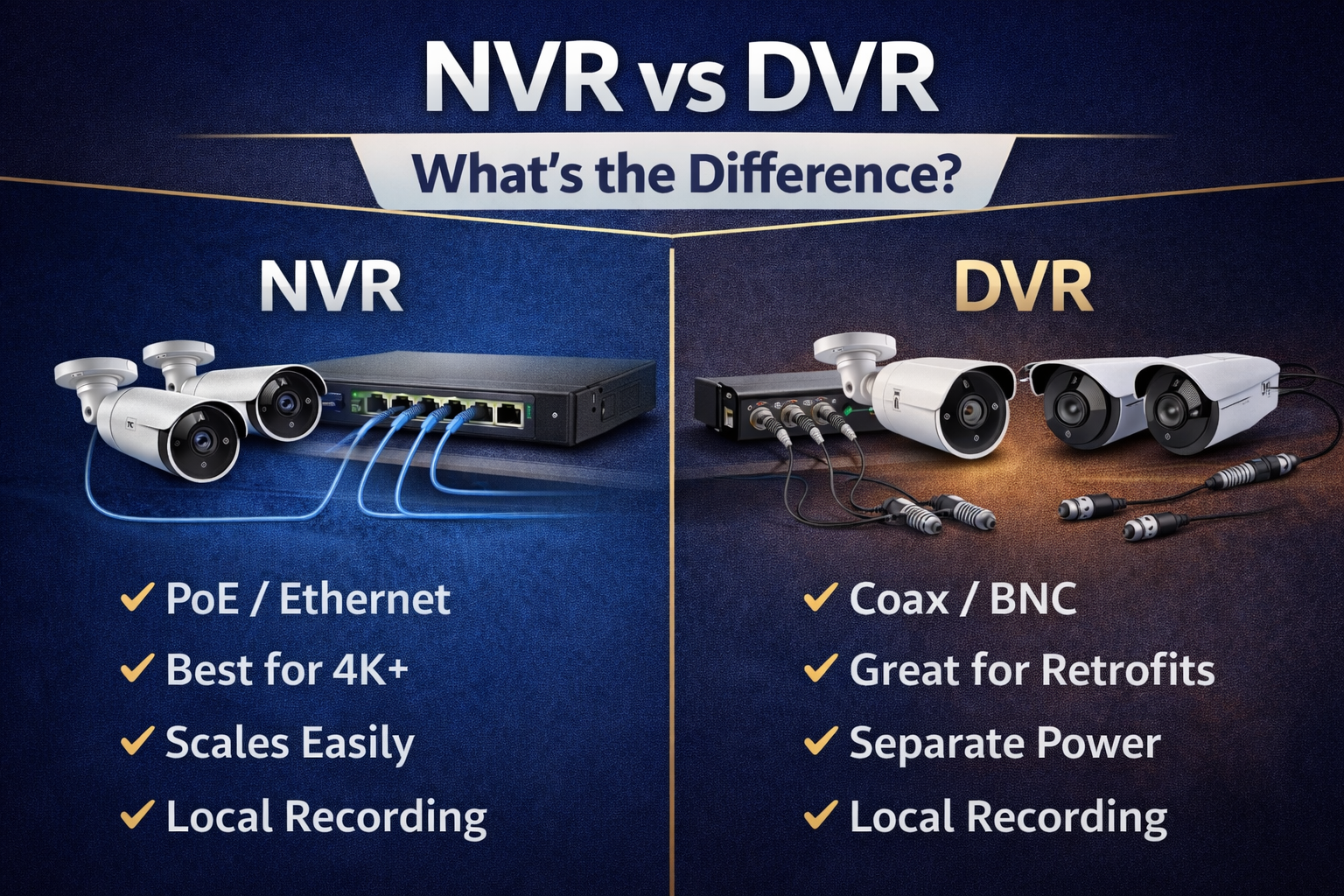
NVR uses IP cameras for higher resolution and flexible networking; DVR uses analog cameras and simpler setup.

Exclusive Deals
Limited-time Exclusive Deals. Check current discount on Amazon.
Check Price on Amazon As an Amazon Associate I earn from qualifying purchases.I’ve spent years designing and installing video systems for homes and small businesses, so I know the real-world trade-offs between an NVR vs DVR Security System. This guide breaks down how each system works, where each shines, cost and setup differences, and practical tips to help you pick and install the right choice for your needs. Read on to get clear, actionable advice that saves time and avoids common mistakes.
Understanding NVR and DVR: basic definitions and how they work
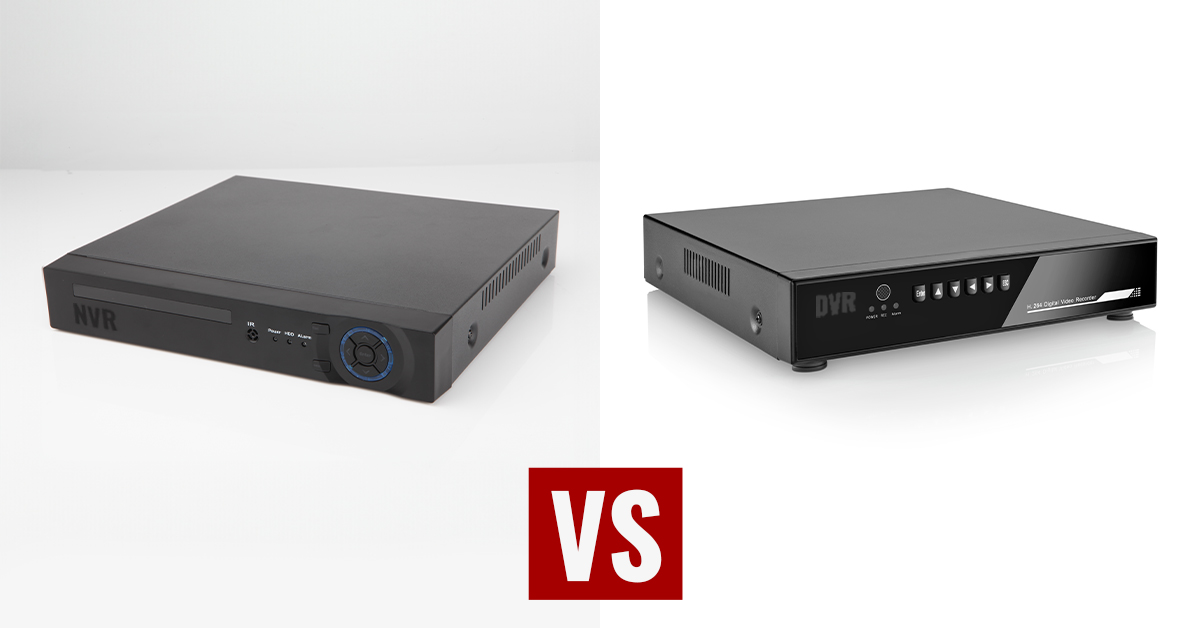
NVR stands for Network Video Recorder. It records video streams from IP cameras over a network. The cameras do most of the video processing, and the NVR stores and organizes the footage.
DVR stands for Digital Video Recorder. It records video from analog cameras that connect directly to the DVR unit. The DVR often handles compression and video encoding inside the box.
Exclusive Deals
Limited-time Exclusive Deals. Check current discount on Amazon.
Check Price on Amazon As an Amazon Associate I earn from qualifying purchases.Both systems do the same job: capture, compress, and store video for review and evidence. But they differ in how video is transmitted and processed. These differences shape cost, quality, flexibility, and installation.
Key technical differences between NVR vs DVR Security System
Video source and processing
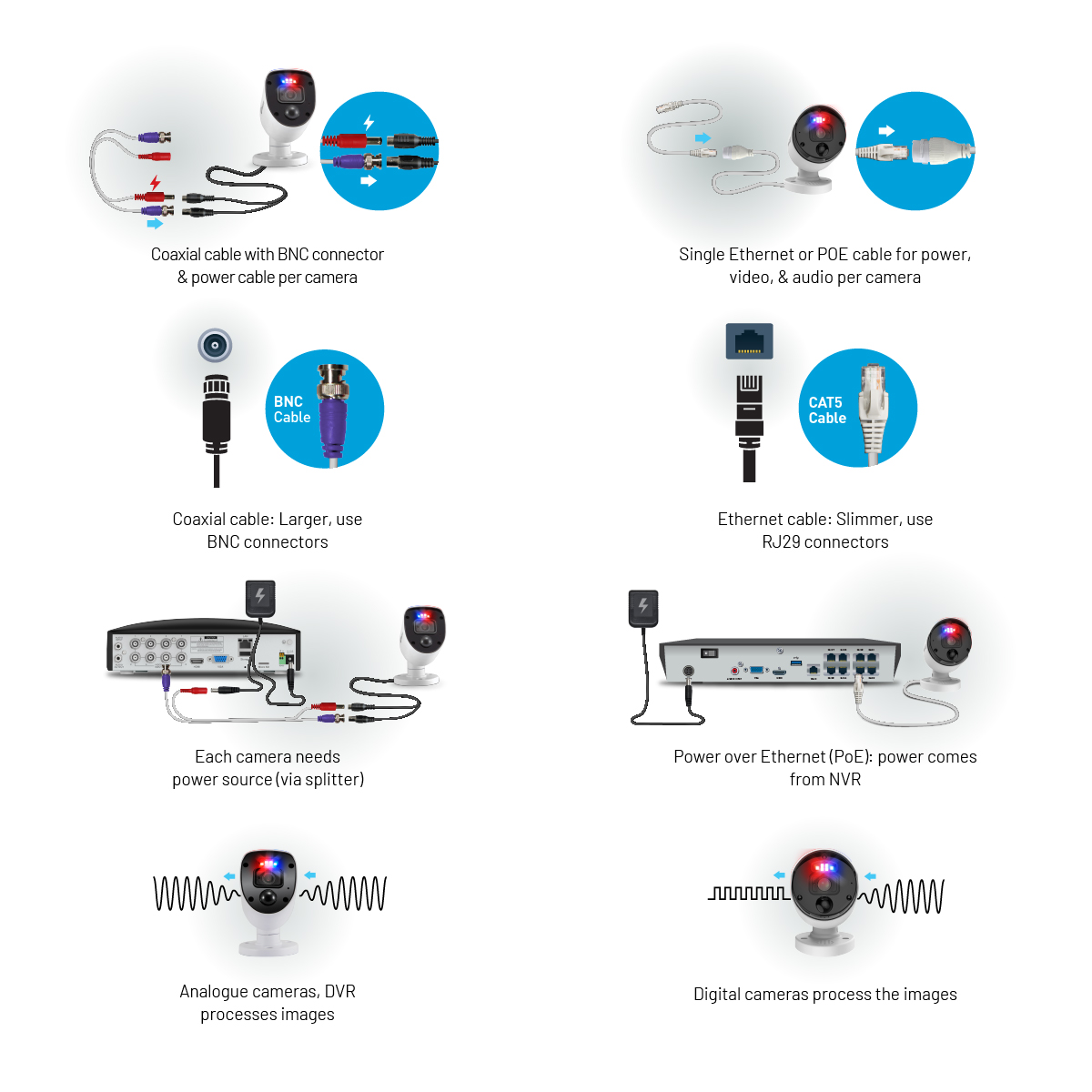
- NVR: Receives already-digitized video from IP cameras; cameras can encode video in high-quality codecs.
- DVR: Accepts analog signals from cameras and encodes video inside the recorder.
Cabling and installation
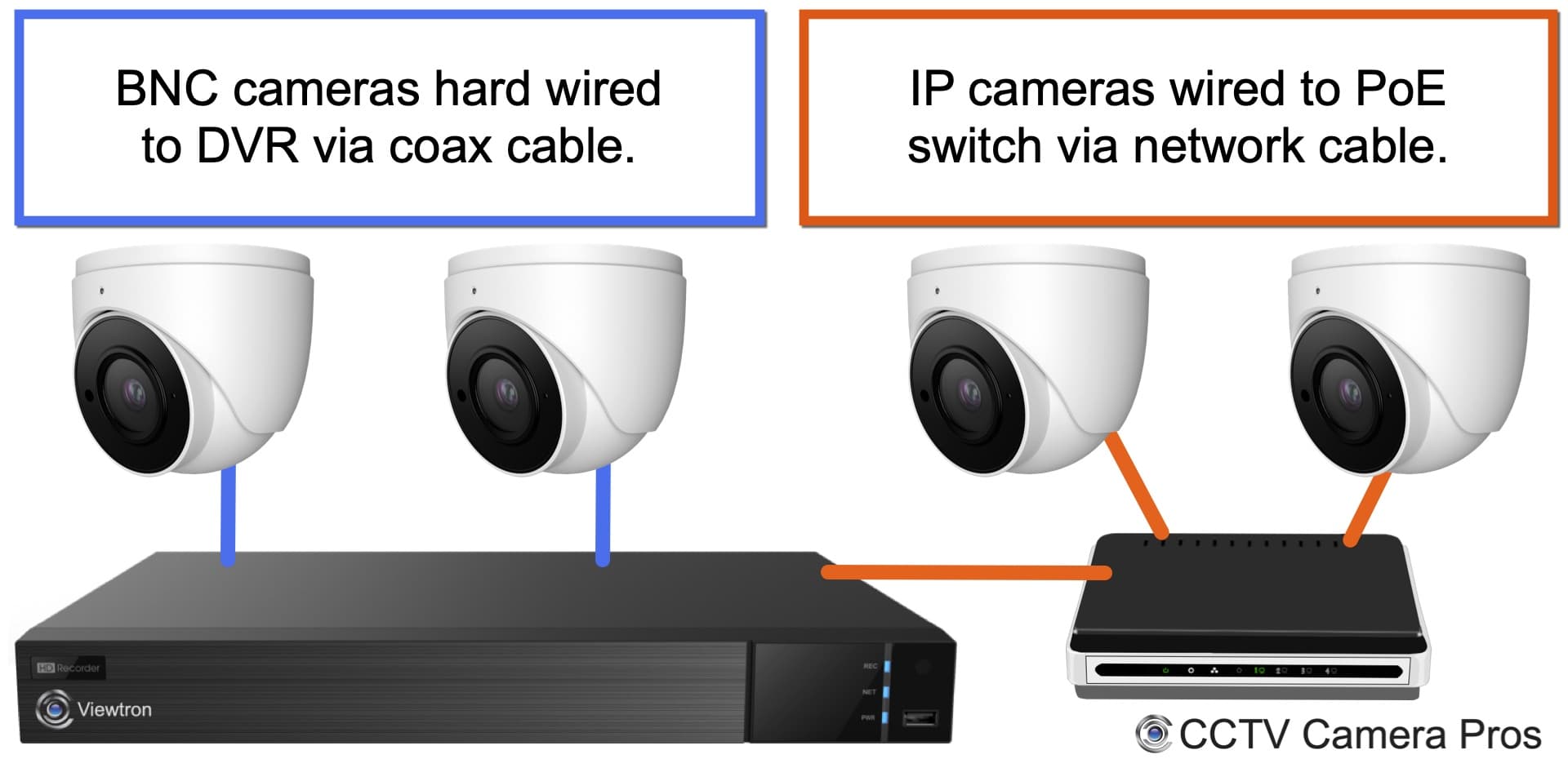
- NVR: Uses Ethernet cabling (Cat5e or Cat6) and can use PoE to power cameras and transmit data on the same cable.
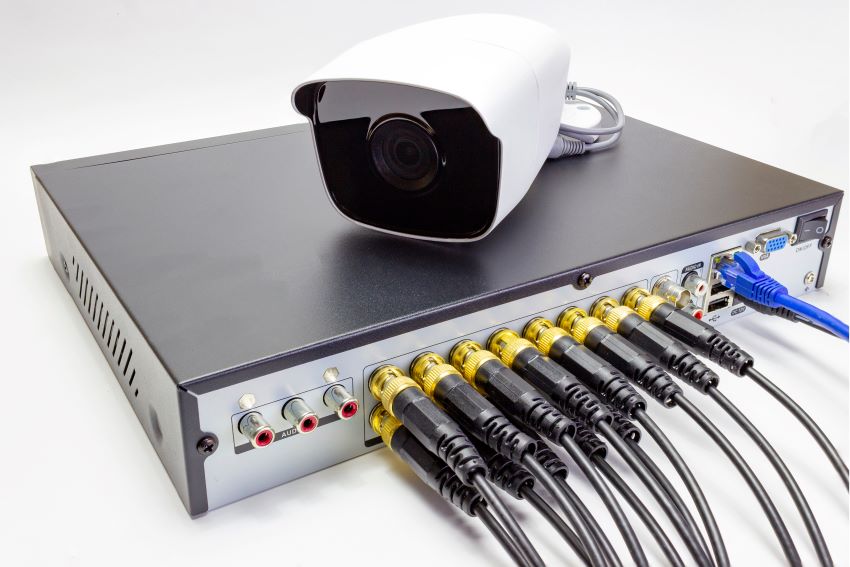
- DVR: Uses coaxial cable (RG59 or RG6) for video and often separate power wires, making runs trickier.
Resolution and image quality
Exclusive Deals
Limited-time Exclusive Deals. Check current discount on Amazon.
Check Price on Amazon As an Amazon Associate I earn from qualifying purchases.- NVR: Commonly supports higher resolutions like 4K and advanced codecs, so image clarity is usually better.
- DVR: Quality is limited by the analog camera standard, though modern HD-over-coax options improve this.
Scalability and flexibility
- NVR: Easier to scale and integrate with network devices, wireless cameras, and cloud services.
- DVR: Typically more constrained to fixed camera inputs and local expansion.
Latency and processing load
- NVR: Lower latency if using smart IP cameras that process analytics on-device.
- DVR: Centralizes processing which can create load and reduce flexibility for advanced analytics.
These core contrasts explain why people choose one system over the other. If your priority is image quality and future growth, an NVR vs DVR Security System decision often leans to NVR. If budget and simple retrofits matter, DVR still has value.
Video quality, storage, and bandwidth considerations
Compression and storage
- NVR: Uses modern codecs like H.265 or H.264 on IP cameras. This saves storage and maintains quality.
- DVR: May use older compression, requiring more storage for similar quality.
Bandwidth and network impact
- NVR: Network traffic matters. Each IP camera streams over your LAN. Good switches and VLAN planning help.
- DVR: Mostly local; coax runs do not use your IP network, so LAN bandwidth stays free.
Storage options
- NVR: Typically supports large internal drives, NAS, and cloud backup. You can set retention by camera and event.
- DVR: Supports local drives and sometimes limited network backup; cloud integration is less common.
Practical example
If you run four 4K IP cameras on an NVR, you need more careful bandwidth and storage planning than four 1080p analog cameras on a DVR. But the NVR’s footage will be far more detailed and useful for ID or license plate reads.
Installation, cost, and scalability: real-world trade-offs
Initial cost
- NVR: Upfront cost can be higher for IP cameras, but PoE simplifies wiring.
- DVR: Cameras and equipment are usually cheaper per unit, and older coax infrastructure can be reused.
Installation complexity
- NVR: Requires network knowledge, PoE switches, and possibly router configuration for remote access.
- DVR: Simpler cabling but may need separate power runs and careful coax routing.
Long-term costs
- NVR: Easier to expand and integrate new features, which can lower future upgrade costs.
- DVR: May require full system replacement to adopt modern features.
Scalability
- NVR: Add cameras by plugging into switches or expanding NVR channels.
- DVR: Limited to physical BNC inputs; you may need a new recorder for more cameras.
From my experience, projects that begin with an NVR tend to adapt better to future needs. DVR systems can be very cost-effective when the site already has coax cabling and the owner wants a low-cost solution today.
Use cases and who should choose NVR vs DVR Security System
Choose NVR if:
- You need high resolution and clear detail for identification.
- You want remote access, cloud options, or analytics like people counting.
- You’re installing new wiring or want PoE simplicity.
Choose DVR if:
- You already have coax cabling and want to save on rewiring.
- Your budget is tight and you need a basic, reliable solution.
- Your site needs simple local recording without heavy network use.
Specific examples
- Small retail store: NVR for 4K cameras to capture faces and transactions.
- Older warehouse with coax: DVR can reuse existing cable and keep costs low.
- Multi-site business: NVRs with central management make remote monitoring easier.
Practical setup tips and mistakes to avoid (from experience)
Tips that save time and money
- Map cable runs before buying equipment. A clear plan reduces wasted gear.
- Use PoE switches with surge protection for outdoor cameras. They simplify power and data.
- Segment camera traffic on a separate VLAN to keep video off your main business network.
Mistakes I’ve seen
- Buying cameras with incompatible codecs. Verify camera and recorder codec support.
- Underestimating storage needs. Always calculate retention and motion vs continuous recording.
- Ignoring firmware updates. Security patches fix vulnerabilities that attackers can exploit.
Personal anecdote
I once installed an NVR system in a small office without planning for bandwidth. Streaming four 4K cameras slowed the office Wi‑Fi. We fixed it by isolating camera traffic and adding a PoE switch and QoS rules. That change made both the video and the office network behave.
Checklist: How to choose between NVR and DVR
Ask these before buying
- What existing cabling do you have?
- What image resolution do you need for identification?
- Will you expand the system in the next two to five years?
- Do you need cloud backup or remote access from phones?
- What is your budget for hardware and installation?
Decision flow
- If you have coax and need a low-cost fix, pick DVR.
- If you want high resolution, analytics, and easier expansion, pick NVR.
- If uncertain, consider a hybrid approach or consult a professional installer.
Frequently Asked Questions of NVR vs DVR Security System
What is the main difference between NVR and DVR?
NVR records video from IP cameras over a network, while DVR records video from analog cameras through direct coax connections. NVR systems usually support higher resolutions and more flexible networking.
Can I mix NVR and DVR cameras in one system?
Some hybrid recorders support both IP and analog cameras, but full integration can be limited. For best results, use an all-IP NVR or a compatible hybrid recorder designed for your cameras.
Which system is better for remote viewing on a phone?
NVRs usually make remote viewing easier because they use IP networking and cloud or app integration. DVR remote access is possible but may require extra network setup and port forwarding.
Do IP cameras need more storage than analog cameras?
IP cameras often use better resolution, which can require more storage if not using efficient codecs. Modern codecs like H.265 help reduce storage needs while preserving quality.
Is PoE necessary for NVR setups?
PoE is not required but is highly recommended. PoE powers cameras and carries data on one cable, simplifying installation and improving reliability.
How long should I keep security footage?
Retention depends on your needs and regulations; many businesses keep 30–90 days of footage. Critical locations may keep longer or archive important events to cloud or external backup.
Conclusion
Choosing between an NVR vs DVR Security System comes down to quality, cost, and future needs. NVRs offer higher image clarity, easier expansion, and better remote features. DVRs shine when you need a low-cost solution or want to reuse existing coax wiring. Use the checklist to match your site, and plan bandwidth and storage before buying.
Take action: evaluate your current cabling, list must-have features, and choose the system that fits your budget and growth plan. If you want personalized advice, leave a comment or share your setup details and I’ll help you pick the best option.


