
If you struggle to wake up with regular alarm clocks, you’re not alone. Many people need something louder, stronger, or more reliable. The Sonic Bomb Alarm Clock is famous for its extra-loud alarm and powerful bed shaker. It’s used by heavy sleepers, people with hearing loss, and anyone who wants a serious wake-up call. But setting up this alarm isn’t always obvious, especially for first-time users. Let’s walk through the process step by step and uncover tips that make your Sonic Bomb work perfectly.
Why The Sonic Bomb Is Unique
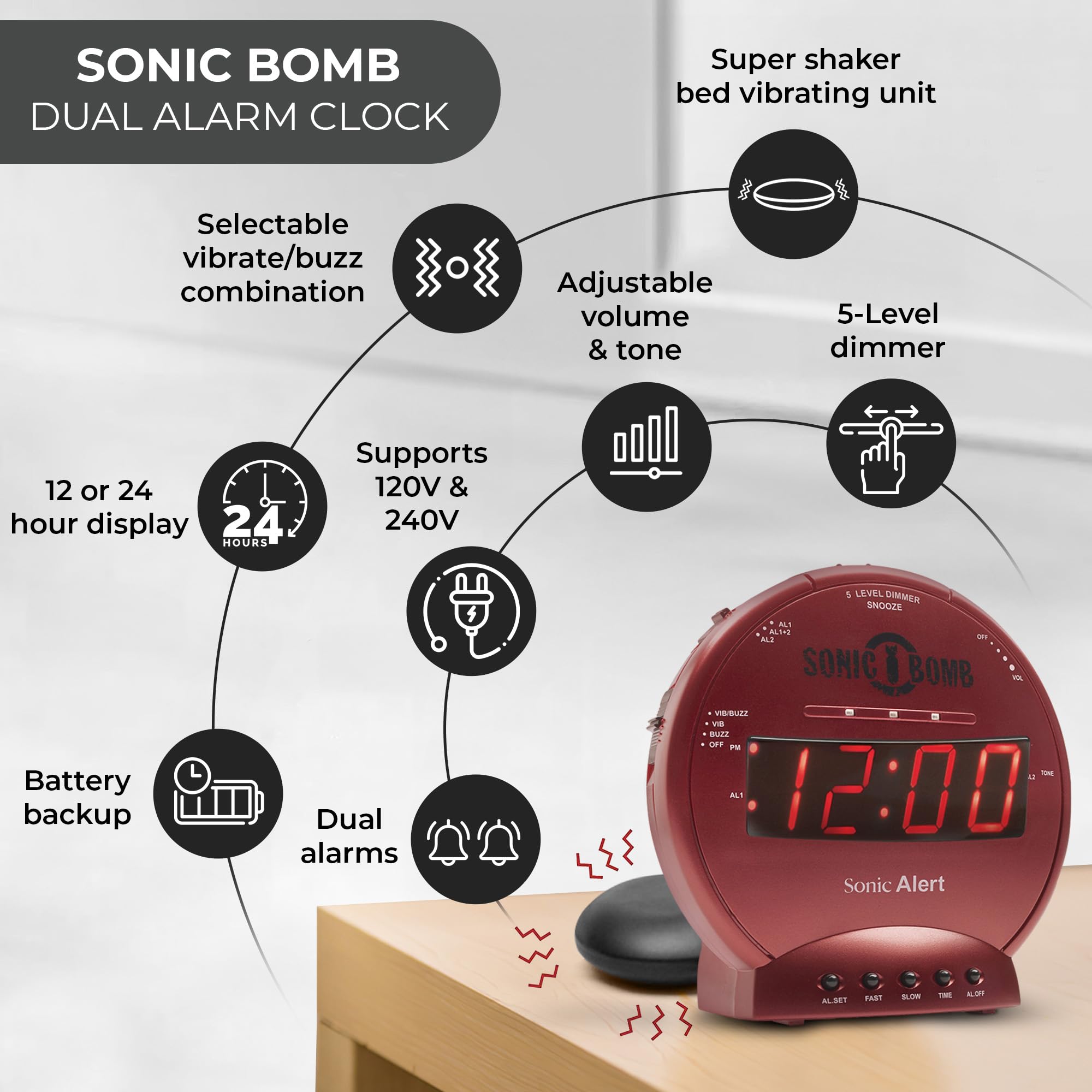
The Sonic Bomb isn’t just another alarm clock. It’s designed for maximum impact, with features that go beyond the basics:
- Extra-loud alarm: Up to 113 decibels—about as loud as a chainsaw.
- Vibrating bed shaker: Placed under your pillow or mattress.
- Flashing lights: Visual cue for deep sleepers or those with hearing difficulties.
- Customizable settings: Adjust volume, vibration, and tone.
These features make it ideal for anyone who regularly sleeps through standard alarms. It’s also recommended by audiologists and sleep experts for people with hearing impairments.

Exclusive Deals
Limited-time Exclusive Deals. Check current discount on Amazon.
Check Price on Amazon As an Amazon Associate I earn from qualifying purchases.Getting Started: What’s In The Box
Before you set the alarm, check that you have all the parts:
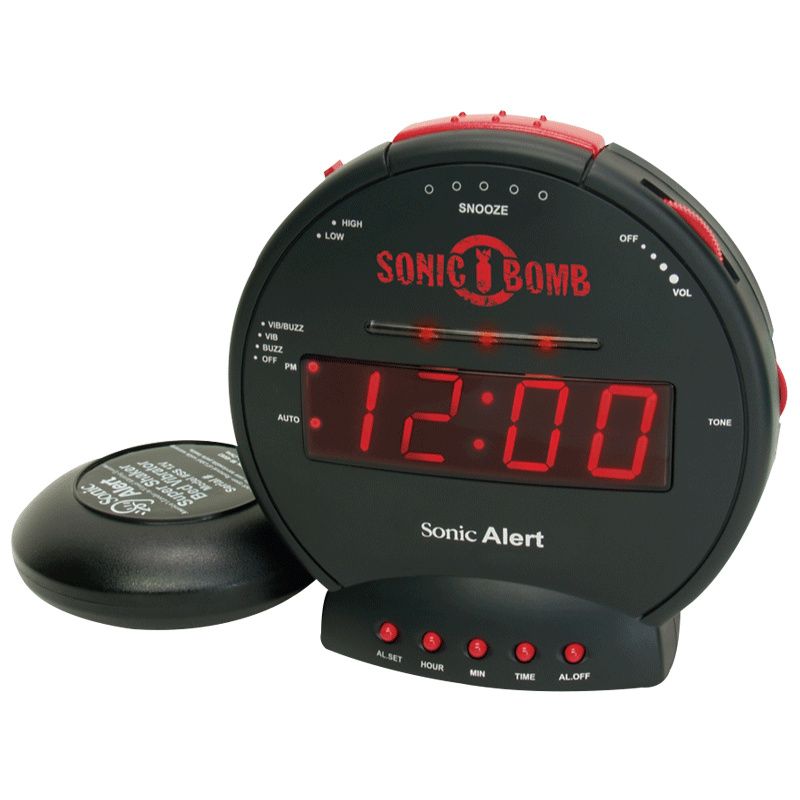
- Sonic Bomb alarm unit
- Bed shaker
- AC power adapter
- User manual
Some models include extra features like USB charging or dual alarms. If you’re missing any parts, contact the seller or check the official Sonic Bomb website.

Setting Up Your Sonic Bomb Alarm Clock
Setting the alarm is easy once you know the steps. Below is a guide for most Sonic Bomb models (SBJ525, SBJ775, SBB500SS), which share similar controls.
Plug In And Place The Bed Shaker
- Connect the AC adapter to a wall outlet.
- Plug the bed shaker into the back or side of the alarm clock.
- Place the bed shaker under your pillow, mattress, or bed frame.
The shaker is safe for most beds, but avoid placing it directly on fragile surfaces.
Exclusive Deals
Limited-time Exclusive Deals. Check current discount on Amazon.
Check Price on Amazon As an Amazon Associate I earn from qualifying purchases.Adjust The Time
- Press and hold the “Time” button (usually labeled “TIME” or “CLOCK”).
- While holding, use the “Hour” and “Minute” buttons to set the current time.
- Release the “Time” button when finished.
Some models have a 24-hour format option. Double-check your clock’s display to confirm AM/PM.
Set The Alarm Time
- Press and hold the “Alarm” button (often labeled “ALM SET”).
- Use the “Hour” and “Minute” buttons to set your desired alarm time.
- Release the “Alarm” button.
Remember to check the AM/PM indicator. Setting the wrong period is a common mistake, especially if you wake up early.
Activate Alarm Features
The Sonic Bomb lets you choose how you want to wake up:
Exclusive Deals
Limited-time Exclusive Deals. Check current discount on Amazon.
Check Price on Amazon As an Amazon Associate I earn from qualifying purchases.- Alarm sound only
- Bed shaker only
- Alarm + bed shaker
- Alarm + shaker + flashing lights
Find the feature switches (usually on the side or back):
- Slide switches to ON for the options you want.
- If you want all features, turn all switches ON.
For example, if you only want vibration, turn off the alarm sound and lights.
Adjust Volume, Tone, And Vibration
- Volume dial: Set from soft to maximum loudness.
- Tone dial: Adjust pitch (helpful for those sensitive to certain sounds).
- Vibration intensity: Some models let you control this (often a rotary dial).
Try different settings to find what works best. Many beginners set the volume too low by accident, so test before bedtime.
Enable Snooze Function
- Press the “Snooze” button when the alarm sounds.
- The default snooze period is 9 minutes (some models let you customize this).
Common Beginner Mistakes
Many first-time Sonic Bomb users make errors that prevent the alarm from working correctly:
- Wrong AM/PM setting: Double-check the alarm period.
- Switches not activated: The alarm won’t ring or shake unless the right switches are ON.
- Volume set too low: The alarm is powerful, but only if the dial is turned up.
- Bed shaker placement: If you place it away from your pillow, you may not feel the vibration.
- Alarm not enabled: Forgetting to press the “Alarm On” button means the alarm won’t activate.
Avoid these by checking settings each night before you sleep.
Sonic Bomb Vs Traditional Alarm Clocks
The Sonic Bomb stands out in several ways. Here’s a quick comparison:
| Feature | Sonic Bomb | Traditional Alarm Clock |
|---|---|---|
| Alarm Loudness | Up to 113 dB | 60–80 dB |
| Bed Shaker | Included | Rarely included |
| Flashing Lights | Yes | No |
| Customizable Tone | Yes | No |
| Suitable for Hearing Loss | Yes | No |
Practical Tips For Reliable Wake-up
Even with a powerful alarm, you can miss wake-ups due to simple mistakes. Here are proven ways to make your Sonic Bomb more effective:
- Test the alarm before your first night. Make sure all features work.
- Place the bed shaker directly under your pillow for maximum effect.
- Set the alarm volume and tone to a level that’s uncomfortable when you’re awake (this helps when you’re deeply asleep).
- If you share a room, consider using only the shaker or lights to avoid disturbing others.
- Clean the alarm and bed shaker regularly. Dust can reduce vibration strength.
Sonic Bomb Alarm Clock Models: Key Differences
There are several Sonic Bomb models, each with unique features. Here’s a quick overview:
| Model | Alarm Features | Bed Shaker | Extra Features |
|---|---|---|---|
| SBB500SS | Sound, vibration, lights | Yes | Dual alarm, USB charging |
| SBJ525 | Sound, vibration | Yes | Simple controls |
| SBJ775 | Sound, vibration, lights | Yes | Extra bright lights |
Always check your model number for exact instructions, as button placement and features may vary.
How To Troubleshoot Alarm Issues
If your Sonic Bomb isn’t working as expected, try these steps:
- Check power: Is the AC adapter fully plugged in?
- Inspect bed shaker connection: Is the plug secure?
- Test alarm features: Activate each separately to find the faulty part.
- Reset the clock: Unplug, wait 60 seconds, then plug back in.
- Replace batteries: Some models have backup batteries—replace if the display is dim.
If problems continue, contact Sonic Bomb support or check Sonic Alert’s official website for troubleshooting guides.
Advanced Alarm Settings And Customization
Some Sonic Bomb models offer extra customization:
- Dual alarm: Set two different wake times.
- Adjustable snooze: Change snooze duration from 1–30 minutes.
- USB charging: Charge your phone overnight.
- Display dimming: Adjust brightness for night use.
Explore these options if you want a personalized wake-up experience.
Real-life Examples And Success Stories
Many people report dramatic improvements in their morning routines after switching to the Sonic Bomb. For example, college students living in noisy dorms often miss regular alarms. One student shared that the bed shaker woke her up even when she wore earplugs. Heavy sleepers found that the combination of loud sound and vibration made oversleeping almost impossible.
A lesser-known insight: Some users with hearing loss use only the bed shaker and lights, skipping the sound entirely. This setup works well for those who don’t want to disturb partners.
How To Clean And Maintain Your Sonic Bomb
Keeping your alarm clock clean helps it last longer:
- Wipe the alarm unit with a soft, dry cloth.
- Gently clean the bed shaker with a damp cloth—never immerse in water.
- Avoid using harsh chemicals or sprays.
Regular maintenance prevents dust buildup, which can reduce vibration or cause buttons to stick.
Sonic Bomb Alarm Clock: Data And Statistics
- Over 1 million units sold worldwide.
- Used in more than 50 countries.
- Rated 4.4/5 stars on major retail sites.
- More than 90% of reviewers say it’s effective for heavy sleepers.
These numbers show the popularity and reliability of the Sonic Bomb.
Frequently Asked Questions
How Loud Is The Sonic Bomb Alarm Clock?
The Sonic Bomb alarm can reach 113 decibels, which is as loud as a jackhammer or chainsaw. This volume is much higher than standard alarms, making it suitable for deep sleepers and those with hearing loss.
Can I Use The Bed Shaker Without The Sound?
Yes. You can activate only the bed shaker by turning off the sound switch. This is useful if you don’t want to disturb others or if you’re sensitive to loud noises.
What Happens If There Is A Power Outage?
Most Sonic Bomb models have a battery backup feature. If the power goes out, the clock keeps running, but some features (like bed shaker or lights) may not work. Always check your model’s manual for details.
How Do I Clean The Bed Shaker?
Use a soft, damp cloth to wipe the bed shaker. Avoid using water directly or any harsh chemicals. Let it dry completely before plugging it back in.
Is The Sonic Bomb Safe For Children And The Elderly?
Yes, the Sonic Bomb is safe for all ages. However, start with lower volume and vibration settings for children or elderly users. Always test the alarm before regular use to ensure comfort.
Setting your Sonic Bomb alarm clock correctly can change your mornings. With the right setup and a few practical tips, you’ll wake up reliably—even if you’re the deepest sleeper in your house. The Sonic Bomb’s powerful features and customizable options make it a smart choice for anyone who wants to take control of their wake-up routine.


