
Every year, millions of homeowners install doorbell cameras to boost security and convenience. But many people wonder: can doorbell cameras record audio? This question is more than just about technology—it involves privacy, legality, and practical use. As smart devices become part of daily life, understanding how doorbell cameras work, especially their audio features, is important for anyone thinking about buying one or already using one.
Doorbell cameras are not just for seeing who is at your door. Many models now offer audio recording, two-way talk, and cloud storage. But these features raise questions about privacy laws, personal rights, and how safe these recordings are. In this article, you’ll learn how doorbell cameras handle audio, which models have these features, what laws say about audio recording, and how to use them responsibly.
If you’re a homeowner, renter, or just curious, this guide will clear up common myths and give practical advice.

Exclusive Deals
Limited-time Exclusive Deals. Check current discount on Amazon.
Check Price on Amazon As an Amazon Associate I earn from qualifying purchases.How Doorbell Cameras Work
Doorbell cameras are small devices attached near your front door. They usually combine a video camera, microphone, speaker, and Wi-Fi connection. When someone presses the doorbell or moves in front of it, the camera starts recording video. Many models also record audio during these moments.
Most doorbell cameras are smart devices. This means they connect to your smartphone or tablet, letting you see and hear visitors in real time. Some advanced models even allow you to talk back, thanks to built-in speakers.
Video And Audio Recording
The main purpose of doorbell cameras is video surveillance. However, audio recording is becoming more common. Audio is captured either when motion is detected or when the doorbell is pressed. In some models, audio is always on, while others only record during certain events.
The recorded audio and video are often stored in the cloud or on local storage. You can review these recordings later if needed. For example, if a package is stolen, you can check the video and audio to see what happened.
Exclusive Deals
Limited-time Exclusive Deals. Check current discount on Amazon.
Check Price on Amazon As an Amazon Associate I earn from qualifying purchases.Smart Features
Doorbell cameras can do more than simple recording. Many offer:
- Two-way talk: Speak to visitors from your phone.
- Noise detection: Alert you if loud sounds are heard.
- Custom alerts: Notify you about motion or sounds.
These features make doorbell cameras useful for security and convenience. But they also mean your device can record not just images, but also conversations.
Do All Doorbell Cameras Record Audio?
Not every doorbell camera records audio. The ability to record sound depends on the model, brand, and settings.
Exclusive Deals
Limited-time Exclusive Deals. Check current discount on Amazon.
Check Price on Amazon As an Amazon Associate I earn from qualifying purchases.Popular Doorbell Camera Brands
Here’s a comparison of popular doorbell cameras and their audio features:
| Brand | Model | Audio Recording | Two-Way Talk |
|---|---|---|---|
| Ring | Video Doorbell 3 | Yes | Yes |
| Google Nest | Doorbell (Battery) | Yes | Yes |
| Arlo | Essential Wire-Free | Yes | Yes |
| Eufy | Security Video Doorbell | Yes | Yes |
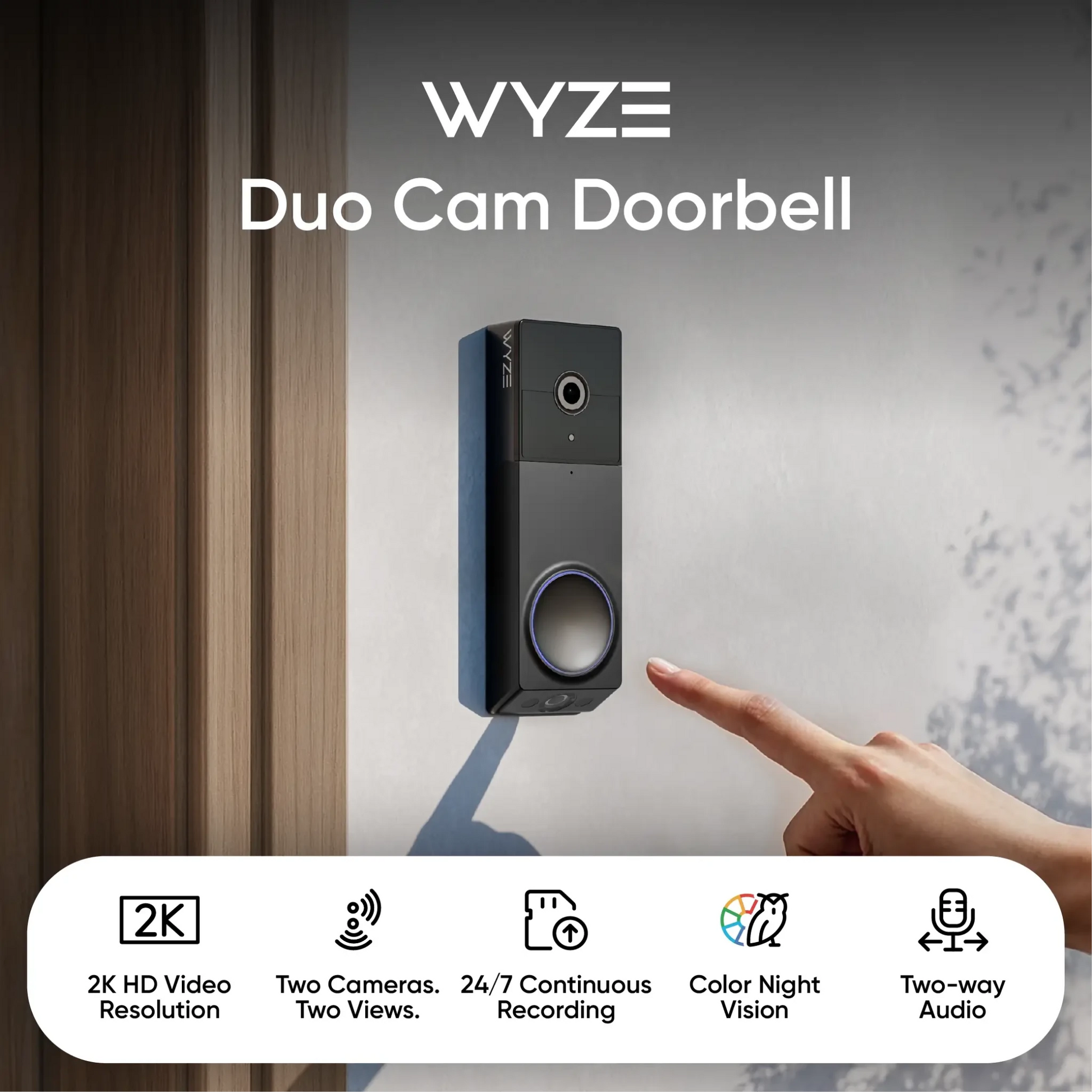
| Wyze | Video Doorbell | No | Yes |
Most well-known brands offer audio recording and two-way talk. However, some budget models only have video or limit audio to live conversations, not stored recordings.
Audio Settings
Many doorbell cameras let you turn audio recording on or off. This setting is useful if you want to respect privacy or follow local laws. Always check your device’s settings before using audio features.
Why Do Doorbell Cameras Record Audio?
Audio recording adds an extra layer of information beyond video. It helps you understand what’s happening at your door.
Benefits Of Audio Recording
- Better evidence: If something suspicious happens, audio can help clarify the situation. For example, you might hear threats or arguments.
- Convenience: You can talk to delivery people or guests without opening the door.
- Safety: Hearing what visitors say can help you decide if it’s safe to answer.
- Noise alerts: Some devices notify you about unusual sounds, like glass breaking or loud shouting.
Practical Examples
If someone is trying to scam you, audio recording may catch their conversation. If a package is stolen, audio can help identify the thief by voice or provide clues. Doorbell cameras with audio also help parents monitor kids coming home, hearing greetings or warnings.
Non-obvious insight: Audio recordings are sometimes more helpful than video in legal disputes. Lawyers may use voice evidence to clarify intent or tone, which video alone cannot provide.
Legal Concerns: Is Audio Recording Allowed?
Recording audio is more complicated than recording video. Laws about audio recording are strict in many places. It’s important to understand what’s legal before using this feature.
Us Laws About Audio Recording
In the United States, audio recording laws differ by state. Most states use either one-party consent or all-party consent rules.
- One-party consent: Only one person (usually the owner) must know about the recording. Most states use this rule.
- All-party consent: Everyone involved must agree to be recorded. Examples include California, Florida, Illinois, and a few others.
If you live in an all-party consent state and record someone’s conversation without their knowledge, you could face fines or lawsuits.
Legal Risks
- Privacy complaints: Neighbors or visitors may object to being recorded.
- Civil lawsuits: If someone finds out they were recorded without consent, they can sue.
- Criminal penalties: Illegal audio recording can result in criminal charges.
How To Stay Legal
- Post signs: Let visitors know they may be recorded.
- Disable audio: If unsure about laws, turn off audio recording.
- Check local rules: Laws may change, so always verify.
Non-obvious insight: Even if your state uses one-party consent, some cities or homeowners’ associations may have stricter rules. Always check local regulations.
For more details on US audio recording laws, see the Electronic Privacy Information Center.
Privacy Concerns And Ethical Use
Doorbell cameras with audio can raise privacy concerns for visitors, neighbors, and even household members.
Who Is Being Recorded?
- Visitors: Anyone at your door is recorded.
- Passersby: Some cameras capture audio from people walking by.
- Neighbors: Conversations near your property may be picked up.
Ethical Best Practices
- Inform guests: Tell visitors about audio recording.
- Limit range: Set your camera to record only near your door, not public spaces.
- Secure storage: Protect recordings with strong passwords and encryption.
Respecting Neighbors
If your camera picks up sounds from nearby homes, you may violate privacy. Adjust microphone sensitivity or camera position to avoid this.
Practical tip: Some devices allow you to limit audio recording to certain times or events. Use these features to avoid unnecessary recording.
Technical Details: How Audio Is Recorded And Stored
Understanding how doorbell cameras capture and store audio helps you make better decisions about privacy and security.
Microphone Quality
Doorbell cameras use small microphones. The quality varies by brand:
- High-end models: Clear audio, noise reduction, and echo cancellation.
- Budget models: May pick up background noise or unclear voices.
Audio Storage
Most doorbell cameras store audio in one of two ways:
- Cloud storage: Audio and video are uploaded to a secure server. You can access recordings anytime but may pay a monthly fee.
- Local storage: Data is kept on a microSD card or internal memory. No monthly fee, but easier to lose if the device is stolen.
Here’s a quick comparison:
| Storage Type | Pros | Cons |
|---|---|---|
| Cloud | Access anywhere, backup, easy sharing | Monthly fees, needs internet, privacy risk |
| Local | No fees, private, works offline | Limited space, risk of loss/theft |
Encryption And Security
Doorbell cameras often use encryption to protect your recordings. Look for models with strong security features:
- AES-256 encryption
- Two-factor authentication
- Regular software updates
This keeps your audio and video safe from hackers.
Common Mistakes And Misunderstandings
Many people make mistakes when using doorbell cameras with audio. Avoid these errors for better security and privacy.
Mistakes To Avoid
- Not checking laws: Always understand your state and local rules before using audio recording.
- Leaving audio always on: Continuous recording can pick up private conversations by accident.
- Weak passwords: Unprotected devices are easy targets for hackers.
- Not informing visitors: Guests may feel betrayed if they learn they were recorded without warning.
Misunderstandings
- Audio is always legal: Not true; it depends on consent laws.
- Audio is always clear: Cheap models may have poor sound quality.
- Only doorbell press triggers audio: Many cameras record audio during motion events, not just when someone rings.
Non-obvious insight: Audio recordings can be disabled in most devices, but the process is sometimes hidden in advanced settings. Always read your manual carefully.
Choosing The Right Doorbell Camera For Audio
If you want a doorbell camera with audio, think about your needs, budget, and legal situation.
Key Features To Compare
When buying, look at:
- Audio quality: Clear sound helps you understand conversations.
- Two-way talk: Lets you speak to visitors.
- Audio storage: Cloud vs local—choose what’s best for you.
- Privacy controls: Ability to turn audio on/off, set alerts, and limit range.
- Legal compliance: Some brands offer legal guidance or built-in warning signs.
Here’s a feature comparison:
| Model | Audio Quality | Storage Options | Privacy Controls |
|---|---|---|---|
| Ring Video Doorbell Pro | High | Cloud | Yes |
| Eufy Security Doorbell | Medium | Local/Cloud | Yes |
| Wyze Video Doorbell | Low | Cloud | Limited |
Tips For Choosing
- Read reviews: User feedback often highlights audio quality and privacy issues.
- Test before buying: If possible, try the device in-store or watch demo videos.
- Ask about legal support: Some brands help you understand consent rules.

Real-life Stories: How Audio Recording Helps (and Hurts)
Many people have strong opinions about doorbell cameras with audio. Real-life stories show the benefits and risks.
Positive Experiences
- Package thefts: One homeowner caught a thief not just on video but heard them discuss stealing packages. Police used both video and audio to charge the suspect.
- Lost pets: Audio recordings helped reunite a lost dog with its owner by capturing the dog’s name called by neighbors.
- Delivery issues: Clear audio helped resolve a dispute with a delivery company when instructions were ignored.
Negative Experiences
- Privacy complaints: A homeowner faced neighborhood backlash when recordings caught private conversations from the sidewalk.
- Legal trouble: Someone in California was fined for recording audio without consent, even though video was allowed.
Practical advisor tip: Always review your camera’s audio range and sensitivity. Most disputes happen when recordings extend beyond your property.
Future Trends: What’s Next For Audio In Doorbell Cameras?
Doorbell cameras are evolving quickly. Audio features are becoming smarter and more secure.
New Features
- Voice recognition: Some models can identify familiar voices and alert you.
- Automatic privacy alerts: Cameras may warn visitors with a light or sound when recording starts.
- Smart noise detection: Devices can tell the difference between normal sounds and threats, like glass breaking or shouting.
Privacy And Regulation
As technology improves, laws are likely to change. Manufacturers are adding more privacy controls and clearer notifications for visitors.
Experience-based guide insight: In the future, expect doorbell cameras to offer better ways to manage audio, including temporary recording, advanced consent options, and more secure storage.
Frequently Asked Questions
Can All Doorbell Cameras Record Audio?
No, not every doorbell camera records audio. Most popular models include microphones, but some budget devices only support video or live conversations. Always check the specifications before buying.
Is It Legal To Record Audio With A Doorbell Camera?
It depends on where you live. In the US, some states require all parties to consent to audio recording. Other states allow recording if one person consents. Always check your local laws to avoid legal trouble.
Can I Turn Off Audio Recording On My Doorbell Camera?
Yes, most smart doorbell cameras let you disable audio recording in the settings. This is useful for respecting privacy or following local regulations. Check your device manual for details.
How Clear Is The Audio From Doorbell Cameras?
Audio quality depends on the model and price. High-end cameras offer clear sound, noise reduction, and echo cancellation. Cheaper models may have unclear audio or pick up background noise.
What Should I Do If My Doorbell Camera Records Neighbors’ Conversations?
Adjust your camera’s angle or microphone sensitivity to limit audio range. Inform your neighbors if you’re worried about privacy. Many devices allow you to set up privacy zones or limit when audio is recorded.
Doorbell cameras with audio are powerful tools for security and convenience. But they bring legal and ethical challenges. Before using audio recording, make sure you understand your local laws and privacy concerns. Always choose a camera with clear controls, strong security, and good audio quality.
Use your device responsibly and stay informed as technology—and regulations—change. With the right approach, you can enjoy safety and peace of mind without risking privacy or legality.


