
Doorbell cameras have become a popular choice for home security. These small devices let you see and record who comes to your door, giving peace of mind. But one question often comes up: how much storage do doorbell cameras need? If you are thinking of buying one, or already have one, understanding storage is important. Too little storage means you might miss important recordings; too much can be unnecessary and costly. This article explains everything you need to know about doorbell camera storage, so you can make smart decisions.
Why Storage Matters In Doorbell Cameras
Storage is the heart of any doorbell camera. It decides how many video clips you can keep and how long you can access them. If your camera has limited storage, old recordings will be deleted to make space for new ones. This could mean missing important evidence if you need it later.
A few reasons make storage critical:

Exclusive Deals
Limited-time Exclusive Deals. Check current discount on Amazon.
Check Price on Amazon As an Amazon Associate I earn from qualifying purchases.- Security events: You want recordings of break-ins, package theft, or suspicious activity.
- Peace of mind: Reviewing footage helps you feel safe, even when you’re away.
- Evidence: If there’s an incident, police may ask for video.
Surprisingly, many people do not realize that different cameras offer different storage types and limits. Some store videos on the device, while others use cloud storage. The right choice depends on your needs.
Types Of Storage: Local Vs Cloud
Doorbell cameras usually offer two main storage methods: local storage and cloud storage. Each has pros and cons.
Local Storage
Local storage means the footage is saved directly on the camera, often using a microSD card or internal memory. Here’s what you should know:
- Privacy: Your videos stay in your home, not on the internet.
- No monthly fees: After buying the camera, you don’t pay for storage.
- Limited space: MicroSD cards usually range from 16GB to 128GB. Once full, the camera overwrites old clips.
Local storage is good for those worried about privacy or ongoing costs. However, if the camera is damaged or stolen, you may lose all footage.
Exclusive Deals
Limited-time Exclusive Deals. Check current discount on Amazon.
Check Price on Amazon As an Amazon Associate I earn from qualifying purchases.Cloud Storage
Cloud storage saves your videos online, through services provided by the camera brand. Most popular brands like Ring and Nest offer cloud plans.
- Accessible anywhere: View footage on your phone, even if you are away.
- Backup: Even if the camera is stolen, your videos are safe.
- Monthly fees: Most cloud plans charge $3-$10 per month.
- Different limits: Some plans let you save videos for 30 days, others for 60 days.
Cloud storage is convenient but costs more in the long run. It’s also dependent on your internet speed.
Hybrid Models
Some doorbell cameras support both local and cloud storage. This gives flexibility, but you need to manage both options. Hybrid models are becoming more common as users want backup and privacy.
Exclusive Deals
Limited-time Exclusive Deals. Check current discount on Amazon.
Check Price on Amazon As an Amazon Associate I earn from qualifying purchases.How Much Storage Does A Doorbell Camera Use?
The amount of storage your doorbell camera needs depends on several factors:
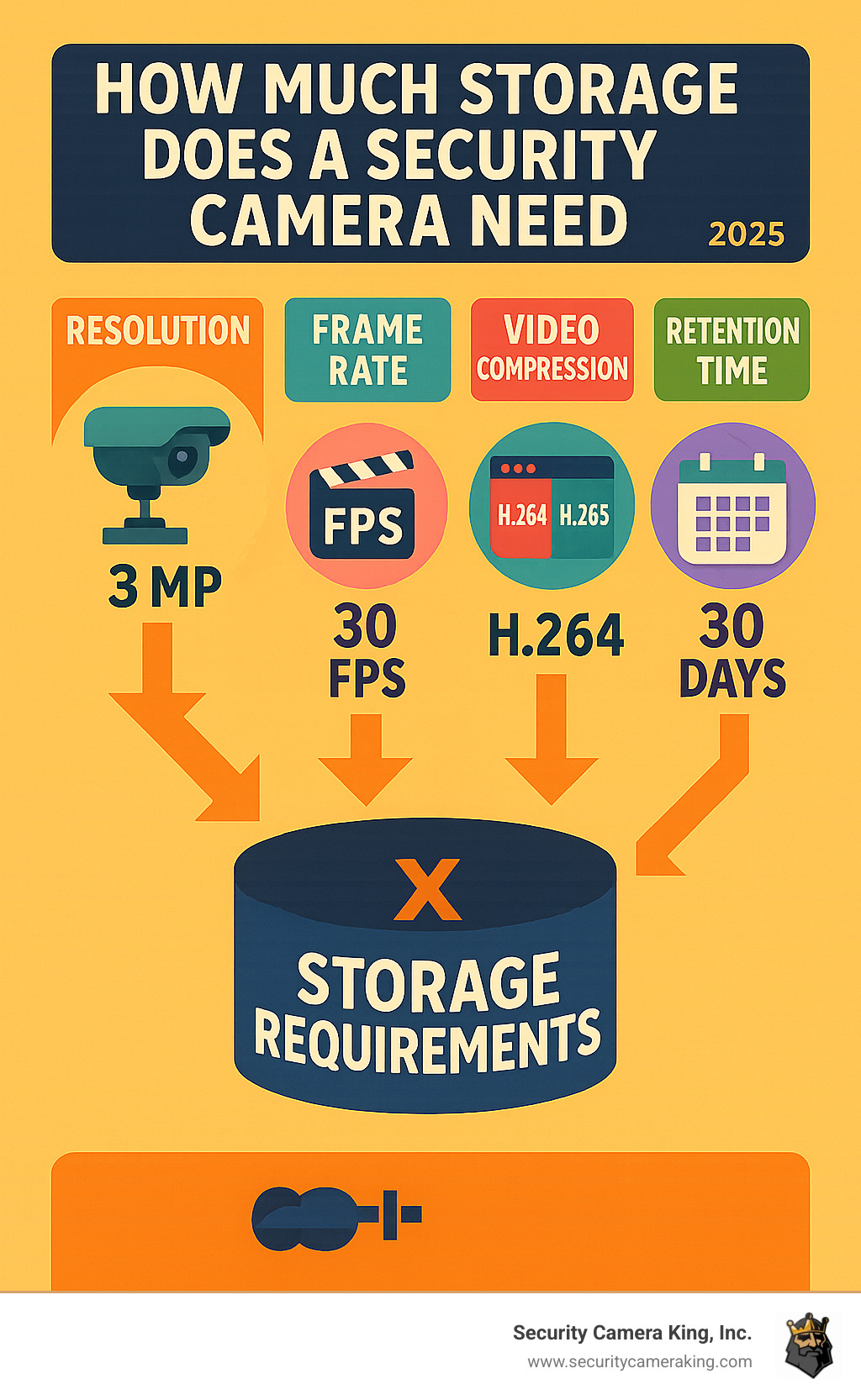
- Video resolution: Higher quality videos (like 1080p or 4K) use more space.
- Frame rate: More frames per second means smoother video, but also more storage.
- Recording frequency: Cameras that record all the time use more space than those that record only when motion is detected.
- Compression technology: Modern cameras use compression (like H.264 or H.265) to reduce file size.
Let’s look at some real examples.
Typical Storage Usage
A standard 1080p doorbell camera recording at 20 frames per second with H.264 compression uses about 60MB per minute of video.
- Motion-triggered recording: If your camera records only when someone is at the door, you might get 5-10 minutes of footage per day.
- Continuous recording: Some models record 24/7. This can use over 80GB per day for high-resolution video.
For a 32GB microSD card:
- You can store about 8 hours of 1080p video.
- With motion-triggered clips, you may keep 2-3 weeks of events.
Storage Example Table
Here’s a quick guide to how much video fits on common microSD cards:
| Card Size | 1080p Video (Motion Only) | 1080p Video (Continuous) | 4K Video (Continuous) |
|---|---|---|---|
| 16GB | 10-14 days | 4-5 hours | 1.5 hours |
| 32GB | 20-28 days | 8-10 hours | 3 hours |
| 64GB | 40-56 days | 16-20 hours | 6 hours |
| 128GB | 80-112 days | 32-40 hours | 12 hours |
These are rough estimates. Actual storage depends on how often your camera records and the compression used.
Factors That Affect Storage Needs
Many users think storage is only about card size. But a few hidden factors can change your needs.
Video Resolution
Higher resolution means clearer pictures. Most cameras offer 720p, 1080p, or 4K. Here’s how resolution affects storage:
- 720p: Uses less space, but lower quality.
- 1080p: Standard for most doorbell cameras.
- 4K: Very clear, but uses a lot of space—about 4 times more than 1080p.
If you want to identify faces or license plates, higher resolution helps. But you’ll need more storage.
Recording Mode
- Motion detection: Saves space by recording only when something happens.
- Continuous: Records everything, using much more space.
Most people use motion detection. It’s efficient and gives you the recordings that matter.
Compression Technology
Modern cameras use compression to shrink video files. H.264 and H.265 are common. H.265 can cut file size in half compared to H.264, with similar quality.
If your camera supports H. 265, you can keep more videos on the same card.
Audio Recording
Some cameras record audio along with video. Audio doesn’t use much space, but over time it adds up.
Multi-camera Systems
If you use several doorbell cameras, each needs its own storage. Or, if you save all videos to a central device, you’ll need bigger storage.

How To Choose The Right Storage Size
Choosing the right storage size is not just about buying the biggest card. Consider these points:
- Video quality: Higher quality needs more space.
- How often you record: Busy doors mean more clips.
- How long you want to keep videos: If you want a month of history, plan accordingly.
- Budget: Larger cards or cloud plans cost more.
- Backup needs: If you travel a lot, cloud storage gives extra peace of mind.
Step-by-step Guidance
- Check your camera’s specs: Not all cameras support big microSD cards. Some limit you to 32GB or 64GB.
- Estimate daily recording: If your camera records 10 minutes per day, multiply by the file size (see previous table).
- Think about retention: For security, 2-4 weeks of history is enough for most homes.
- Decide on local or cloud: If you want easy access or backup, cloud may be better.
Common Mistakes
- Buying too small: A 16GB card fills up fast, especially with high-res video.
- Ignoring compatibility: Not all microSD cards work with every camera.
- Forgetting about overwriting: Cameras usually delete old clips when storage is full, so plan for emergencies.
Popular Doorbell Camera Brands And Their Storage Options
Different brands offer different storage choices. Let’s look at a few leading brands.
Ring
Ring is one of the most popular brands. Ring doorbell cameras do not support local microSD cards. All storage is in the cloud.
- Basic plan: $3/month per device, 60 days of video history.
- Plus plan: $10/month for unlimited devices, 180 days history.
Ring’s cloud-only approach is easy, but you must pay monthly. Also, video history is limited.
Nest
Google Nest cameras have both cloud and local storage (on newer models).
- Nest Aware: $6/month, 30 days event history.
- Nest Aware Plus: $12/month, 60 days event history, 10 days continuous.
Some Nest cameras allow local backup, but most users rely on cloud storage.
Eufy
Eufy doorbell cameras are known for local storage.
- Built-in storage: Many models have 4GB or 8GB internal memory.
- MicroSD slot: Supports up to 128GB.
- No monthly fees: You keep videos yourself.
Eufy is good for those who want privacy and no subscription.
Arlo
Arlo offers both cloud and local storage.
- Cloud plans: $3/month, 30 days history.
- Local storage: Use USB or microSD cards up to 128GB.
Arlo gives flexibility, but local storage is not as easy to access remotely.
Comparison Table: Brand Storage Options
Here’s a quick comparison of storage options for popular brands:
| Brand | Local Storage | Cloud Storage | Monthly Fee |
|---|---|---|---|
| Ring | No | Yes | $3-$10 |
| Nest | Limited | Yes | $6-$12 |
| Eufy | Yes | Optional | $0 |
| Arlo | Yes | Yes | $3-$15 |
Always check your camera’s manual for exact storage limits.

Real-life Examples Of Storage Needs
Let’s look at a few real scenarios to help you decide:
Example 1: Busy Family Home
You have a family of four and receive packages often. Your camera records motion events about 20 times a day. Each event lasts 30 seconds (10MB per event).
- 20 events x 10MB = 200MB per day
- 32GB card = 160 days of history
For busy homes, a 32GB card is usually enough for motion clips. If you want continuous recording, you’ll need much more.
Example 2: Small Apartment
You live alone and rarely have visitors. Your camera records 2 events a day.
- 2 events x 10MB = 20MB per day
- 16GB card = 800 days of history
In this case, even a small card is enough. This is a non-obvious insight: many people overestimate their storage needs.
Example 3: Business Or Office
Your camera records continuously. At 1080p, you use 8GB per day.
- 128GB card = 16 days of history
For offices, continuous recording needs big cards or cloud backup.
Tips To Maximize Doorbell Camera Storage
There are ways to make your storage last longer:
- Lower resolution: If you don’t need super clear video, use 720p instead of 1080p.
- Enable motion detection: Record only when needed.
- Use H.265 compression: If your camera supports it, turn it on.
- Delete old clips manually: Keep only what matters.
- Schedule recording times: Record only during busy hours.
These tips help stretch your storage, especially if you use local storage.
Security And Privacy Considerations
Storage also affects your privacy. Local storage means your videos stay in your home, safe from hackers. But if the camera is stolen, your footage is gone. Cloud storage gives backup, but some worry about data breaches.
A non-obvious insight: Some brands let you encrypt local storage, adding extra security. Always check if your camera offers encryption.
Future Trends In Doorbell Camera Storage
Doorbell cameras are improving quickly. Here are some trends:
- Bigger cards: Cameras now support up to 256GB or more.
- Smart cloud plans: AI can delete boring clips and keep only important ones.
- Edge processing: Cameras analyze video on the device, reducing storage needs.
- Encrypted storage: More brands offer encryption for privacy.
These trends mean storage will become smarter and safer.
Frequently Asked Questions
How Long Does A 32gb Microsd Card Last In A Doorbell Camera?
A 32GB card usually holds about 8-10 hours of continuous 1080p video, or 2-4 weeks of motion-triggered clips. It depends on how often your camera records and the resolution used.
Do Doorbell Cameras Always Need A Cloud Subscription?
No, many cameras offer local storage with microSD cards or internal memory. Cloud subscriptions are optional for backup and remote access. Brands like Eufy and Arlo offer good local storage options.
What Happens When My Storage Is Full?
Most cameras use loop recording. When storage fills up, the oldest clips are deleted to make space for new ones. Some cameras alert you when storage is nearly full.
Can I Use Any Microsd Card With My Doorbell Camera?
No, not all cards are compatible. Always check your camera’s manual for supported card types (usually Class 10, UHS-I, and up to a certain size). Using the wrong card can cause errors or lost footage.
Is Local Storage Safer Than Cloud Storage?
Local storage keeps your videos private, but they can be lost if the camera is damaged or stolen. Cloud storage offers backup, but some users worry about hacking. The safest option is a camera that encrypts video and offers both storage types.
Doorbell camera storage is a key part of home security. By understanding storage types, estimating your needs, and knowing the pros and cons, you can choose the best option for your home. If you want more technical details, visit the official TechRadar guide for updated reviews and specs.
Smart storage choices mean your doorbell camera will always have the footage you need—when you need it most.


