
Choosing the right smart doorbell can make your home safer, more convenient, and even save you time. But with so many options and technical features, it’s easy to feel lost. This guide breaks down what really matters when picking a smart doorbell, from the essentials to expert tips that most beginners don’t know. You’ll discover which features are must-haves, which are nice-to-have, and how to avoid common mistakes. By the end, you’ll know exactly what to look for—no tech background required.
Why Smart Doorbells Matter
A smart doorbell does more than just ring. It lets you see, hear, and talk to visitors from your phone, even if you’re not home. Some models let you record video, detect motion, or even work with your smart home system.
This technology can stop package theft, help you know who’s at your door, and make life simpler. But picking the wrong one can be frustrating—maybe it’s hard to install, misses key alerts, or doesn’t work well with your devices.

Exclusive Deals
Limited-time Exclusive Deals. Check current discount on Amazon.
Check Price on Amazon As an Amazon Associate I earn from qualifying purchases.Essential Features Every Smart Doorbell Should Have
Not all features are equally important. Here’s what you should always check first before buying:
1. Video Quality
Clear video is crucial. Most smart doorbells offer video, but resolution and quality differ.
- 1080p HD is the standard for clear faces and license plates.
- Night vision ensures you see visitors in the dark.
- Wide-angle lens (140° or more) lets you see packages on the ground and people standing to the side.
For example, many users regret buying doorbells with only 720p video—the image is often too blurry to identify visitors.
2. Two-way Audio
With two-way audio, you can speak and listen through the doorbell using your phone. This is useful for talking to guests, delivery drivers, or even scaring off strangers. Look for:
Exclusive Deals
Limited-time Exclusive Deals. Check current discount on Amazon.
Check Price on Amazon As an Amazon Associate I earn from qualifying purchases.- Noise cancellation for clear sound.
- Instant connection (no big delay).
Some cheaper models have poor microphones or lag, making conversations awkward.
3. Motion Detection
Smart doorbells use motion sensors to alert you when someone approaches. Good motion detection means fewer missed events and fewer false alerts.
- Adjustable sensitivity: Set the detection distance so pets or passing cars don’t trigger alerts.
- Custom activity zones: Mark areas to watch (like only your porch, not the street).
- Person detection: Advanced models can tell people from objects, reducing annoying alerts.
A common mistake is ignoring these settings—leading to constant false alarms.
Exclusive Deals
Limited-time Exclusive Deals. Check current discount on Amazon.
Check Price on Amazon As an Amazon Associate I earn from qualifying purchases.4. Mobile App Integration
The mobile app is how you control and receive alerts from your smart doorbell. A good app should be:
- Easy to use: Clear menus, simple setup.
- Quick notifications: Alerts should arrive in seconds, not minutes.
- Video history access: Lets you review past events easily.
Check app reviews before buying—some brands have buggy or slow apps that ruin the experience.
5. Power Options: Wired Vs. Battery
Smart doorbells need power. You can choose:
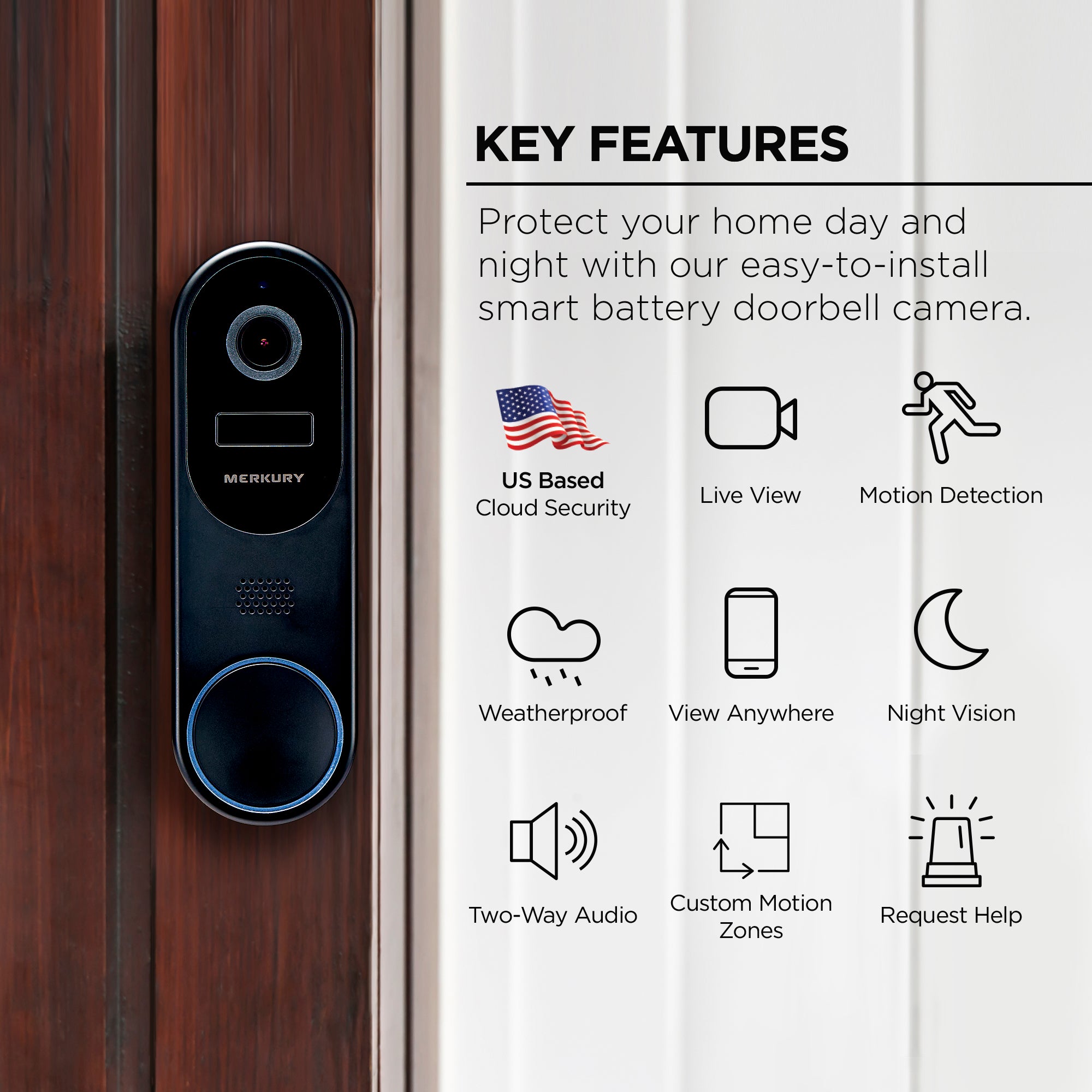
- Wired: Uses your existing doorbell wiring for constant power, but may need installation.
- Battery-powered: Easier to install, but batteries need charging or replacement every few months.
Some models can do both. Think about your home’s setup before picking.
6. Weather Resistance
Your doorbell sits outside all year. Look for:
- Waterproof rating (IP65 or higher is best)
- Operating temperature range: Ensure it works in your local climate, especially if you have very cold or hot weather.
7. Security And Privacy
Your camera sees and hears a lot. Protect your data with:
- Encryption: Video and audio should be encrypted.
- Two-factor authentication: Adds extra login security.
- Privacy zones: Some doorbells let you block out areas from recording (like a neighbor’s window).
Many users overlook privacy, but it’s critical as smart home hacking rises.
Advanced Features That Add Value
Once you’ve covered the basics, these features can make your smart doorbell even better.
Smart Home Integration
Connect your doorbell to other devices:
- Amazon Alexa or Google Assistant: See and talk to visitors through smart speakers or displays.
- IFTTT support: Create custom automations (like turning on lights when someone rings).
- Apple HomeKit: For iPhone users wanting deep integration.
Not all brands support every platform. Double-check compatibility.
Cloud Storage Vs. Local Storage
Doorbells store video in different ways:
- Cloud storage: Videos are saved online. Usually requires a monthly fee ($3–$6/month typical).
- Local storage: Uses an SD card or a home base station. Often free, but storage is limited.
Some users forget to budget for cloud subscriptions, which are needed for video playback on most brands.
Pre-recorded Messages
Many doorbells let you set quick replies—pre-recorded messages like “Please leave the package by the door.” This is useful if you’re busy or away.
Package Detection
Some advanced models can recognize packages and send special alerts. This helps you know when deliveries arrive or are taken.
Multiple User Support
If several people need access (family, roommates), look for:
- Multiple accounts: Lets everyone get alerts and see video.
- Guest access: Temporary or limited permissions for visitors.
Field Of View And Aspect Ratio
Field of view affects what the camera sees. A taller aspect ratio (like 4:3) captures packages on the ground and people of different heights better than wide-only views.
Here’s how some popular doorbells compare:
| Model | Field of View | Aspect Ratio |
|---|---|---|
| Ring Video Doorbell 4 | 160° | 16:9 |
| Google Nest Doorbell | 145° | 4:3 |
| Arlo Essential | 180° | 1:1 |
A 4:3 or 1:1 ratio often lets you see visitors from head to toe, plus packages.
Real-time Alerts And Response Speed
Speed is key. The best doorbells send alerts in under 3 seconds. Cheaper models can be slow—sometimes 10–20 seconds late, which can mean missing a visitor.
Tamper Alerts
Some smart doorbells notify you if someone tries to remove or tamper with the device. This adds extra security, especially if theft is a concern in your area.
Installation Flexibility
Look for models with flexible mounting plates, angled wedges, or wireless options. This makes it easier to get the best view of your porch, even on tricky surfaces.
Comparing Smart Doorbells: What Really Matters
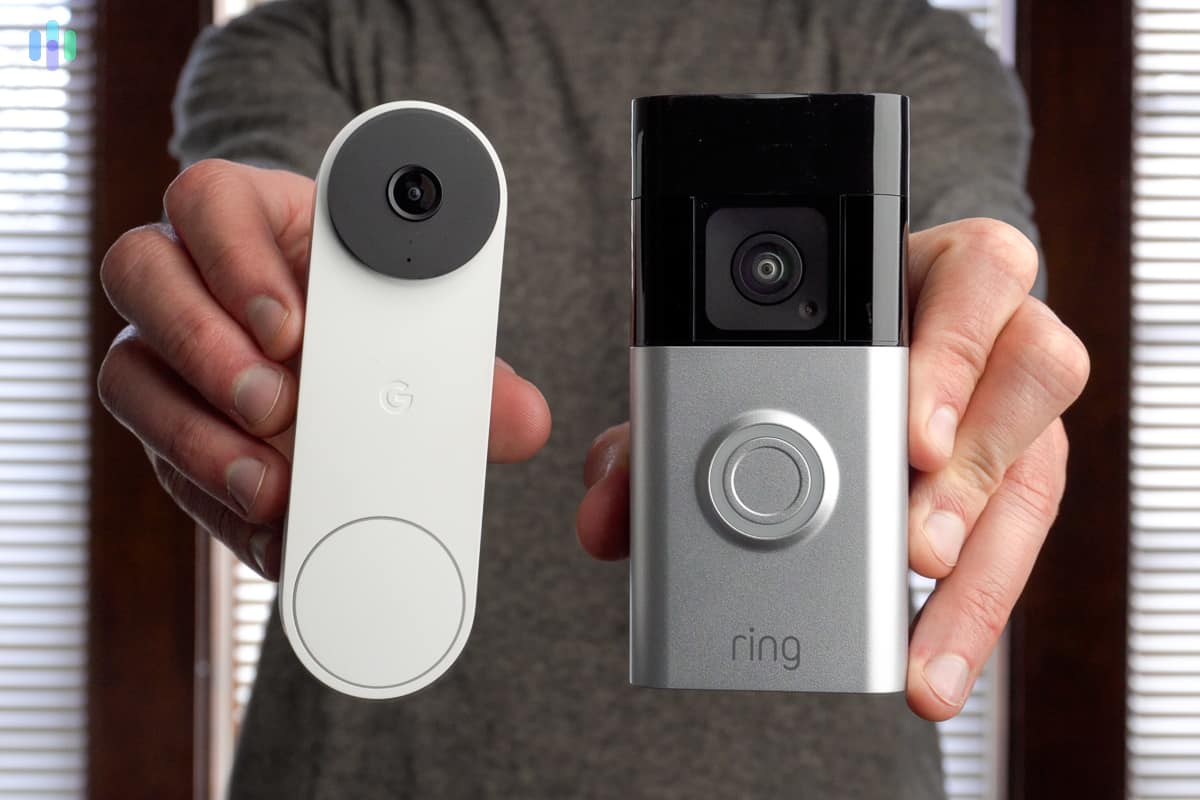
It’s easy to get lost in product specs. Here’s a side-by-side comparison of three popular models and how their key features stack up:
| Feature | Ring Video Doorbell 4 | Google Nest Doorbell | Arlo Essential Wired |
|---|---|---|---|
| Resolution | 1080p | 960 x 1280 | 1536 x 1536 |
| Power | Battery/Wired | Battery | Wired |
| Storage | Cloud only | Cloud/Local | Cloud only |
| Person Detection | No | Yes | Yes |
| Smart Home | Alexa | Google/Alexa | Alexa/Google |
| Price (approx.) | $199 | $179 | $149 |
Notice how higher price does not always mean more features. Focus on what matters most for your home.
Common Mistakes When Choosing A Smart Doorbell
Many buyers make the same errors. Avoid these to save money and frustration:
- Ignoring compatibility: Not all doorbells work with every phone or smart home system.
- Forgetting about subscriptions: Some features need monthly fees—budget for this.
- Overlooking installation: Some models require hardwiring or tools you might not have.
- Not checking Wi-Fi strength: If your Wi-Fi is weak at the door, video may lag or drop.
- Choosing style over function: Sleek design is nice, but performance is more important.
- Not reading real user reviews: Manufacturer claims can be misleading—see what users say about reliability and support.
How To Match Features To Your Needs
Every home and family is different. Here’s how to decide which features you really need.
If You Get Lots Of Packages
- Prioritize package detection and a tall field of view
- Choose models with fast alerts and good night vision
If You Want Easy Installation
- Go for battery-powered models with simple mounting
- Avoid models that need new wiring unless you’re comfortable with DIY
If You Care About Security
- Look for encryption, two-factor authentication, and tamper alerts
- Select models with person detection to avoid missing important visitors
If You Want Smart Home Integration
- Check for Alexa, Google Assistant, or Apple HomeKit support
- Make sure your other devices are compatible
If You Have Specific Weather Needs
- Check the IP rating and temperature range
- Look for user reports from people in similar climates
Evaluating Long-term Costs
The price on the box is not the whole story. Consider these ongoing costs:
- Cloud subscriptions: $3–$10 per month for video storage and advanced features.
- Battery replacements: Some batteries last 3–6 months; replacements can cost $20–$40.
- Internet usage: Video uploads use data—check your internet plan if you have limits.
A doorbell that seems cheap upfront can cost more over time than a slightly pricier one with free local storage.
Installation: What To Expect
Many smart doorbells are DIY-friendly, but not all. Here’s what you should know:
- Battery-powered: Usually mount with screws or adhesive. Most people can install in 10–20 minutes.
- Wired: May need to connect to existing doorbell wiring. Shut off power before installing. If unsure, hire a pro.
- Wi-Fi setup: Most use a mobile app to connect to your network. Place your Wi-Fi router nearby for best results.
Some models come with angled brackets to improve the camera view if your door is to the side.
Real-world Example: Picking For An Apartment Vs. House
Apartments: Battery-powered, adhesive-mount models are best. Choose one with strong Wi-Fi and no drilling required. Privacy zones help avoid recording hallways.
Houses: Wired models are more practical if you already have a doorbell. Wide field of view and weather resistance are important. Consider package detection if you shop online often.
Data And Trends: How People Use Smart Doorbells
- 70% of buyers choose video as their top reason for upgrading.
- Package theft is the fastest-growing use case, especially in the US.
- 60% of users say integration with smart home devices was a deciding factor.
- Recent studies show that homes with visible smart doorbells are 50% less likely to be targeted by “porch pirates.”
Table: Key Features Checklist
Here’s a quick reference for the most important features:
| Feature | Why It Matters | Must-Have? |
|---|---|---|
| 1080p Video | Clear image, better identification | Yes |
| Two-Way Audio | Communicate with visitors | Yes |
| Adjustable Motion Zones | Reduce false alerts | Yes |
| Night Vision | See in the dark | Yes |
| Smart Home Integration | Connect to other devices | No, but useful |
| Cloud/Local Storage | Review past events | Yes |
| Weather Resistance | Works all year | Yes |
Two Insights Beginners Often Miss
- Not all “HD” is equal: Some brands call 720p “HD,” but you need at least 1080p for clear faces. Always check the actual resolution.
- Privacy settings are essential: Many people skip setting up privacy zones or two-factor authentication. This leaves your data exposed. Take a few extra minutes to set these up during installation.
Where To Find Trusted Information
Always check real user reviews and expert guides. For deeper research and comparisons, websites like CNET regularly test and rank smart doorbells.
Final Thoughts
A smart doorbell can make your home safer, more connected, and more convenient. Start by focusing on the essentials: clear video, reliable alerts, and easy installation. Think about your home’s needs, long-term costs, and which features fit your lifestyle. Don’t get distracted by flashy extras if the basics aren’t solid. With the right smart doorbell, you’ll always know who’s at your door—no matter where you are.
Frequently Asked Questions
What Is The Best Video Resolution For A Smart Doorbell?
The best choice is 1080p HD or higher. This gives clear images and helps you recognize faces, even in low light. Avoid models with only 720p, as the video can look blurry.
Do I Need A Subscription For Smart Doorbell Features?
Many smart doorbells offer basic functions for free, like live view and alerts. But features like video history and cloud storage often require a subscription. Check the details before buying, as costs can add up over time.
Can I Install A Smart Doorbell Myself?
Most battery-powered models are DIY-friendly, needing only basic tools. Wired models may need electrical skills, especially if you’re replacing an old doorbell. Always follow the manufacturer’s instructions and turn off power if wiring.
How Do Smart Doorbells Protect My Privacy?
Top models use encryption to keep your video secure. Look for two-factor authentication and privacy settings in the app. Set up privacy zones to avoid recording unwanted areas, like public sidewalks or neighbor’s property.
Will A Smart Doorbell Work With My Phone Or Smart Home System?
Most leading brands work with both Android and iOS phones. For smart home integration, check the box or product page to see if it supports Alexa, Google Assistant, or Apple HomeKit. Compatibility can vary by model.
With the right information, you can confidently choose a smart doorbell that fits your needs and keeps your home secure.


