
Smart door locks are changing how we protect our homes and businesses. With a simple tap on your phone or keypad, you can unlock your door without a traditional key. But these smart locks rely on batteries to work. So, what happens if a smart door lock battery dies?
This question worries many people who use or plan to use smart locks. Let’s explore the real risks, what you can expect, and how to stay safe and prepared.
How Smart Door Locks Work
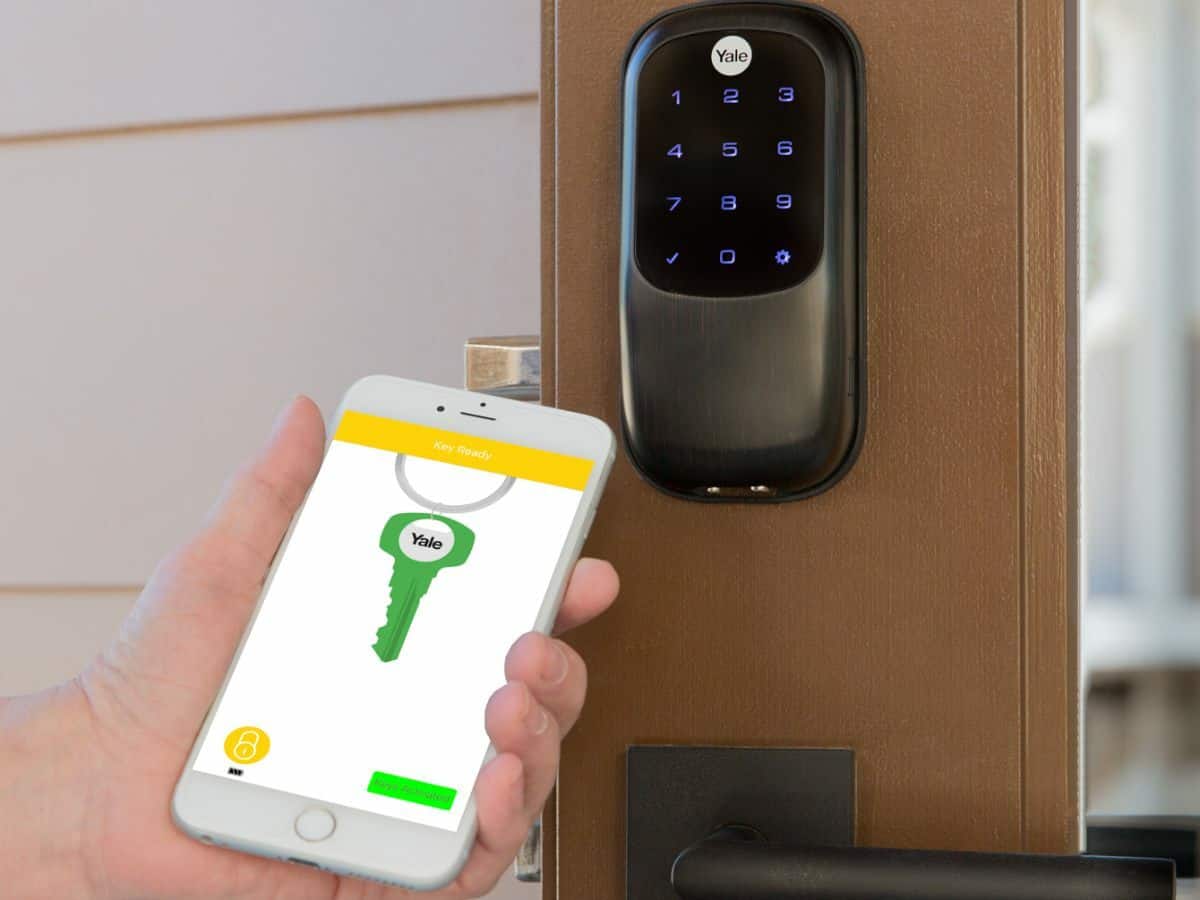
Smart door locks use technology to make life easier. Instead of a physical key, you might use a code, app, fingerprint, or even voice commands. The lock needs electricity to power its motor and connect with your device. This electricity comes from batteries, usually AA or AAA, or sometimes a rechargeable lithium-ion battery.

Exclusive Deals
Limited-time Exclusive Deals. Check current discount on Amazon.
Check Price on Amazon As an Amazon Associate I earn from qualifying purchases.Most smart locks are installed over or in place of a regular deadbolt. They connect to your smartphone via Bluetooth, Wi-Fi, or Zigbee. Some also work with smart home systems like Alexa or Google Home. You can lock and unlock your door remotely, set up temporary access codes, or check the lock status from anywhere.
The battery is the heart of the smart lock. Without power, the electronics and motor don’t work. That’s why knowing what happens when the battery dies is so important.
Signs Your Smart Door Lock Battery Is Low
Before the battery dies completely, most smart locks give you warnings. These alerts can help you avoid getting locked out.
- Beeping sounds: Many locks beep when the battery is almost empty.
- Flashing lights: Some locks have LED lights that blink red or yellow to signal low battery.
- App notifications: If your lock connects to a phone app, you may get a push notification about battery status.
- Sluggish operation: The lock may work slower or need more tries to unlock.
Manufacturers usually design locks to last several months on a fresh set of batteries. For example, the August Smart Lock claims up to 6 months, while the Schlage Encode lasts about 3–6 months depending on use. Cold weather, frequent use, and poor-quality batteries can shorten this time.
Exclusive Deals
Limited-time Exclusive Deals. Check current discount on Amazon.
Check Price on Amazon As an Amazon Associate I earn from qualifying purchases.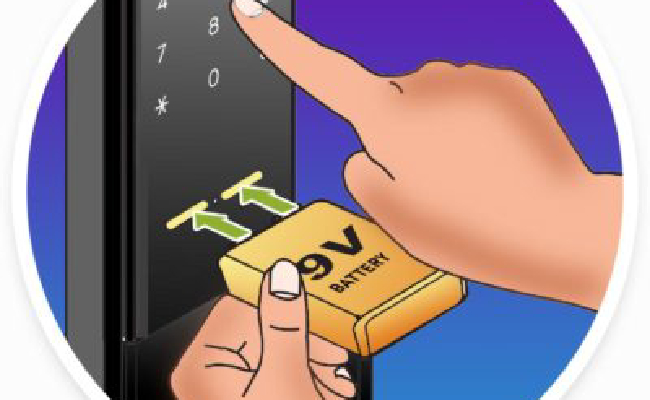
What Happens When The Battery Dies
If you ignore the warnings and the battery dies, the lock loses power. Here’s what you can expect:
1. Lock Stops Working Electronically
The most obvious effect is that the electronic functions stop. The keypad, fingerprint reader, and app controls won’t work. You can’t unlock or lock the door remotely or use codes.
2. Physical Key Access
Many smart locks have a keyhole for emergencies. If the battery dies, you can use the original key to unlock the door. This backup is the most common solution. However, some newer models (like the Yale Assure SL) are “keyless”—they don’t have a physical key slot. If your lock is keyless, you need another backup method.
Exclusive Deals
Limited-time Exclusive Deals. Check current discount on Amazon.
Check Price on Amazon As an Amazon Associate I earn from qualifying purchases.3. External Battery Jump
Some smart locks allow you to “jump start” the lock by connecting an external battery. For example, the Yale Assure series has contacts under the lock for a 9V battery. You touch the battery to the contacts, power up the lock, and enter your code.
This lets you unlock the door and replace the batteries inside.
4. Locked Out Risk
If your lock is keyless and doesn’t allow external battery jump, you may be locked out. You might need to call a locksmith or use another entry point. This is rare but possible, especially with dead batteries and no backup.
5. Security And Safety Concerns
A dead battery doesn’t mean your home is less secure—the lock stays locked. But you lose all smart features and remote access. Emergency access can be harder if you’re not prepared.
Common Backup Methods For Dead Batteries
Manufacturers know batteries can die, so they include backup options. Let’s look at the main ones.
| Backup Method | How It Works | Popular Models |
|---|---|---|
| Physical Key | Insert original key to unlock | Schlage Encode, August Smart Lock |
| External Battery Jump | Touch 9V battery to contacts, unlock with code | Yale Assure SL, Samsung Smart Lock |
| Mobile App Notification | App warns you early to replace battery | Kwikset Halo, Level Lock |
| Removable Battery Pack | Swap rechargeable battery pack easily | Ultraloq U-Bolt Pro |
If your lock has none of these, you may be at risk of being locked out.
Keyless Smart Locks: What Happens If Battery Dies?
Some people prefer keyless smart locks for modern looks or extra security. But what happens if the battery dies?
- You can’t use the keypad or fingerprint reader.
- If the lock supports external battery jump, you can power it temporarily.
- If not, you may need to call a locksmith or use another door.
Non-obvious insight: Many keyless locks have hidden battery contacts or backup methods you don’t notice until you read the manual carefully. Always check your lock’s manual for emergency options.
Smart Lock Battery Life: Data And Real-world Usage
Battery life is a big concern. Let’s compare some popular models:
| Smart Lock | Battery Type | Advertised Battery Life | Real-World Average |
|---|---|---|---|
| August Smart Lock Pro | AA Alkaline | 6 months | 4–6 months |
| Schlage Encode | AA Alkaline | 3–6 months | 3–5 months |
| Yale Assure SL | AA Alkaline | 8–12 months | 6–10 months |
| Ultraloq U-Bolt Pro | AA Alkaline | 12 months | 8–12 months |
Key insight: Real-world battery life is often shorter than advertised. Heavy use, extreme temperatures, and poor-quality batteries can reduce lifespan by 30–40%.
What To Do If You’re Locked Out
If your smart lock battery is dead and you’re locked out, here’s what you should do:
- Check for physical key access: Look for a hidden keyhole, often behind a cover.
- Try external battery jump: If your lock has contacts, use a 9V battery.
- Contact manufacturer support: Some brands have customer support for emergency situations.
- Call a locksmith: If all else fails, a professional can help. Prices range from $75–$200 for lockouts.
- Use another entry: If you have a back door or window, use it safely.
Non-obvious insight: Some locks allow remote unlocking from another user’s phone. If you trust a family member, they can unlock the door for you if you’re locked out and the battery isn’t fully dead.
Preventing Battery Failure And Lockouts
It’s much easier to prevent battery failure than deal with a lockout. Here’s how:
1. Regular Battery Checks
Make it a habit to check your lock’s battery monthly, especially before winter or vacations.
2. Use High-quality Batteries
Cheap batteries drain faster. Use brands like Energizer or Duracell for longer life.
3. Set App Alerts
Most smart lock apps let you set battery alerts. Enable these and don’t ignore them.
4. Keep Spare Batteries Nearby
Store spare batteries in a drawer near the door. This saves time and stress.
5. Know Your Backup Options
Read your lock’s manual and practice using backup methods (key, external battery).
6. Avoid Overuse
Frequent locking/unlocking drains batteries faster. Try to use the lock only when needed.
7. Check After Power Surges Or Extreme Weather
Cold temperatures and power surges can drain batteries. Check your lock after storms or cold snaps.

Smart Door Lock Battery Faqs And Myths
Many people worry about smart locks and battery issues. Let’s clear up some common myths.
Myth 1: Smart Locks Stop Working Instantly When Battery Dies
Fact: Most locks give many warnings before dying. You’ll have several chances to replace batteries.
Myth 2: Smart Locks Are Easier To Break In If Battery Dies
Fact: The lock stays locked. No battery means no electronic unlocking, but the physical lock still protects your door.
Myth 3: All Smart Locks Have Physical Keys
Fact: Not all do. Some are fully keyless, so backup methods are different.
Myth 4: You Need A Locksmith Every Time Battery Dies
Fact: Usually, you can use a key or external battery jump. Locksmiths are only needed in rare cases.
Myth 5: Battery Replacement Is Complicated
Fact: Most smart locks are designed for easy battery swaps. It usually takes less than five minutes.
Comparing Smart Lock Features For Battery Backup
To help you choose a smart lock, here’s a comparison of common battery backup features.
| Feature | Importance | Which Locks Offer It |
|---|---|---|
| Physical Key Access | High | Schlage, Kwikset, August |
| External Battery Jump | Medium | Yale, Samsung |
| Battery Life Alerts | High | Most app-connected locks |
| Removable Battery Pack | Medium | Ultraloq, Level Lock |
| Keyless Emergency Access | Low | Rare, mainly high-end locks |
When choosing a lock, focus on physical key access and battery life alerts. These features reduce lockout risk.
Real-life Examples: Smart Lock Battery Fails
Case 1: Family Locked Out in Winter
A family in Chicago reported being locked out after ignoring app battery warnings. Their lock had a hidden keyhole, but they forgot where the backup key was. They called a locksmith, costing $150.
Key takeaway: Keep your backup key accessible and pay attention to battery alerts.
Case 2: Apartment Tenant with Keyless Lock
A tenant in New York used a keyless smart lock. The battery died while she was away. She used a 9V battery jump to unlock the door and replaced the batteries.
Key takeaway: Know your lock’s backup methods and keep a 9V battery handy.
Case 3: Vacation Rental Owner
An Airbnb host had guests locked out after battery failure. The lock sent app alerts, but the owner ignored them. He had to drive two hours to let guests in.
Key takeaway: Set up automatic battery reminders and respond quickly.
Smart Lock Battery Replacement Tips
Replacing smart lock batteries is easy but there are best practices.
- Use the recommended battery type (alkaline, not rechargeable).
- Replace all batteries at the same time.
- Clean battery contacts with a dry cloth before inserting.
- Test the lock after replacement.
- Dispose of old batteries properly.
Non-obvious insight: Rechargeable batteries may cause issues in some smart locks. Always use the brand’s recommended type.
Why Smart Locks Are Still Safe Despite Battery Issues
Some people worry that battery failures make smart locks unsafe. In reality, smart locks are designed for security first. When the battery dies:
- The lock stays locked.
- You lose remote access, but physical security remains.
- Most locks have backup access.
Smart locks are safer than many people think, as long as you follow best practices.
Frequently Asked Questions
What Should I Do If My Smart Lock Battery Dies And I Can’t Find My Backup Key?
If you can’t find your backup key, try using an external battery jump if your lock supports it. If not, contact your lock’s customer support or call a trusted locksmith. Always store your backup key in a known, accessible place.
How Often Should I Change The Batteries In My Smart Door Lock?
Most experts recommend changing batteries every 6 months, even if the lock says they’re still good. Heavy use or cold weather may require more frequent changes. Set reminders in your phone or app.
Can A Dead Battery Cause My Smart Lock To Unlock By Itself?
No, a dead battery cannot unlock your smart lock. The lock stays in its last position (usually locked). You will lose electronic functions, but the physical lock remains secure.
Are Rechargeable Batteries Safe To Use In Smart Door Locks?
Most manufacturers recommend alkaline batteries over rechargeable ones. Rechargeables may have lower voltage and cause issues. Always use the battery type suggested in your lock’s manual.
Can I Unlock My Smart Door Lock Remotely If The Battery Is Dead?
No, remote unlocking needs battery power. If the battery is dead, you cannot use the app or remote features. You need to use a backup key or external battery jump.
Smart door locks make life easier and more secure, but batteries are their weak point. By paying attention to battery alerts, knowing your lock’s backup options, and changing batteries regularly, you can avoid most problems. Remember, physical security stays strong even if the battery dies.
Smart locks are reliable, but a little preparation goes a long way.
For more details on smart lock technology and battery solutions, check out this Smart Lock Wikipedia article.
Choosing the right smart lock means looking for backup access, strong battery life, and clear alerts. With these features, you’ll stay safe and never worry about a dead battery causing trouble.


