
A doorbell camera is more than just a modern gadget—it’s an essential part of home security for many families. But as people upgrade to wireless video doorbells, one question comes up again and again: How long do doorbell camera batteries last? If you’re thinking about buying one, or you already have one and wonder when it will need charging, you’re not alone. The answer depends on several factors, including the brand, usage, climate, and even your Wi-Fi signal. Let’s explore the details so you know what to expect and how to get the most from your device.

Exclusive Deals
Limited-time Exclusive Deals. Check current discount on Amazon.
Check Price on Amazon As an Amazon Associate I earn from qualifying purchases.What Affects Doorbell Camera Battery Life?
Doorbell camera batteries do not have a simple, one-size-fits-all answer when it comes to lifespan. Several elements come into play, and understanding them helps you make smart choices.
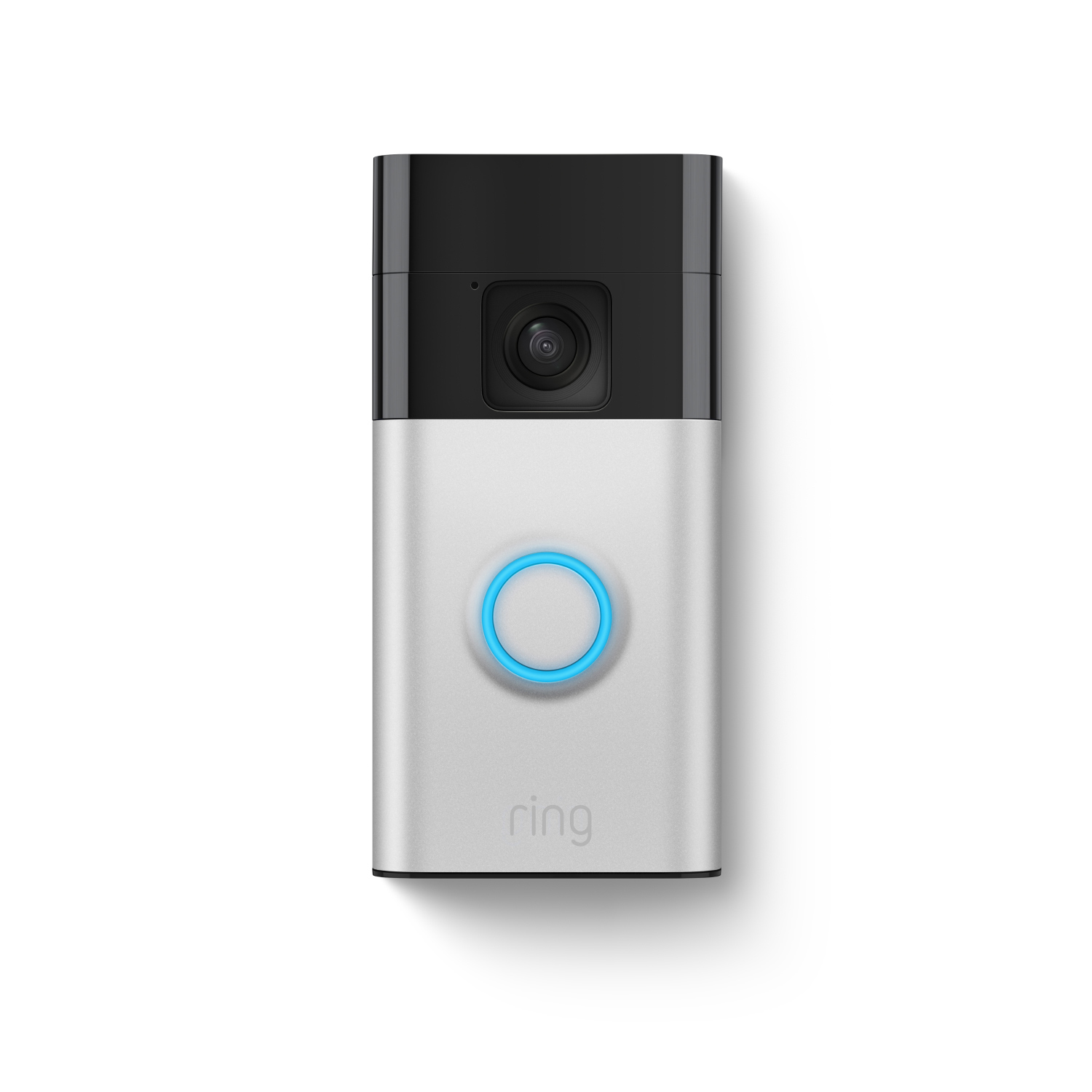
- Brand and Model: Some brands use bigger or more efficient batteries. For example, Ring Video Doorbell 4 often lasts longer per charge than older models.
- Video Settings: If you set your camera to record in HD, it uses more power. Shorter clips or lower quality means less battery drain.
- Activity Level: A busy front door means more recordings and notifications. High-traffic areas can drain batteries much faster.
- Weather Conditions: Cold weather can reduce battery performance. Extreme heat can also cause issues.
- Wi-Fi Connection: A weak signal causes the device to work harder, using more battery.
- Usage of Features: Features like night vision, two-way talk, and motion alerts use extra power.
Some homeowners are surprised that their doorbell battery lasts much less than the box promises. That’s because the “up to” numbers are based on ideal conditions—not a busy home or a very cold winter.
Typical Battery Lifespan By Brand
To give a clear picture, here’s a look at how long batteries usually last for popular brands. These are average estimates and may vary in real use.
| Brand & Model | Advertised Battery Life | Realistic Average | Battery Capacity (mAh) |
|---|---|---|---|
| Ring Video Doorbell 4 | 6–12 months | 2–5 months | 6,040 |
| Arlo Essential Wire-Free | 6 months | 2–4 months | 5,000 |
| Google Nest Doorbell (Battery) | Up to 6 months | 2–3 months | 6,000 |
| Eufy Video Doorbell | Up to 6 months | 3–5 months | 6,500 |
| RemoBell S | 4–6 months | 1–3 months | 4,500 |
Notice that the realistic average is usually less than the advertised number. This is because brands test under low-activity, “perfect” conditions. In a regular home—especially with kids or pets—expect to recharge more often.
Exclusive Deals
Limited-time Exclusive Deals. Check current discount on Amazon.
Check Price on Amazon As an Amazon Associate I earn from qualifying purchases.How Usage Patterns Change Battery Life
You might think the battery is not lasting as long as it should, but often the answer is in your daily routine.
Motion Events
Every time someone walks by, the doorbell camera wakes up, records, and sends an alert. If your house faces a busy street, you may have dozens of triggers every day. This can cut battery life in half compared to a quiet, private entryway.
Live View And Two-way Audio
Checking the live feed or talking through the doorbell uses more energy than passive recording. If you use these features often, expect the battery to drain much faster.
Night Vision And Ir Sensors
Night vision is a great security tool, but the infrared LEDs use extra power. In winter, when nights are longer, the battery may need charging more often.
How Environmental Factors Influence Battery Life
Many people overlook how weather and Wi-Fi strength affect battery life. These are not just small details—they can make a big difference.
Exclusive Deals
Limited-time Exclusive Deals. Check current discount on Amazon.
Check Price on Amazon As an Amazon Associate I earn from qualifying purchases.Temperature Extremes
Batteries perform best at moderate temperatures (around 68–77°F or 20–25°C). In cold weather, the chemical reactions inside the battery slow down, reducing capacity. A camera that lasted three months in spring may only last a month in winter.
In very hot climates, batteries can degrade over time. Some brands warn against charging below 32°F (0°C) or above 113°F (45°C) to avoid damage.
Wi-fi Signal Strength
A weak Wi-Fi signal means your doorbell camera has to work harder to stay connected. This drains the battery faster. Placing your router closer or using a Wi-Fi extender can help.
Battery Types In Doorbell Cameras
Doorbell cameras use two main types of batteries:
- Removable Batteries: You can take these out and charge them indoors. Some brands let you buy a spare, so you can swap them and never have downtime.
- Built-in Batteries: These are sealed inside the device. You have to remove the whole doorbell to charge it, usually with a USB cable.
Here’s a quick comparison:
| Battery Type | Pros | Cons |
|---|---|---|
| Removable | Easy to swap, no device downtime | Can be lost, adds cost for spare |
| Built-in | Sealed against weather, less tampering | Device offline during charge, harder to replace |
Removable batteries are popular for those who want the simplest charging experience. Built-in batteries are common in slim or weather-resistant models.
How To Extend Doorbell Camera Battery Life
Most people want their doorbell camera to last as long as possible between charges. Here are steps you can take:
- Adjust Motion Zones: Only monitor the area you care about. Exclude the street or sidewalk to reduce unnecessary recordings.
- Lower Video Quality: If high definition isn’t essential, use standard quality to save power.
- Shorten Clip Length: Many apps let you set how long each recording lasts. Shorter clips use less battery.
- Turn Off Unneeded Features: If you don’t use two-way talk, turn it off.
- Update Firmware: Brands often release updates to improve battery life.
- Improve Wi-Fi Signal: Move your router or add an extender.
- Use Scheduled Downtime: Some apps let you pause motion detection when you’re home.
- Regular Cleaning: Dust or spiderwebs can cause false motion alerts.
One insight that’s often missed: Many false triggers come from sunlight, moving shadows, or insects. Fine-tuning the sensitivity and cleaning the lens can reduce these “phantom” alerts and improve battery life.
Real-world Examples: What Homeowners Experience
Let’s look at some real-life cases to see how all these factors come together.
- Case 1: Busy Suburban Home
A Ring Video Doorbell 3 on a house with three kids, a dog, and a busy street. The battery needed charging every 4–6 weeks, even though the box promised “up to 6 months. ”
- Case 2: Quiet Apartment
A Google Nest Doorbell (Battery) in a second-floor apartment with a private entrance. The battery lasted nearly 5 months between charges because there were only a few visitors each week.
- Case 3: Harsh Winter Climate
An Arlo Essential Doorbell in Minnesota. In summer, it lasted three months. In winter, with temperatures below freezing, it needed charging every month.
These examples show that manufacturer claims are only a starting point. Your experience depends on your home and your habits.
Charging Time And Methods
Charging a doorbell camera battery is not instant. Here’s what to expect:
- Removable batteries typically take 4–8 hours to fully charge.
- Built-in batteries may take 6–10 hours, depending on the charging method and the battery size.
- Most brands recommend using the original charger or cable for safety.
If you have a removable battery, you can buy a spare and keep your camera running at all times. With a built-in battery, you may have to leave your door unmonitored while charging.
One less obvious tip: Charging during off-peak hours (like at night) can sometimes extend battery health, since the device is not being triggered as often.
When To Replace The Battery
Doorbell camera batteries are made to last hundreds of cycles. However, after 2–3 years of regular use, you may notice the battery doesn’t last as long as before.
Signs it’s time to replace:
- The battery drains much faster than when new.
- The device fails to charge fully.
- The camera restarts or stops working often.
If you have a removable battery, buying a replacement is simple. If your battery is built-in, check if your model allows service or if you’ll need a new doorbell.
Pros And Cons Of Battery-powered Doorbell Cameras
Battery-powered models are popular, but they’re not perfect for everyone. Here’s a summary to help you decide if they’re right for you.
| Pros | Cons |
|---|---|
| No wiring needed Easy DIY installation Good for renters or old houses Flexible placement |
Needs regular charging Shorter run time in cold weather Potential downtime during charging Battery replacement after 2–3 years |
For people who want the easiest setup, battery-powered doorbells are a strong choice. But if you want “set it and forget it” convenience, a wired model might be better.
Wired Vs. Battery-powered Doorbell Cameras
If you’re still choosing, it’s helpful to compare battery models with wired ones.
- Wired models connect to your existing doorbell wiring. They have constant power, so you never need to recharge.
- Battery models offer flexibility but need charging.
Here’s a side-by-side look:
| Feature | Wired Doorbell | Battery Doorbell |
|---|---|---|
| Installation | Needs wiring, sometimes professional | DIY, no wires needed |
| Maintenance | Almost none | Charge every 1–6 months |
| Placement | Fixed, near wires | Flexible, anywhere with Wi-Fi |
| Downtime | Rare | Possible during charging |
If you’re renting, or your home lacks doorbell wiring, battery models are the obvious choice. For homeowners who want the least hassle, wired is still the gold standard.
Common Mistakes That Shorten Battery Life
Many new users accidentally drain their battery faster by:
- Setting motion sensitivity too high: This causes unnecessary recordings from passing cars or wind.
- Ignoring firmware updates: Updates often fix battery bugs.
- Placing the camera in direct sun: This can heat the battery and reduce lifespan.
- Not securing Wi-Fi: An unstable signal drains power quickly.
Avoiding these simple errors can add weeks between charges.

Is Battery Life The Most Important Factor?
While battery life matters, it’s not the only thing to consider when choosing a doorbell camera. Think about:
- Video quality: Clear footage helps if there’s an incident.
- App reliability: A good app makes managing alerts and battery simple.
- Smart home integration: Does it work with your other devices?
- Subscription fees: Some brands require a monthly fee for full features.
Sometimes, a slightly shorter battery life is worth it for better security or easier use.
Tips For Getting The Most From Your Battery
Here are some expert insights that many beginners overlook:
- Rotate charging: If you have two batteries, always keep one charged and swap as needed.
- Seasonal adjustments: Lower motion sensitivity in winter when battery performance drops.
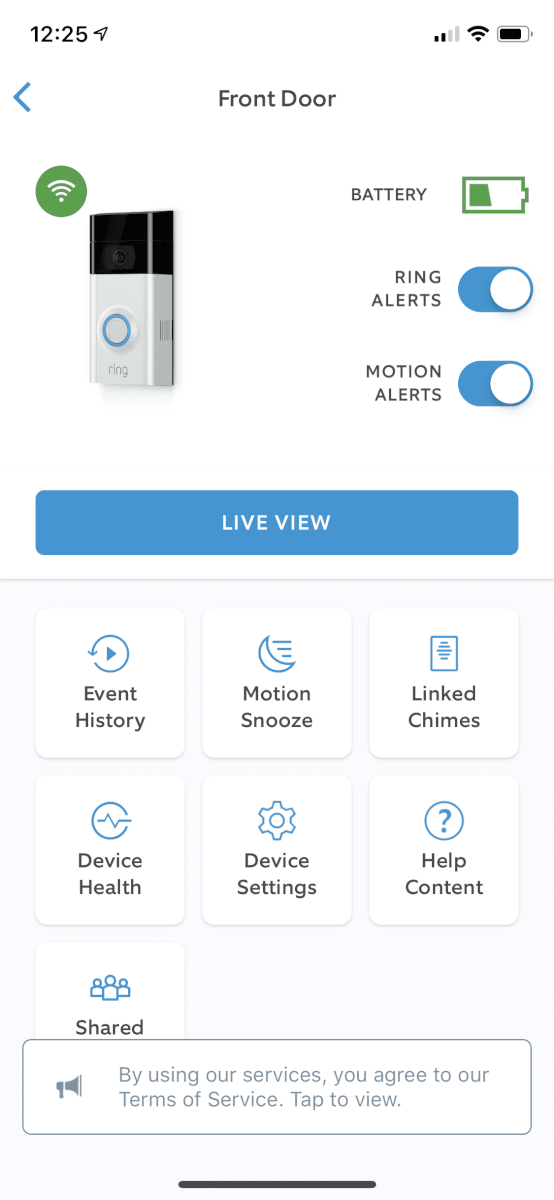
- Monitor battery health: Most apps show battery percentage. Don’t wait until it’s fully empty to recharge—lithium batteries last longer if kept between 20% and 80%.
- Use privacy zones: Block out unimportant areas (like the street) to avoid wasteful recordings.
These habits can stretch the time between charges and keep your camera working reliably.
How To Choose The Right Doorbell Camera For Your Needs
Choosing the best doorbell camera means balancing battery life with other features. Ask yourself:
- How busy is my front door? High-traffic homes need larger batteries or wired models.
- Am I comfortable charging the device every few months?
- Do I need advanced features like face recognition or package detection?
- Is weather a concern? Look for models rated for extreme cold or heat.
- Do I want cloud storage, or is local storage enough?
For most families, a battery life of 2–4 months is typical. But it’s worth reading reviews and learning from other users in your climate and situation.
Frequently Asked Questions
How Often Will I Need To Charge My Doorbell Camera?
Most battery doorbell cameras need charging every 1 to 6 months, depending on activity, weather, and settings. Busy homes or cold climates may need charging more often, while quiet entrances can go longer.
What Happens If My Doorbell Camera Battery Dies?
When the battery is empty, the camera will stop working until recharged. Some models send alerts when the battery is low. With removable batteries, you can swap in a charged one to avoid downtime.
Can I Use Solar Panels To Recharge My Doorbell Camera?
Many brands offer solar charging accessories. These work best in sunny spots and can keep the battery topped up, reducing or even eliminating manual charging. Check compatibility before buying.
Do Cold Temperatures Permanently Damage The Battery?
Occasional cold weather reduces battery performance but doesn’t usually cause permanent harm. However, charging below freezing can damage lithium batteries, so wait until the device is warmer before recharging.
Where Can I Find More Technical Details About Battery Types?
For in-depth information on battery chemistry and performance, visit the Wikipedia page on lithium-ion batteries, which most doorbell cameras use.
A doorbell camera can be a valuable security tool, but battery life is just one piece of the puzzle. By understanding how usage, environment, and features affect your device, you can choose the right model and keep it running smoothly for years to come.
With the right habits, you’ll spend less time charging—and more time enjoying peace of mind at your front door.


