
Smart locks are changing how we protect our homes and offices. You may have seen these locks in stores or read about them online. They promise keyless convenience and new ways to control who enters your space. But not all smart locks work the same way. The two most common types are Bluetooth smart locks and Wi-Fi smart locks. Each has its own technology, advantages, and challenges. If you’re thinking about upgrading your traditional lock, it’s important to know the difference between these two types. This article will break down how Bluetooth and Wi-Fi smart locks work, their features, and which one might be best for you.

Exclusive Deals
Limited-time Exclusive Deals. Check current discount on Amazon.
Check Price on Amazon As an Amazon Associate I earn from qualifying purchases.How Bluetooth Smart Locks Work
Bluetooth smart locks use the same technology that connects your phone to wireless headphones or your car’s hands-free system. Bluetooth is a short-range wireless communication method. The lock pairs with your smartphone, usually through an app.
When you come close to the lock (usually within 30–40 feet), your phone sends a secure signal to the lock. If the app is open or running in the background, the lock recognizes your device and unlocks. Some Bluetooth smart locks even unlock automatically as you walk up, while others need you to press a button in the app.
Bluetooth is known for low energy use. This means the batteries inside your smart lock can last several months, sometimes up to a year, before needing a replacement.
Key Features
- Works without internet: You don’t need Wi-Fi for basic unlocking.
- Short-range access: Only people close to the lock (with permission) can unlock it.
- Battery efficient: Bluetooth uses less power than Wi-Fi, so the batteries last longer.
- Simple setup: Most models are easy to install and connect to your phone.
Example Use Case
Imagine you’re coming home with your hands full of groceries. Your phone is in your pocket. With some Bluetooth smart locks, just approaching the door will unlock it for you—no keys, no searching for your phone, just easy access.
Exclusive Deals
Limited-time Exclusive Deals. Check current discount on Amazon.
Check Price on Amazon As an Amazon Associate I earn from qualifying purchases.How Wi-fi Smart Locks Work
Wi-Fi smart locks connect directly to your home’s wireless internet. This means your lock is always online, able to send and receive information from anywhere.
Unlike Bluetooth locks, Wi-Fi smart locks can be controlled from far away. If you’re at work and need to let in a guest or service person, you can unlock the door with your phone—no matter where you are. Many Wi-Fi locks also send real-time alerts, showing you who unlocked the door and when.
Wi-Fi uses more power than Bluetooth. Because of this, the batteries in Wi-Fi locks often need to be changed every few months.
Key Features
- Remote control: Lock or unlock your door from anywhere with an internet connection.
- Real-time alerts: Get notifications instantly when someone unlocks or locks the door.
- Integration with smart home systems: Many Wi-Fi locks work with voice assistants like Alexa or Google Assistant.
- Multiple users: Easily give temporary or permanent access to family, friends, or guests.
Example Use Case
You’re on vacation and a neighbor needs to water your plants. With a Wi-Fi smart lock, you can unlock the door for them from your hotel room. You can even see when they come and go, all from your phone.
Direct Comparison: Bluetooth Vs Wi-fi Smart Locks
To make things clear, here is a side-by-side look at the main differences between Bluetooth and Wi-Fi smart locks:
Exclusive Deals
Limited-time Exclusive Deals. Check current discount on Amazon.
Check Price on Amazon As an Amazon Associate I earn from qualifying purchases.| Feature | Bluetooth Smart Lock | Wi-Fi Smart Lock |
|---|---|---|
| Range | Short (30-40 feet) | Unlimited (anywhere with internet) |
| Power Consumption | Low (battery lasts 6-12 months) | High (battery lasts 2-6 months) |
| Remote Access | No (unless paired with a hub) | Yes (from anywhere) |
| Installation | Simple, usually no hub needed | May need Wi-Fi bridge or hub |
| Smart Home Integration | Limited | Extensive (works with voice assistants) |
| Notifications | Basic (may require hub) | Instant, detailed |
| Typical Price | Lower ($70–$150) | Higher ($150–$300+) |
Security: Which Is Safer?
Security is the most important feature for any lock. Both Bluetooth and Wi-Fi smart locks use encryption to protect your home, but there are important differences.
Bluetooth Security
Bluetooth smart locks use local authentication. This means your phone and the lock talk directly, without using the internet. Hackers would need to be physically close to your lock to try to break in. Bluetooth signals are also encrypted, but not impossible to hack. Still, the short range makes attacks less likely.
Potential risk: If someone steals your phone and it’s not password protected, they could unlock your door. Always use a phone lock code.
Wi-fi Security
Wi-Fi smart locks are connected to the internet. This lets you control your lock from anywhere, but it also increases the risk of hacking. If someone finds your password or there’s a software bug, they could unlock your door remotely.
Good news: Leading brands update their software regularly and use strong encryption. If you pick a lock from a trusted company and keep your software updated, the risk is small.
Key Takeaways
- Both types are much safer than traditional keys (which can be picked or lost).
- Bluetooth is safer against remote hacking, but vulnerable if your phone is stolen.
- Wi-Fi offers more features but needs strong passwords and updates.

Battery Life And Power Concerns
Smart locks depend on batteries. If the power runs out, you could be locked out. That’s why battery life is a big difference between Bluetooth and Wi-Fi locks.
Bluetooth Battery Life
Bluetooth was designed for low energy use. This means your smart lock might run for 6–12 months on one set of batteries. Some models even last longer. You’ll get a warning from the app before the battery is empty.
Wi-fi Battery Life
Wi-Fi uses much more power. Wi-Fi locks usually need new batteries every 2–6 months. If you use remote features often, the battery drains faster.
What Happens If The Battery Dies?
Most smart locks have a backup plan:
- Physical key: Many models still let you use a regular key.
- 9V battery jump: Some locks have contacts for a 9V battery, so you can give it power from outside in an emergency.
Tip: Always check battery warnings and keep spare batteries nearby.
Installation And Setup
How hard is it to install a smart lock? This depends on the technology and your door.
Bluetooth Smart Lock Installation
Most Bluetooth locks are DIY-friendly. They fit standard US doors and come with clear instructions. You usually need just a screwdriver. The app walks you through pairing your phone.
Some models replace only the inside part of your lock, so you can keep your regular key on the outside.
Wi-fi Smart Lock Installation
Wi-Fi locks can be a bit more complex. Some connect directly to your Wi-Fi, while others need a Wi-Fi bridge (a small device that connects the lock to your internet). Setting up the bridge means finding a power outlet near your door.
The rest of the installation is similar to Bluetooth locks, but the setup process in the app might take a few more steps.
Table: Installation Comparison
| Step | Bluetooth Lock | Wi-Fi Lock |
|---|---|---|
| Physical installation | Easy (DIY, screwdriver) | Easy to moderate (may need bridge) |
| App setup | Simple pairing | Pairing + Wi-Fi connection |
| Time required | 20-30 minutes | 30-45 minutes |
| Special tools | Usually none | Possible Wi-Fi bridge, outlet needed |
Tip: Check your door’s thickness and lock type before buying. Not all smart locks fit every door.
Costs And Value
Price matters when choosing smart home gadgets. Smart locks are an investment in safety and convenience, but the cost can vary widely.
Bluetooth Smart Lock Prices
Bluetooth smart locks are usually more affordable. Basic models start around $70, with high-end ones costing up to $150. You pay more for features like auto-unlock and higher security.
Wi-fi Smart Lock Prices
Wi-Fi smart locks cost more, mostly because of their advanced technology. Expect to pay between $150 and $300, or even higher for top brands. The price often includes a Wi-Fi bridge. If not, you might need to buy it separately ($30–$50).
Ongoing Costs
Both types need batteries, but Wi-Fi locks will cost a bit more to keep powered due to faster drain. If your lock uses a Wi-Fi bridge, it will add a little to your electricity bill, but it’s usually not noticeable.
Are Smart Locks Worth The Cost?
If you often forget your keys, want to control your door remotely, or just like smart home tech, a good smart lock is worth it. For simple, local use, Bluetooth models offer great value. If you want all the latest features and remote control, a Wi-Fi lock is the way to go.
Everyday Use: Features That Matter
Not all smart locks are created equal. Here’s what makes everyday life easier (or harder) with Bluetooth and Wi-Fi smart locks.
Bluetooth Smart Locks In Daily Life
- Proximity unlock: Your door unlocks as you approach, hands-free.
- Auto-lock: Some models lock automatically when you leave.
- Sharing access: Let a friend or family member use your lock by sending a digital key. But they must be nearby.
- Offline use: Power or internet outage? No problem. Bluetooth locks keep working.
Limitation: You must be close to the lock to control it. No remote unlocking unless you add a smart home hub.
Wi-fi Smart Locks In Daily Life
- Remote unlocking: Open the door for anyone, from anywhere.
- Guest codes: Create temporary access codes for visitors, cleaners, or Airbnb guests.
- Instant alerts: Get notified immediately when your door is unlocked, even if you’re not home.
- Smart home routines: Connect with other devices. For example, your lights can turn on when you unlock the door.
Limitation: If your internet goes down, remote features stop working, but you can still unlock with your phone (locally) or key.
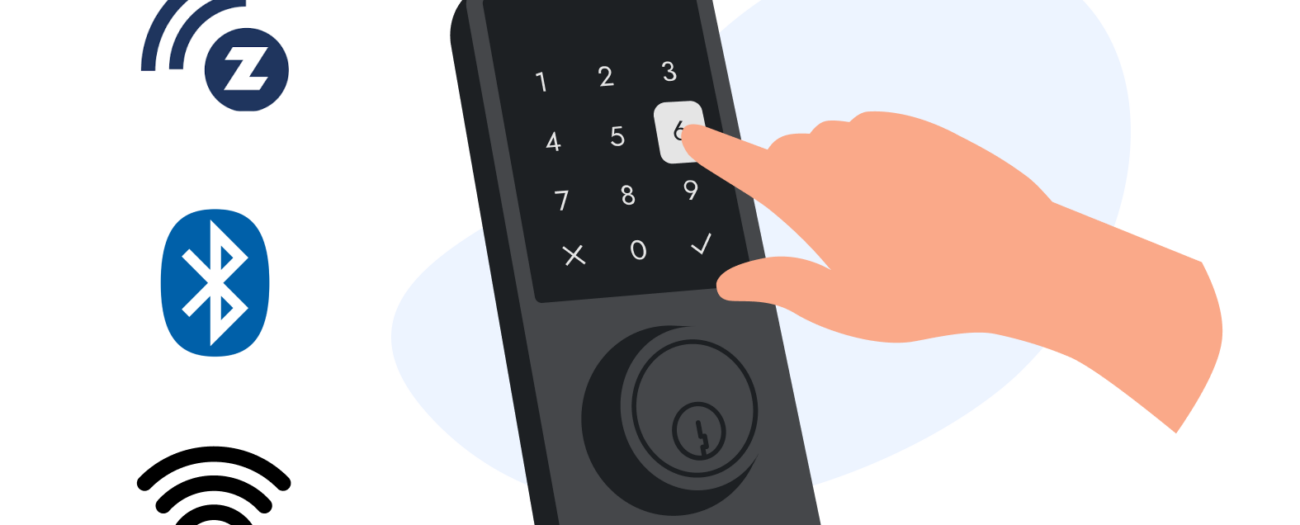
Compatibility With Smart Home Systems
As smart homes grow, you may want your lock to work with other devices—like security cameras, alarms, or voice assistants.
Bluetooth Lock Compatibility
Most Bluetooth locks have limited integration. Some can connect to smart home hubs (like Apple HomeKit or Samsung SmartThings), but often with fewer features.
Wi-fi Lock Compatibility
Wi-Fi locks often work with major platforms:
- Amazon Alexa
- Google Assistant
- Apple HomeKit
- IFTTT (If This Then That)
This lets you lock the door with your voice, include the lock in home routines, and even check its status from your smart speaker.
Example: “Alexa, is the front door locked?” or “Hey Google, lock the back door.”
Note: Double-check compatibility before buying. Not all Wi-Fi locks work with every system.
Reliability And Common Problems
No device is perfect. Here’s what you should know about reliability.
Bluetooth Lock Issues
- Phone dependency: If your phone dies or isn’t with you, you can’t unlock (unless the lock has a keypad or key backup).
- Connection glitches: Sometimes, Bluetooth doesn’t connect right away. Restarting the app or Bluetooth usually fixes it.
- Limited range: You must be close to the lock.
Wi-fi Lock Issues
- Battery drain: Needs more frequent battery changes.
- Internet outages: If your Wi-Fi goes down, remote control won’t work. Local control (phone or key) still works.
- Software bugs: Like any connected device, updates may cause problems. Leading brands fix bugs quickly.
Tip: Choose smart locks from trusted brands, and always update your app and lock firmware.
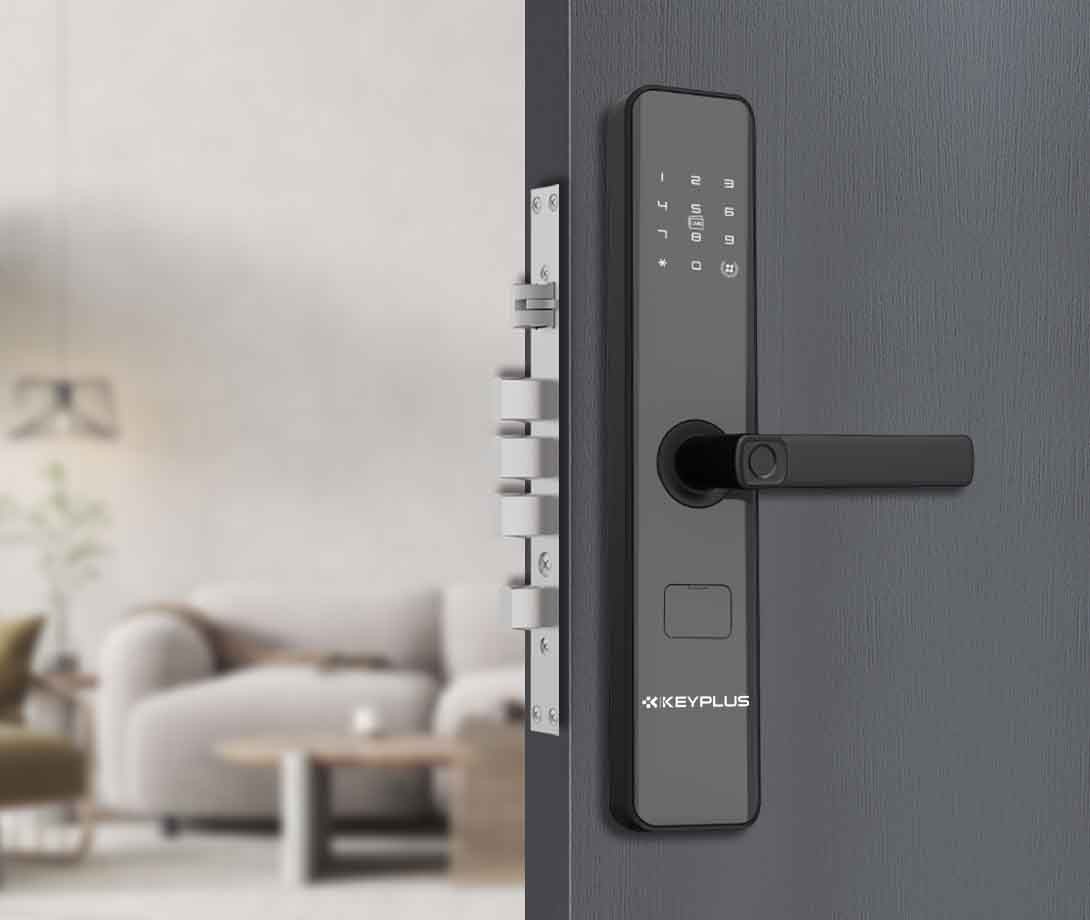
Real-world Examples
Let’s look at two popular smart lock models to see how these differences play out.
August Smart Lock (bluetooth + Wi-fi Bridge)
The August Smart Lock is a well-known Bluetooth model. It fits on the inside of your door and keeps your old key on the outside.
- Bluetooth only: Works with your phone when you’re near.
- Add Wi-Fi bridge: Gain remote access and voice assistant support.
- Battery life: 6–12 months, depending on usage.
- Installation: Easy, no drilling.
Schlage Encode (wi-fi Built-in)
The Schlage Encode is a top Wi-Fi smart lock.
- Wi-Fi built-in: No bridge required.
- Remote access: Lock/unlock from anywhere.
- Integration: Works with Alexa and Google Assistant.
- Battery life: 2–6 months.
- Installation: Slightly more complex, fits standard doors.
Both locks are secure and popular, but the Schlage Encode offers more features out of the box.
Who Should Choose Bluetooth Smart Locks?
Bluetooth smart locks are ideal if you:
- Want a simple, affordable solution
- Don’t need remote control
- Prefer long battery life
- Often unlock the door with your phone nearby
- Value privacy (less online exposure)
They’re best for people who spend most of their time at home or don’t need to let in guests when they’re away.
Who Should Choose Wi-fi Smart Locks?
Wi-Fi smart locks are the right choice if you:
- Need to unlock your door from anywhere
- Want detailed notifications
- Use voice assistants or smart home devices
- Frequently give access to guests or service people
- Don’t mind changing batteries more often
They’re popular with Airbnb hosts, busy families, and smart home fans.
Two Insights Most Beginners Miss
- Remote access isn’t always necessary. Many people buy Wi-Fi smart locks for remote unlocking but rarely use it. If you’re almost always home or don’t need to let in guests while away, Bluetooth might be simpler and cheaper.
- Battery life is critical for busy doors. If your door is unlocked many times each day (kids, deliveries, guests), Wi-Fi locks will need much more frequent battery changes. Some users are surprised by this and wish they’d chosen a Bluetooth model instead.
Best Practices For Smart Lock Security
- Always use strong, unique passwords for your lock’s app.
- Enable two-factor authentication if available.
- Keep your app and lock firmware updated.
- Never share your phone or password with people you don’t trust.
- Use physical key backup or keypad codes in case your phone is lost or dead.
For more technical details on smart lock security, you can check Wikipedia’s Smart Lock article.
Frequently Asked Questions
What Happens If My Smart Lock’s Battery Dies?
Most smart locks have a backup. You can often use a regular key, or with some models, touch a 9V battery to special contacts to unlock it in an emergency.
Can Bluetooth Smart Locks Be Unlocked From Far Away?
No, Bluetooth smart locks can only be unlocked when your phone is within about 30–40 feet. Remote access is only possible if you connect the lock to a compatible smart home hub.
Are Wi-fi Smart Locks Safe From Hackers?
Wi-Fi smart locks use strong encryption and regular software updates. While no device is 100% hack-proof, choosing a trusted brand and following good security practices keeps risks low.
Do I Need A Wi-fi Bridge For My Smart Lock?
Some Wi-Fi smart locks have Wi-Fi built-in, while others (especially Bluetooth models) need a Wi-Fi bridge for remote access. Check the product details before buying.
Will A Smart Lock Work With My Existing Door?
Most smart locks are designed to fit standard US doors. However, it’s important to check your door’s thickness, backset, and lock type before purchase to make sure it’s compatible.
Upgrading to a smart lock—Bluetooth or Wi-Fi—can bring both convenience and peace of mind. The right choice depends on your needs, habits, and willingness to trade battery life for extra features. By understanding the real differences, you can choose a smart lock that protects your home and makes everyday life easier.


