
Lorex offers robust wired NVR systems; Reolink excels at flexible, budget-friendly PoE and battery cameras.

Exclusive Deals
Limited-time Exclusive Deals. Check current discount on Amazon.
Check Price on Amazon As an Amazon Associate I earn from qualifying purchases.I’ve worked with home and small-business security systems for years, testing Lorex and Reolink setups in real homes and rental properties. This Lorex vs Reolink guide breaks down each brand’s strengths and weaknesses so you can pick the right system for your needs. I’ll cover hardware, software, storage, pricing, installation, and real-world performance, and share tips from hands-on experience to help you decide quickly and confidently.
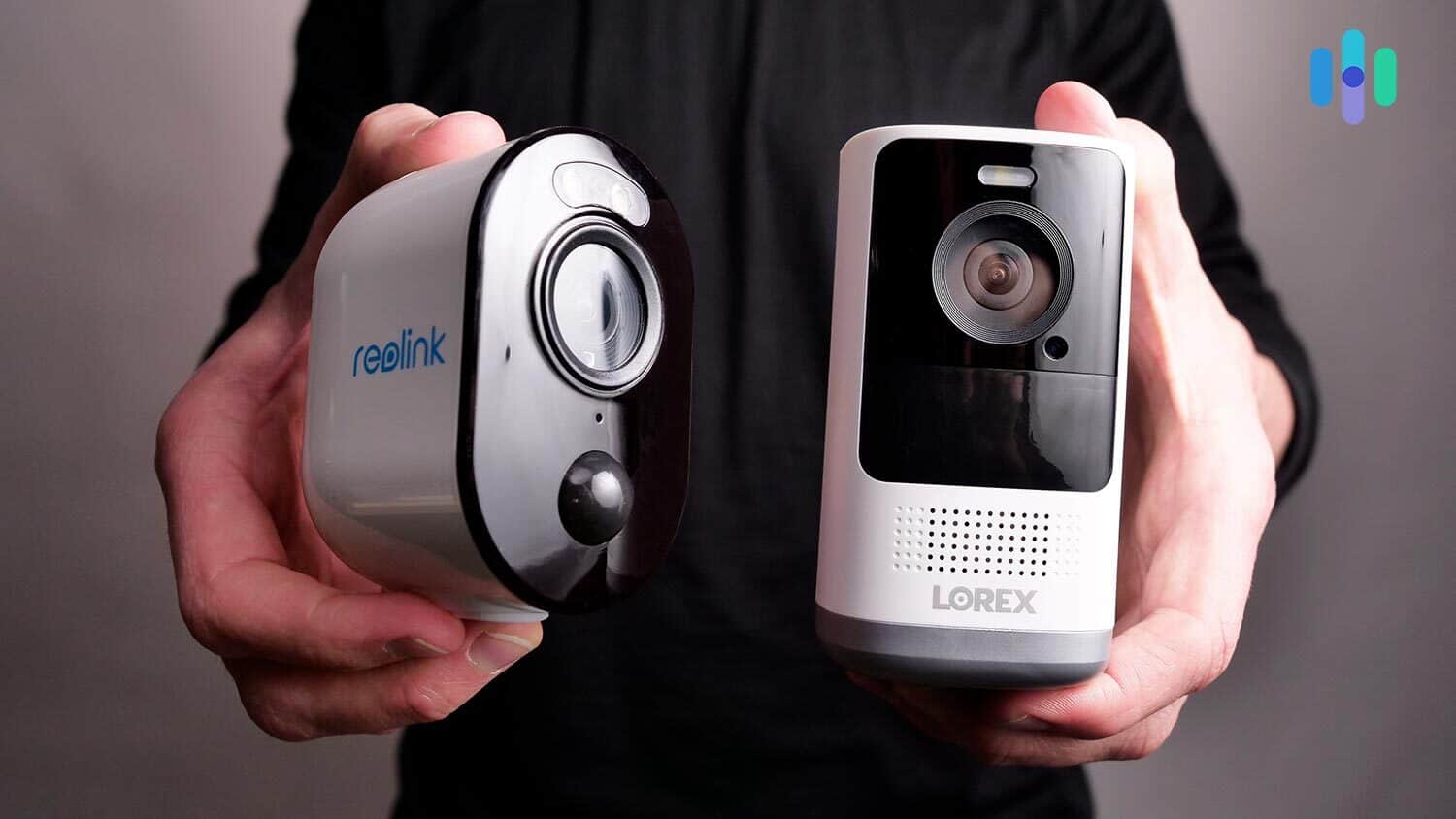
Feature Comparison: Lorex vs Reolink
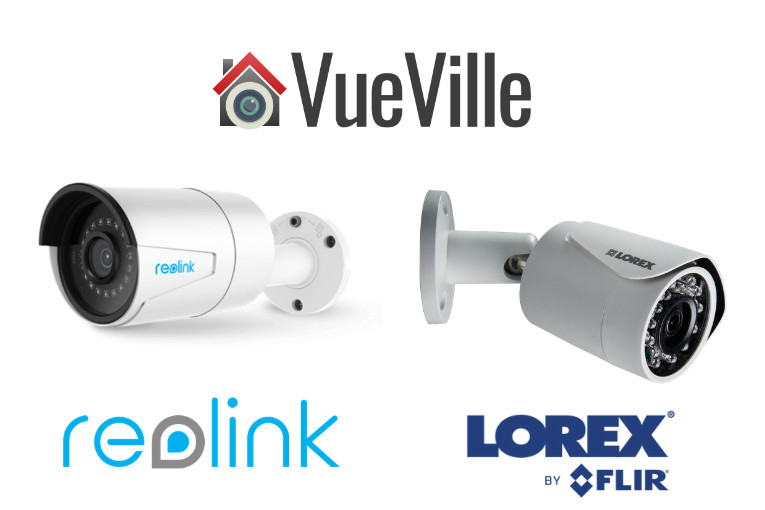
Both Lorex and Reolink build cameras and recorders. Yet they aim at slightly different buyers. Lorex focuses on traditional wired NVR systems with polished support. Reolink pushes flexible setups, including PoE, Wi-Fi, and battery cameras at lower price points.
Key differences at a glance:
Exclusive Deals
Limited-time Exclusive Deals. Check current discount on Amazon.
Check Price on Amazon As an Amazon Associate I earn from qualifying purchases.- Lorex often uses NVRs and wired PoE cameras for stability and long-term reliability.
- Reolink offers a wider mix: PoE, Wi-Fi, and battery-operated cameras for easy installs.
- Lorex tends to include better-built housings and more polished support.
- Reolink delivers strong value and frequent firmware updates.
Lorex vs Reolink matters when you choose based on durability, expandability, or budget. Read on to see how each brand performs in the details.

Video Quality and Cameras
Video clarity matters most for security. Both brands offer 1080p to 4K cameras, but they differ in lens, sensors, and image tuning.
Lorex
- Commonly offers 4K PoE cameras with good low-light sensors.
- Tends to use stronger housings and true wide-angle lenses.
- Colors in daylight are often vivid with less noise at night.
Reolink
Exclusive Deals
Limited-time Exclusive Deals. Check current discount on Amazon.
Check Price on Amazon As an Amazon Associate I earn from qualifying purchases.- Wide range from 1080p to 4K. Many budget 1080p options.
- Excellent night vision for the price. Some models use color night vision.
- Battery cameras have decent image quality for wireless use.
Practical tip: If you need long-range clarity—license plates or detailed faces—lean toward 4K Lorex PoE cameras. For flexible placement or wireless needs, Reolink battery or Wi-Fi cameras are very capable.
Storage, Recording, and Cloud Options
Storage choices change total cost and privacy. Both brands support local recording and cloud options in different ways.
Lorex
- Typically ships with NVRs that include large hard drives.
- Local storage is default; cloud is optional and often paid.
- Good for continuous 24/7 recording if you want long archives.
Reolink
- Offers NVRs, NVR-less options, and microSD on many cameras.
- Cloud plans are optional and affordable; some models include free limited cloud storage promotions.
- Battery cameras rely mostly on local storage due to power limits.
Advice: Choose Lorex if you want always-on recording with local retention. Choose Reolink for hybrid setups or if you prefer per-camera microSD backups and lower cloud costs.
Software, Mobile Apps, and Smart Features
How the system feels day-to-day depends on apps and integrations. I’ve used both mobile apps on iOS and Android.
Lorex
- App is reliable and simple for live view and playback.
- Integrates with some smart home platforms; voice assistant support varies by model.
- Firmware updates are steady but sometimes less frequent.
Reolink
- App is feature-rich with motion zones, push alerts, and easy setup.
- Strong compatibility with third-party NVRs and RTSP streams.
- Frequently adds features and improves AI motion detection on newer models.
Personal note: Reolink’s app felt more active in pushing new features during my tests, while Lorex’s app was stable and less flashy.
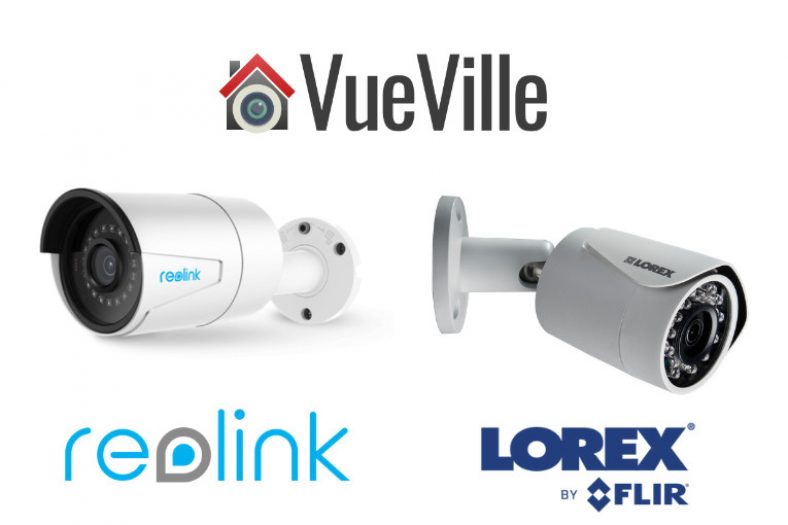
Installation and Ease of Use
Installation choices often guide the brand decision. I installed both wired Lorex kits and Reolink wireless systems in homes and found different trade-offs.
Lorex
- Wired PoE systems require running cables but give stable power and video.
- NVR setup is plug-and-play for cameras on the same network.
- Ideal for permanent installs where you don’t want to trim battery life.
Reolink
- Battery and Wi-Fi cameras can be set up in minutes without drills.
- PoE options still exist for wired installs.
- Best for renters, temporary monitoring, or hard-to-reach places.
Pro tip: If you dislike drilling or want a temporary setup, Reolink battery cameras save time. For a long-term, low-maintenance setup, Lorex wired systems are worth the effort.
Performance, Reliability, and Support
Reliability is where security systems earn trust. Here’s how Lorex vs Reolink compare on uptime and support.
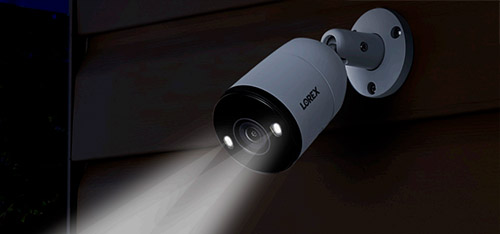
- Lorex typically offers solid hardware reliability. Metal housings and industrial designs resist weather and vandalism.
- Reolink gives a good balance between hardware reliability and cost. Battery cameras can be sensitive to extreme cold or heat.
- Support: Lorex often has official phone and live chat options. Reolink’s support is active online and responsive via email and forum channels.
From my experience, Lorex hardware survived tougher outdoor conditions over long periods. Reolink delivered fast fixes through firmware updates, especially for app features.
PAA-style question: Can Lorex or Reolink work without internet?
Answer: Yes. Lorex NVRs and Reolink local recording can record without internet, but remote viewing and cloud require a connection.
PAA-style question: Which brand has better motion detection?
Answer: It depends on model. Reolink often adds AI features in newer models, while Lorex uses proven motion settings with less false alarm tuning.
Best Use Cases: Who Should Choose Lorex and Who Should Choose Reolink
Choosing depends on goals, budget, and physical layout.
Choose Lorex when:
- You want continuous, high-quality local recording with an NVR.
- You need rugged, long-term outdoor installations.
- You prefer a turnkey wired package for a home or small business.
Choose Reolink when:
- You want flexible install options: battery, Wi-Fi, or PoE.
- You have a tight budget or need a scalable system.
- You value frequent app updates and easy DIY setup.
Real-world example: I set up a Lorex system in a rental house for continuous monitoring during tenant turnover. For a vacation home, Reolink battery cameras were ideal because I avoided running cables.
Pricing and Value
Cost matters. Here’s a simple comparison.
Lorex
- Higher upfront cost for NVR kits and 4K cameras.
- Lower long-term cloud costs if you rely on local storage.
- Better for buyers who want durable hardware.
Reolink
- Lower entry cost and many budget models.
- Flexible buying: single cameras to NVR kits.
- Good value for DIY users and renters.
Budget tip: Buy camera kits rather than individual parts to save money and ensure compatibility.
Pros and Cons Summary
Quick pros and cons for Lorex vs Reolink to help decide fast.
Lorex pros
- Strong wired NVR solutions and build quality.
- Excellent for continuous recording and long-term reliability.
- Professional-looking hardware.
Lorex cons
- Higher price and more invasive installation.
- Less flexible for temporary or wireless needs.
Reolink pros
- Flexible choices: PoE, Wi-Fi, battery.
- Excellent value and frequent software updates.
- Easy DIY installation.
Reolink cons
- Battery models need maintenance and can be affected by extreme weather.
- Some budget cameras trade off low-light performance.
My Experience, Tips, and Mistakes to Avoid
I’ve installed both brands dozens of times. Here are honest tips from real installs.
- Always test cameras on the network before mounting. This saves re-drilling walls.
- For outdoor placement, face the camera away from direct streetlights to reduce glare.
- Use PoE for reliability if you can run Ethernet. It beats Wi-Fi for stable video.
- If you choose battery cameras, schedule checks every 3 months. Batteries drain faster in cold weather.
- Avoid mixing NVR brands; using an all-Lorex NVR with Lorex cameras gives smoother performance.
Mistake I made: I once used a battery camera for 24/7 recording. It drained quickly and caused gaps. Battery cameras work best for event-triggered recordings.
Frequently Asked Questions of Lorex vs Reolink
Do Lorex and Reolink cameras work together?
Some cameras use standard protocols like RTSP, so mixing is possible but not always plug-and-play. For best stability, use matching cameras and recorders from the same brand.
Which brand has lower ongoing costs?
Reolink often has lower upfront and cloud costs. Lorex can be cheaper long-term if you rely on a local NVR and avoid cloud subscriptions.
Can I use Lorex or Reolink for business security?
Yes. Lorex is often preferred for small businesses needing continuous recording. Reolink fits small businesses that prefer flexible deployment and lower cost.
How hard is it to expand a Lorex or Reolink system?
Both are expandable. Lorex expansion is straightforward with compatible NVR channels. Reolink is flexible, especially with PoE switches and wireless additions.
Are firmware updates important for these brands?
Yes. Firmware updates improve security, add features, and fix bugs. Both Lorex and Reolink provide updates; installing them keeps systems secure and reliable.
Conclusion
Choosing between Lorex vs Reolink comes down to priorities: Lorex for rock-solid wired NVR systems and long-term durability, Reolink for flexible, budget-friendly options and quick DIY installs. Think about your installation permanence, need for continuous recording, and budget. My practical advice: pick PoE wired cameras for long-term stability, and choose battery or Wi-Fi models for quick or temporary setups.
Take action: list your needs—coverage area, recording length, and budget—and use this guide to match them to Lorex or Reolink. If you liked this guide, try a small test install and share your experience or questions below.


