
Z-Wave vs Zigbee Security Devices: Z-Wave favors simpler pairing; Zigbee offers denser mesh and device variety.

Exclusive Deals
Limited-time Exclusive Deals. Check current discount on Amazon.
Check Price on Amazon As an Amazon Associate I earn from qualifying purchases.I have spent years designing and testing smart home systems and securing devices. This article gives a deep, practical look at Z-Wave vs Zigbee Security Devices. You will learn how each protocol handles encryption, pairing, updates, known risks, and real-world trade-offs. I will share direct tips from field work, clear comparisons, and step-by-step advice so you can pick and secure the right system for your home.

What are Z-Wave vs Zigbee Security Devices?
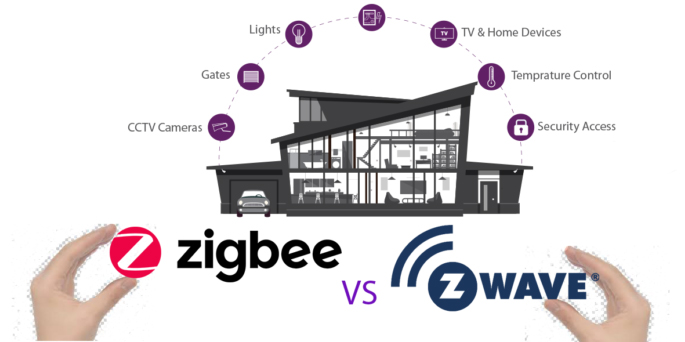
Z-Wave and Zigbee are short-range wireless standards for smart home gear. Both connect sensors, locks, cameras, and alarms. Z-Wave uses a simpler stack and a smaller device ecosystem. Zigbee uses a more flexible stack and supports many vendor profiles.
Key facts about each:
Exclusive Deals
Limited-time Exclusive Deals. Check current discount on Amazon.
Check Price on Amazon As an Amazon Associate I earn from qualifying purchases.- Z-Wave: Operates on sub-GHz bands in many regions, with good wall penetration and lower interference from Wi‑Fi.
- Zigbee: Uses 2.4 GHz globally, allowing more bandwidth and greater device density but more Wi‑Fi interference.
- Both use AES-128 encryption for secure links between devices and hubs.
- Both support mesh networking, so sensors can relay traffic to extend range.
Why the phrase matters: choosing between Z-Wave vs Zigbee Security Devices affects device mix, hub choice, and how you harden your smart home.

How security works: Z-Wave vs Zigbee Security Devices
Z-Wave and Zigbee both add crypto to protect messages. But they differ in pairing, key management, and secure profiles.
Z-Wave security model:
- Security 2 (S2) is the modern Z-Wave standard. It uses authenticated key exchange and AES-128.
- Pairing often shows a QR code or uses a PIN. This reduces rogue joins.
- S2 separates device classes into Access Control, Authenticated, and Unauthenticated keys for fine control.
Zigbee security model:
Exclusive Deals
Limited-time Exclusive Deals. Check current discount on Amazon.
Check Price on Amazon As an Amazon Associate I earn from qualifying purchases.- Zigbee uses a network key and link keys per device. Modern stacks support unique link keys per device.
- Commissioning can use a trust center (hub) that distributes keys. Newer Zigbee versions use install codes and certificates for safer joins.
- Profiles and clusters define device actions. Some older devices used default or shared keys, which raised risks.
Practical security differences:
- Z-Wave S2 tends to have clearer user prompts during pairing. That reduces accidental insecure joins.
- Zigbee offers more flexible device profiles but requires careful trust-center setup to avoid shared-key pitfalls.
- Both protocols depend on the hub for secure firmware updates, key storage, and network control.
PAA-style question: Is AES-128 enough for home security?
- AES-128 is secure when keys are kept safe and firmware is updated. Weaknesses usually come from poor key handling, not the cipher itself.

Real-world performance and vulnerabilities
Range and mesh behavior:
- Z-Wave has slightly better range per hop in many home layouts. It can penetrate walls better.
- Zigbee supports more hops and higher node density. Good for many battery devices close together.
Common vulnerabilities and how they show up:
- Weak pairing methods on some older Zigbee devices allowed unauthorized joins.
- Some Z-Wave devices shipped with weak or no S2 support, exposing network keys if the hub was misconfigured.
- Unpatched firmware is the biggest real risk. Attackers exploit old stacks and device-specific bugs.
Examples from field:
- I installed a mix of Z-Wave vs Zigbee Security Devices in a two-story house. Z-Wave locks held solid links through thick walls. Zigbee light switches had faster response when many repeaters existed.
- In one test, a cheap Zigbee sensor used a shared default key. After a firmware update, the vendor fixed it. This shows why updates matter.
Mitigations:
- Use hubs from reputable vendors that support secure commissioning.
- Update device firmware promptly.
- Segment your IoT network from your main Wi‑Fi to reduce lateral attack risk.

Choosing the right Z-Wave vs Zigbee Security Devices for your home
Start with goals. Ask what matters more: range, device choice, or ecosystem size.
When to pick Z-Wave:
- You want strong wall penetration and stable links for locks and sensors.
- You prefer a smaller, more controlled device ecosystem.
- You value clear pairing flows like S2.
When to pick Zigbee:
- You need lots of cheap devices and light controls around the house.
- You want devices that can use a dense mesh and smaller hops.
- You are comfortable managing a trust center and device keys.
Compatibility and hubs:
- Some hubs support both Z-Wave and Zigbee. That can simplify mixed setups.
- Check device certificates and security level (S2 or higher, unique link keys, install codes).
- Read hub docs about secure backup and key export. Don’t choose a hub that stores master keys in plain text.
Personal tip:
- I once built a hybrid system. I used Z-Wave for door locks and security sensors. I used Zigbee for many lights. That mix gave me strong security where it mattered and lots of flexible lighting options.
Best practices to secure Z-Wave vs Zigbee Security Devices
Follow simple, strong rules to protect your network and devices.
Before installation:
- Buy devices that support modern security (Z-Wave S2, Zigbee with install codes or unique link keys).
- Check vendor history on updates and security fixes.
During setup:
- Use secure commissioning on the hub. Follow on-screen pairing steps fully.
- Avoid default PINs and codes. Change any default passwords.
- Put IoT devices on a segmented VLAN or guest Wi‑Fi to limit access.
Ongoing maintenance:
- Enable automatic updates if the hub and devices support them.
- Periodically check for firmware advisories and apply patches.
- Disable remote admin if you don’t need it, or use VPN for access.
Operational tips:
- Use a dedicated hub admin account with strong password and two-factor auth if available.
- Remove old or unused devices. Old gear can be a hidden weak link.
- Log and monitor device behavior. Unusual traffic can signal compromise.

Practical setup checklist for Z-Wave vs Zigbee Security Devices
Use this step list when you add a device.
- Verify device supports secure mode (S2 or unique link key).
- Update hub firmware first.
- Reset device to factory state before pairing.
- Pair device using secure method shown by hub.
- Assign device to IoT VLAN or guest SSID.
- Change default names and PINs.
- Confirm device firmware and enable auto-update or schedule checks.
This checklist helped me avoid mispaired devices and a messy network in real builds.

Frequently Asked Questions of Z-Wave vs Zigbee Security Devices
What is the main security difference between Z-Wave and Zigbee?
Z-Wave uses S2 with clear authenticated pairing flows. Zigbee relies on a trust center and per-device keys but has more legacy devices with shared keys. Both can be secure if implemented and updated properly.
Can I mix Z-Wave vs Zigbee Security Devices on one hub?
Yes. Many hubs support both radio types. Mixing is common and lets you use the strengths of each protocol.
Are Z-Wave vs Zigbee Security Devices easy to hack?
No system is immune. Most breaches happen from unpatched firmware, poor hub settings, or weak network segmentation rather than the radio protocol itself.
Do I need a paid subscription for secure updates?
Not usually. Firmware updates often come free from vendors or hubs, but some hub platforms charge for cloud services that include extra management features.
Which protocol is better for locks and sensors?
Z-Wave often edges out for locks and door sensors due to slightly better range and consistent S2 support. Zigbee can be just as good when devices and hubs use secure commissioning.
How often should I check for firmware updates?
Check at least once a month, and enable auto-updates if you trust the vendor. Critical patches may arrive outside schedules and should be applied promptly.
Conclusion
Choosing between Z-Wave vs Zigbee Security Devices comes down to trade-offs. Z-Wave gives clear pairing and strong range for core security gear. Zigbee offers broad device choice and dense mesh options. Both can be secure when you pick modern devices, use a trusted hub, update firmware, and segment your network. Start with a plan: decide which devices need the most protection, pick a protocol that fits those needs, and follow the checklist above. Take action now—review your devices, apply pending updates, and secure your smart home. Leave a comment or share your setup to learn more and get tailored tips.


