
Smart Doorbell vs Peephole Viewer: Smart doorbells offer live video, audio, and remote alerts; peephole viewers are simple, private, and low-cost.
As someone who has installed both smart doorbells and peephole viewers in homes and rental units, I’ll walk you through a clear, practical comparison of Smart Doorbell vs Peephole Viewer. You’ll learn how they differ in features, privacy, cost, installation, and real-life use so you can pick the right option for your needs. This guide blends hands-on experience, technical facts, and friendly advice to help you decide with confidence.


Exclusive Deals
Limited-time Exclusive Deals. Check current discount on Amazon.
Check Price on Amazon As an Amazon Associate I earn from qualifying purchases.Quick comparison: What sets them apart
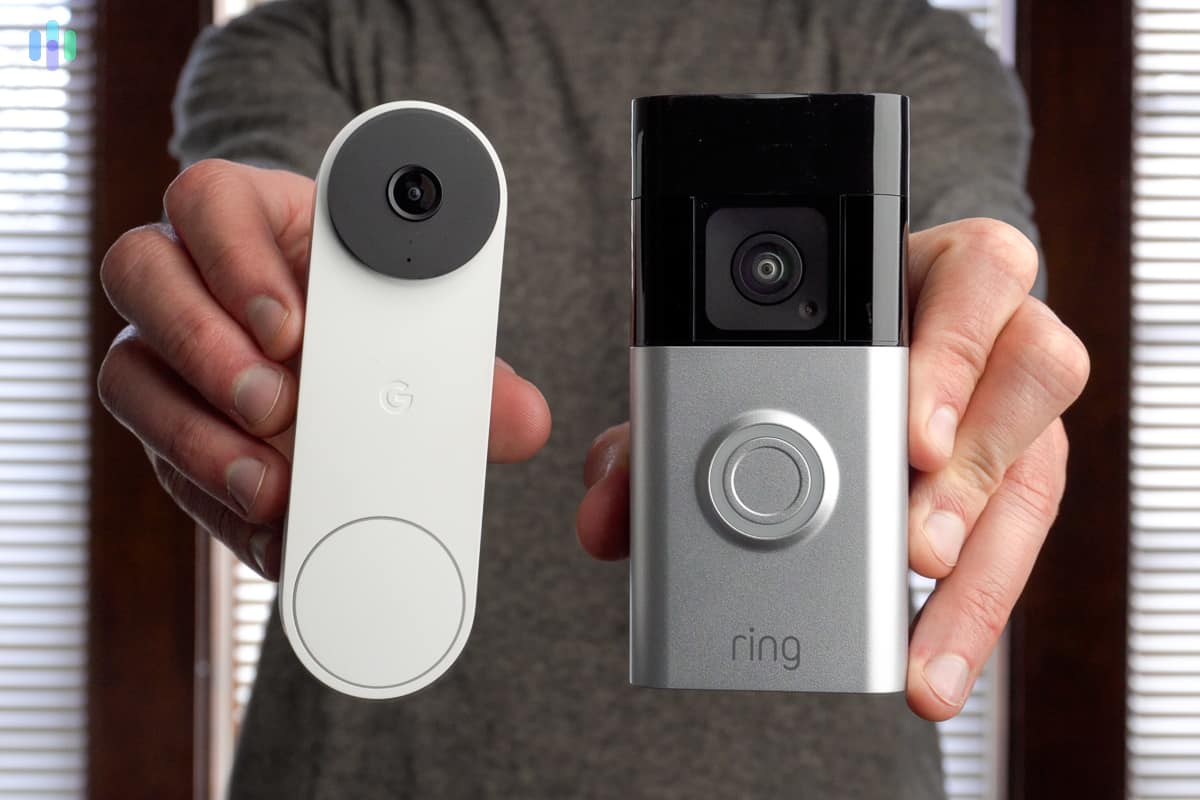
Smart Doorbell vs Peephole Viewer boils down to functionality versus simplicity. Smart doorbells add cameras, motion alerts, and remote access. Peephole viewers keep things private, require no network, and are cheap and durable. Choosing depends on what you value most: connectivity and features, or privacy and minimal upkeep.

Detailed feature comparison
Here we break down the main capabilities so you can compare Smart Doorbell vs Peephole Viewer on practical terms.
- Video and live view
- Smart doorbell: Streams HD video to an app. You can view live or recorded clips from anywhere.
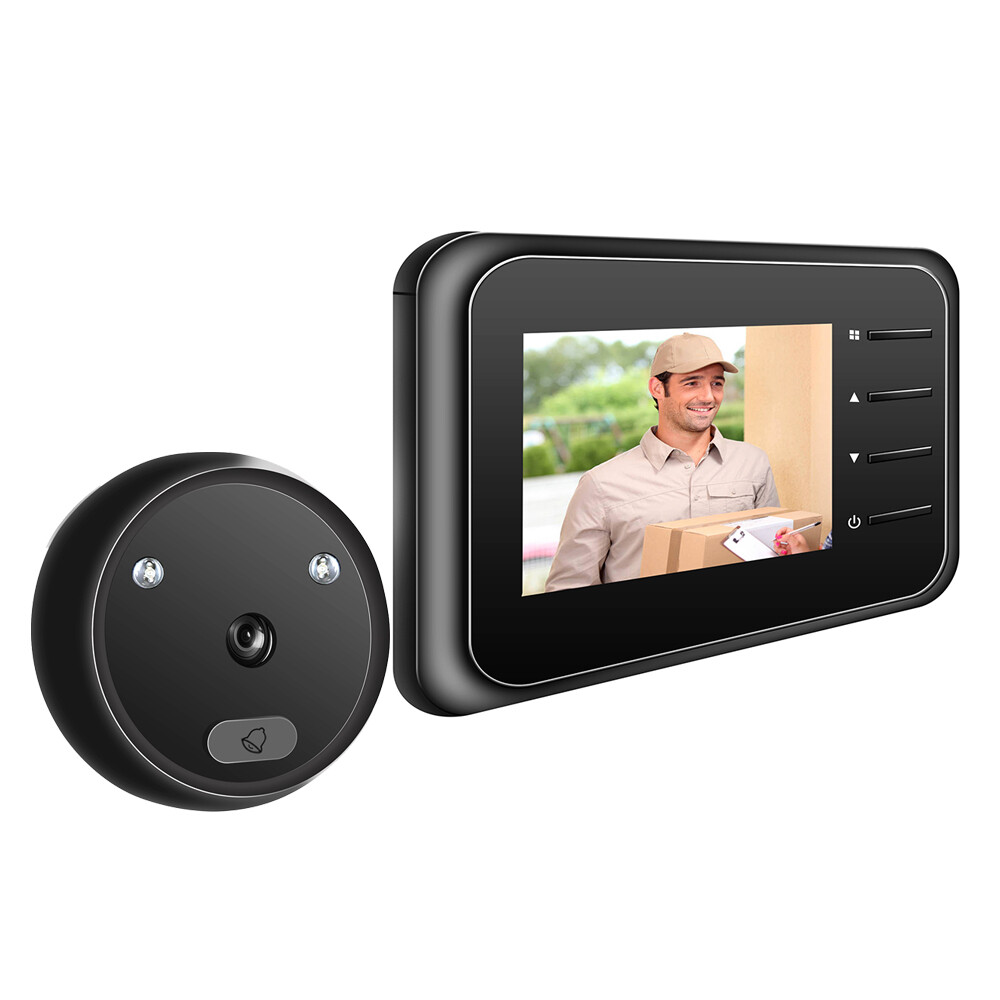
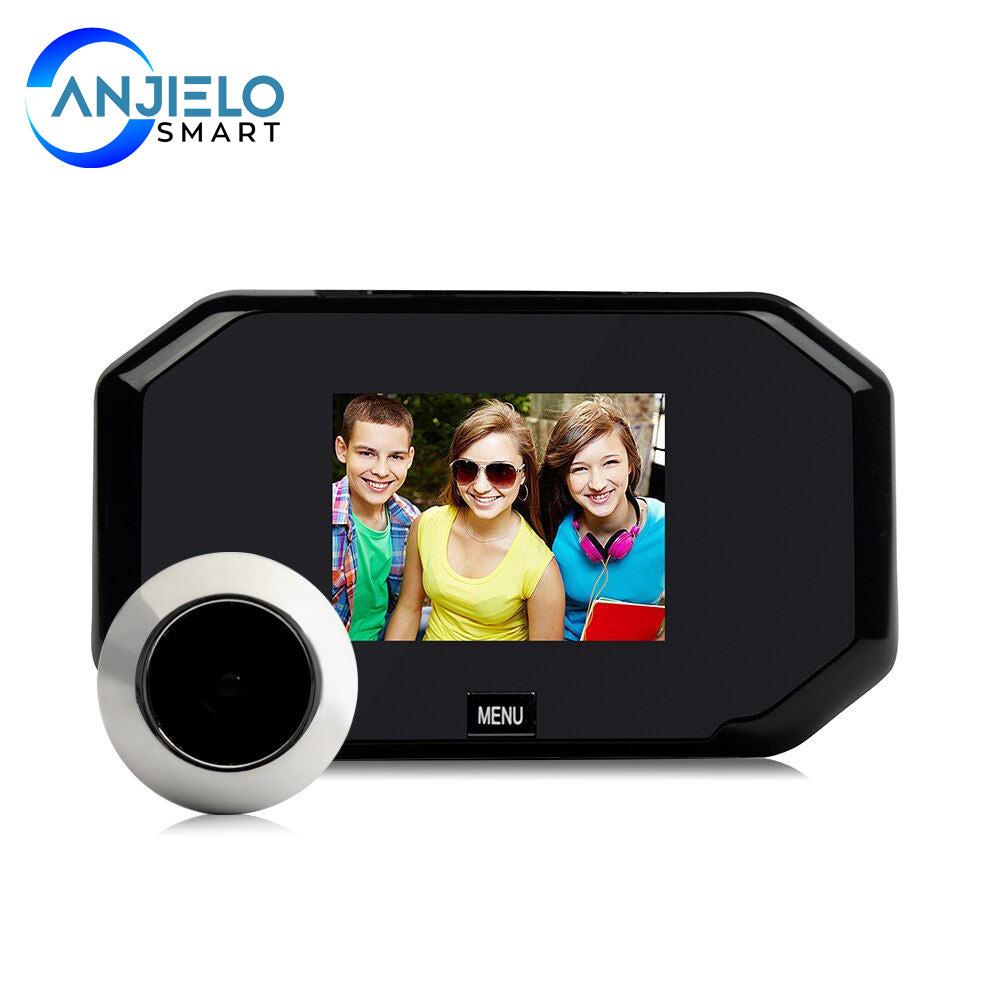
- Peephole viewer: Shows a wide-angle still or short live view through the door’s peephole lens, usually without recording.
- Two-way audio
- Smart doorbell: Offers two-way talk with noise reduction. You can speak to visitors remotely.
- Peephole viewer: No remote audio. Some electronic peepholes have a one-way speaker or intercom but rarely two-way remote talk.
- Motion detection and alerts
- Smart doorbell: Sends push alerts and can filter motion zones. Alerts work over Wi‑Fi.
- Peephole viewer: No motion alerts unless paired with a separate sensor or alarm.
- Power options
- Smart doorbell: Battery or wired. Battery models need periodic recharge. Wired models draw doorbell transformer power.
- Peephole viewer: Usually battery-powered with long life or passive optical. Maintenance is minimal.
- Storage and privacy
- Smart doorbell: Offers cloud or local storage. Cloud plans may cost more and raise privacy questions.
- Peephole viewer: Often no recording, so fewer privacy concerns and no subscription.
- Integration with smart home
- Smart doorbell: Integrates with smart locks, hubs, and voice assistants.
- Peephole viewer: Rarely integrates beyond basic doorbell chimes.
Exclusive Deals
Limited-time Exclusive Deals. Check current discount on Amazon.
Check Price on Amazon As an Amazon Associate I earn from qualifying purchases.Installation, cost, and maintenance
Cost and installation time vary between smart doorbells and peephole viewers. Here’s what to expect.
- Upfront cost
- Smart doorbell: $70–$300 depending on brand and features. Add $3–$10/month for cloud storage if desired.
- Peephole viewer: $20–$120 for electronic models; basic optical viewers are under $20.
- Installation complexity
- Smart doorbell: Requires Wi‑Fi setup and possibly wiring. Installation can take 20–60 minutes for DIY. Professional install adds cost.
- Peephole viewer: Simple swap or drill for a new peephole. Usually a 10–20 minute job.
- Maintenance
- Smart doorbell: Firmware updates, battery charging, and subscription management.
- Peephole viewer: Rarely needs updates; battery changes are infrequent for electronic units.
- Lifespan
- Smart doorbell: 3–7 years depending on build and battery health.
- Peephole viewer: Mechanical peepholes can last decades; electronic viewers last many years with minimal upkeep.

Privacy and security considerations
Privacy is a major factor when debating Smart Doorbell vs Peephole Viewer.
Exclusive Deals
Limited-time Exclusive Deals. Check current discount on Amazon.
Check Price on Amazon As an Amazon Associate I earn from qualifying purchases.- Data handling
- Smart doorbell: Streams and stores video that may be hosted by the manufacturer. Check encryption standards and data retention policies.
- Peephole viewer: Usually stores nothing in the cloud. It’s more private by default.
- Risk surface
- Smart doorbell: Adds potential attack vectors if weak passwords or unpatched firmware are used. Use strong passwords and enable two-factor authentication.
- Peephole viewer: Very low risk since most models are offline.
- Legal and neighbor issues
- Smart doorbell: Cameras that capture public spaces or neighbors can raise legal concerns. Follow local privacy laws.
- Peephole viewer: Focused on the entryway only, so fewer legal issues.
Performance and reliability
How each device behaves day to day matters for real users.
- Weather and durability
- Smart doorbell: Many are weatherproof but can degrade in extreme climates. Check IP ratings.
- Peephole viewer: Mechanical peepholes are robust. Electronic peepholes are usually designed for indoor-door environments.
- Network dependence
- Smart doorbell: Needs stable Wi‑Fi for live view and alerts. Weak Wi‑Fi leads to lag or missed events.
- Peephole viewer: Works without network. It’s reliable even during internet outages.
- False alerts and usability
- Smart doorbell: Can produce false motion alerts from cars, wind, or animals until tuned.
- Peephole viewer: No false alerts because there are none; you check only when someone rings or you peer through.

Use cases: Which is best for whom?
Real-world scenarios help choose between Smart Doorbell vs Peephole Viewer.
- Renters and apartment dwellers
- Peephole viewer: Low-impact, no wiring, and landlord-friendly. Ideal for privacy-minded renters.
- Smart doorbell: Useful if building rules allow and you want delivery monitoring.
- Families with kids or seniors
- Smart doorbell: Great for remote monitoring and keeping an eye on deliveries and visitors.
- Peephole viewer: Simple and quick for seniors who prefer a physical glance.
- Vacation homes and security-focused owners
- Smart doorbell: Good for remote surveillance and integration with alarm systems.
- Peephole viewer: Minimal, trusted solution when network access is limited or unwanted.
- Shared housing and roommates
- Peephole viewer: Avoids sharing access to cloud accounts.
- Smart doorbell: Can be useful if roommates agree on shared access and privacy settings.
Personal experience, tips, and pitfalls
I’ve installed both systems in several homes. Here are practical tips I learned the hard way.
- Match device to door height and layout
- Tip: Measure eye level and sightlines before buying. A camera placed too high or too low misses faces. I once mounted a doorbell too high and missed most visitors’ faces.
- Prioritize secure setup for smart doorbells
- Tip: Change default passwords, set strong Wi‑Fi encryption, and enable two-factor authentication. I prevented a potential intrusion by updating firmware regularly.
- Use local storage if privacy matters
- Tip: Pick a model with an SD slot or local hub if you want recordings without the cloud. This saved me subscription fees and gave peace of mind.
- Consider a hybrid approach
- Tip: Use an optical peephole as a backup for when the network is down. I paired a smart doorbell with an old peephole for redundancy.

Buying checklist: How to choose
Use this checklist before you buy to align features with your needs.
- Confirm door and wiring compatibility.
- Check Wi‑Fi strength at the door location.
- Decide on battery vs wired power.
- Choose cloud vs local storage based on privacy preference.
- Verify integration with smart locks and voice assistants you use.
- Read privacy policies and encryption specs.
- Compare field of view and resolution for facial recognition.
- Consider weather rating (IP65+ recommended for outdoors).

Smart Doorbell vs Peephole Viewer: Final decision guide
If you want remote access, recording, and home automation, a smart doorbell fits best. If you prefer simplicity, privacy, low cost, and rock-solid reliability, a peephole viewer is ideal. Many households profit from combining both: a smart doorbell for alerts and recording, plus a peephole for instant, private checks.
Frequently Asked Questions of Smart Doorbell vs Peephole Viewer
Which is more private: smart doorbell or peephole viewer?
Peephole viewers are more private because they typically do not record or transmit data over the internet. Smart doorbells store and stream footage, which raises privacy considerations unless you use local storage and strong security settings.
Can a smart doorbell replace a peephole viewer?
A smart doorbell can replace a peephole if you want remote video and two-way audio, but it depends on camera placement and network reliability. Some people keep both for redundancy and privacy.
How much does a smart doorbell cost compared to a peephole viewer?
Smart doorbells range from about $70 to $300 for hardware, plus possible monthly fees for cloud storage. Peephole viewers generally cost between $20 and $120 with little to no ongoing fees.
Do smart doorbells require Wi-Fi?
Yes, most features of smart doorbells require Wi‑Fi for live streaming, push alerts, and cloud storage. Without Wi‑Fi, you may lose remote access and many smart features.
Are smart doorbells secure from hackers?
Smart doorbells can be secure if you follow best practices like updating firmware, using strong passwords, enabling two-factor authentication, and reviewing privacy settings. Poor setup and weak passwords increase vulnerability.
Is installation difficult for each device?
Peephole viewers are usually easy to install and often DIY-friendly. Smart doorbells can be simple or complex depending on wiring needs and mounting surface, and sometimes require a pro for best results.
Conclusion
Smart Doorbell vs Peephole Viewer is a choice between advanced features and simple reliability. Smart doorbells excel at remote monitoring, alerts, and integration. Peephole viewers shine for privacy, low cost, and fail-safe operation. Use the buying checklist and practical tips above to match the option to your home and habits. Take action by testing Wi‑Fi at your door, listing must-have features, and deciding whether privacy or connectivity is your priority. Share your decision or questions below, and subscribe for more hands-on home tech guidance.


