
Motion sensors detect movement quickly; security cameras record visuals and provide clear evidence.

Exclusive Deals
Limited-time Exclusive Deals. Check current discount on Amazon.
Check Price on Amazon As an Amazon Associate I earn from qualifying purchases.I have spent years testing home security tech and writing about surveillance solutions. This article breaks down Motion Sensor vs Security Camera with clear, practical advice. You will learn how each device works, real-world pros and cons, installation tips, cost trade-offs, and which choice fits common scenarios. Read on to make an informed decision that protects your home and peace of mind.

How motion sensors work and when they trigger
Motion sensors sense change in an environment and send an alert. Common types include passive infrared (PIR), microwave, and dual-technology sensors. PIR sensors detect heat and movement. Microwave sensors send radio waves and look for reflections. Dual sensors combine both to reduce false alarms.
Motion sensors trigger instantly. They can turn lights on, sound alarms, or ping your phone. They do not capture video unless paired with a camera. That makes them fast and power efficient.
Exclusive Deals
Limited-time Exclusive Deals. Check current discount on Amazon.
Check Price on Amazon As an Amazon Associate I earn from qualifying purchases.Use cases for motion sensors include entryways, garages, and dark outdoor areas. They are ideal for detecting presence quickly and conserving battery life in wireless setups.
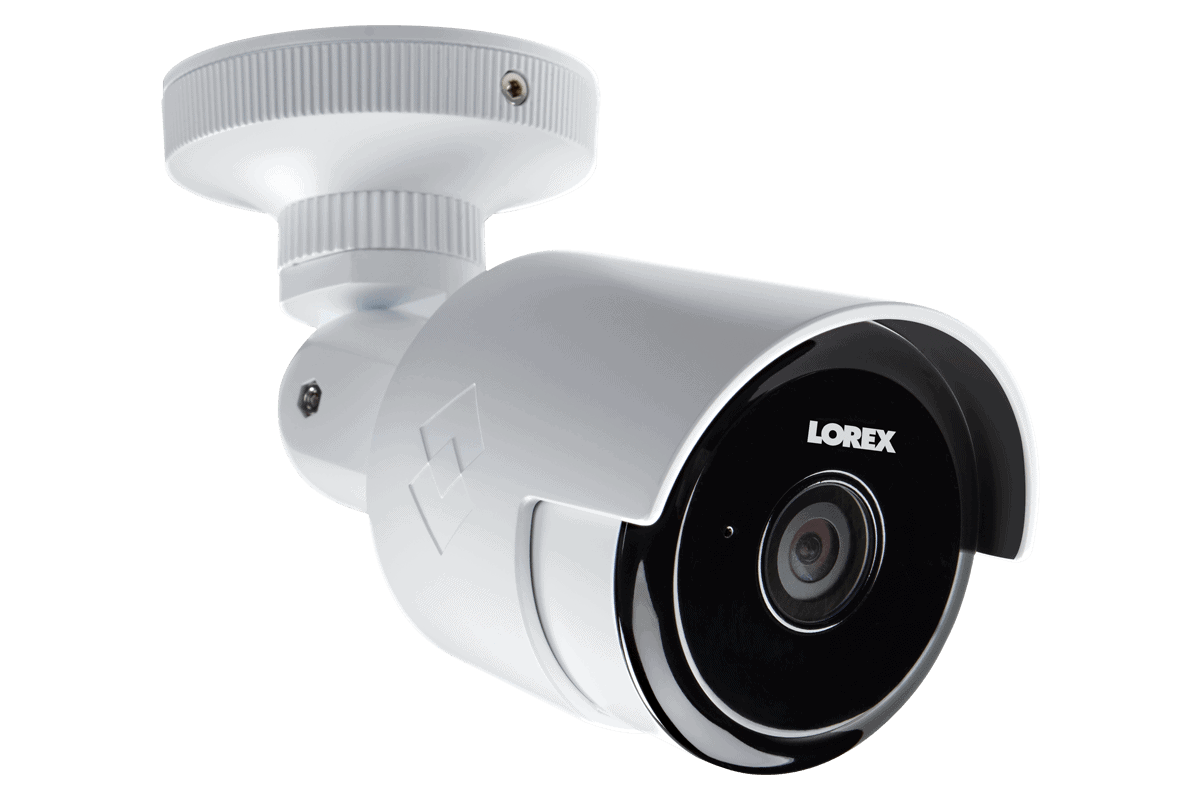
How security cameras work and what they capture
Security cameras capture visual and sometimes audio records. Modern cameras include features such as motion detection, night vision, two-way audio, and local or cloud recording. They can be wired or wireless. Resolution commonly ranges from 720p to 4K. Smart cameras add AI-based person detection.
Cameras offer evidence. When something happens, you can review footage and identify people, vehicles, or actions. Cameras also act as deterrents. Visible lenses discourage casual burglars.
Cameras require more bandwidth and storage than motion sensors. They usually need more power. For continuous recording, costs can rise for storage and data.
Exclusive Deals
Limited-time Exclusive Deals. Check current discount on Amazon.
Check Price on Amazon As an Amazon Associate I earn from qualifying purchases.
Key differences: Motion Sensor vs Security Camera
Understanding the core differences helps pick the right tool. Below are the main contrasts.
- Purpose and output. Motion sensors detect movement and send alerts. Security cameras record footage and provide visual proof.
- Cost and power. Motion sensors are cheaper and use less power. Cameras cost more and need stable power or frequent charging.
- Privacy and data. Sensors do not record images, reducing privacy concerns. Cameras record video and can raise data and privacy issues.
- False alarms. Motion sensors can trigger false alerts from pets or HVAC. Cameras with AI can reduce false positives by identifying humans.
- Deterrence. Cameras often deter crime. Sensors alone do not visibly deter intruders.
I recommend thinking of Motion Sensor vs Security Camera as complementary, not mutually exclusive. Use sensors for fast detection and cameras for verification.

Benefits of motion sensors
Motion sensors bring several practical gains.
- Low cost. They are affordable to buy and install.
- Low power consumption. Batteries last months to years in typical use.
- Fast alerts. They trigger almost instantly, ideal for automations.
- Privacy-friendly. They do not produce video, which reduces data exposure.
From my experience, a smart motion sensor by the front door saved dozens of false late-night alerts by adjusting sensitivity. They are excellent for simple, low-maintenance setups.

Benefits of security cameras
Security cameras shine where visual proof matters.
- Evidence collection. Video can identify a suspect or clarify events.
- Remote monitoring. You can view live feeds from anywhere.
- Deterrent effect. Visible cameras reduce opportunistic crime.
- Advanced features. Face detection, license plate reading, and cloud analytics add value.
I once reviewed a case where footage from a camera solved a neighborhood vandalism issue. Video made it easy to identify the vehicle and help police.

Limitations and common problems
Both options have drawbacks. Know them before buying.
-
Motion sensors
- False positives caused by pets or heating systems.
- No visual confirmation, which can lead to uncertainty.
- Limited range and field of view.
-
Security cameras
- Higher cost for good resolution and storage.
- Bandwidth and data use can be high.
- Privacy and legal considerations when recording public spaces.
When comparing Motion Sensor vs Security Camera, consider environment, budget, and tolerance for maintenance.

Installation, placement, and maintenance tips
Correct setup makes the biggest difference for either device.
- Placement matters. Put sensors at entry points and cameras with wide views of approach paths.
- Height and angle. Mount sensors at recommended heights to avoid pet triggers. Place cameras slightly above eye level for natural perspective.
- Power planning. Choose wired power for 24/7 cameras; select battery or low-power sensors for easy installs.
- Network and storage. Secure your Wi-Fi and set up encrypted cloud accounts. Use local storage for privacy if preferred.
- Test after install. Walk test motion detectors; review camera clips at day and night to confirm coverage.
From my tests, a small placement change reduced false alarms by 70 percent. Take time to tune sensitivity.

Cost comparison and ROI
Budgeting is straightforward when you break down costs.
-
Motion sensors
- Lower upfront cost per unit.
- Minimal ongoing costs for batteries occasionally.
- Fast return if used to trigger lights or alarms and reduce incidents.
-
Security cameras
- Higher upfront cost for quality hardware.
- Ongoing costs for cloud storage or more electricity.
- High ROI when footage prevents theft or aids recovery.
If you want both detection and evidence, combining motion sensors with cameras often gives the best ROI.
Use cases and recommendations: which to choose
Here are practical recommendations based on common needs.
- Best for simple alerts and automation: Motion sensors.
- Best for evidence, monitoring, and deterrence: Security cameras.
- Best for small budgets: Start with motion sensors and add a camera later.
- Best for full security: Use motion sensors to trigger cameras and lights. This reduces recording time and cuts storage needs.
I advise homeowners to assess threats. For high-risk properties, invest more in cameras with motion-triggered recording. For low-risk, sensors can provide reliable peace of mind.
Personal experience and lessons learned
I have installed both systems in homes and rentals. Here are honest takeaways from real projects.
- Lesson 1: Combine devices. Motion sensors cut false alarms, cameras give proof. The combo works best.
- Lesson 2: Tune settings. Sensitivity and detection zones are critical. I learned this after many false alarms from a sensor facing a tree.
- Lesson 3: Prioritize clear footage. Cheap cameras with poor night vision are almost useless. Spend a bit more on optics.
- Lesson 4: Secure accounts. I once helped a client recover from exposed camera feed due to weak passwords. Use strong passwords and two-factor authentication.
These real-world examples should help you avoid common mistakes and build a stronger system.
Motion Sensor vs Security Camera: quick decision checklist
Use this checklist to choose the right setup.
- Need visual proof? Choose cameras.
- Need low cost and quick alerts? Choose motion sensors.
- Want both deterrence and low false alarms? Use motion-triggered cameras.
- Concerned about privacy? Use sensors or local storage for cameras.
- Budget limited? Start with sensors and add a camera later.
This simple checklist helps you act rather than overthink.
Frequently Asked Questions of Motion Sensor vs Security Camera
What is the main difference between a motion sensor and a security camera?
Motion sensors detect movement and send alerts but do not record images. Security cameras capture visual footage and sometimes audio for review and evidence.
Can motion sensors replace security cameras?
Motion sensors can replace cameras for basic detection and automation. They cannot replace cameras when you need visual proof or remote live viewing.
How do I reduce false alarms from motion sensors?
Place sensors away from HVAC vents and high-traffic branches. Adjust sensitivity settings and use pet-friendly sensors to lower false alerts.
Do security cameras need constant internet?
Some cameras record locally without constant internet, but many cloud features require internet. Live remote viewing and cloud backups need a reliable connection.
Are motion sensors better for privacy?
Yes. Motion sensors typically do not record video, so they expose less personal data and involve fewer privacy concerns.
Conclusion
Choosing between Motion Sensor vs Security Camera depends on your priorities: quick, low-cost detection or visual evidence and deterrence. Many modern systems combine both to get the best of each world. Start by mapping risk areas, then pick sensors for rapid alerts and cameras where proof matters. Take the time to tune settings, secure accounts, and place devices thoughtfully.
Take action today: audit your property, pick one high-impact area to secure, and test a combined sensor-camera approach. If you found this guide useful, try one small change this week and leave a comment about your results.


