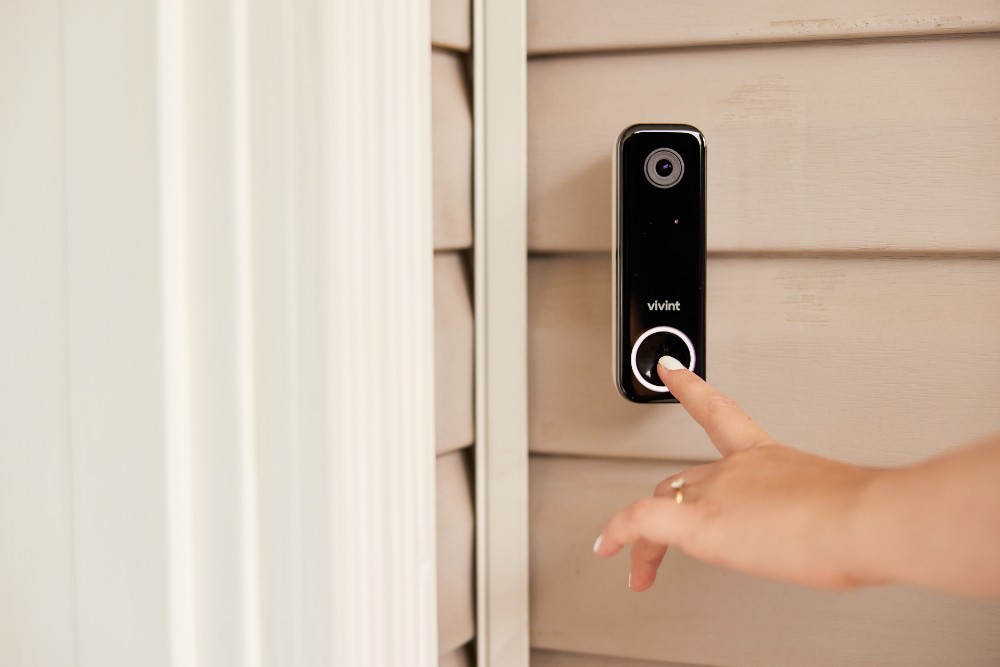
Do Video Doorbells Work During Power Outages?
Video doorbells are everywhere today. You see them on apartment doors, suburban homes, and even office buildings. They promise security, convenience, and a new level of control over who enters your space. But what happens if the power goes out?

Exclusive Deals
Limited-time Exclusive Deals. Check current discount on Amazon.
Check Price on Amazon As an Amazon Associate I earn from qualifying purchases.Will your video doorbell keep working, or will you be left in the dark—literally and figuratively? Many people assume these devices are always reliable, but the truth is more complex. If you rely on a video doorbell to protect your property or greet visitors, it’s important to understand exactly how these devices handle power outages.
Let’s dive into the details, explore how video doorbells function during blackouts, and see what you can do to stay prepared.
How Video Doorbells Work
To understand their behavior during power outages, you first need to know how video doorbells operate. These devices combine several technologies:
- Camera: Captures video footage of the front door area.
- Microphone and speaker: Allows two-way audio communication.
- Wi-Fi connection: Sends video and audio to your smartphone or computer.
- Motion sensor: Triggers alerts when someone approaches.
- Power source: Usually wired to the home’s electricity or powered by a rechargeable battery.
Most modern video doorbells work with a mobile app, letting you see and speak to visitors from anywhere. Cloud storage saves recordings, but some models offer local storage on SD cards. In normal conditions, this setup is seamless. The doorbell uses your home’s power and Wi-Fi to operate around the clock.
Exclusive Deals
Limited-time Exclusive Deals. Check current discount on Amazon.
Check Price on Amazon As an Amazon Associate I earn from qualifying purchases.Power Sources For Video Doorbells
Not all video doorbells use the same power source. Understanding the difference is key for predicting their behavior during a blackout.
Wired Video Doorbells
These are connected directly to your home’s electrical system. They often replace a traditional doorbell. Popular models include the Ring Video Doorbell Pro and Nest Hello. Wired units rely on continuous AC power and often use the home’s Wi-Fi.
Battery-powered Video Doorbells
Some video doorbells, like the Ring Video Doorbell 2 and Eufy Video Doorbell, use rechargeable batteries. They don’t depend on house wiring and can be installed almost anywhere. Most battery-powered units still need Wi-Fi, but their main functions can continue without electrical power as long as their battery is charged.
Hybrid Video Doorbells
A few models offer both wired and battery options. For example, the Ring Video Doorbell 3 can be wired for power or run on its built-in battery. This flexibility can help during outages.
| Model | Power Source | Wi-Fi Required? | Battery Backup? |
|---|---|---|---|
| Ring Video Doorbell Pro | Wired | Yes | No |
| Ring Video Doorbell 2 | Battery | Yes | Yes |
| Nest Hello | Wired | Yes | No |
| Eufy Video Doorbell | Battery | Yes | Yes |
| Ring Video Doorbell 3 | Hybrid | Yes | Yes |

What Happens During A Power Outage?
When the electricity goes out, the effect on your video doorbell depends on its power source and network connection.
Exclusive Deals
Limited-time Exclusive Deals. Check current discount on Amazon.
Check Price on Amazon As an Amazon Associate I earn from qualifying purchases.Wired Models
If your video doorbell is wired to the house, it will stop working during a power outage. The camera, microphone, motion sensor, and Wi-Fi module all need electricity. Without it, the doorbell is basically dead. Even if your internet is still running (for example, on a backup generator), the doorbell itself won’t work.
Battery-powered Models
Battery-powered video doorbells are more resilient. If the power goes out, they keep working—as long as the battery has charge. However, they still rely on your Wi-Fi network to transmit video and audio. If your router and modem lose power, your doorbell cannot send alerts to your phone or record footage to the cloud.
Hybrid Models
Hybrid models with battery backup switch to battery power during outages. This means the doorbell itself works, but you will still need the Wi-Fi to be running. If you have a backup power supply for your Wi-Fi router and modem, you can keep receiving alerts and viewing live video.
Wi-fi Dependency
Even battery-powered doorbells are limited by the Wi-Fi connection. If your router goes down with the power, your doorbell can only record locally (if it has an SD card). You won’t get alerts or live video on your phone. This is a common mistake: many people think their battery-powered doorbell will “just work” during a blackout, but they forget about the network.
| Doorbell Type | Works During Power Outage? | Needs Wi-Fi? | Local Recording? |
|---|---|---|---|
| Wired | No | Yes | Rarely |
| Battery | Yes (if battery charged) | Yes | Sometimes |
| Hybrid | Yes (if battery backup) | Yes | Sometimes |
Backup Solutions And Workarounds
If you want your video doorbell to work during a power outage, there are practical ways to improve reliability.
1. Uninterruptible Power Supply (ups)
A UPS is a battery backup for electronics. You can connect your Wi-Fi router and modem to a UPS. When power goes out, the UPS keeps the network running for a limited time (usually 1–2 hours). This means battery-powered doorbells can still send alerts and record to the cloud.
2. Solar Chargers
Some video doorbells support solar charging. This is useful for battery-powered models. Solar panels keep the battery charged even during extended outages. However, solar charging only works in areas with enough sunlight.
3. Local Storage
Choose a doorbell with local recording (SD card). Even if the Wi-Fi and power are down, some doorbells can record footage locally. You will need to retrieve the SD card later to view recordings.
4. Cellular Hotspot
If your home internet goes down, you can use a cellular hotspot as a temporary Wi-Fi source. This is only practical if you have a portable hotspot and enough battery power.
5. Generator Backup
For longer outages, a generator can keep your home’s power running. This will allow wired video doorbells and your Wi-Fi network to continue working. However, generators are expensive and noisy.
Real-world Examples And Data
Many homeowners face power outages each year. According to the U.S. Energy Information Administration (EIA), the average American experienced 7.6 hours of power outages in 2022. Storms, accidents, and grid failures are common causes.
- In Texas, the 2021 winter storm led to millions losing power for days. Many security systems stopped working, including video doorbells.
- In California, wildfires often cause planned blackouts. Residents depend on battery-powered security devices, but many forget to power their routers.
- A survey by Consumer Reports found that 62% of video doorbell users were unsure if their device would work during an outage.
This data shows that relying only on a video doorbell for security during outages is risky. Planning for backup power is essential.
Key Features To Look For When Choosing A Video Doorbell
If you live in an area with frequent power outages, some features are more important than others:
- Battery backup: Ensures operation during blackouts.
- Local storage: Allows recording without internet.
- Low power consumption: Extends battery life during outages.
- Solar charging: Keeps batteries charged without electricity.
- Easy battery replacement: Lets you swap batteries quickly.
- Flexible installation: Works with or without wiring.
Avoid models that depend only on wired power. Look for battery or hybrid options with SD card recording.

Common Mistakes And How To Avoid Them
Even tech-savvy users make mistakes with video doorbells and power outages.
- Assuming battery equals independence: Many forget that Wi-Fi is needed for alerts and cloud recording.
- Ignoring battery maintenance: Letting the battery run low means the doorbell won’t work during an outage.
- Overlooking router power: Not backing up the Wi-Fi router results in lost connectivity.
- Choosing only wired devices: Wired-only models are useless during blackouts.
- Not checking local storage: Some devices don’t support SD cards, so footage is lost.
To avoid these problems, always check your device’s features and keep batteries charged. Consider a UPS for your network equipment.
Alternatives To Video Doorbells For Power Outages
Video doorbells are popular, but they’re not the only option for entry security during blackouts.
Mechanical Doorbells
A mechanical doorbell uses no electricity. It’s always reliable, but offers no video or audio features.
Wired Intercoms With Battery Backup
Some intercoms offer battery backup. They allow communication during power outages, but usually lack video.
Manual Security Cameras
Battery-powered security cameras can still record during outages. They may not offer live view, but some models store footage locally.
Smart Locks With Battery Backup
Smart locks often have their own battery. You can unlock doors even if the power is out, but you won’t see who’s outside.
Cost Comparison: Backup Solutions
Adding backup power to your video doorbell system has costs. Here’s a comparison of typical solutions:
| Backup Method | Approximate Cost | Duration | Complexity |
|---|---|---|---|
| UPS for router/modem | $70-$200 | 1-2 hours | Easy |
| Solar charger | $30-$80 | Continuous (with sunlight) | Easy |
| Generator | $500-$3,000 | Days/weeks | Hard |
| Cellular hotspot | $50-$200 | Varies (battery) | Moderate |
UPS is the most affordable and easiest solution for short outages. Solar chargers are best for battery-powered doorbells. Generators offer long-term backup but require fuel and maintenance.
Practical Tips For Outage-ready Security
If you want your video doorbell to work during outages, follow these steps:
- Choose a battery or hybrid model: Wired-only models will not work.
- Add a UPS to your router and modem: Keeps Wi-Fi running.
- Keep batteries charged: Check battery levels regularly.
- Install local storage: SD cards save footage when cloud is unavailable.
- Consider solar panels: Useful for longer outages.
- Test your setup: Simulate an outage to see what works and what fails.
- Have backup communication: Keep a phone or radio for emergencies.
These steps ensure you have some security even when the power goes out.
The Future Of Video Doorbells And Outage Protection
Manufacturers are improving video doorbells every year. New models offer better battery life, more efficient power use, and smarter backup solutions. Some even include built-in cellular modules, so they can send alerts without Wi-Fi (using the mobile network). This feature is rare and expensive, but may become standard in the future.
Solar charging is another trend. As panels become cheaper, more doorbells will offer this option. For now, only a few brands support solar accessories.
Finally, mesh networking lets devices communicate with each other, even if the main Wi-Fi fails. This technology is still new, but could change how video doorbells work during outages.
Frequently Asked Questions
What Happens To My Video Doorbell If The Power Goes Out?
If your doorbell is wired, it stops working. If it’s battery-powered, it will keep working as long as the battery is charged. However, you need your Wi-Fi to be running; otherwise, you won’t get alerts or cloud recordings.
Can My Video Doorbell Record Video During An Outage?
Only if it has local storage like an SD card. If your Wi-Fi and power are down, cloud recording will not work. Some battery-powered models can record locally, but you must retrieve the footage later.
Will My Video Doorbell Still Ring During A Power Outage?
A wired doorbell will not ring during an outage. A battery-powered model can ring, but if the chime is wired, it will not work unless it has its own battery backup.
How Can I Make My Video Doorbell Work During A Power Outage?
Choose a battery-powered or hybrid model, keep batteries charged, and use a UPS for your Wi-Fi router and modem. If possible, use local storage for recordings.
Are There Video Doorbells That Use Cellular Networks?
A few advanced models use cellular networks to send alerts. This is rare and expensive, but possible. Most doorbells rely on Wi-Fi, so keep your network running with backup power.
Staying secure during power outages takes planning. Video doorbells can help, but only if you prepare the right backup systems. Think beyond just the device—consider your network, batteries, and local storage. With the right setup, you can keep your home safe and connected, even when the lights go out. For more detailed information on the technology behind smart home security, visit Wikipedia.