
Can I Integrate a Home Alarm System With Smart Home Devices?

Exclusive Deals
Limited-time Exclusive Deals. Check current discount on Amazon.
Check Price on Amazon As an Amazon Associate I earn from qualifying purchases.Home security is getting smarter every year. Many people ask: Can I integrate a home alarm system with smart home devices? The answer is yes—and it’s transforming how we protect our homes. Today’s alarm systems can connect with a variety of smart gadgets, from lights and locks to cameras and voice assistants. This integration offers new levels of convenience, control, and peace of mind. But making everything work together is not always simple. There are choices to make, compatibility issues to consider, and real security risks to manage.
This guide will help you understand how to connect your home alarm system with smart home devices. You’ll learn what’s possible, how to set things up, the challenges you might face, and whether it’s the right choice for your home. By the end, you’ll know how to build a smarter, safer home that fits your needs.
Understanding Home Alarm Systems
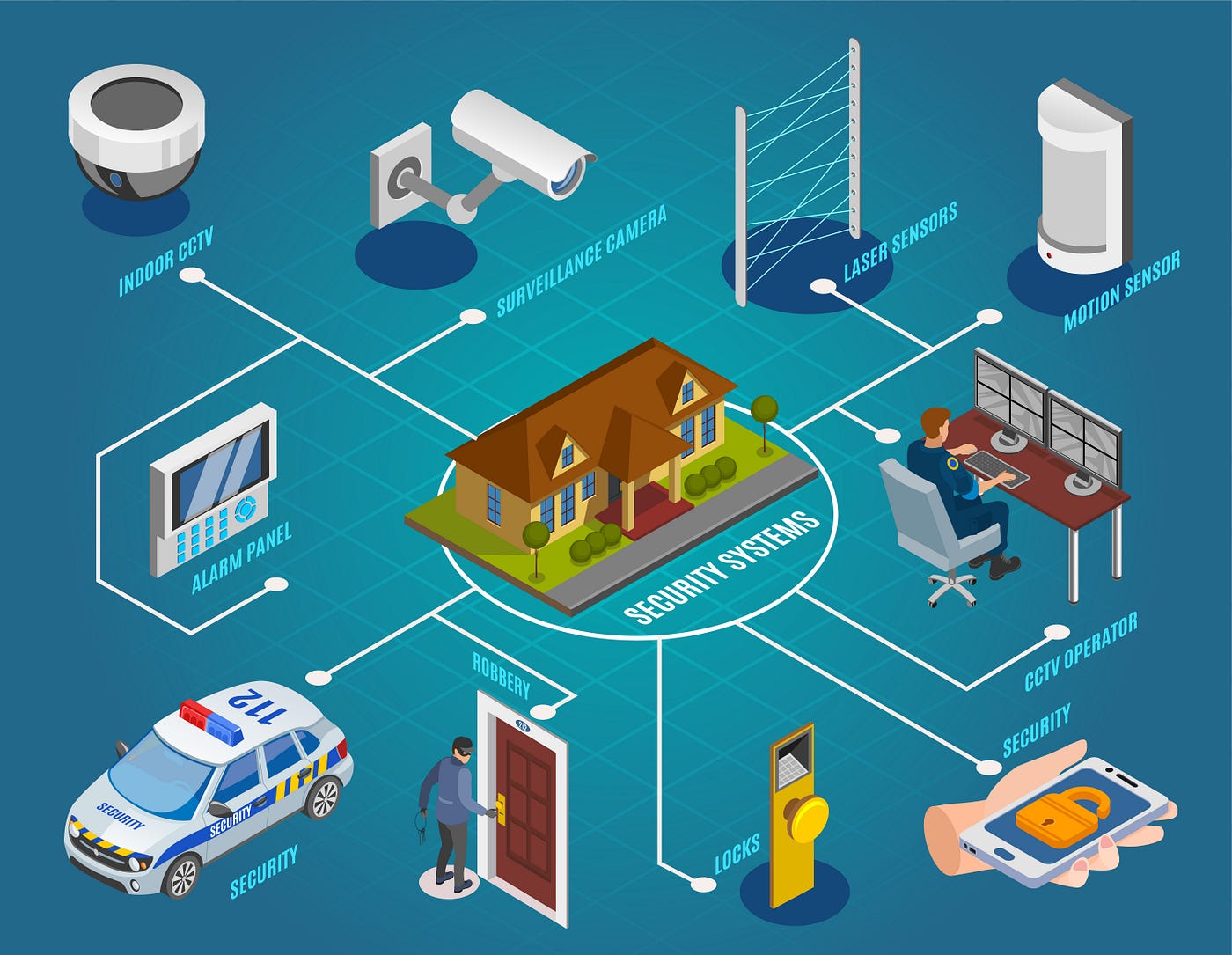
A home alarm system is designed to detect unauthorized entry and alert you or a monitoring service. Basic systems include door and window sensors, motion detectors, and a control panel. Advanced systems add features like glass-break sensors, smoke detectors, and cameras.
Modern alarm systems can work with smartphones, letting you get alerts, arm, or disarm the system from anywhere. Some offer professional monitoring, where a company watches over your home and calls emergency services if needed.
Exclusive Deals
Limited-time Exclusive Deals. Check current discount on Amazon.
Check Price on Amazon As an Amazon Associate I earn from qualifying purchases.There are two main types:
- Wired systems: These use physical cables to connect all devices. They’re reliable but harder to install, especially in finished homes.
- Wireless systems: These use radio signals (like Wi-Fi or Z-Wave). They’re easy to install and can often be moved or upgraded.
What Are Smart Home Devices?
Smart home devices are gadgets you control through an app, voice, or automation. They include:
- Smart lights (adjust brightness, color, schedules)
- Smart locks (lock/unlock doors remotely)
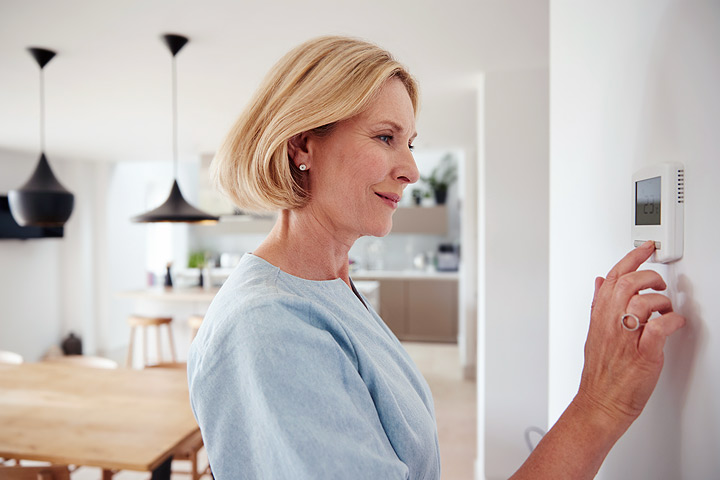
- Smart thermostats (control temperature from anywhere)
- Smart plugs (turn devices on/off)
- Cameras and video doorbells
- Voice assistants like Amazon Alexa or Google Assistant
These devices usually connect over Wi-Fi, Zigbee, Z-Wave, or Bluetooth. They often work together through a smart home hub or a platform like Apple HomeKit or Samsung SmartThings.
Why Integrate Home Alarm Systems With Smart Home Devices?
Connecting your alarm system with other smart devices brings several benefits:
- Better security: If the alarm triggers, smart lights can turn on, cameras can start recording, or doors can lock automatically.
- Convenience: Arm the alarm by voice or phone. Get alerts on your smart speaker or phone.
- Automation: Create routines (e.g., when you leave, the alarm sets, doors lock, lights turn off).
- Remote access: Check cameras, lock doors, or change settings from anywhere.
- Energy savings: Use motion sensors to adjust heating or cooling only when you’re home.
However, integration also means more complexity. If not set up carefully, it can create new risks—like hackers finding weak spots or automations failing at the wrong time.
Exclusive Deals
Limited-time Exclusive Deals. Check current discount on Amazon.
Check Price on Amazon As an Amazon Associate I earn from qualifying purchases.How Integration Works: Key Technologies
To connect an alarm system with smart devices, you need some way for them to “talk” to each other. There are several main methods:
1. Built-in Compatibility
Some modern alarm systems are designed to work with smart home platforms from the start. For example, many systems from Ring, SimpliSafe, or ADT offer direct integration with Amazon Alexa, Google Assistant, or Apple HomeKit. This lets you add your alarm to routines, control it by voice, or get alerts on your smart display.
2. Using A Smart Home Hub
A hub acts as a translator between devices. Popular hubs include Samsung SmartThings, Wink, and Hubitat. These hubs support different device types—Zigbee, Z-Wave, Wi-Fi—and allow you to create automations or connect everything in one app.
If your alarm system supports Z-Wave or Zigbee, you can often add its sensors, locks, or sirens to the hub. This makes it possible to trigger actions in other smart devices when the alarm is armed or tripped.
3. Third-party Integration Services
Services like IFTTT (If This Then That) or Home Assistant let you connect devices that don’t natively work together. For example, you can set up a rule so that “If the alarm goes off, then turn on all the lights.” These services can be powerful but may require more technical setup.
4. Manufacturer Apis
Some advanced alarm systems and smart devices offer APIs (Application Programming Interfaces). This lets skilled users or developers create custom connections and automations. APIs are more flexible but require programming knowledge.
Popular Alarm Systems And Their Integration Options
Not all alarm systems offer the same level of smart home compatibility. Here’s a look at some popular choices and how they compare:
| Alarm System | Smart Home Integration | Works With | Type |
|---|---|---|---|
| Ring Alarm | Excellent | Alexa, Z-Wave, SmartThings | Wireless |
| SimpliSafe | Good | Alexa, Google Assistant | Wireless |
| ADT Pulse | Very Good | Alexa, Z-Wave, Google Assistant | Wired/Wireless |
| Abode | Excellent | Alexa, Google, HomeKit, Z-Wave | Wireless |
| Vivint | Good | Alexa, Google Assistant, Z-Wave | Wireless |
Insight: Some older or very basic alarm systems do not support integration at all. If your current system is not compatible, you may need to upgrade or use extra hardware to connect it with smart devices.
Key Devices You Can Integrate With Your Alarm System
Let’s look at the most common smart home devices you can link to an alarm system:
- Smart locks: Lock or unlock doors when arming/disarming the alarm.
- Smart lights: Flash or turn on lights if an alarm event happens.
- Smart thermostats: Set back temperatures when you leave home.
- Security cameras: Start recording or send live video when an alarm is triggered.
- Smart plugs/outlets: Turn off risky appliances (like irons) when the system is armed.
- Voice assistants: Arm, disarm, or check status using voice commands (with security PIN).
- Garage door openers: Close garage when alarm is set.
Steps To Integrate A Home Alarm System With Smart Home Devices
Here’s a practical guide to connect your alarm and smart home gadgets, using clear steps:
1. Check Compatibility
- Review your alarm system’s manual or website to see what smart devices or hubs it works with.
- Some brands only support their own devices or require a specific hub.
- Search for your model and “smart home integration” to find user experiences.
2. Choose Your Hub Or Platform
- If your alarm system is already compatible with Alexa, Google Assistant, or HomeKit, you may not need a separate hub.
- If not, consider a hub like SmartThings or Hubitat that supports both your alarm and smart devices.
3. Update Firmware
- Before connecting devices, make sure all apps, hubs, and devices have the latest firmware.
- This helps fix bugs, improve security, and add new features.
4. Connect Devices
- Follow your alarm system’s instructions to add smart devices. This usually means putting devices into “pairing” mode and adding them through the app.
- For third-party devices, use the smart home hub app to add sensors, locks, or lights.
5. Set Up Automations
- Create rules or routines. For example: “If alarm is armed, turn off all lights and lock doors.”
- Test each automation to make sure it works as expected.
6. Test And Secure
- Try out all features—arm/disarm the system, trigger alarms, and watch how smart devices respond.
- Set strong, unique passwords for all accounts.
- Enable two-factor authentication if possible.
Practical tip: Don’t add too many automations at once. Start simple, then add more as you get comfortable. This helps you find and fix issues early.
Real-world Example: Integrating Ring Alarm With Smart Devices
Let’s walk through a real-world example: connecting a Ring Alarm system with smart lights and locks.
- Set up Ring Alarm using the Ring app.
- Add Z-Wave smart locks (e.g., Schlage or Yale) through the app’s “Works With Ring” section.
- Connect Ring with Alexa: In the Alexa app, enable the Ring skill and link your account.
- Add smart lights (like Philips Hue) to Alexa.
- Create Alexa routines: For example, when the Ring Alarm is set to “Away,” Alexa can turn off all lights and lock the doors.
Now, when you leave home, you only need to arm the alarm. The system will lock your doors and adjust lights automatically.
Challenges And Limitations Of Integration
While integration brings many benefits, there are some common challenges:
Compatibility Issues
- Not all alarm systems work with all smart devices.
- Some brands use proprietary systems, meaning you can only use their own accessories.
- Z-Wave and Zigbee devices must use the same “frequency region” (e.g., US or EU versions may not mix).
Security Risks
- Every connected device is a potential entry point for hackers.
- Weak passwords or old firmware can leave your whole system vulnerable.
- Some voice assistants may allow voice arming/disarming, which can be risky if not secured with a PIN.
Reliability Concerns
- Wireless devices can lose connection due to Wi-Fi issues or low batteries.
- Automations may fail if internet service is down.
- Cloud services used by smart devices can sometimes go offline.
Cost
- Adding smart devices and hubs can increase costs quickly.
- Some features, like advanced automations or video recording, may require monthly fees.
Privacy
- Cameras and microphones add convenience but also privacy concerns. Make sure you understand what data is stored and who can access it.
Non-obvious insight: Many people forget to update device firmware after initial setup. This leaves their system open to security flaws. Set a reminder to check for updates every few months.
Ways To Maximize Security And Reliability
Here’s how you can make your integrated home security system safer and more reliable:
- Use strong, unique passwords for each device and app.
- Enable two-factor authentication on your alarm and smart home accounts.
- Segment your Wi-Fi network: Put smart devices on a separate “guest” network when possible.
- Keep firmware up to date for all devices.
- Limit voice disarming: Require a PIN for voice commands that control security features.
- Test automations regularly: Confirm they work as expected.
- Monitor device status: Many hubs and apps can alert you if a sensor or lock is offline.
Experience-based tip: Don’t rely only on automations. Always have a backup way to arm or disarm your alarm, like a keypad or key fob, in case your phone or internet is down.
Future Trends: Where Is Home Security Integration Going?
Home security and smart home technology are evolving quickly. Here are some trends to watch:
- Matter: This new smart home standard aims to make devices from different brands work together seamlessly. More devices are adding Matter support in 2024.
- AI-based detection: Security cameras are getting smarter, using AI to spot people, animals, or vehicles—and ignore false alarms.
- Voice biometrics: Some systems are starting to use voice recognition for secure commands.
- Automated emergency response: Future systems may contact police or fire services directly, with video verification, for faster response.
- Energy integration: Home security will increasingly tie in with energy management, such as controlling solar panels or backup batteries.
Comparing Integration Methods: Hub Vs. Direct Connection
It’s important to choose the right integration approach. Here’s a comparison:
| Method | Pros | Cons | Best For |
|---|---|---|---|
| Direct Integration (e.g., Ring with Alexa) | Simple setup, less hardware, fast response | Limited to supported devices, fewer custom automations | Basic users, small setups |
| Smart Hub (e.g., SmartThings, Hubitat) | Works with many brands, advanced automations, local control possible | Extra cost, steeper learning curve, sometimes slower | Power users, mixed-brand homes |
| Third-Party Services (e.g., IFTTT, Home Assistant) | Highly flexible, connects unsupported devices | Requires technical skill, may be less reliable | Tech-savvy users, unique needs |
Common Mistakes To Avoid
When integrating home alarm systems with smart devices, watch out for these pitfalls:
- Not checking compatibility: Always confirm devices and hubs will work together before buying.
- Ignoring security basics: Don’t use default passwords or skip firmware updates.
- Over-automating: Too many routines can make troubleshooting hard.
- Failing to test: Always test after setup and whenever you add new devices.
- Forgetting privacy: Know what your devices record and how data is used.
Non-obvious insight: Some smart home devices may stop working if a company shuts down their cloud service. Whenever possible, choose devices that support “local control” (work even if the internet is down).
Is Integrating A Home Alarm System With Smart Devices Right For You?
Integration isn’t for everyone. Here’s how to decide:
- If you want maximum convenience and are comfortable with technology, integration can make life easier and safer.
- If you prefer simplicity and don’t want to manage lots of devices, a traditional alarm system may be enough.
- If you rent or move often, choose wireless systems that are easy to take with you.
- If you value privacy, research how each device handles your data.
For most people, starting small—like adding smart locks or lights to an alarm system—is a good first step. You can always add more features as you get used to the technology.
Getting Professional Help
If you’re unsure about setting things up, many security companies and smart home installers offer integration services. They can:
- Recommend compatible devices
- Handle installation and setup
- Train you on how to use everything
While this adds cost, it can save time and avoid mistakes.
For deeper reading on home automation standards and security, see the overview at Wikipedia: Home Automation.
Frequently Asked Questions
Can I Integrate My Old Wired Alarm System With New Smart Home Devices?
It’s possible, but not always easy. Some older wired systems can connect to smart home hubs using special modules or adapters. However, you may be limited in what features are available. In some cases, upgrading to a newer system is simpler and gives you more options.
Will Integrating Smart Devices Make My Alarm System Less Secure?
Integration adds convenience but also new risks. Each added device is a possible target for hackers. Reduce risks by using strong passwords, keeping firmware updated, and enabling two-factor authentication. Avoid sharing access with people you don’t trust.
Do I Need A Smart Home Hub To Connect My Alarm System With Other Devices?
Not always. Some alarm systems work directly with smart devices or platforms like Alexa or Google Assistant. However, a hub gives you more flexibility and control, especially if you have devices from different brands.
Can I Control My Alarm System With My Phone Or Voice?
Most modern alarm systems offer mobile app control. Voice control (through Alexa or Google Assistant) is also possible, but you should require a PIN for commands like disarm, to prevent accidental or unauthorized use.
What Happens To My Integrated System If The Internet Goes Down?
Many smart devices rely on the internet for remote control or automations. Some hubs and alarm systems support “local control,” meaning they work even without internet, but features like mobile alerts or camera viewing may be limited. For critical security, always have a backup way to arm/disarm, like a keypad.
Building a smart, integrated home security system takes planning—but the rewards can be significant. With careful setup and attention to security, you can enjoy the best of both worlds: strong protection and a home that responds to your needs.


