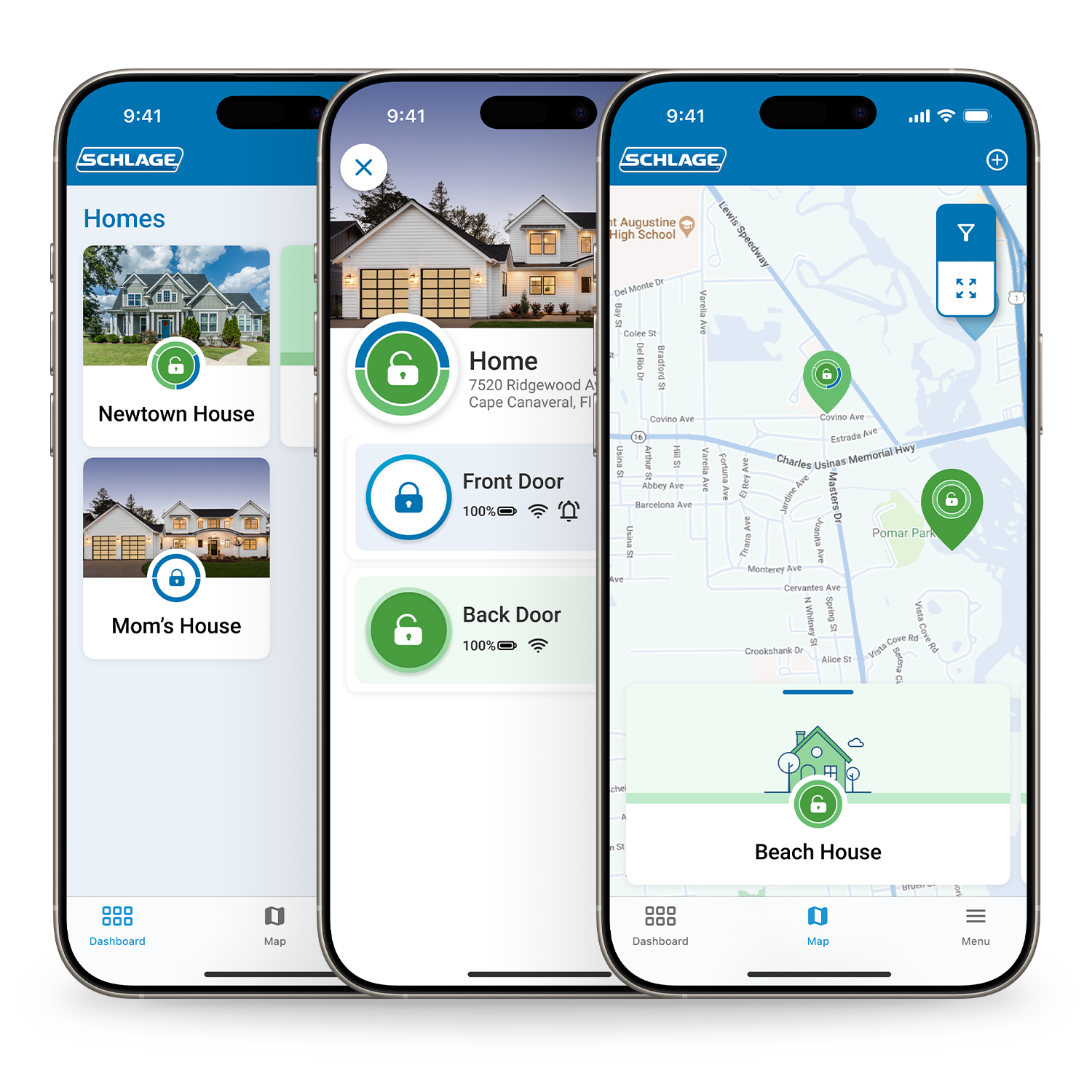
Smart locks are changing the way we secure our homes and offices. Many people now use these digital locks instead of traditional keys. One big question for anyone thinking about buying a smart lock is: Can smart locks keep an access history log? In simple words, do smart locks record who enters and when? This feature is important for both homeowners and businesses. It offers more control, security, and peace of mind. Let’s explore how smart locks handle access history, what types of logs they keep, how reliable these logs are, and what you should consider before choosing a smart lock with this feature.

Exclusive Deals
Limited-time Exclusive Deals. Check current discount on Amazon.
Check Price on Amazon As an Amazon Associate I earn from qualifying purchases.What Is Access History In Smart Locks?
Access history is a digital record of every time the lock was used. It shows who unlocked or locked the door and at what time. Most smart locks can track this information. The way they do it, and how much detail they record, depends on the brand and the model.
How Access Logs Work
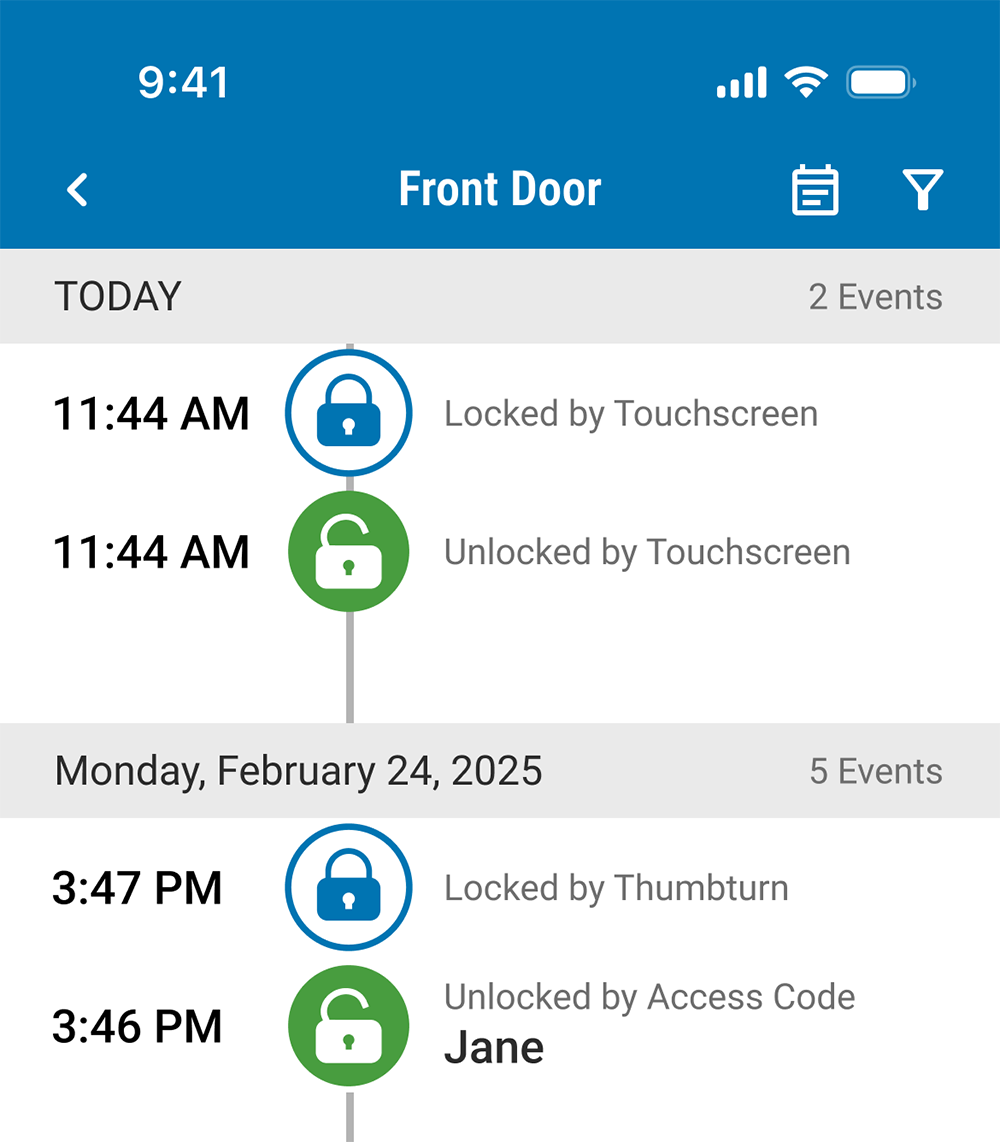
When someone uses a smart lock—by entering a code, using a smartphone, or scanning a fingerprint—the lock records the event. Many smart locks connect to an app on your phone. This app collects and displays the access history, letting you see a list of entries and exits.
Some locks keep the logs in the device itself, while others store them in the cloud.
Why Access History Matters
Knowing who comes and goes can be very useful. For example:
Exclusive Deals
Limited-time Exclusive Deals. Check current discount on Amazon.
Check Price on Amazon As an Amazon Associate I earn from qualifying purchases.- Parents can check if their kids got home safely.
- Landlords can track cleaning staff visits.
- Offices can monitor employee access.
- Airbnb hosts can see when guests arrive and leave.
It is not just about security. It also helps with accountability and peace of mind. If something goes wrong, you have a record to check.
Types Of Access History Logs
Not all smart locks handle access logs the same way. The details and storage methods can vary.
1. Local Logs
Some smart locks keep the access history on the lock itself. This means the data is stored on the device’s memory. You usually need to be physically present at the lock and connect via Bluetooth to read the logs. Local logs are more private, but they can be lost if the device is reset or damaged.
2. Cloud-based Logs
Many modern smart locks upload logs to the cloud. This allows you to view the access history from anywhere, using your phone or computer. Cloud logs are more convenient, and data is less likely to be lost. However, they depend on an internet connection and raise privacy concerns.
3. Hybrid Logs
Some locks combine both approaches. They store logs locally and sync them with the cloud when connected. This offers a good balance between privacy, convenience, and reliability.
Exclusive Deals
Limited-time Exclusive Deals. Check current discount on Amazon.
Check Price on Amazon As an Amazon Associate I earn from qualifying purchases.Example: Cloud Vs Local Log Storage
Here’s a comparison of local and cloud-based access logs:
| Type | Access Method | Data Safety | Privacy | Internet Needed? |
|---|---|---|---|---|
| Local Logs | Bluetooth/Nearby Device | At risk if lock fails | High | No |
| Cloud Logs | App/Online Portal | Very safe | Depends on provider | Yes |
| Hybrid Logs | Both | Best of both | Balanced | Not always |
What Details Do Smart Lock Access Logs Include?
Different smart locks record different levels of detail in their logs. Here are common data points you might find:
- Date and Time – When the lock was opened or closed.
- User Identity – Who operated the lock (name, code, or device).
- Access Method – How the lock was opened (app, code, fingerprint, keycard, etc. ).
- Action – Whether the door was locked or unlocked.
- Device Used – Sometimes, the type of phone or fob used.
Let’s look at a sample log entry for a typical smart lock:
| Date/Time | User | Action | Method | Device |
|---|---|---|---|---|
| 2024-06-21 08:15 | John | Unlocked | App | iPhone 13 |
| 2024-06-21 09:00 | Emily | Locked | Keypad | – |
| 2024-06-21 12:30 | Unknown | Attempted Unlock | Keypad | – |
Some advanced locks also flag failed attempts, such as wrong codes or rejected fingerprints. This helps you notice possible break-in attempts or mistakes.
Popular Smart Locks And Their Access Log Features
The market has many smart lock brands. Not all offer the same access log features. Here’s how some popular options handle access history:
1. August Smart Lock
- Cloud-based logs: Viewable through the app.
- Records every lock/unlock event, including manual use.
- Shows user names (if assigned) and timestamps.
- Keeps logs for several months.
- Advanced models record failed attempts.
2. Schlage Encode
- Cloud and local logs: Syncs with app and can work offline.
- Tracks individual users and access codes.
- Offers real-time notifications for each entry.
- Retains logs for up to 90 days.
3. Yale Assure Lock
- Supports both local and cloud logs.
- Shows detailed access history, including type of access (app, keypad, etc. ).
- Can assign unique codes for each user.
- Provides notifications for lock/unlock actions.
4. Ultraloq U-bolt Pro
- Keeps logs locally and syncs to the cloud.
- Records each access method: Fingerprint, code, app, and key.
- Supports up to 100 users.
- Sends alerts for failed access attempts.
5. Kwikset Halo
- Cloud-based access history.
- Shows who entered and when, if user codes are assigned.
- Retains logs for at least 30 days.
- Can send instant alerts to owner’s phone.
Feature Comparison: Major Smart Locks
Here’s a side-by-side look at how some leading models handle access history:
| Brand/Model | Access Log Type | Retention Period | User Identification | Alerts/Notifications |
|---|---|---|---|---|
| August Smart Lock | Cloud | 6+ months | Yes | Yes |
| Schlage Encode | Cloud/Local | 90 days | Yes | Yes |
| Yale Assure | Local/Cloud | Varies | Yes | Yes |
| Ultraloq U-Bolt Pro | Hybrid | 6 months | Yes | Yes |
| Kwikset Halo | Cloud | 30 days | Yes | Yes |
Benefits Of Access History Logs
Access logs are not just for tech lovers. They offer real benefits for daily life and business.
1. Enhanced Security
With a detailed entry and exit log, you can quickly spot suspicious activity. If a stranger tries to enter, you’ll know. If someone enters at odd hours, you’ll see it.
2. Greater Accountability
If multiple people have access, logs show exactly who did what. In offices, this can prevent unauthorized access. For short-term rentals, you know when cleaners or guests arrive.
3. Peace Of Mind
Parents, pet owners, or anyone who worries about home safety can check the logs anytime. You never have to wonder if you locked the door or if someone came home safely.
4. Easy Troubleshooting
If there’s a problem—like a lost item or a security concern—you have a timeline to review. This can also help with insurance claims if needed.
5. Remote Monitoring
Cloud-based logs let you see access history from anywhere. This is especially helpful for landlords, frequent travelers, or people who manage multiple properties.
Limitations And Challenges
While access history logs are powerful, they are not perfect. It’s important to understand their limits.
Data Storage Limits
Most smart locks only keep logs for a certain period, such as 30 or 90 days. After this, older entries may be deleted. Some allow you to export logs, but not all.
User Identification
For the logs to be useful, each person needs a unique code, fingerprint, or app login. If everyone shares the same code, you cannot tell who entered. Some locks allow unlimited users, but others have strict limits.
Privacy Concerns
Cloud-based logs are stored online. If the lock company is hacked, your data could be exposed. Some people do not want their home’s access history stored on a server.
Power And Connectivity Issues
If the lock loses power or Wi-Fi, it may stop recording logs or uploading them. Some locks can keep local logs until the connection returns, but not all.
Data Accuracy
Logs can only track digital entries. If someone uses a traditional key (if the lock allows), it might not be recorded. Also, if someone guesses or shares a code, the log will not show the true person.
Non-obvious Insight: Time Zone Mismatch
Some users are surprised to find that log times may not match their local time zone, especially if using cloud services. Always check if your app is set to the correct time zone.
Non-obvious Insight: Log Tampering
Advanced users may try to erase or alter access logs if they have admin rights. Choose locks with strong admin controls and regular log backups.
How To Choose A Smart Lock With Reliable Access Logging
If access history is important to you, keep these factors in mind:
Retention Period
Check how long the lock keeps logs. Some offer only 30 days, while others keep records for months. If you need long-term tracking, look for export or backup features.
User Management
The lock should let you assign unique credentials to each person. This makes the logs useful and clear.
Notification Options
Real-time alerts let you know about entries as they happen. This is useful for urgent security issues or time-sensitive needs.
Security And Privacy
Check if the logs are encrypted and who can see them. Some brands let you set up multiple admin levels for better control.
Integration And Compatibility
If you use smart home systems like Alexa, Google Home, or Apple HomeKit, make sure the lock’s logging features work with them. Some systems even allow automatic actions, such as turning on lights when someone enters.
Power Backup
Choose locks with a backup battery or emergency key option, so you do not lose logs during a power cut.
Customer Support And Updates
Locks with regular firmware updates are less likely to have security flaws. Good customer support can help if you ever lose access to your logs.
Example: Choosing Between Models
Suppose you need to track cleaning staff in an Airbnb rental. A lock with unique codes for each cleaner, cloud logs, and real-time alerts is ideal. For private homes, local logs may be enough if you want more privacy.
Real-world Scenarios: Who Needs Access Logs?
Understanding where access logs make the most difference can help you decide if this feature matters for you.
Homeowners
Parents can check if kids came home after school. Pet owners can confirm if the dog walker arrived. Logs can also show if doors were left unlocked by mistake.
Short-term Rentals
Airbnb hosts and property managers can check if guests have checked in or if cleaners visited after checkout. This helps with scheduling and dispute resolution.
Offices And Small Businesses
Business owners can monitor employee entry times, especially for after-hours work. Logs can also help investigate theft or accidents.
Shared Housing
Roommates or shared households can track who locked or unlocked the door, avoiding confusion or disputes.
Elderly Care
Families can check if caregivers visited elderly relatives on time, without needing to call or check in constantly.

Privacy And Security Concerns
While access logs are helpful, they also raise privacy questions. Here’s what you should keep in mind:
Who Owns The Data?
Most companies say you own your data, but they store it. Always read the privacy policy. Some brands share data with third parties for analysis or marketing.
Can Data Be Deleted?
You should be able to delete your logs if you want. Some locks only allow this through a factory reset, which also erases all settings.
Are Logs Encrypted?
Look for locks that encrypt logs both locally and in the cloud. This protects your information from hackers.
What Happens If The Company Shuts Down?
Cloud-based services depend on the company’s servers. If the company stops supporting your lock, you may lose access to your logs.
For more on smart lock privacy and security, check this Consumer Reports guide.
How Accurate And Tamper-proof Are Smart Lock Logs?
Accuracy depends on the quality of the lock and how users manage their credentials.
- If each user has a unique code or app login, logs are reliable.
- If codes are shared, you lose individual tracking.
- Physical key use may not be recorded.
- Some locks let admins erase or export logs, which could allow tampering.
Advanced models use tamper alerts and keep backup copies in the cloud, making it harder to hide unauthorized actions.
Exporting, Backing Up, And Using Access Logs
Some smart locks allow you to export logs as spreadsheets or PDFs. This is helpful for businesses or landlords who need to keep records for legal or management reasons.
- Check if the lock’s app or web portal offers export options.
- Regularly back up logs if you need long-term records.
- Some locks can send logs directly to your email.
If you need evidence for insurance or police, make sure your logs are easy to download and store safely.
Frequently Asked Questions
Can All Smart Locks Keep An Access History Log?
No, not all smart locks have access logging. Basic models may only lock and unlock without tracking users. Check each model’s features before buying if logging is important to you.
How Long Do Smart Locks Keep Access History Logs?
It varies. Some keep logs for 30 days, others for several months. Certain models allow you to export or back up logs for longer-term storage. Always check the retention period before choosing a lock.
Are Access Logs Stored Securely?
Most reputable brands use encryption and secure cloud storage. However, security depends on the manufacturer and your app settings. Always use strong passwords and enable two-factor authentication if available.
Can Access Logs Be Deleted Or Tampered With?
Some smart locks let admins erase logs or reset the device. This could remove the history. Choose a lock with tamper alerts and regular backups to reduce risk.
Do Access Logs Show Physical Key Use?
Most smart locks do not record when a physical key is used, unless the lock has a sensor for this purpose. Digital entries (app, code, fingerprint) are usually logged, but manual keys often are not.
Smart locks with access history logging offer more than just convenience. They provide a clear record of who enters and leaves, boosting security and peace of mind. But they also require careful setup and attention to privacy. Understanding how these logs work, what to look for, and their limits will help you choose the right smart lock for your needs.
As technology evolves, expect even smarter, safer, and more detailed logging features in the future.