
Monitored systems offer live response; unmonitored systems use local alerts and depend on owner action.

Exclusive Deals
Limited-time Exclusive Deals. Check current discount on Amazon.
Check Price on Amazon As an Amazon Associate I earn from qualifying purchases.I have designed and tested home and business alarms for years. I know how Monitored vs Unmonitored Security System choices change safety, cost, and stress. This guide breaks down both types. It shows how each works, the trade-offs, real examples, and a clear checklist to pick the right one for your place. Read on to make a smart decision that fits your needs and budget.

Understanding Monitored vs Unmonitored Security System
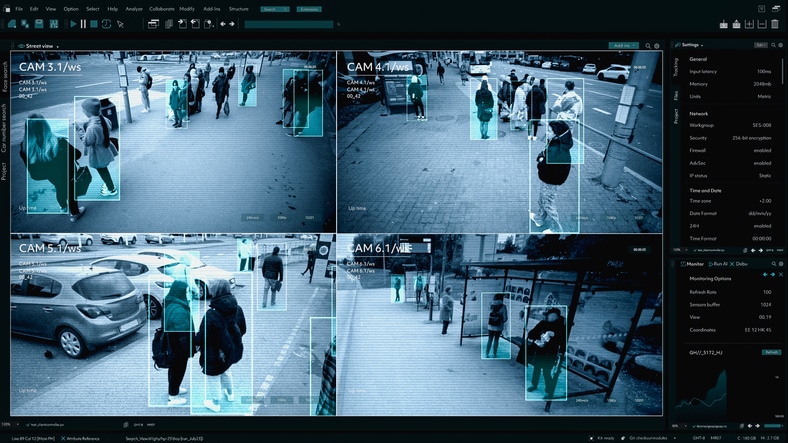
A Monitored vs Unmonitored Security System comparison looks at who responds when an alarm triggers. Monitored systems connect to a remote center that checks alerts and calls the right people. Unmonitored systems trigger bells, lights, or phone push alerts and ask the owner or neighbors to act. Both types aim to protect people and property. They use similar hardware like sensors, cameras, and control panels.
Exclusive Deals
Limited-time Exclusive Deals. Check current discount on Amazon.
Check Price on Amazon As an Amazon Associate I earn from qualifying purchases.How monitored systems work
Monitored systems link your sensors to a central monitoring station or a professional service. When a sensor trips, the system sends a signal over cellular, Wi-Fi, or a phone line. A trained agent checks the alarm. They try to reach you. If needed, they call first responders. Many monitored setups include 24/7 support and verified dispatch. This reduces response time and can lower false alarm penalties in some places. Monitored systems often include extra services like panic buttons, medical alerts, and video verification.

How unmonitored systems work
Unmonitored systems warn locally. They sound sirens, flash lights, or send push notifications to your phone. You get the alert and act. You may call police, a neighbor, or go home. These systems are usually simple and cost less up front. They depend on you or others for response. Some unmonitored systems add smart automation, like lights or door locks, to slow intruders. But there is no pro checking or dispatch by default.
Key differences at a glance
- Ownership and control: Monitored systems often include a service contract. Unmonitored systems are usually owned outright and managed by the user.
- Response model: Monitored systems use a central team to verify and dispatch. Unmonitored systems rely on the owner, neighbors, or passersby.
- Cost: Monitored systems have monthly fees. Unmonitored systems may have only one-time costs.
- Reliability: Monitored systems often use redundant communication paths. Unmonitored systems depend on your phone or local sirens.
- False alarm handling: Monitored centers can reduce false dispatches with verification. Unmonitored alarms can still trigger police if someone calls in.
- Custom services: Monitored plans can include medical alert, fire monitoring, and video verification. Unmonitored systems can integrate smart home features but lack pro checks.
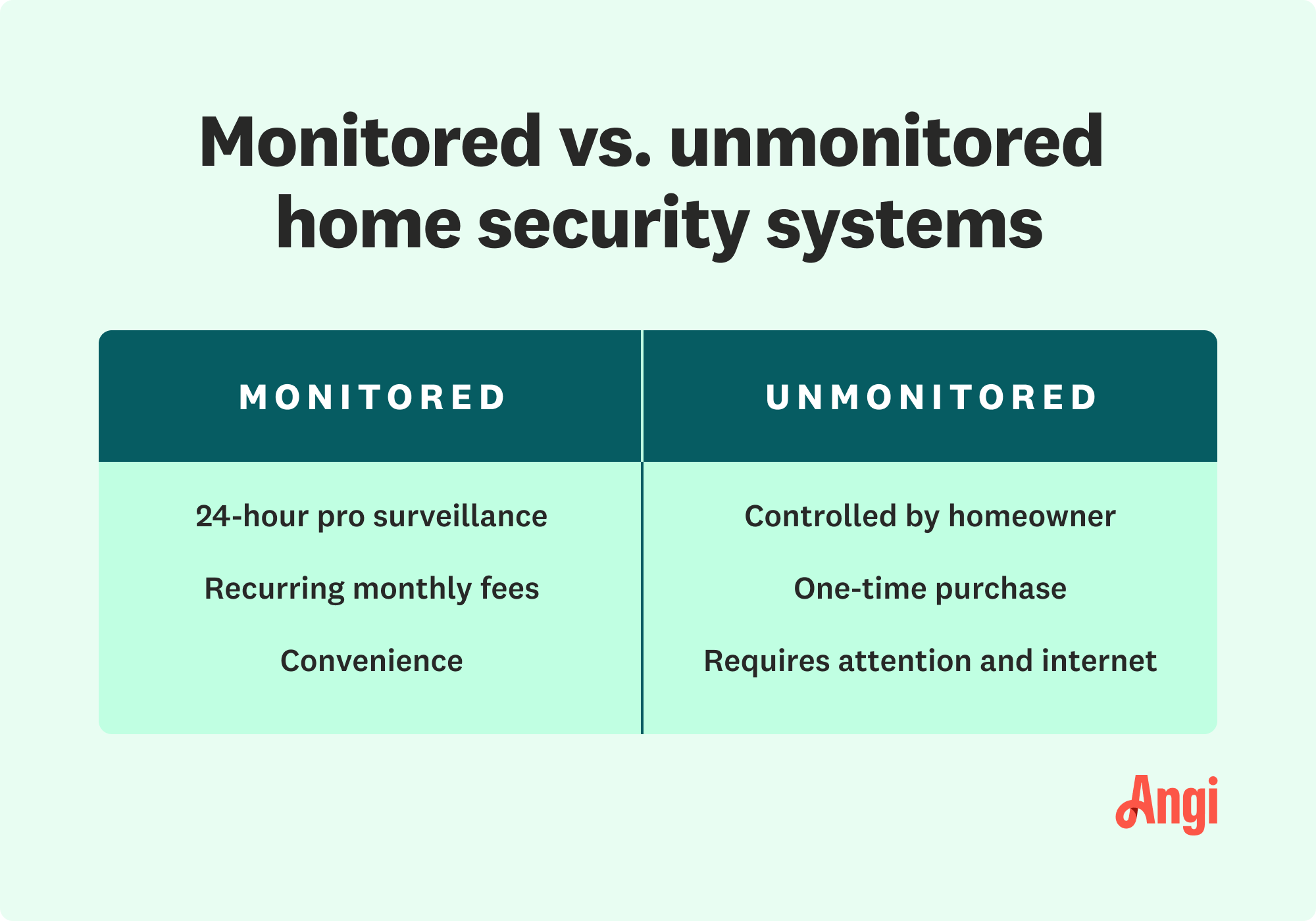
Source: angi.com
Pros and cons of each system
Pros of monitored systems
Exclusive Deals
Limited-time Exclusive Deals. Check current discount on Amazon.
Check Price on Amazon As an Amazon Associate I earn from qualifying purchases.- Fast professional response when you cannot act yourself.
- Lower worry for travel or long work hours.
- Some insurers offer discounts for monitored coverage.
- Redundancy in signal paths helps during outages.
Cons of monitored systems
- Monthly fees and sometimes long contracts.
- You rely on a third party for proper handling.
- Setup can be pricier.
Pros of unmonitored systems
- Lower initial cost and no monthly fee.
- Full control over alerts and actions.
- Easy to upgrade or change equipment.
Cons of unmonitored systems
- No professional verification or dispatch.
- Risk of missed alerts if your phone is off.
- Longer response times if you are away.
These trade-offs shape the decision for homes, renters, and businesses. Think about who will answer an alarm. That is the key choice.

Cost, contracts, and value
Monitored systems usually cost more over time. Expect an installer fee plus a monthly charge. The fee covers monitoring staff and tech. Some plans include cloud video storage. Others add fees for extra devices or cellular backup.
Unmonitored systems cost less up front. You buy the gear once. You keep ownership. No monthly monitoring fee matters if you live nearby and can respond fast. For people who travel or own multiple properties, monitoring may be worth the monthly cost.
Value depends on risk, budget, and peace of mind. If you want fast professional help and lower worry, monitoring can pay off. If you want low cost and you can act quickly, unmonitored can work well.

Installation, maintenance, and reliability
Both systems need good setup. Proper sensor placement is vital. A poorly placed motion sensor or camera leaves gaps.
Monitored systems often come with professional install options. Pros test sensors and setup signal paths. They also offer scheduled maintenance.
Unmonitored systems can be DIY. That saves money. But DIY means you must test devices, update firmware, and keep batteries fresh.
For both types:
- Test alarms monthly to confirm signal and sound.
- Replace batteries per device guidelines.
- Keep software and apps current.
- Consider cellular backup to avoid single-point failures.

Source: sirixmonitoring.com
How to choose between Monitored vs Unmonitored Security System
Ask these key questions:
- How often am I away from my property?
- Will I respond to an alarm within minutes?
- Is budget a top constraint or is peace of mind more important?
- Do local police require verified alarms for dispatch?
- Do I want extras like medical monitoring or verified video?
Use this quick checklist:
- Pick monitored if you travel, live alone, or need verified dispatch.
- Pick unmonitored if you want low cost, local alerts, and full control.
- Consider hybrid setups that give local sirens plus optional paid monitoring.
- Confirm insurer discounts and local false alarm rules before you buy.
I once helped a client switch to hybrid monitoring. They kept local alerts and added video verification on nights. That cut false requests and kept their monthly cost mid-range. Simple tweaks like that can fit many budgets.
Real-life examples and lessons learned
Example 1: Small rental property
- I set up an unmonitored alarm with door sensors and cameras. The owner checks feeds when notified. It works for them because an onsite manager lives next door.
Example 2: Elderly parent at home
- I recommended monitored service with medical alert. The family sleeps easier knowing help is summoned even if the parent cannot call.
Key lessons from field work
- Always test alarms after install. Many failures come from bad placement.
- Use cellular backup. Phone line cuts or internet outages are common.
- Video verification drastically lowers false police dispatches.
- Read the monitoring contract for cancellation and fee terms.
These lessons saved clients time and false fines. They also improved real safety.
Frequently Asked Questions of Monitored vs Unmonitored Security System
What is the main benefit of a monitored system?
A monitored system gives professional verification and 24/7 dispatch. This reduces response time when you cannot act. It also often lowers stress for people who travel or live alone.
Can an unmonitored system still alert the police?
Yes. If someone calls in or if the alarm triggers a connected service, police can respond. But there is no automatic verified dispatch from a central monitoring team.
Are monitored systems expensive to cancel?
Some monitored plans include long-term contracts and early termination fees. Always read terms before signing. Ask the company about trial periods and exact fees.
Do monitored systems stop false alarms?
Monitored centers use verification steps to reduce false dispatches. They call and check video if available. No system can stop all false alarms, but professional checks help a lot.
Is DIY installation safe for serious security needs?
DIY installation can be safe if devices are high quality and placed well. For high-risk sites, professional setup and monitoring add reliability and redundancy. Match the install level to your risk and skill.
Will insurers give discounts for monitored systems?
Many insurers offer discounts for professionally monitored systems. The discount varies by company and region. Check with your insurer before buying to confirm savings.
Can I switch from unmonitored to monitored later?
Yes. Most systems support adding monitoring later. Some companies offer trade-in or upgrade options. Keep device compatibility in mind when you buy gear.
Conclusion
Choosing between Monitored vs Unmonitored Security System comes down to control, cost, and response needs. Monitored systems give pro verification and fast dispatch. Unmonitored systems give low cost and full user control. Test gear, check contracts, and match the system to how often you can respond. Start with the checklist in this article. Take one step today: run a home test, call a provider for quotes, or try a trial monitoring plan. Leave a comment with your situation, and I will help you weigh the options.


